

Table of Content
- Social Media Bio Character Limits at a Glance
- Social Media Bio Limits by Platform
- What Actually Counts Toward a Bio Character Limit?
- One Bio, Different Platforms: A Practical Comparison
- How to Shorten a Bio Without Losing Its Meaning
- Common Bio Mistakes That Reduce Clarity
- Should You Use a Bio Generator or Character Counter?
- Clarity Matters More Than Length
A social media bio introduces an account before visitors explore its posts, videos, or services. However, the space available for that introduction varies considerably. TikTok allows just 80 characters, Instagram provides 150, and LinkedIn offers separate fields for professional headlines and detailed summaries.
These differences affect what information belongs in each profile. This guide compares major social media bio character limits, explains how each platform handles profile descriptions, and shows how to write a clear introduction without wasting valuable space.
Social Media Bio Character Limits at a Glance
Social platforms use different profile structures, so character limits are not always directly comparable. Some provide a single short bio, while others separate introductions, business information, professional summaries, and website links.
The following table covers the main limits and commonly documented allowances.
| Platform | Character limit | Profile field |
| 150 | Bio | |
| TikTok | 80 | Bio |
| 101 | Short personal bio | |
| X (Twitter) | 160 | Bio |
| 220 | Professional headline | |
| 2,600 | About section | |
| 500 | About/bio | |
| Threads | 150* | Bio |
| YouTube | 1,000 | Channel description |
Threads' 150-character allowance is commonly reported but should be checked in the current editor. Facebook's 101-character limit refers to its short introductory field, not every personal or business description.
The important distinction is between a platform's maximum allowance and how much information a profile actually needs. A concise TikTok introduction may be sufficient in 50 characters, while a LinkedIn summary may require several paragraphs to explain professional experience.
Social Media Bio Limits by Platform
Each platform has a different audience, content format, and profile layout. Rather than filling every available character, the description should reflect how visitors discover an account and what they expect to find there.
1. Instagram: 150 Characters
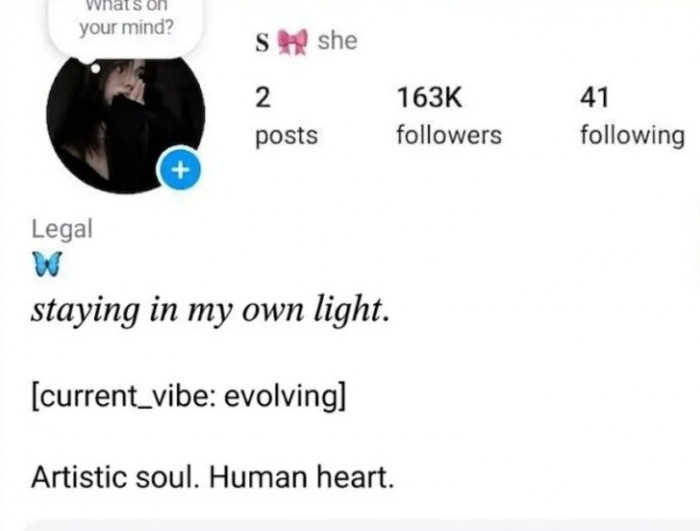
Instagram allows 150 characters in the bio field. This space is separate from the username, display name, and dedicated profile links, making it possible to communicate an account's purpose without including every detail in the description.
For creators, a useful bio generally identifies the content niche and gives visitors a reason to follow. Businesses may benefit more from mentioning their services, specialties, or location, while aesthetic bio ideas can help personal accounts express their style without losing clarity.
Example bio:
Budget-friendly home decor | DIY room ideas & styling tips | Making small spaces feel special.
The example explains the subject and content style without relying on vague personality descriptions. Instagram's separate profile fields can accommodate contact details and website links, while the bio concentrates on what the account offers.
2. TikTok: 80 Characters
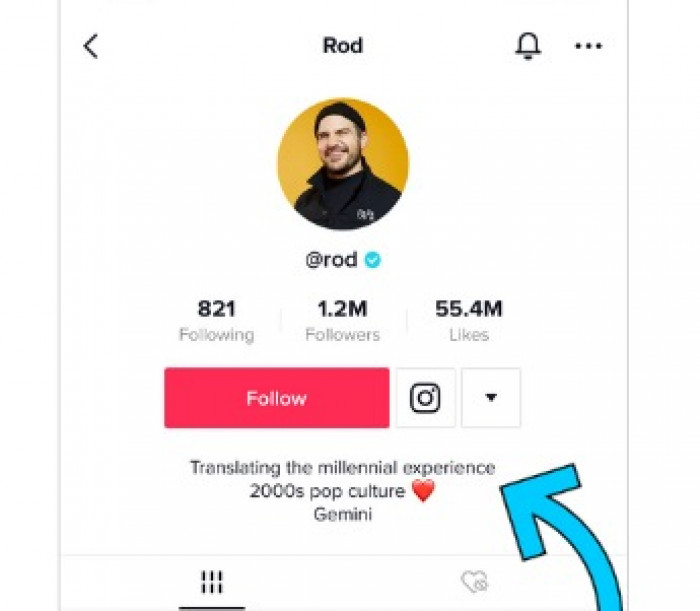
TikTok's traditionally short bio field requires a particularly focused introduction. Since visitors often discover creators through individual videos, effective TikTok bio ideas should connect those videos to a recognizable topic or identity.
A description that combines several interests, promotional messages, and decorative symbols may become difficult to understand. Stating the primary content category is generally more useful.
Example bio:
Easy vegetarian recipes | Quick meals for busy days
This short description communicates both the niche and the benefit of following. Accounts eligible for a separate website-link field can use that space instead of consuming bio characters with a URL.
3. Facebook: 101-Character Short Bio
Facebook distinguishes between a short personal introduction and other profile information. The commonly cited 101-character allowance applies to the short bio field, while business Pages and additional About fields can provide more room for detailed information.
A personal bio can communicate an occupation, interest, or defining characteristic without turning into a lengthy introduction.
Example bio:
Travel photographer documenting local cultures, landscapes, and everyday life.
For businesses, the short introduction should identify the service or product category. Details such as opening hours, addresses, contact information, and business descriptions are better placed in their designated Page fields, where available.
4. X (Twitter): 160 Characters
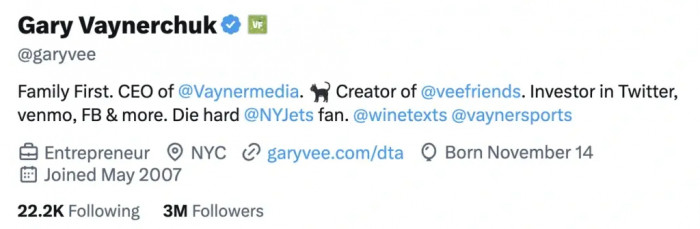
X allows 160 characters in the profile bio, providing enough room for a professional identity alongside a personal interest or particular area of expertise.
The platform's separate website and location fields also help keep the description focused. Journalists, researchers, creators, and business owners can use the bio to establish what subjects they regularly discuss.
Example bio:
Technology journalist covering AI, digital privacy, and the business of the internet. Interested in the stories behind the headlines.
A specific description is more useful than a collection of unrelated job titles. It also helps visitors understand what kind of information or commentary they can expect from the account.
5. LinkedIn: 220-Character Headline and 2,600-Character About Section
LinkedIn provides considerably more space because its profile information serves a professional purpose. However, the headline and About section perform different functions and should not contain identical content.
The 220-character headline appears prominently beneath a member's name and can appear in LinkedIn search results. It should communicate professional specialization, relevant skills, or the nature of the person's work.
Example headline:
Senior Content Strategist | Technical Editing, SEO Content Planning & Editorial Operations
The 2,600-character About section offers space to explain experience, responsibilities, industries, and significant accomplishments. It is particularly useful for providing context that cannot fit naturally into a headline.
A strong About section can contain three or four readable paragraphs covering professional background, areas of expertise, measurable contributions, and current work. There is no benefit in filling all 2,600 characters if the information becomes repetitive.
6. Pinterest: 500 Characters
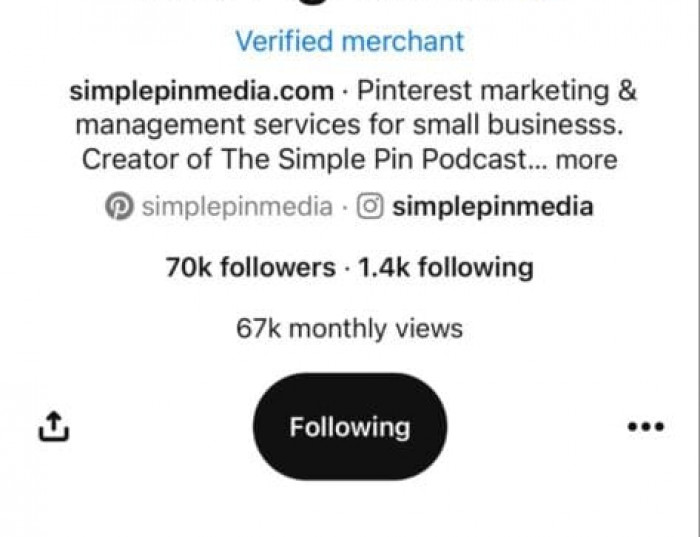
Pinterest allows up to 500 characters in its About section. Unlike shorter social bios, this provides room to describe several closely related content categories without sacrificing readability.
Because Pinterest is heavily oriented toward discovering ideas, tutorials, and inspiration, the profile description should help visitors recognize the subjects represented by the account.
Example bio:
Practical home organization, small-space decorating, and affordable DIY projects. Discover storage ideas, room inspiration, and simple ways to make everyday spaces more functional.
The description explains what visitors can expect without becoming a list of disconnected keywords. Although Pinterest offers 500 characters, the opening sentence should carry the main message because longer descriptions may not be fully visible in every interface.
7. Threads: Approximately 150 Characters
Threads is commonly described as supporting a 150-character bio, although its current in-app editor should be checked because the limit is not consistently documented in official public guidance.
Since Threads emphasizes text-based conversations, its bio can focus on discussion topics, professional interests, or personal perspectives rather than repeating promotional information from Instagram.
Example bio:
Writing about digital culture, social media trends, and everyday technology.
This approach establishes the account's interests while leaving individual posts to communicate its personality. Where separate profile links are supported, they can accommodate destinations that would otherwise clutter the description.
8. YouTube: 1,000-Character Channel Description
YouTube provides a commonly documented allowance of 1,000 characters for channel descriptions. This is separate from the longer description fields available for individual videos.
A channel description should explain what the channel covers, who its videos are intended for, and the kind of content viewers can expect. Unlike a short TikTok bio, it can accommodate several related topics and additional context.
Example description:
Clear tutorials on productivity software, AI writing tools, and practical digital skills. Our videos explain how popular applications work, where they are useful, and what limitations users should understand.
The opening sentences should establish the channel's main purpose. Additional space can describe recurring video formats or specialist subjects, but repeating the same keywords or subscription requests contributes little to the viewer's understanding.
What Actually Counts Toward a Bio Character Limit?
Character limits generally include more than letters and numbers. Spaces, punctuation, symbols, and line breaks can consume part of the available allowance, while emojis and decorative fonts may behave differently depending on the counting method.
This distinction becomes especially important when a bio appears short enough in a third-party editor but exceeds the platform's limit when pasted.
| Text element | How it affects character limits |
| Letters and numbers | Generally count as individual characters. |
| Spaces and punctuation | Usually consume character space. |
| Line breaks | Can contribute to the total allowance. |
| Emojis | May occupy multiple Unicode code units despite appearing as one symbol. |
| Stylish fonts | Special Unicode letters can affect counting and compatibility. |
| Hashtags | The symbol and accompanying text consume characters. |
A single visible emoji can contain several underlying Unicode elements, particularly when skin tones or combined symbols are involved. Similarly, decorative lettering may look similar to ordinary text but use different Unicode characters.
For accurate results, a character counter can help during drafting, but the platform's own editor should remain the final check. It is also worth reviewing the pasted bio for broken line breaks or unsupported characters before publishing.
One Bio, Different Platforms: A Practical Comparison
Using exactly the same introduction everywhere may be convenient, but it overlooks the differences between audiences and profile layouts. Exploring bio ideas for different platforms can help maintain a consistent professional identity while adapting the wording to suit each audience.
Consider a freelance graphic designer offering logo design and visual branding services to small businesses. The following examples show how the same work can be described across four networks.
| Platform | Bio example |
| TikTok | Graphic designer sharing branding tips & creative ideas |
| Freelance graphic designer helping small brands create memorable visual identities. Logos, branding tips & design inspiration. | |
| X | Freelance graphic designer focused on brand identity and visual storytelling. Sharing creative processes, design insights, and branding ideas. |
| Freelance Graphic Designer | Brand Identity, Logo Design & Visual Communication for Small Businesses |
The TikTok version emphasizes the type of content viewers will encounter, while Instagram combines professional identity with creative subject matter. X provides additional context about the account's discussions, and LinkedIn places greater emphasis on services and professional specialization.
None of these versions requires the maximum number of characters. Each is written around the information most relevant to visitors on that particular platform.
How to Shorten a Bio Without Losing Its Meaning
A shorter bio should still answer the basic question of what an account represents. Removing useful details simply to reduce length can make a profile vague, particularly for businesses and professionals who need to explain their services.
The better approach is to identify information that contributes little and replace broad descriptions with specific wording.
● Replace generic adjectives with recognizable expertise. Instead of writing "Passionate and creative digital marketing enthusiast," use "Digital marketer specializing in SEO and content strategy." The revised wording explains an actual area of work rather than relying on personal claims.
● Avoid repeating information already visible. If the profile name clearly identifies a bakery, the bio can concentrate on its specialties, delivery area, or ordering process instead of repeating the business category.
● Move details into dedicated profile fields. Website links, locations, and contact information should be placed in the appropriate sections wherever supported. This preserves bio space for information that cannot be communicated elsewhere.
● Choose one relevant call to action. Combining requests to follow, subscribe, visit a website, and send a message creates unnecessary clutter. A single instruction connected to the account's main purpose is easier to understand.
A useful final editing test is to remove phrases that could describe almost any account. Words such as "dreamer," "innovator," or "passionate creator" may express personality, but they rarely explain what makes a professional service or content category distinctive.
Common Bio Mistakes That Reduce Clarity
One of the most common problems is treating the bio as a keyword collection. A description such as "Marketing | SEO | Growth | Digital | Business | Content" may fit comfortably within the limit, but it provides little context about the account's actual work or specialization.
Excessive emojis, decorative fonts, and unrelated hashtags can create similar problems. They may make a description visually crowded while reducing the space available for meaningful details. Special characters may also affect readability for visitors using assistive technologies.
Another issue is confusing the maximum character limit with the amount of text immediately displayed. Some platforms truncate longer descriptions in certain layouts, so important information should appear near the beginning. A technically valid bio can still be ineffective if its main message is hidden behind an expansion control.
Should You Use a Bio Generator or Character Counter?
Bio generators and character counters address different parts of the writing process. A character counter helps measure length, while learning how to generate a professional bio can help develop alternative descriptions suited to different platforms.
Tools such as Biogpt Bio generator, SmartPostly Bio Generator can be useful for developing concise descriptions, experimenting with wording, or creating shorter variations of an existing introduction. However, generated text still needs manual review because generic phrases, unnecessary symbols, and inaccurate professional descriptions can weaken the final result.
For the most reliable outcome, prepare the wording, check its length, and test it directly in the intended platform. This is especially useful when working with strict limits or Unicode characters.
Clarity Matters More Than Length
Social media bio character limits establish how much information a platform permits, but they do not determine how much information a profile needs. A focused Instagram bio using 110 characters can communicate more effectively than a 150-character description filled with unrelated details.
The most useful approach is to write around the account's purpose and the audience's expectations. TikTok benefits from a concise content identity, Instagram needs an immediately recognizable introduction, LinkedIn supports professional context, and Pinterest allows room to explain related content categories.
A well-written bio should make the account understandable within a few seconds. Once the essential information is clear, additional characters are optional rather than necessary.