

Table of Content
Most creators reach for the biggest hashtags they can find, drop five of them with millions of posts each, and wonder why nothing moves. The video lands on a tag so crowded it's buried in seconds.
Niche hashtags work the other way round. They put your video in front of a smaller, sharper audience that actually cares about the topic. This guide shows you where to find those tags, how to tell the good ones from the dead ones, and how to build a set that pulls the right people in.
Niche vs. Trending Hashtags
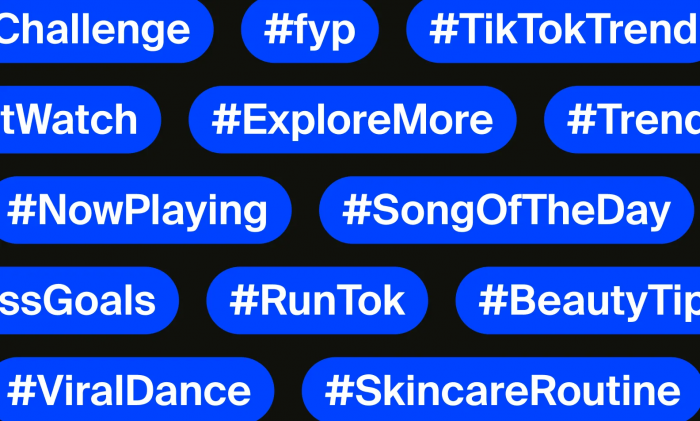
A trending hashtag is broad and crowded think #fyp, #viral, or #tiktok, each sitting on billions of posts. A niche hashtag points at one specific topic or community: #marathontraining instead of #fitness, #sourdoughstarter instead of #food. Fewer posts, but every one of them is about the same thing yours is.
The difference people get wrong is treating "niche" as a measure of size. It isn't. A niche tag is defined by precision how tightly it matches your content and the audience you want. A tag with 40,000 posts that are all about your exact topic is far more useful than one with 40 million posts covering everything.
That precision is the whole point. It's what lets TikTok show your video to people already interested in the subject, instead of throwing it into a feed where almost no one is looking for what you made.
Why Small Tags Win
Post your video on a hashtag with 50 million entries and think about what you're up against. Thousands of new videos land on that same tag every hour, so anyone browsing it scrolls past yours almost immediately. You're one drop in a flood.
A niche tag flips the maths. With far fewer videos competing, yours stays visible for longer, and the people browsing that tag chose it on purpose because they're already interested, so they watch, follow, and comment at a much higher rate. A smaller pool of the right viewers beats a huge pool of the wrong ones every time.
There's a second reason that matters more than most creators realise. TikTok doesn't just use hashtags to sort videos into buckets, it reads them as context clues to understand what your video is actually about, then decides who to show it to on the For You feed. Specific, relevant tags teach the algorithm exactly where your video belongs. Vague giant tags tell it almost nothing.
Pin Down Your Niche First
You can't find niche hashtags until you've actually named your niche. Most people skip this and start searching vague terms, which is why they end up with vague tags. Get specific before you open the search bar.
Work down from broad to exact in four steps:
● Topic: the general area you post in, like fitness.
● Sub-topic: the narrower slice you focus on, like home workouts.
● Audience: who you're actually talking to, like busy parents with no gym time.
● Problem you solve: the specific thing they came for, like 20-minute workouts done in a living room.
Run that chain and "fitness" becomes "short home workouts for busy parents." Now your hashtag search has direction: you'll look for tags like #homeworkout, #busymomfitness, and #20minuteworkout instead of drowning in #gym. The tighter your niche statement, the more obvious the right tags become. The research almost does itself once you know exactly who you're trying to reach.
Mining the Search Bar
TikTok's own search bar is the fastest free way to find niche tags, because it shows you what real users actually type. Here's how to work it:
1. Tap the search icon and start typing a keyword from your niche say "home workout."
2. Watch the autocomplete suggestions drop down. These are real, popular searches, and they surface long-tail phrases you'd never think of on your own.
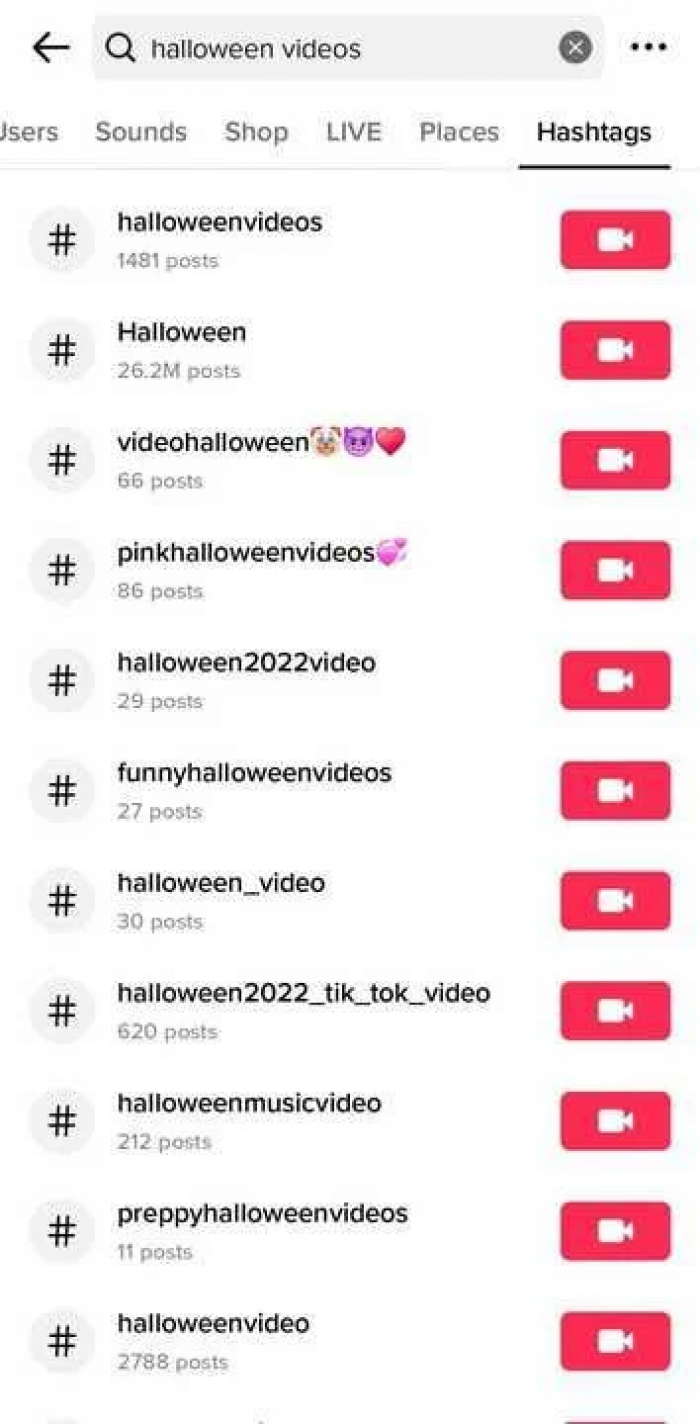
3. Run the search, then tap the Hashtags tab at the top to see matching tags with a view count on each one.
4. Note the tags that are specific to your niche and sit at a manageable size, not the giant catch-all ones.
There's a lesser-known trick worth using here. Type a hashtag followed by the word "explained" like "#cleantok explained" and TikTok's Search Highlights will often surface a short breakdown of what that community is about. It's a quick way to check whether a tag fits your content before you commit to it, instead of guessing from the name alone.
Reading the Creative Center
The TikTok Creative Center is the platform's own free trend tool, and it's genuinely one of the best on the internet right now. You don't need a business account, just open it in a browser and go to the Hashtags section.
What makes it useful is the filtering. You can narrow trending hashtags by country, by industry, and by time window — the last 7, 30, or 120 days. Set it to your region and the industry closest to your niche, and you get a ranked list of tags with real numbers behind them: how many posts use each one, how many views they're pulling, and a small trend line showing which direction they're heading.
That trend line is the part to focus on. A tag with huge volume and a flat or falling line has already peaked; you'd be arriving late. A smaller tag with a line climbing week over week is the one to grab, because you're getting in while the audience is still growing. Volume tells you how big a tag is; the trend tells you whether it's worth your time.
Reverse-Engineering Competitors
Someone in your niche has already done the hashtag research; you just have to read it. Find a handful of creators at your size or slightly bigger, pull up their videos that clearly outperformed the rest, and look at the tags they used.
The skill here is telling signal from noise. A tag on one video that happened to go viral proves nothing; the video might have taken off for reasons that had nothing to do with hashtags. What you're hunting for is repetition of the same niche tag showing up on several strong videos, across several creators. That pattern tells you a tag is a reliable fit for the niche, not a one-off fluke.
Keep a running list as you go. After checking five or six competitors, the genuinely useful tags rise to the top on their own because you'll have seen them again and again.
The "-tok" Community Trick
TikTok has a naming habit worth exploiting: communities form around a topic plus the suffix "tok." #BookTok for readers, #FitTok for fitness, #CleanTok for cleaning, and dozens more. Each one is a doorway into an active, self-selected community rather than a loose pile of posts.
The move is to start with the big "tok" tag for your area, then drill down into its smaller offshoots. #BookTok is huge, but underneath it sit tighter tags like #fantasybooktok or #romancebooktok, where the audience is narrower and far more specific about what they want.
Search your topic with "tok" attached, see what comes up, then follow the related tags into the corners. Those sub-community tags are often exactly the niche hashtags you're looking for, small enough to stand out in, specific enough to reach people who'll actually stick around.
Spotting a Tag Worth Using
Finding tags is easy; judging them is where most people go wrong. Three numbers tell you almost everything you need.
The first is post volume of how many videos already use the tag. For niche tags, smaller is usually better. A rough ceiling of around 50,000 posts keeps you in territory where your video can still surface instead of being swallowed. The second is views, which shows whether anyone is actually watching content on that tag or just posting into a void. The third, and most important, is growth direction: is the tag climbing or fading?
The mistake is picking tags by size alone. A giant tag that's flat or shrinking is a worse bet than a smaller one on the way up, because the rising tag means a growing audience you can ride. Chase the trend line, not the headline number.
| Tag type | Rough post volume | Best use |
| Broad / trending | Millions+ | One slot for reach, used sparingly |
| Mid-niche | 50k–500k | Steady discovery within your topic |
| Tight niche | Under 50k | Your core tags best shot at standing out |
| Rising (any size) | Climbing trend line | Grab early, before it peaks |
Building Your 5-Tag Set
TikTok gives you room for a handful of hashtags per post, and the current guidance is to keep it to around five. That's a tight budget, so every tag has to earn its place rather than padding the caption.
The most useful hashtag sets blend tags across three levels:
● One or two broad tags for a shot at wider reach used sparingly, since these are the crowded ones.
● Two or three niche tags that match your exact topic the core of the set and where most of your qualified views come from.
● One content-specific tag tied to what's literally in this particular video, not your channel in general.
Say you posted a 20-minute living-room workout for parents. A solid set might be #homeworkout and #fitness for reach, #busymomfitness and #20minuteworkout for the niche, and #noequipmentworkout for the specific video. Notice it's built for that one clip which is exactly why you shouldn't paste the same five tags onto everything you post.
Hashtag Mistakes That Bury You
Even with good tags in hand, a few common habits quietly kill your reach. Most of them come from treating hashtags as decoration instead of targeting.
| Mistake | What to do instead |
| Picking tags only by how big they are | Weight your choices toward relevance and rising trend lines |
| Adding trending tags that don't fit the video | Only use a tag if your content genuinely belongs on it |
| Pasting the same five tags on every post | Rebuild the niche and specific tags around each video |
| Tagging the topic, not what's in the clip | Include at least one tag describing this exact video |
| Trusting third-party "best hashtag" generators | Use native data Creative Center and in-app search |
The irrelevant-tag problem is the one that does real damage. TikTok reads your tags to decide who to show the video to, so a mismatched trending tag sends it to people with no interest, they swipe away fast, and that weak response tells the algorithm to stop pushing it. A wrong tag is worse than no tag at all.
Track, Drop, Repeat
Hashtag research isn't a one-time job. The tags that work this month can fade by the next, so the creators who keep growing treat it as a loop, not a checklist.
Start with your own analytics. TikTok shows you how people found each video, including how much of your traffic came from search and from the For You feed. Pair that with the tags you used and a pattern emerges: some tags consistently sit behind your better-performing videos, others never pull their weight. Keep the winners, quietly drop the dead ones.
Then build a light routine on top of it. Once a week, open the Creative Center, filter to your niche, and check whether anything new is climbing. Swap a fading tag for a rising one, post, and watch what happens. Over a month or two this steady trimming does more for your reach than any single "perfect" hashtag ever could.
Bottom Line
Finding niche hashtags isn't really a search problem, it's an audience problem. Once you know exactly who you're making videos for and what they care about, the right tags stop being hard to find, because you know which communities those people already gather in.
The tools do the rest. The search bar shows you how real users talk, the Creative Center shows you what's rising, competitors show you what's working, and your own analytics show you what to keep. None of it is complicated; it just takes doing instead of guessing.
So start now: write your niche down in one specific sentence, pull three rising niche tags that fit it, and test them on your next post. Keep what works, drop what doesn't, and repeat. That loop, run consistently, beats hunting for one magic hashtag every time.