


Table of Content
- What Makes a Good Facebook Bio?
- Choose the Right Writing Style
- Write Your Bio Step-by-Step
- Make It Personal, Not Too Personal
- Professional Facebook Bio Examples
- Five AI Tools to Create a Professional Facebook Bio
- Make AI-Generated Bios Sound Natural
- Common Facebook Bio Mistakes
- How to Update Your Facebook Bio
- Bottom Line
A professional Facebook bio should explain what you do while giving people a little insight into your personality. However, many bios rely on generic phrases such as “passionate professional,” “creative thinker,” or “always working toward success.” These descriptions sound positive but reveal very little.
A better Facebook bio uses simple language, specific professional details, and a personal touch. Whether you are a freelancer, student, business owner, or working professional, the aim is to create an introduction that feels genuine without reading like a résumé.
What Makes a Good Facebook Bio?
Facebook differs from LinkedIn because people often use the same profile for personal connections, professional networking, and community discussions. The wording should reflect whether you're writing for a personal account or a business Page, since Facebook bio ideas can serve different purposes.
Facebook differs from LinkedIn because people often use the same profile for personal connections, professional networking, and community discussions. Your bio should therefore match how you actually use the platform.
For example, compare these introductions:
Generic: “Hardworking professional | Dreamer | Success-driven.”
Better: “Content writer helping small businesses communicate clearly.”
The second version explains what the person does and who they work with. It provides more useful information without adding unnecessary words.
Facebook's short personal bio field is generally limited to around 101 characters, so every word should contribute something meaningful. Business Pages have separate description and information fields that can accommodate additional business details.
Choose the Right Writing Style
Your Facebook bio should sound professional without becoming overly formal. The appropriate tone depends on your occupation, personality, and the people likely to visit your profile.
A consultant may prefer a direct introduction focused on expertise, while a designer or content creator may want something more conversational. Neither approach requires complicated vocabulary.
| Writing style | Facebook bio example |
| Professional | Marketing consultant focused on brand strategy and content. |
| Friendly | Helping small brands tell better stories. |
| Creative | Designer turning everyday ideas into visual experiences. |
| Personal | Writer, coffee enthusiast, and weekend photographer. |
| Balanced | Software developer who enjoys solving practical problems. |
The strongest option is the one that matches your actual communication style. If you normally write in a straightforward manner, a description filled with corporate terminology may feel unnatural.
Avoid choosing words simply because they sound impressive. Specific information about your work will usually communicate more than labels such as “visionary,” “dynamic,” or “highly motivated.”
Write Your Bio Step-by-Step
Before drafting your bio, identify the information that matters most. You do not need to include your complete career history, every skill, or all your personal interests. A straightforward writing process can help you select the right details.
1. Start With Your Profession
Mention your current role, professional specialty, or primary area of interest. This gives visitors immediate context.
Instead of simply writing “Digital marketer,” you could say, “Digital marketer helping local businesses grow online.” The second version identifies both the profession and the type of work involved. Students can describe their field of study or current projects, while people changing careers can highlight the skills they are developing.
2. Explain What You Do
A job title does not always explain your actual responsibilities. Adding a specific activity makes the introduction more informative.
For example, “Creative entrepreneur” is broad, while “Building sustainable stationery products for everyday use” explains the person's business more clearly. If space is limited, prioritize the most recognizable part of your work rather than listing several responsibilities.
3. Include a Personal Detail
A personal detail can make the bio feel less formal. It might mention reading, photography, travel, volunteering, or another genuine interest.
For example, “Accountant helping small businesses stay organized. Weekend chess player” combines professional information with a personal interest.
However, personal details are optional. If your profession and writing style already communicate enough personality, there is no need to add hobbies simply to make the bio longer.
4. Shorten and Refine
Once the essential information is included, remove anything repetitive or unnecessary. A short, specific introduction generally works better than several disconnected phrases.
Before publishing, check the following:
● Clarity: Readers should understand your profession or main area of work without needing additional explanation.
● Accuracy: Avoid unsupported achievements, exaggerated job titles, or professional claims that do not reflect your experience.
● Natural wording: Use language you would comfortably use when introducing yourself in person.
● Character length: Ensure the final introduction fits the Facebook bio field without losing essential details.
Reading the bio aloud is a useful final check. If it sounds awkward or overly formal, simplify the sentence.
Make It Personal, Not Too Personal
Adding personality does not mean sharing extensive private information. A professional Facebook bio can include an interest, a small detail about your routine, or a conversational description of your work.
For example:
Too formal: “Experienced financial professional specializing in accounting and taxation.”
More natural: “Accountant helping small businesses manage finances. Also a weekend cyclist.”
Both communicate professional information, but the second gives visitors another detail about the person.
It is also important to consider privacy. Public bios generally should not include home addresses, private phone numbers, family schedules, or sensitive personal information. Freelancers and business owners can use appropriate contact fields or linked business Pages for professional inquiries. The aim is to communicate personality without turning the bio into a collection of personal details.
Professional Facebook Bio Examples
Different types of Facebook users need different introductions. A freelancer may want potential clients to understand their services, while a student may prefer to highlight their field of study and professional interests. Entrepreneurs can focus on their work and expertise, keeping their professional bio specific to what they actually do.
Here are some examples that can be adapted to individual profiles.
| Profile type | Facebook bio example |
| Freelancer | Freelance writer helping brands communicate clearly. |
| Entrepreneur | Building useful products for everyday problems. |
| Student | Business student exploring marketing and design. |
| Teacher | English educator with a love for books and travel. |
| Content creator | Sharing practical ideas about writing and digital life. |
| Photographer | Capturing portraits and everyday moments. |
| Consultant | Helping small businesses make better marketing decisions. |
| Software developer | Building useful apps and learning something new every day. |
These examples focus on real activities instead of vague qualities. They also demonstrate that a professional Facebook bio does not always require a formal job title.
For instance, “Writing clear explanations of complicated technology” may communicate a technology writer's work more effectively than simply mentioning “Content Specialist.” When adapting an example, replace the broad descriptions with your actual specialty, audience, or personal interest.
Five AI Tools to Create a Professional Facebook Bio
A Facebook bio generator can help turn basic information about your profession, interests, and personality into a short introduction. Some tools provide ready-made bio options, while others let you control the tone, length, and writing style.
Here are five useful options, each offering a slightly different approach.
1. BioGPT Facebook Bio Generator
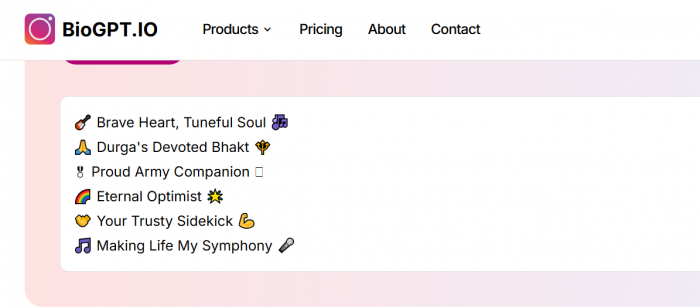
BioGPT is designed specifically for creating Facebook bios. Instead of requiring a detailed writing prompt, it provides selectable fields for occupation, hobbies, personal qualities, language, and other profile details. Users can also add a personal touch to guide the description.
The tool is particularly useful for combining work and personal interests, although some of its suggested bios use decorative symbols and emojis that may need removing for a professional profile. Generating a bio requires logging in.
Best for: People who want a personalized Facebook bio without writing a detailed prompt.
2. Simplified AI Bio Generator
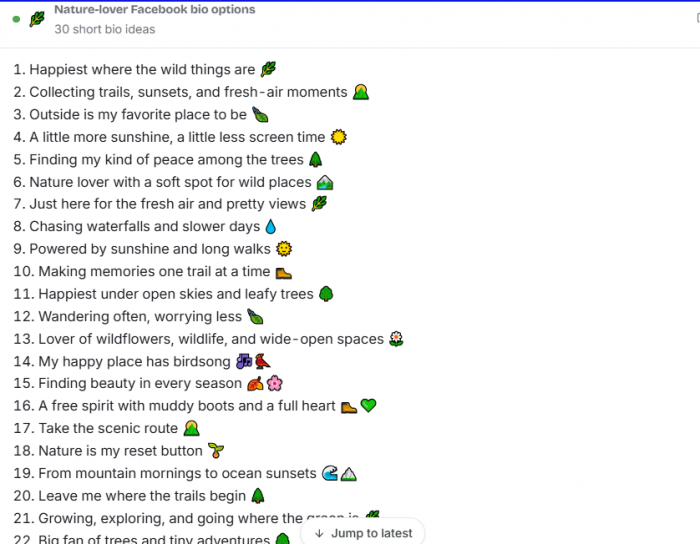
Simplified helps users create professional introductions from information about their background, skills, and achievements. It is suitable for freelancers, creators, and small business owners who want their profiles to communicate what they do.
Its wider marketing platform also makes it useful for developing consistent descriptions across other professional and social channels. The generated text may need shortening to fit Facebook's brief personal bio field.
Best for: Professionals and business owners who want clean, work-focused introductions.
3. Easy-Peasy.AI Professional Bio Generator
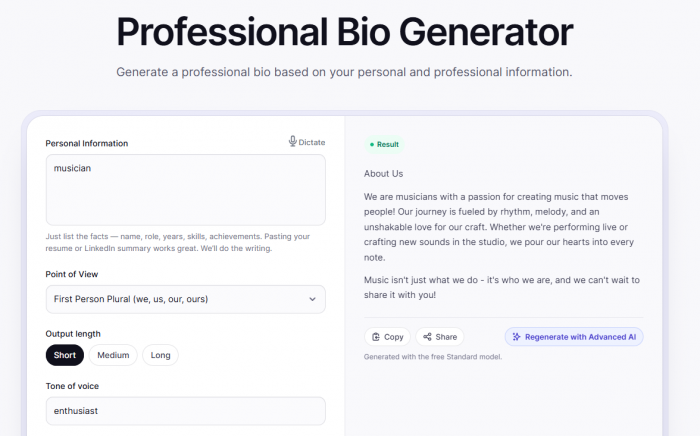
Easy-Peasy.AI provides more control over how a professional bio is written. Users can enter personal information, professional experience, skills, and achievements before selecting the point of view, output length, and preferred tone.
Its short-output setting is useful for creating a starting draft, while the additional instruction field lets users request a more casual Facebook-style introduction. It is primarily a professional bio writer, so the final output still needs to be checked for length.
Best for: Users who want control over tone, length, and professional details.
4. LogicBalls Facebook Bio Generator
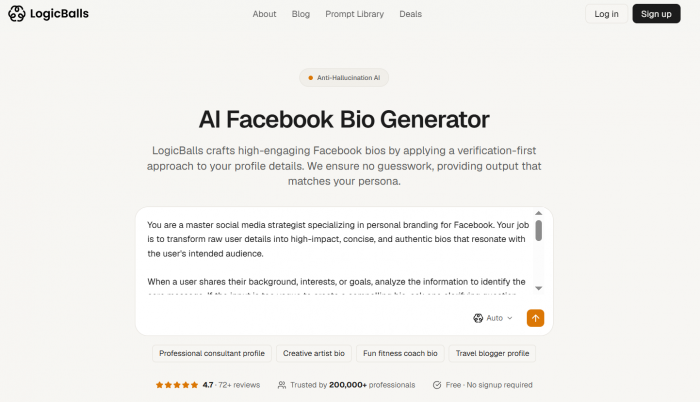
LogicBalls takes a conversational approach to Facebook bio creation. Users describe themselves or their profile's purpose, and the tool can ask follow-up questions about their audience, professional background, or preferred style before producing a draft.
This approach is helpful when someone has several skills but isn't sure which to emphasize. It also supports refining the bio through further instructions, although users should still verify every professional claim in the result.
Best for: People who want a more tailored bio based on their actual background.
5. Pallyy Facebook Bio Generator
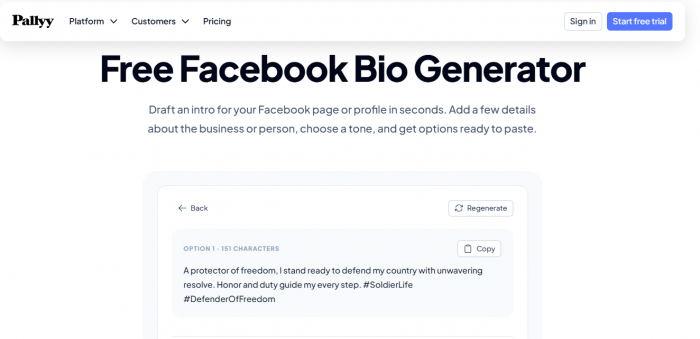
Pallyy is a straightforward option for creating Facebook-specific introductions. It allows users to describe themselves or their business, select a profile type, and choose a writing tone before generating bio suggestions.
The distinction between personal and business profiles is useful because the two require different writing styles. Personal bios can introduce the individual, while business descriptions usually need to communicate services or products more directly.
Best for: Users looking for a simple Facebook-focused generator with minimal setup.
Make AI-Generated Bios Sound Natural
AI generators can produce useful drafts, but their output may contain generic descriptions that could apply to almost anyone. Editing those phrases is essential if the goal is to create a personal introduction.
Consider this AI-generated bio:
Before: “Passionate marketing professional dedicated to innovative strategies and exceptional results.”
After: “Digital marketer helping small brands grow through better content.”
The revised version explains the person's work instead of using broad professional claims. It also fits more naturally into a Facebook profile.
To improve generated bios, provide specific information about your profession, expertise, and audience. Include a genuine personal interest if you want the result to feel more conversational.
Here is a prompt that can be used with a bio generator or AI writing assistant:
Write five short Facebook bio options for a [profession] specializing in [area of work]. Include my interest in [hobby] where appropriate. Use simple, professional language with a friendly tone. Avoid generic adjectives and exaggerated claims. Keep each option under 101 characters.
After generating the suggestions, select the clearest version and adjust the wording to reflect your actual experience. Avoid copying descriptions that contain achievements or qualities you cannot support.
Common Facebook Bio Mistakes
A Facebook bio can sound polished while still failing to communicate useful information. Most problems come from excessive wording, vague descriptions, or trying to include too many unrelated details.
Some common mistakes include:
● Using generic adjectives: Phrases such as “passionate professional” or “motivated individual” provide little information. Explain your actual work or specialty instead.
● Adding too many interests: Listing several hobbies can distract from the professional message. One relevant personal detail is usually enough.
● Copying motivational quotes: Quotes may reflect personal beliefs, but they often fail to explain professional identity or expertise.
● Making exaggerated claims: Avoid unsupported descriptions such as “leading industry expert” when a specific role or achievement would be more accurate.
● Overusing emojis and symbols: Decorative formatting can reduce readability, particularly when the introduction is already short.
Another common issue is outdated information. If the bio describes a previous job or an old business, visitors may misunderstand your current professional role. Reviewing the bio whenever your career or interests change helps maintain an accurate profile.
How to Update Your Facebook Bio
After preparing the final introduction, you can add it to your Facebook profile through the editing options.
1. Open Facebook and go to your personal profile.
2. Locate the Intro section and select Add bio or Edit bio, depending on the interface.
3. Enter your new description and check the available character limit.
4. Save the changes and review how the introduction appears on your profile.
5. Check the surrounding public profile information to ensure it remains accurate.
The interface may differ between mobile devices and desktop browsers. Business Page descriptions also use different settings from personal profile bios.
Once the bio is published, there is no need to update it regularly unless something significant changes. A new job, business, professional specialty, or personal interest may justify revising the introduction.
Bottom Line
I would choose a Facebook bio that explains what someone actually does over one filled with impressive-sounding words. A simple introduction such as “Freelance designer helping small businesses build clear visual identities” communicates far more than a list of professional adjectives.
The best approach is to identify your main role, add a specific detail about your work, and include a personal interest only when it feels relevant. Keep the wording short, accurate, and consistent with the rest of your profile.
Bio generators such as BioGPT, Hootsuite, Ahrefs, Pallyy, and Meta AI can help with the first draft, but the final version should reflect your real experience and communication style. A good professional Facebook bio makes your work understandable while leaving room for your personality.