

Table of Content
Deciding what to post on WhatsApp Status every day can take longer than creating the update itself. Some days, there is something useful to share. On others, finding a relevant idea becomes another task competing for attention.
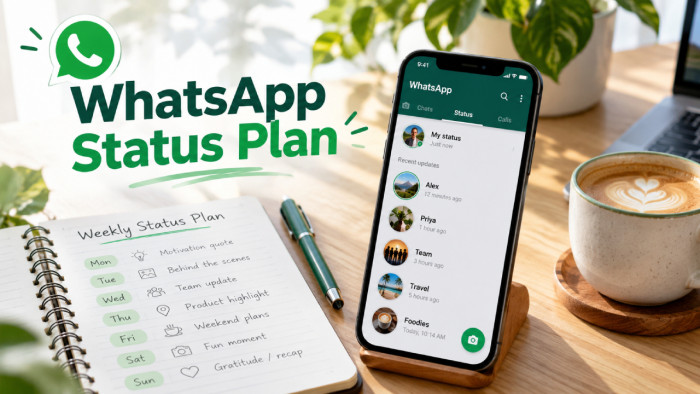
Planning a week's WhatsApp Status updates in one sitting makes the process easier. Instead of starting from scratch every morning, the ideas, visuals, and captions can be prepared together. With a simple weekly calendar and an organized folder, staying active becomes more manageable without making every update feel planned or promotional.
Why Weekly Planning Works
WhatsApp Status updates disappear after 24 hours, making them suitable for short announcements, everyday experiences, product highlights, and quick conversations. However, their temporary nature also means users regularly need something new to share.
Weekly planning reduces repeated decisions. A freelancer can prepare educational updates while leaving room for project milestones. A small-business owner can organize product photographs, announcements, and customer information before the working week begins.
For example, a bakery could introduce its weekly menu on Monday, show preparation on Wednesday, and highlight weekend availability on Friday. Each update serves a different purpose, giving customers useful information without repeating the same promotional message.
Planning also makes content gaps easier to identify. When seven ideas appear together, it becomes obvious if the week contains too many advertisements, similar photographs, or unrelated topics. The objective is to create a balanced sequence rather than publish something merely because another day has started.
Set a Weekly Goal
Before preparing visuals or captions, determine what the week's updates should accomplish. Posting consistently may maintain visibility, but consistency alone does not explain whether the content is useful.
A freelancer may want to generate inquiries about a specific service. A small retailer might want existing customers to discover new products, while someone using WhatsApp personally may simply want to share experiences and maintain relationships.
These objectives require different approaches. A graphic designer seeking branding projects could share design tips, explain their creative process, and showcase completed work. A clothing retailer preparing for a seasonal launch would benefit more from product previews, sizing information, and availability updates.
Choosing one primary goal does not mean every Status must directly promote it. Educational, personal, and conversational updates can support the overall purpose without constantly asking viewers to take action.
A practical starting point is to complete this sentence: "This week, my Status updates should help my audience understand ______." The answer becomes a filter for choosing content and removing ideas that do not fit.
Know Your Status Audience
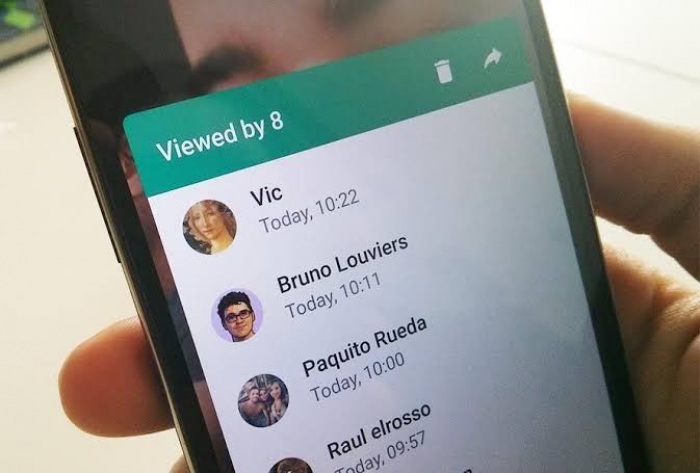
WhatsApp Status is primarily a contact-based sharing feature rather than an open public feed. A person's contacts may include friends, relatives, customers, coworkers, and professional acquaintances, each with different expectations.
WhatsApp provides audience controls, including sharing with contacts, excluding selected contacts, or sharing only with specific contacts. Reviewing these settings matters when personal and professional content overlap.
For example, a freelance photographer might share portfolio images and booking availability with professional contacts while reserving family photographs for a smaller audience. A retailer may share stock updates with relevant contacts without expecting every personal acquaintance to be interested.
The audience also affects how much explanation an update needs. Existing customers may recognize a product immediately, while newer contacts may need its name, purpose, and availability.
Privacy deserves attention during preparation. Customer conversations, client documents, workplace information, and identifiable photographs should not be published without appropriate permission. Status updates disappear after 24 hours, but viewers may still save or redistribute content.
Understanding the audience helps determine what to share, how to explain it, and whether it belongs on Status at all.
Choose Your Content Categories
Creating seven unrelated ideas is harder than developing a few repeatable content categories. Exploring different WhatsApp Status ideas can help identify suitable topics, while categories provide a starting point for each update and prevent the week from becoming repetitive.
Five categories work particularly well for personal and professional accounts:
● Helpful information: Share a relevant tip or answer a frequently asked question. A freelance writer might explain why clear website headings improve readability.
● Behind-the-scenes content: Show how work happens rather than displaying only finished results. A baker could share preparation photographs, while a designer might show an approved project draft.
● Personal updates: Share meaningful experiences, milestones, or everyday observations that are appropriate for the selected audience.
● Products and services: Introduce an offering with useful details such as its purpose, features, availability, or intended customer.
● Audience interaction: Invite relevant opinions or questions. A clothing business could ask contacts which color they prefer for an upcoming collection.
A personal account may focus on experiences and conversations, while a business may use more educational and product-related content. Neither needs to use all five categories every week.
Selecting three or four categories is usually sufficient. The same categories can support future calendars, with fresh examples replacing previously published material.
Build a Seven-Day Calendar

After choosing the weekly objective and content categories, assign one main idea to each day. A calendar helps distribute information logically and prevents several updates from competing for attention.
The following example shows how a small creative business could plan an entire week.
| Day | Content type | Example Status |
| Monday | Weekly introduction | Share an upcoming project or weekly priority. |
| Tuesday | Helpful tip | Explain one common design mistake. |
| Wednesday | Behind the scenes | Show an ongoing creative process. |
| Thursday | Interaction | Ask viewers which design style they prefer. |
| Friday | Work showcase | Highlight a completed client project. |
| Saturday | Personal update | Share an interesting professional experience. |
| Sunday | Weekly recap | Summarize progress or preview next week. |
This structure moves naturally between useful information, audience interaction, and professional visibility. Monday introduces the week's focus, while Tuesday and Wednesday help viewers understand the work. Thursday invites participation, and Friday provides an opportunity to showcase results.
The schedule should reflect the account's purpose. A restaurant might prioritize Friday and Saturday promotions, while a personal account may emphasize weekend activities and everyday observations.
One daily update is a manageable starting point, not a requirement. Some days may justify several connected Status frames, while others may not need any update.
For each day, record the topic, preferred format, and intended audience. These details make the preparation session easier because every piece of content already has a defined purpose.
Create Everything in One Sitting
A focused preparation session works best when similar activities are completed together. Constantly switching between brainstorming, editing photographs, and writing captions makes the process unnecessarily complicated.
A 60-minute session is a reasonable starting framework for simple content, although original video production or detailed graphic design may require more time.
| Time | Activity | Result |
| 0–10 minutes | Review the weekly goal and existing material | Clear content direction |
| 10–20 minutes | Choose seven ideas and assign days | Completed calendar |
| 20–40 minutes | Collect photographs and create visuals | Prepared media |
| 40–50 minutes | Write and edit captions | Finished Status content |
| 50–60 minutes | Organize files and set reminders | Ready-to-publish plan |
Begin with material that already exists. Freelancers may have approved portfolio images, useful project observations, or recurring client questions. Small businesses may have product photographs, announcements, or common customer inquiries.
Working with existing content reduces unnecessary production. Not every Status needs a newly designed graphic, especially when a clear photograph or short text update communicates the message effectively.
Organize the finished material in a weekly folder, with files labeled by day. For example, Wednesday-Behind-Scenes.jpg identifies the intended update without requiring additional searching.
Keep captions in a single document or note, arranged in the same order. Before finishing, review the full week for repetition, outdated details, privacy concerns, and missing information.
The session should end with usable content rather than seven unfinished ideas requiring daily editing.
Mix Different Status Formats
WhatsApp Status supports text, photographs, videos, and voice updates, alongside creative features that may vary by app version. Choosing the right format improves communication because different information benefits from different presentation styles.
Text works well for quick observations, questions, and announcements. Photographs are useful when the subject matters visually, such as a finished design, new product, or event. Short videos can demonstrate processes that would be difficult to explain through still images.
For example, a café showing how a seasonal drink is prepared may communicate more through a short video than a detailed written description. A freelance developer explaining a simple website mistake might achieve better clarity with one annotated screenshot.
Voice updates can make personal observations feel conversational, although viewers may be unable to listen immediately. Important information should not depend entirely on audio.
It is also unnecessary to divide every topic into multiple Status frames. A short announcement may need only one screen, while a product demonstration could benefit from two or three connected updates.
Choose formats according to what the audience needs to understand, rather than changing them merely for decoration.
Write Short, Useful Captions
A good Status caption gives viewers enough context to understand an update quickly. A WhatsApp Status generator can help develop initial wording, but the final caption should explain what matters without turning a short post into a lengthy description.
Consider a retailer announcing new products.
Weak caption: "New arrivals!!! Order now!!!"
Improved caption: "Our new cotton shirts are available in four colors. Message us for sizes and pricing."
The second version identifies the product, adds useful information, and gives interested customers a clear next step. Professional updates benefit from similar specificity. Instead of writing "Another successful project completed," a designer might explain that a packaging redesign made product labels easier to identify.
When preparing captions, focus on the following:
● Include meaningful details: Mention product availability, relevant specifications, deadlines, or the actual purpose of a service rather than relying on vague promotional statements.
● Keep the message concise: One or two clear sentences will often communicate enough. Longer explanations should be reserved for situations where viewers genuinely need additional context.
● Use natural calls to action: Product announcements may invite inquiries, but personal experiences and educational updates do not always need a request to message or purchase.
● Limit decorative elements: Emojis can communicate tone, but excessive symbols and unusual formatting make captions harder to read.
The priority is clarity. A short, informative caption should help viewers understand the update without needing to ask basic questions about what they are seeing.
Organize and Schedule Posting
Preparing Status updates in advance and publishing them automatically are different activities.
Regular WhatsApp Status publishing should not be assumed to include a universally available native scheduling feature. Tools designed for scheduled messages, business broadcasts, or other WhatsApp automation do not necessarily support automatic Status publication.
For most individuals and small businesses, the simplest method is to prepare everything beforehand and post manually using reminders.
Save finished visuals in a dedicated folder, store captions together, and create calendar reminders for the intended days. A reminder labeled "Friday: Share completed project" is more useful than one that simply says "Post Status."
Third-party scheduling services should be evaluated carefully, particularly when they request unusual permissions, account credentials, or access to personal information.
Posting time can also be tested rather than guessed. A breakfast business may find morning updates more relevant, while professional contacts might respond at different times. There is no single reliable posting hour for every audience.
The daily task should involve checking whether the content is still accurate, confirming the appropriate audience, and publishing the prepared update.
Avoid Common Planning Mistakes
Batching content saves time only when the prepared material remains useful. A week of repetitive advertisements or outdated announcements may be organized, but it does not necessarily provide a better experience for viewers.
Several problems deserve attention:
● Posting too many promotions: Repeated sales messages can overwhelm otherwise useful updates. Mix product information with explanations, behind-the-scenes content, and relevant conversations.
● Preparing information too early: Prices, stock availability, events, and deadlines may change. Check time-sensitive details before publishing rather than assuming everything remains accurate throughout the week.
● Repeating identical content: Similar visuals and captions make individual updates harder to distinguish. Maintain a recognizable style while varying the subject and presentation.
● Ignoring audience privacy: Review whether photographs, client information, and personal details are appropriate for the contacts who will see them.
● Forgetting the publishing process: Finished content is less useful when images and captions are scattered across different folders. Label files clearly and establish posting reminders.
Another common mistake is following the calendar too rigidly. If an important announcement becomes relevant on Wednesday, a prepared educational update can move to Thursday or the following week.
A weekly plan should make timely sharing easier, not prevent spontaneous communication. The strongest schedules leave room for unexpected events, meaningful personal updates, and changes in business priorities.
Review and Improve Each Week
A short weekly review helps identify which updates deserve a place in the next calendar. WhatsApp Status provides engagement signals such as views, replies, and reactions, although the information available can depend on privacy settings and read receipts. These numbers are useful only when interpreted alongside the purpose of the update.
A product photograph receiving fewer views may still generate several relevant customer inquiries. A personal image may receive broad attention without producing any business-related response.
For freelancers, a conversation with one suitable prospective client may matter more than a large number of passive views. For personal accounts, meaningful conversations are often a better indicator of value than reach alone.
Review the topics that generated useful responses, the content formats that communicated information clearly, and the updates that required unnecessary preparation.
A simple record containing the date, content category, and notable responses is sufficient. After several weeks, recurring patterns may help identify which subjects deserve more attention.
For example, a retailer might discover that photographs showing products in everyday use encourage more questions than isolated catalogue images. A consultant may find that explaining practical problems leads to more relevant conversations than posting general industry statements.
Those observations should guide future experiments rather than become permanent rules. Audience preferences can change, and results from a small contact list may vary considerably between weeks.
The purpose of reviewing performance is to make the next planning session more focused, with fewer weak ideas and more content that the audience finds genuinely useful.
Final Words
Planning a week of WhatsApp Status updates in one sitting replaces repeated daily decisions with a more manageable routine. Choosing a clear objective, organizing content categories, preparing a seven-day calendar, and storing finished material together makes the process easier without requiring advanced tools.
The best weekly plans remain flexible. Content can be prepared in advance while final accuracy checks, privacy decisions, and unexpected updates happen throughout the week. A useful WhatsApp Status routine should support relevant communication and genuine conversations rather than turn every day into another publishing obligation.