

Table of Content
I signed up for VEED on a quiet Tuesday afternoon with one question in mind: can a single browser tab really take me from a text prompt to a video I would post? Signup took under two minutes: a work email, a five digit code, and four onboarding questions, one illustrated with a lime green lollipop shaped like a human ear. VEED then showed me its pricing page, I pressed Continue for free, and landed in Gen-AI Studio with 120 credits in the corner of my screen.
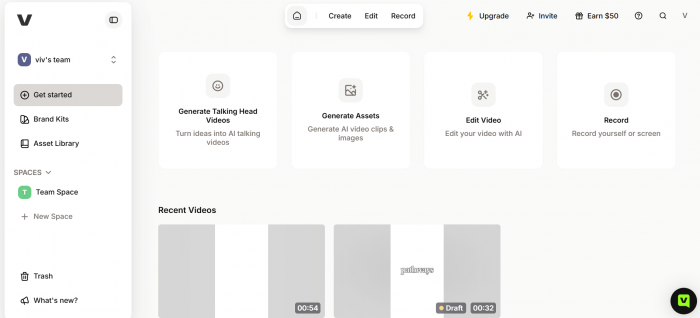
For my first test I typed a short brief for a promo video, pitching a side project of mine that generates social media bios. Roughly three minutes later VEED handed back a 54 second portrait video with the script split into scenes, stock footage matched to each line, a voiceover, and subtitles already styled. It was not perfect. It was also far more usable than I expected from one prompt and zero dollars.
I spent the rest of the week pushing on the editor, the subtitle tool, the credit system and the pricing math. This review covers all of it, including the parts the marketing skips.
VEED Explained
| What it is | A browser based video editor with AI generation, subtitles, recording and clipping built in |
| Best for | Creators and small marketing teams shipping social video every week |
| Starting price | $12 per user per month on yearly billing, free plan available |
| Free plan limits | 120 credits, 720p exports with a watermark, 10 minute cap, 2GB storage |
| Where it runs | Any modern browser, plus companion mobile apps |
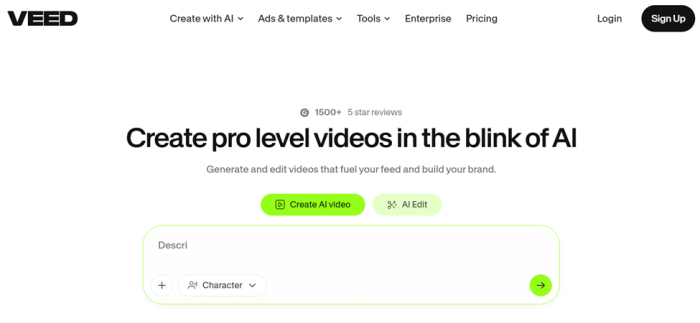
| Standout tools | Auto subtitles and the prompt-to-video Gen-AI Studio |
My review scores
Scores reflect my own testing, cross-checked against thousands of verified reviews.
| Category | What I found | Score |
|---|---|---|
| Ease of use | The editor makes sense within minutes | 4.6 / 5 |
| Subtitles and captions | The best thing VEED does | 4.7 / 5 |
| AI video generation | Strong first drafts that still need your edits | 4.2 / 5 |
| Editing tools | Covers social video well, not a pro timeline | 4.3 / 5 |
| Value for money | Fair on yearly billing, credits cap the fun | 3.8 / 5 |
| Free plan | A demo, not a workspace | 3.4 / 5 |
| Support and reliability | Mixed reports, some lag on heavy projects | 3.5 / 5 |
| Overall | My score after a week of hands-on testing | 4.2 / 5 |
How VEED rates across trusted review sites
VEED's homepage advertises more than 1,500 five star reviews on G2, so I pulled the current numbers from every major review platform. The spread is wider than the badge suggests.
| Platform | Rating | Reviews | What reviewers highlight |
|---|---|---|---|
| G2 | 4.6 / 5 | About 2,000 | Ease of use and subtitle accuracy lead the praise. Slow performance and pricing are the most tagged complaints. |
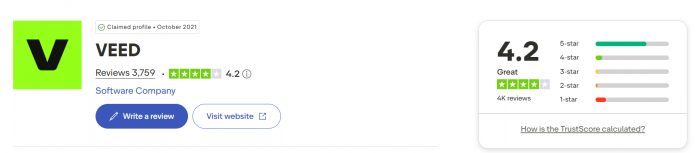
| Trustpilot | 4.2 / 5 | 3,500+ | People like getting a full editor inside a browser. The size of the free watermark is the single most repeated gripe. |
| Capterra | 3.3 / 5 | About 60 | A smaller, tougher crowd. Subtitling gets credit, while support quality and bugs on longer videos draw criticism. |
| GetApp | 3.2 / 5 | About 62 | Mirrors Capterra's pool, with value for money scoring lowest of all categories. |
Ratings and counts checked on July 28, 2026 and rounded.
The pattern: casual caption-and-edit users on G2 and Trustpilot are mostly happy, while Capterra's smaller pool pushed harder and ran into stability and billing issues.
What VEED actually is
VEED launched in 2018 as a simple online video editor and has grown into a full production suite that never leaves the browser: recording, editing, AI generation, subtitling, translation and sharing all live in one project. The pitch is speed for people who are not editors, the marketers, founders and teachers who need social ready video without touching Premiere. In 2026 the AI side carries most of the weight, and a credit system meters how much of it you can use.
VEED on mobile is worth clarifying
VEED is no longer limited to working in a browser. The main VEED app is available on iOS and Android, and it uses the same VEED account, projects, workspace and subscription as the web version.
There is one potentially confusing exception. VEED Lite is a separate iOS app designed for quicker phone-first editing. It has separate projects and its own subscription system, so it should not be confused with the main VEED mobile app. If you want access to the same projects you use at veed.io, look for VEED: AI Video Creation rather than VEED Lite.
How signing up actually went
You can join with Google, Apple, Microsoft or a work email. Email sends a one time code instead of a password, and the login screen even includes a paste code button. Small thing, but I noticed.

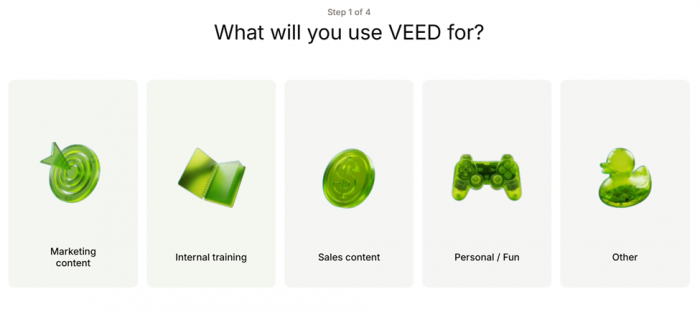
Onboarding is four quick screens: your use case (marketing, training, sales or personal), your team situation, how you heard about VEED, and then the pricing page.
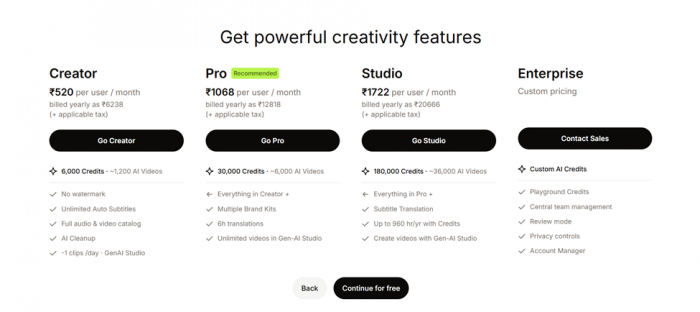
That screen matters, because a clear Continue for free button sits at the bottom and no card is requested at any point. A final question routes you to the right tool: subtitles, recording, AI video, editing or clipping. I picked Create AI video and was inside Gen-AI Studio about two minutes after opening the site.
The Gen-AI Studio test
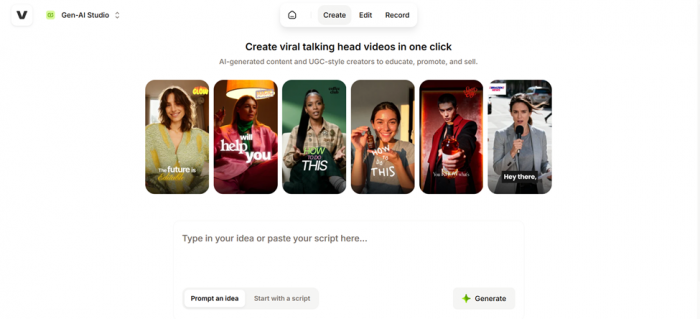
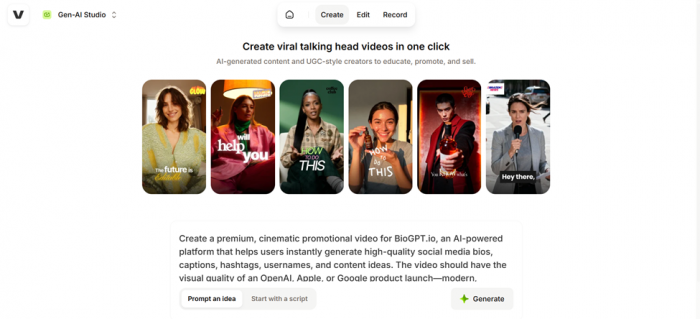
Gen-AI Studio opens with a single text box and two modes: prompt an idea or start with a script. Sample talking head videos sit above it in the vertical, caption heavy TikTok style, and a character option lets an AI presenter front the video.
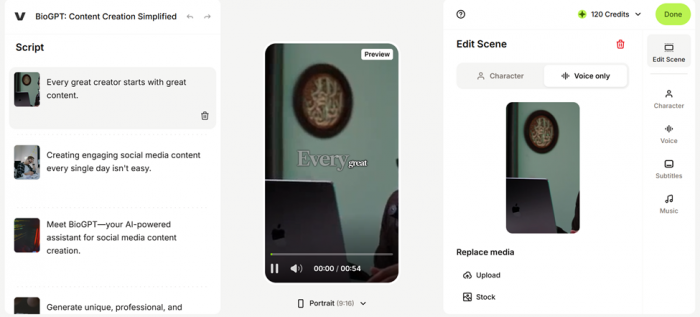
I went with a prompt, describing a cinematic promo for my bio generator side project, and hit Generate. A loading screen warned it may take a few minutes, and mine took about three. What came back was genuinely more than a video file. The left panel held the full script broken into scenes, each sentence paired with its own stock clip. The center showed a live preview with animated captions. The right rail offered controls for the scene, character, voice, subtitles and music.
This structure is the smart part. Nothing arrives locked. I clicked a scene, switched it between Character and Voice only, and swapped its stock clip for my own upload in seconds. The default format was 9:16 portrait, and my credit balance stayed visible the whole time.
From my test • Signup to first prompt: about 2 minutes, no card required  • Prompt to finished draft: about 3 minutes of generation 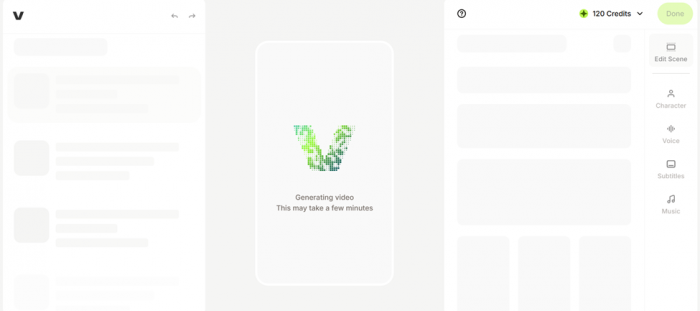 • Output: 54 seconds, 9:16 portrait, voiceover plus styled captions  • Free credits granted: 120, shown live inside the editor • Free export: 720p MP4 with a watermark, plus MP3 and GIF options 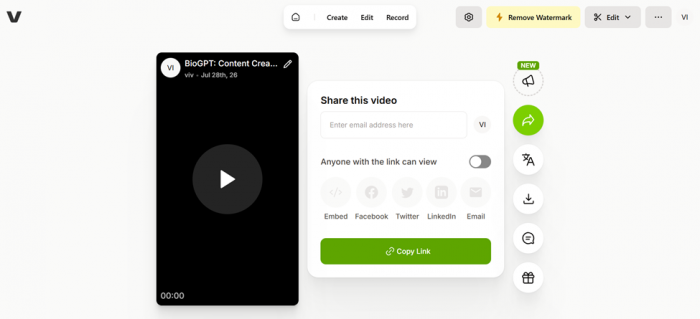 |
The features that matter
Auto subtitles One click transcription with caption templates you can edit word by word. This is VEED's signature tool, and in my test it handled brand names better than YouTube's captions. Paid tiers add translation into 50+ languages. | Gen-AI Studio Turns a prompt or pasted script into a scene based video with stock footage, voiceover and captions. Every scene stays editable, so a weak clip gets swapped without regenerating the whole thing. |
AI characters Stock presenters that lip sync your script, toggled per scene between an on-screen character and a voice only track. Useful when you need a face on camera but have none. | Recorder and teleprompter Capture webcam, screen or both in the browser, with a teleprompter scrolling your script. Handy for stitching a real intro onto AI generated scenes. |
Turn video into clips Feed it a long recording and it cuts short vertical highlights with captions, sized for Reels, Shorts and TikTok. A real time saver for podcasters and webinar hosts. | Translation and dubbing Subtitle translation plus AI dubbing for other markets, metered in hours per year: six on Pro, twelve on Studio. Enough for steady localization, not for an agency. |
What VEED costs in 2026
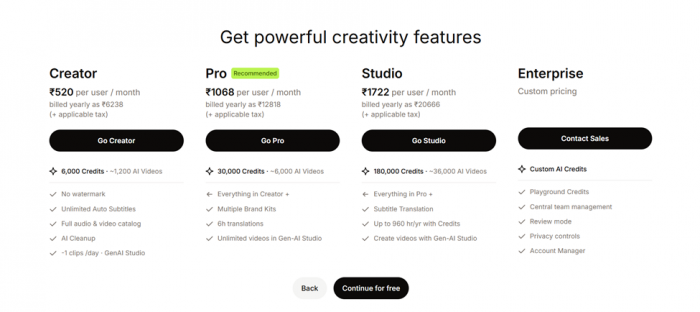
VEED runs four public tiers plus Enterprise. Prices below are US pricing per user per month on yearly billing, checked July 28, 2026, before tax. Month to month billing costs noticeably more, with Creator landing around $20.
| Plan | Price / mo (yearly) | AI credits | Export | Standouts |
|---|---|---|---|---|
| Free | $0 | 120, one time | 720p, watermark, 10 min cap | 2GB storage, full workflow unlocked for testing |
| Creator | $12 | 6,000 / year | 1080p, no watermark | Unlimited auto subtitles, full stock catalog, about one Gen-AI Studio clip per day, 5GB storage |
| Pro | $24 | 30,000 / year | 4K | Multiple brand kits, 6 hours a year of translation and dubbing, unlimited Gen-AI Studio videos, 50GB storage |
| Studio | $39 | 180,000 / year | 4K | Unlimited storage, 12 hours of translation, custom templates, extra editor seats and review workflow |
| Enterprise | Custom | Custom | 4K | Central team management, privacy controls, review mode, dedicated account manager |
The catch with credits
Credits are the fuel for many of VEED's generative AI tools: video generation, AI characters, text to speech, image generation and other AI workflows can draw from the balance. Two things caught me off guard. First, the credit period follows your subscription. The yearly plans shown in the table above come with annual allowances, while VEED says credits on monthly plans expire at the end of each monthly billing period and annual-plan credits reset once a year. Second, generation can drain those credits faster than expected, and my free 120 felt gone almost immediately. Count how many AI videos you realistically publish per month and work backward from there.
My account received 120 free credits during testing, but there is another caveat for new users: VEED now says AI credits on the Free plan are available only in some regions. If a free account does include them, the exact generation cost depends on the AI model being used and is shown before generation.
What the free plan really gets you
The free tier is a proper trial rather than a usable workspace. You get the whole editor, 2GB of storage, a 1GB upload ceiling and exports up to ten minutes at 720p, downloadable as MP4, MP3 or GIF. The dealbreaker for publishing is the watermark, which Trustpilot reviewers complain about more than anything else, and 720p looks visibly soft on a modern phone. Test on Free, publish on paid.
Pros and cons after a week
What won me over • Subtitles are fast and accurate enough to publish after light edits • Prompt to editable draft in about three minutes • Runs fully in the browser with nothing to install • Free plan exposes the real workflow before any payment • Interface a first time editor can navigate on day one • Brand kits and review features scale sensibly for teams | What wore me down • Free exports capped at 720p with a very large watermark • Credit allowances are yearly and drain quicker than expected • Longer or heavier projects can lag, which G2 and Capterra reviewers echo • 4K export locked behind Pro at $24 per month • Support quality gets mixed reviews on Capterra and Trustpilot • Monthly billing runs close to double the yearly rate |
What people are saying
Marketing pages quote their happiest customers, so I looked at aggregate patterns across thousands of verified reviews instead.
G2 4.6 / 5 Ease of use is the single most tagged theme, appearing in over 1,250 reviews, with transcription accuracy on talking head videos close behind. Around 280 reviews flag slow performance and roughly 230 call the pricing expensive. About 2,000 verified reviews |
Trustpilot 4.0 / 5 The everyday crowd here likes that VEED behaves like a full editor inside a tab and keeps a free tier alive. The recurring frustration, repeated across dozens of reviews, is the size of the watermark on free exports. 3,500+ reviews |
Capterra 3.3 / 5 A smaller and noticeably harsher pool. Reviewers credit the subtitling and the way one video repurposes into several formats, but several describe crashes on longer projects and support interactions that went nowhere. About 60 reviews |
Who VEED fits, and who should skip it
Get it if you are • A social media manager captioning and resizing video daily • A solo creator posting Shorts, Reels or TikToks most weeks • A founder producing promos without an editor on staff • A teacher turning scripts into watchable lessons • A small team that needs shared projects and brand consistency | Skip it if you are • A filmmaker needing frame accurate color and audio control • Regularly cutting hour long footage, where browser tools strain • Making one or two videos a year, where free tools cover you • Working offline or on unreliable internet |
How VEED compares to the obvious alternatives
| Tool | Best for | Standout strength | Trade-off |
|---|---|---|---|
| VEED | Browser based all-round social video | Subtitles plus prompt-to-video in one project | Credit caps meter the AI features |
| CapCut | Free-first mobile and desktop editing | Deep effects library at little to no cost | Weaker team, brand and review controls |
| Descript | Podcasts and screen recordings | Edit the video by editing its transcript | Heavier app, less template driven |
| Synthesia | Corporate training and explainer videos | Polished AI avatar presenters | Not a general purpose editor |
My short version: CapCut wins on price, Descript wins for spoken word content, Synthesia wins for avatar training, and VEED wins when captioning, generation and editing need to live in one shared browser project.
My verdict after a week inside VEED
4.2 out of 5 | After seven days I can tell you exactly when VEED earns its money and when it does not. The subtitle tool alone justified the time. I fed it a rambling voice memo and got captions I cleaned up in five minutes instead of typing for forty. Gen-AI Studio surprised me too, not because the drafts were flawless but because they arrived editable. Three minutes of generation buys a structured project, not a locked render. The frustrations were just as clear. The free watermark is enormous, and I caught myself watching the credit counter the way you watch a fuel gauge on a long drive. One heavier project also stuttered enough that I saved and reloaded, which lines up with the slow performance complaints on G2 and Capterra. So here is my honest math. Stay on Free purely to test. If you publish social video most weeks, Creator at $12 a month on yearly billing is fair and removes the two biggest annoyances at once. Jump to Pro only when 4K, brand kits or translation genuinely block you. VEED is not trying to replace a professional editing suite. It is the fastest route I have found from an idea to a publishable draft inside a browser, and my account is staying open. |