


Table of Content
Most “AI wingman” sites follow the same script. Purple gradient homepage. A free generator that hands over four lines. Then a paywall the second anything starts costing the company money.
RIZZ AI sits at rizzai.chat and looked set to follow that pattern. This review is based on a week with the platform: a signup with a spare email, a six digit code, credits burned on the Rizz Generator, two real selfies uploaded into the photo tool, the counter ticking up to 600 credits, and a hard stop at the checkout modal.
Parts of it were a surprise. The photo tool is built more carefully than the marketing suggests. The line generator is fine but not magic. And the credit system is where most people will get caught out, because the numbers on the pricing cards do not mean what they look like they mean.
Verdict at a glance
3.6 OUT OF 5 A genuinely usable free layer sitting on top of a credit system that gets expensive fast if you touch the photo generator. Good for icebreakers and profile bios. Think twice before buying credits purely for AI photos. |
| CATEGORY | RATING | WHAT DRIVES IT |
|---|---|---|
| Ease of use | 4.5 / 5 | Three step photo flow, no prompt writing, no onboarding survey. |
| Text output quality | 3.5 / 5 | Usable and PG-13, but needs editing before sending. |
| Photo generator workflow | 4.0 / 5 | Background generation, saved history, automatic refunds on failure. |
| Pricing and value | 3.0 / 5 | 200 credits per photo changes the whole value picture. |
| Transparency | 2.5 / 5 | Self reported stats with no third party verification. |
| Free access | 4.0 / 5 | The line tools are usable without paying anything. |
| Overall | 3.6 / 5 | Cheap and useful on text. Poor value on photos. |
BEST FOR People who freeze up on the first message, or who want a bio rewritten before a profile refresh. | SKIP IT IF You want a full AI photo set. Dedicated photo tools deliver far more images per dollar. |
What RIZZ AI actually includes
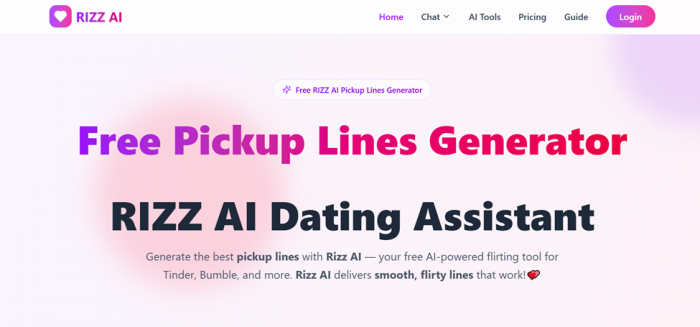
The homepage sells it as a pickup line generator. That undersells it. There are roughly a dozen working tools plus a large guide library.
TOOL INVENTORY AND CREDIT COST
| TOOL | WHAT IT DOES | COST |
|---|---|---|
| Rizz Generator | 8 lines from style, audience, intensity, keyword | 1 credit |
| AI Pickup Lines | Chat style icebreaker assistant | 1 credit |
| Chat Photo Rizz | Upload a conversation screenshot, get replies | 1 credit |
| Manual Chat Input | Paste the conversation as text instead | 1 credit |
| Tinder / Bumble Bio | Profile bios tuned per platform | 1 credit |
| AI Dating Photo Generator | 1 to 4 selfies turned into styled scenes | 200 credits |
| Rizz Quiz | 10 question charm assessment | Free |
| Guide library | 43 written guides across 4 categories | Free |
There are also throwaway extras like a Shakespearean translator and a rizz emoji collection, clearly built for search traffic rather than for daters.
| The one number that matters: the pricing page states that a reply, opener, or pickup line costs one credit. A single AI photo costs 200. That is a 200 to 1 ratio between the two halves of the product, and nothing on the homepage prepares you for it. |
The Testing Parts
Testing part one: signing up
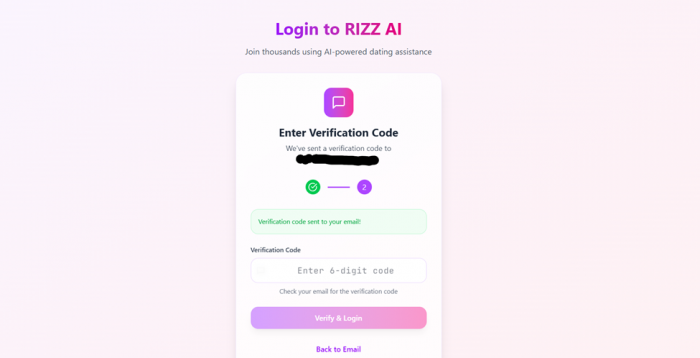
No password. You enter an email, clear a Cloudflare check, and a six digit code lands in your inbox. The code arrived in well under a minute.
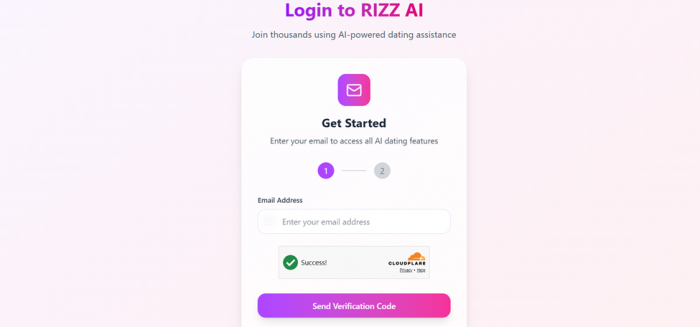
No credit card wall, no onboarding questionnaire, no app download nag. The one thing missing is a self serve way to delete your account. If you want your email removed, you are emailing support and hoping.
Testing part two: the Rizz Generator
This is the tool most people will land on. It is a form, not a chatbot, and that is the right call. Four controls: style (Smooth, Funny, Romantic, Witty), audience (Girl, Guy, Anyone), intensity (Subtle, Bold, Spicy), and an optional keyword, plus an emoji toggle.
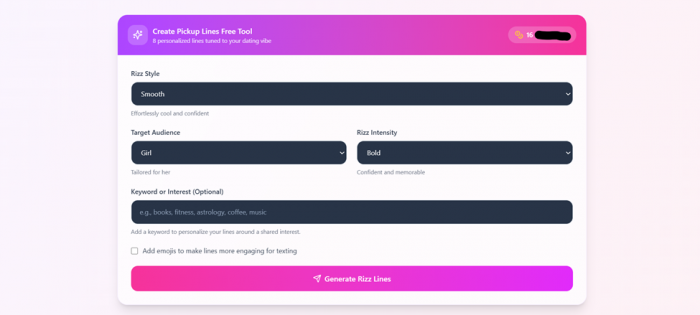
Every generation returns exactly eight lines with a Copy button on each, and the header tags your settings so you can see which combination produced what.
What the generator actually produced
One run used Funny plus Girl plus Spicy with no keyword. Real output, unedited:
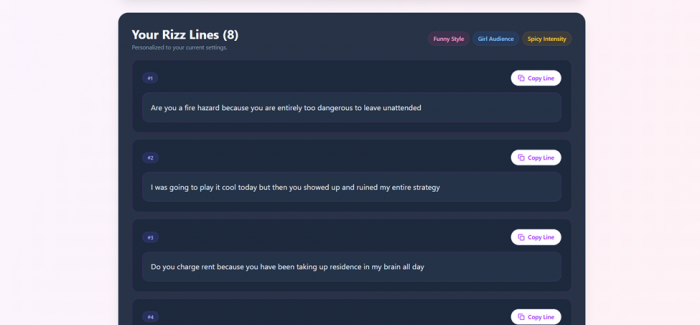
#1 Are you a fire hazard because you are entirely too dangerous to leave unattended #2 I was going to play it cool today but then you showed up and ruined my entire strategy #3 Do you charge rent because you have been taking up residence in my brain all day |
Honest assessment: #2 is genuinely decent. It is self aware, it does not oversell, and it reads like something a person might type. #1 and #3 are recycled structures you have seen before, dressed up slightly.
Three things nobody mentions
1. The lines come back without end punctuation. Look at the examples above. No question marks. Every single one. If you copy and paste straight into a chat, you are sending a question that reads like a statement. You have to fix it yourself, every time.
2. The keyword field does the heavy lifting. Leave it blank and you get generic material. Put in something specific like “pottery” or “night shifts” and the quality jumps noticeably. This is the single biggest lever on the page and it is labelled as optional.
3. “Spicy” is not actually spicy. The site says the generator is tuned to stay PG-13, and it holds to that. If you were expecting the intensity slider to unlock something crude, it does not.
Treat the output as raw material, not a finished message. Take one line, swap two words for your own phrasing, add the punctuation, and send it. The tool is genuinely useful for breaking a blank page. It is not useful as copy and paste.
Testing part three: the AI Dating Photo Generator
This is the newer tool and it is the more interesting one. Three steps, all on one screen.
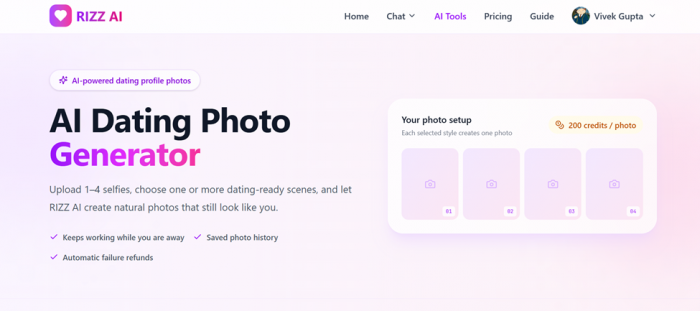
Step 1: Selfies
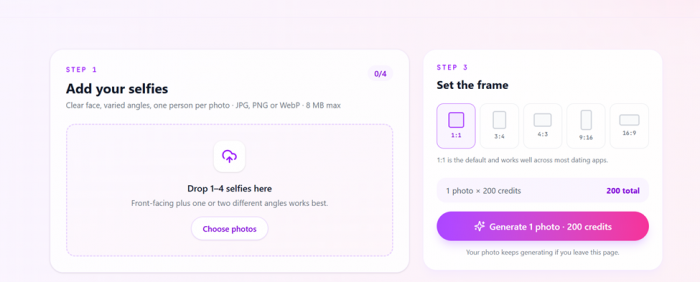
Upload 1 to 4 photos. JPG, PNG, or WebP, 8 MB maximum each. The guidance asks for one person per photo, a clear face, and varied angles. Testing used two: one indoor shot at a table, one outdoor shot in a t-shirt. The counter went to 2/4 and an “Add more selfies” button appeared.
Step 2: Styles
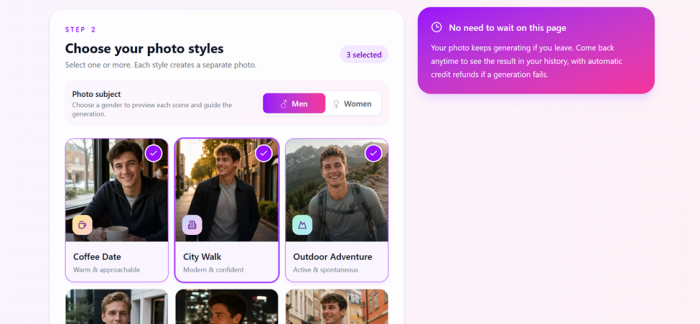
Twelve scene presets, with a Men and Women toggle that swaps the preview thumbnails: Coffee Date, City Walk, Outdoor Adventure, Smart Casual, Evening Date, Travel Day, Beach Day, Home Chef, Art Gallery, Fitness Session, Park Picnic, and Live Music. Each carries a one line description of the mood it targets.
Important: each style you select creates one separate photo, and each one costs 200 credits. Selecting three sent the counter to 600.
Step 3: Frame
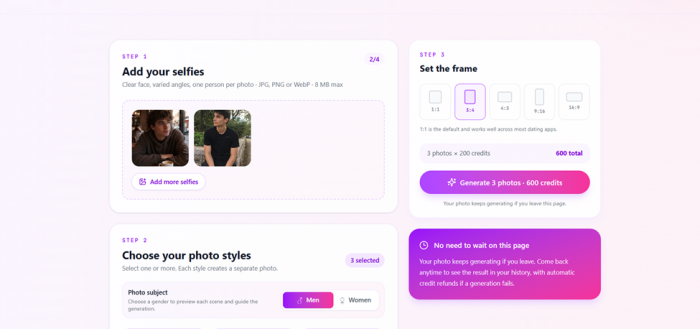
Five aspect ratios: 1:1, 3:4, 4:3, 9:16, 16:9. Square is the default and the site recommends it for most dating apps. One design limitation worth knowing: the frame setting is global, not per style. You cannot generate a square coffee shot and a portrait outdoor shot in the same batch. You run two batches, and you pay twice.
The part that genuinely works well
BACKGROUND GENERATION Your photo keeps rendering after you close the tab. Come back later and it is in your history. | SAVED HISTORY Signed in users get a history panel showing every generation, including ones still in progress. |
AUTOMATIC REFUNDS If a generation fails, the 200 credits return to your balance automatically. No support ticket. | WHY THAT MATTERS Plenty of image tools quietly keep your money when a render fails. These are details that only appear when someone has been burned before. |
Pricing: the section that changes your decision
Three one time credit packs, no subscription.
CREDIT PACKS, VERIFIED AGAINST RIZZAI.CHAT
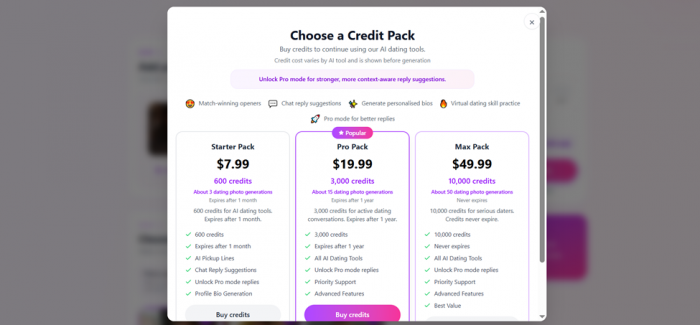
| PACK | PRICE | CREDITS | EXPIRY | PER CREDIT | PHOTOS |
|---|---|---|---|---|---|
| Starter | $7.99 | 600 | 1 month | $0.0133 | 3 |
| Pro (Popular) | $19.99 | 3,000 | 1 year | $0.0067 | 15 |
| Max | $49.99 | 10,000 | Never | $0.0050 | 50 |
The same numbers, in the way that actually matters
COST PER USE, CALCULATED FROM LISTED PACK PRICING
| PACK | COST PER PHOTO | COST PER LINE SET |
|---|---|---|
| Starter ($7.99) | $2.66 | $0.013 |
| Pro ($19.99) | $1.33 | $0.007 |
| Max ($49.99) | $1.00 | $0.005 |
| Photo : text ratio | 200 : 1 | On every pack |
Note: “600 credits” buys three photographs. Starter expires in 30 days. If you buy it, try three scenes and dislike them, there is no second attempt.
For text, the value is completely different. Three thousand credits at $19.99 is three thousand openers, replies, and bios, valid for a year. That is cheap by any measure.
Where the value lands: if you want RIZZ AI for conversation help, Pro is sensible. If you want it for photos, compare against dedicated services first. Roundups from tools like TruShot and DatePhotos.AI put one time pricing in the $29 to $49 range for 60 or more generated images. RIZZ AI’s Max pack is $49.99 for 50. Similar money, a fraction of the output, from a company whose core business is text.
One small inconsistency turns up while clicking around: the promo banner reads “From $7.99” on most pages but “From $3.99” on the Rizz Generator page, and the footer copyright is 2026 on some pages and 2025 on others. Not a scam signal, just a small team shipping fast and not sweeping up behind itself.
What people are saying
One point up front, because this is where most reviews start inventing things. RIZZ AI has no independent review profile. No Trustpilot page, no G2 listing, no App Store rating, because it is a website rather than an app. So this splits into what the company says about itself and what independent sources say about the category.
VENDOR CLAIM · UNVERIFIED The self reported numbers The site advertises 50,000+ users, 1 million+ messages generated, a 95% success rate, and a 4.9/5 rating. None are verifiable and no methodology is given for “success rate.” | VENDOR CLAIM · MARKETING Named testimonials John Miller, Emily Davis, and Sophia Thompson appear on the homepage, dated 2024. The six quotes on the photo page are more believable, because they praise the presets and history panel rather than claiming dating results. |
INDEPENDENT SwipeStats on the category Reviewing the Rizz app, a direct competitor, SwipeStats landed on 3 out of 5, calling it a promising concept whose execution needs work and which raises authenticity concerns. It named shy daters and newcomers as the right audience. That assessment maps onto RIZZ AI almost exactly. swipestats.io | INDEPENDENT The Washington Post on AI assisted profiles A February 2026 opinion piece noted that for many daters, learning a profile was AI assisted signals low effort and borrowed personality, while conceding that AI produces decent profiles from very little input. washingtonpost.com |
INDEPENDENT · SURVEY Daters are more open than you would guess A Coffee Meets Bagel survey reported in 2026 trend coverage found around 80% of surveyed daters were comfortable with AI assisting on dating tasks such as improving profiles, with nearly half already using it. editorialge.com | INDEPENDENT · THE KEY FINDING But photos are the line Coverage of Hinge’s 2026 AI dating guidance found that while many Gen Z daters use AI to check their messages, most Hinge daters are uncomfortable with AI generated profile photos specifically. profilesharp.com |
| That last finding is the most useful thing here. The cheap half of RIZZ AI is the half people accept. The expensive half is the half they object to. |
Pros and cons
WHAT WORKS
| WHAT DOES NOT
|
Who this is for
| YOU ARE | VERDICT |
|---|---|
| Someone who freezes on the first message | Good fit. Buy Pro, ignore the photo tool. |
| Rewriting a Tinder or Bumble bio | Good fit. The bio generators are the quiet strength here. |
| Not a native English speaker | Good fit. Phrasing help is exactly what this does well. |
| Wanting a full AI photo set for your profile | Poor fit. Wrong price per image, wrong tool for the job. |
| Wanting the AI to run conversations for you | Poor fit, and a bad idea generally. |
| Privacy conscious | Read the policy yourself before uploading selfies. |
How to get better results from it
1. Always use the keyword field. Blank keyword output is forgettable. A specific shared interest changes everything.
2. Generate, then rewrite. Swap one phrase per line for something you would actually say. The site’s own FAQ recommends this, which is unusually honest of it.
3. Add your own punctuation. Every time.
4. Do not select all twelve photo styles. That is 2,400 credits, more than the Pro pack. Pick two.
5. Upload varied selfie angles. One front facing plus one or two off angle shots beats four near identical selfies.
Final verdict
After a week of testing, the honest position is that RIZZ AI is two products wearing one brand, and they deserve two different verdicts. The text side is good. Not brilliant, but good, and priced so cheaply that the worth-it question barely comes up. The Rizz Generator earns its place on the mornings when no opener comes to mind, and the bio tools are better than the homepage suggests. The eight line format is the right call, because you pick from options rather than accept one answer. Fill in the keyword box, rewrite a phrase, add a question mark, send. The photo side is where the recommendation stops. The engineering is thoughtful. Background rendering, saved history, and automatic refunds are the kind of details that only appear when someone has been burned by a tool that lacked them. But $1.00 to $2.66 per image, from a company whose core competency is text, is a poor trade when specialist photo tools give you dozens of images for similar money. And the research on how daters react to AI photos should give you pause whichever tool you use. So: worth signing up for, because it costs nothing and the free layer is real. Worth $19.99 if openers and bios are what you came for. Not worth buying purely for the photo generator. If you are the person staring at a match you liked three days ago with nothing typed in the box yet, this will help. Just do not let it write the whole person. |