

Table of Content
- What Is PixVerse AI?
- PixVerse AI Features That Matter
- Inside the Hands-On PixVerse Test: One Clip, 60 Credits
- PixVerse Models Compared
- PixVerse Pricing and Credits Explained
- In-app credit packs
- What Real Users Say About PixVerse
- PixVerse Pros and Cons
- PixVerse Alternatives
- Final Verdict: Is PixVerse AI Worth It in 2026?
The first thing PixVerse does is hand over a stack of free credits and a countdown timer. The next thing it does is take 60 of them for a single eight-second clip. That exchange rate is the real story of this platform, and it is the reason this review exists instead of another paraphrase of the marketing page.
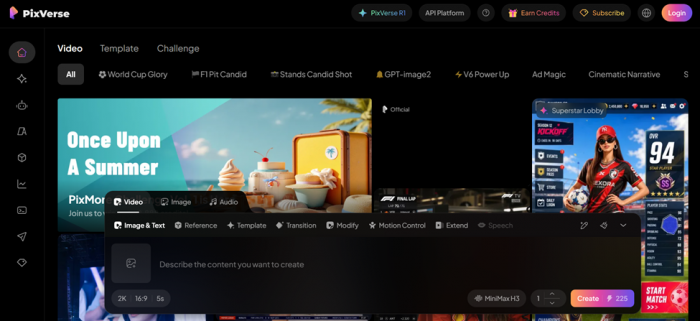
Testing for this review ran on a fresh account opened in early August 2026: past the Cloudflare check, through email verification, then several days of building short promo clips for a small SaaS product. The sessions covered the in-house C1 model, the partner models like Kling 3.0 and Seedance 2.0 that now share the same dropdown, the watermark paywall, and, inevitably, the credit top-up screen. Everything below was verified firsthand, backed by current pricing data and user sentiment from sources worth trusting.
3.9 / 5 Good, with a catch
| Category | Score / 5 |
| Output quality | 4.2 |
| Ease of use | 4.6 |
| Generation speed | 4.0 |
| Pricing and credit value | 3.4 |
| Free plan | 4.1 |
| Support and billing | 3.0 |
In one line: quick, genuinely easy, and fairly priced at the entry level, but the credit system charges for misses and the output that matters sits behind the Pro tier.
What Is PixVerse AI?
PixVerse is an AI video generator from AIsphere, founded in April 2023 by Wang Changhu, a former ByteDance vision AI lead who also spent years at Microsoft Research Asia, together with co-founder Jaden Xie. The company is headquartered in Singapore with teams in Beijing and Shanghai, and TechCrunch reported its Series C at $439 million in July 2026, with Alibaba among the backers and total funding now past $550 million. Translation for anyone building client work on it: this platform has the money to stick around.
| 150M+ | Registered users across 177 countries as of July 2026 |
| $439M | Series C round at a valuation above $2 billion |
| 3 models | In-house lineup: V6, C1, and the real-time R1 |
| Jan 2024 | Global launch; an a16z top-50 consumer AI app by 2025 |
PixVerse AI Features That Matter
The feature list is long. These are the parts that got real use during testing, or the ones that separate PixVerse from a stock text-to-video tool.
Text and image to video
Type a prompt or drop in a still, then set resolution (360P to 1080P), aspect ratio (9:16 vertical through 16:9 wide, plus 1:1, 3:4, 4:3, 3:2 and 2:3), and duration. The create bar sits on the homepage, so there is no project setup ritual.
A model hub, not one model
One dropdown holds PixVerse V6 and C1 next to Seedance 2.0, MiniMax H3, Kling 3.0 and O3, Gemini Omni Flash, Happy Horse 1.0, and Grok Imagine 1.5. Most partner models wear a PRO+ tag, which means paid plans only.
C1, the cinematic engine
Released in April 2026 for film-style work: fight choreography, particle and fluid effects, and multi-panel storyboards that hold character identity across shots. Clips run up to 15 seconds at 1080P with native audio.
Editing after the render
Every finished clip gets Upscale, Extend, Resize, Modify, Lip Sync, Sound Effect, and Depth Map buttons right on the result page, so iteration happens without exporting anything.
R1 real-time worlds
Launched in January 2026, R1 turns video into a live stream you can steer while it generates. It is the foundation for the game engine PixVerse announced alongside its Series C.
Templates, Agent, extras
Viral effect templates, a prompt-writing Agent, Canvas, Mini-Apps, and a Marketing Hub. One caution: Trustpilot reviewers flagged the Agent's per-reply credit cost after a June 2026 pricing change.
Inside the Hands-On PixVerse Test: One Clip, 60 Credits
Here is exactly how the first video came together, because the small details tell you more than any feature grid.
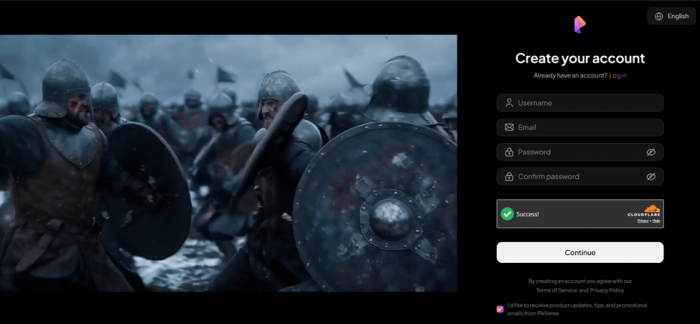
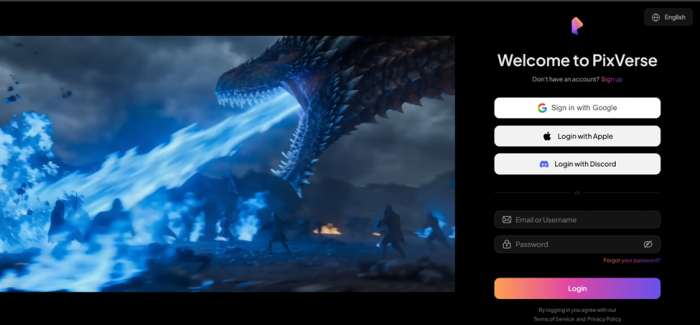
1. Signup took under two minutes. Google, Apple, Discord, or plain email. The email route meant passing the Cloudflare verification and typing in a code before landing on a dashboard that showed 60 credits under a Basic badge. Published guides mention a 90-credit welcome bonus, so the exact amount seems to move around.
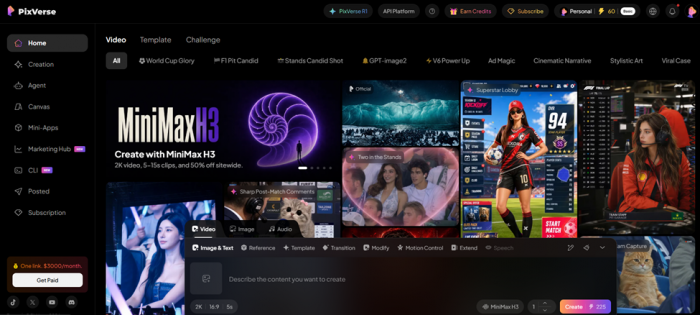
2. The defaults are not the cheap option. Logged out, the create bar advertised MiniMax H3 at 2K for 225 credits per run. Switching to PixVerse C1 and dialing down to 540P, 3:4, 8 seconds priced the run at exactly 60 credits. The entire daily allowance, one clip.
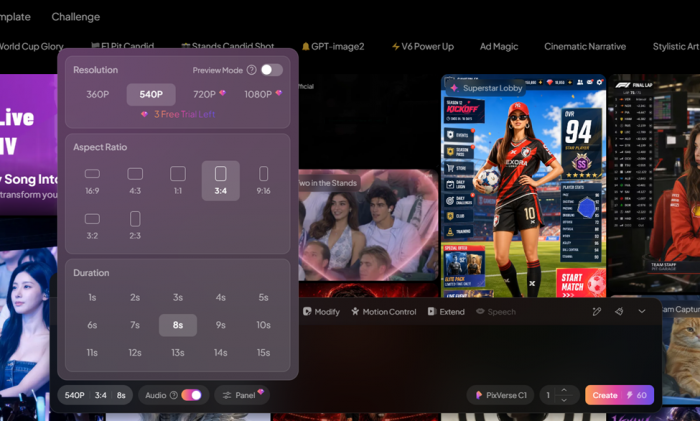
3. Costs show before you commit. The settings panel lists every resolution, marks 720P and 1080P as premium with a three-trial counter, and includes a Preview Mode toggle plus an audio switch.
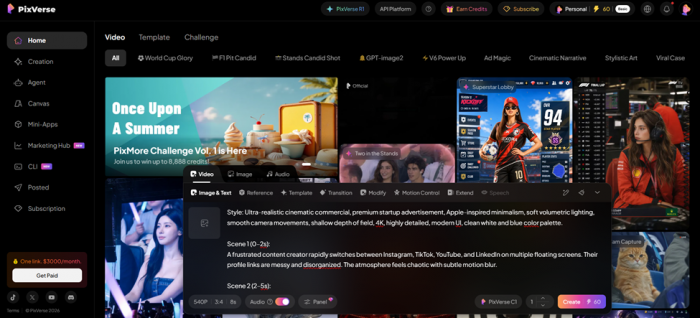
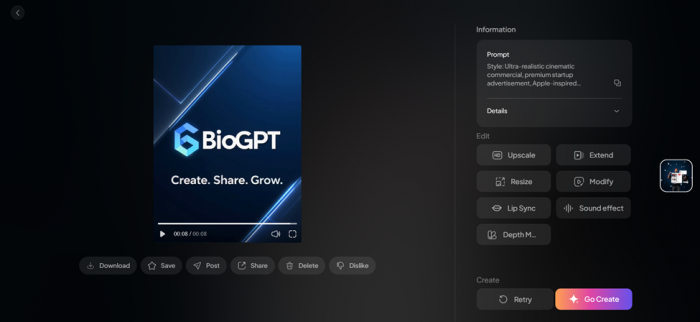
4. The prompt was structured on purpose. A style block first (ultra-realistic commercial, soft volumetric lighting, a white and blue palette), then timed scenes ending on the BioGPT logo with its tagline.
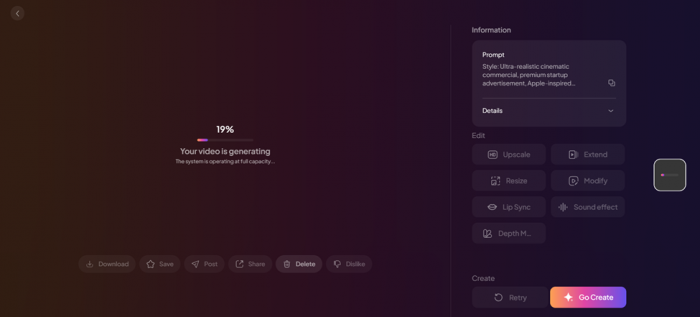
5. Generation queued. The progress bar sat at 19% under a notice that the system was running at full capacity, and the finished render arrived a few minutes later.
6. The output landed above expectations. Camera drift, lighting, and the logo reveal looked like a real startup ad. The catch: small interface text inside the mock app screens came out as convincing gibberish, the classic AI video tell.
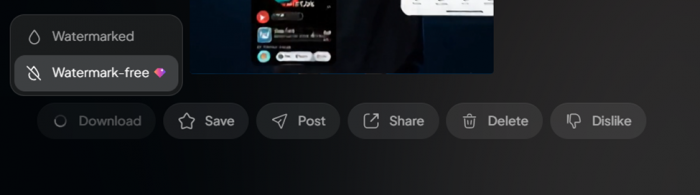
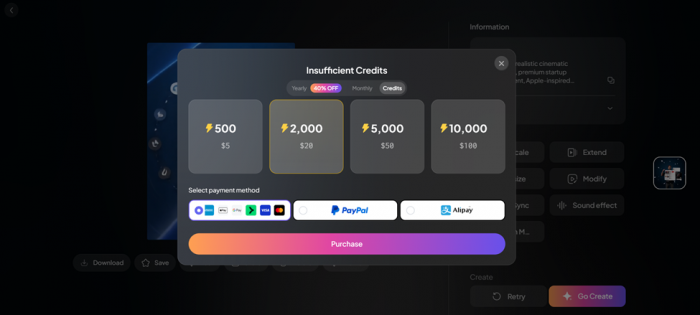
7. Then the funnel. Download offers Watermarked or Watermark-free, the clean file carries a premium tag, and one more tap opened the Insufficient Credits window with packs starting at $5. One clip, one day of credits, one purchase prompt. Tidy.
Here Is The Result - https://app.pixverse.ai/video/416999078076493
PixVerse Models Compared
| Model | Best for | Specs | Access |
| PixVerse V6 | Everyday text and image to video with native audio and wide stylistic range | Short clips, up to 1080P | Free tier eligible |
| PixVerse C1 | Cinematic action, VFX, multi-shot storyboards with consistent characters | Up to 15s at 1080P, native audio | Credits; premium resolutions gated |
| PixVerse R1 | Real-time interactive worlds; video as a live, steerable stream | Streams up to 1080P | Rolling out since Jan 2026 |
| Partner models | Seedance 2.0, MiniMax H3, Kling 3.0/O3, Gemini Omni Flash, Grok Imagine 1.5, Happy Horse 1.0 | Varies by model | PRO+ badge, paid plans |
Running Kling, Seedance, and MiniMax from one credit balance is quietly one of PixVerse's strongest arguments. Rivals make you juggle separate subscriptions to compare the same outputs.
PixVerse Pricing and Credits Explained
The published plans look tidy. The credit math is where budgets go sideways, so here is the sticker price and what it buys in practice. Prices checked at publication; annual billing trims 20% off most tiers and 40% off Ultra.
| Plan | Monthly | Annual / mo | Credits | Key limits |
| Basic (Free) | $0 | $0 | 60 / day | Watermark, lower resolutions, last in queue |
| Standard | $10 | $8 | 1,200 / mo | 720P cap, 3 concurrent generations |
| Pro | $30 | $24 | 6,000 / mo | 1080P unlocked, 5 concurrent |
| Premium | $60 | $48 | 15,000 / mo | 8 concurrent generations |
| Ultra | $199 | $149 | 25,000 / mo | Priority processing; 40% off yearly |
Credits reset each cycle and do not roll over. Commercial rights come with paid plans; free outputs stay watermarked.
In-app credit packs
500 credits for $5 · 2,000 for $20 · 5,000 for $50 · 10,000 for $100. Top-ups can be paid by card wallets, PayPal, or Alipay, straight from the Insufficient Credits window that appears the moment you run dry.
The math nobody puts on the pricing page • The test's 8-second C1 clip at 540P: 60 credits, roughly $0.60 at pack rates. • The logged-out default (MiniMax H3, 2K, 5 seconds): 225 credits, about $2.25 per attempt. • Misses bill in full, and independent pricing guides estimate 2 to 5 attempts per usable clip. So a sixty-cent video is often a two-dollar video once retries are counted. Budget for attempts, not outputs. |
Five ways to stretch the free credits • Draft at 360P or 540P, then run Upscale only on the keeper instead of rendering everything at premium resolution. • Flip on Preview Mode while experimenting. It lowers the cost of a test pass, though the final export still bills in full. • Keep drafts short. Duration feeds the price shown on the create bar, so a 5-second test costs less than an 8-second one, and Extend can lengthen the winner. • Front-load the prompt with a style block and timed scenes. Vague one-liners are the fastest way to pay for retries. • Go easy on the Agent. Its replies bill credits, and Trustpilot users report the rate jumped sharply in June 2026. |
What Real Users Say About PixVerse
One account and one week prove nothing on their own, so the findings were checked against the places where people complain honestly.
Trustpilot · 2.6 / 5
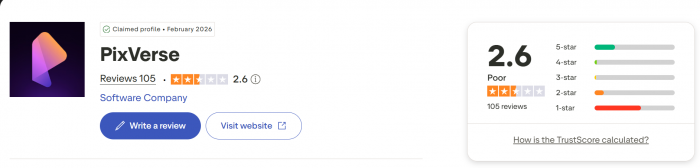
Around 108 reviews and a "Poor" label. The loudest theme is credits lost to generations that ignored the prompt; one reviewer wrote flatly that "the results are not consistent." Billing gripes come second, including a cancellation flow several users found confusing. On the plus side, image-to-video quality and the daily free credits draw regular praise.
Reddit · Mixed
Threads in the AI video subreddits split between clips people proudly post and rants about physics glitches, merged subjects, and backgrounds frozen mid-motion. The recurring verdict is hit or miss. Users who write longer, scene-by-scene prompts report noticeably better odds, which matched the runs behind this review.
Fritz.ai · 4.6 / 5
After weeks of testing against Runway, Pika, and Sora, this independent reviewer called PixVerse "one of the easiest AI video tools to use" and pointed to rendering speed as the main reason to try the free plan before paying for anything.
Pollo AI · Positive
Their hands-on testers clocked simple generations between 30 and 90 seconds and praised the detail and lighting, while flagging occasional logic errors inside scenes. That lines up with the garbled interface text in this review's first render.
PixVerse Pros and Cons
| What works | What stings |
| From signup to a finished clip in under fifteen minutes | Credits are charged per attempt, including the bad ones |
| 60 free credits every single day, not a one-off trial | 1080P is locked behind the $30 Pro tier |
| Kling, Seedance, and MiniMax available under one balance | Free downloads carry a watermark |
| C1 handles motion, lighting, and camera work convincingly | Small on-screen text renders as gibberish |
| Extend, lip sync, and upscale live right on the result page | 2.6 Trustpilot score, driven by billing and support complaints |
| $10 entry pricing undercuts most direct rivals | Prompt adherence swings between excellent and baffling |
Get it if you make short-form social content, you prototype ad concepts before briefing a team, you want several top video models under one balance, or you will genuinely use 60 free credits a day.
Skip it if you need long-form or dialogue-heavy video, your clips must show accurate on-screen text, retry costs would wreck your budget, or you dislike credit systems on principle.
PixVerse Alternatives
| Tool | Starts at | Where it beats PixVerse |
| Kling AI | ~$10 / mo | Stronger top-end realism; also rentable inside PixVerse's own hub |
| Runway | ~$15 / mo | A fuller editing suite and deeper professional adoption |
| Sora | ChatGPT plans | Tight ChatGPT integration and strong scene coherence |
The odd part of any comparison here is that PixVerse hosts several rivals directly. The honest question is often PixVerse's credit price for a Kling render versus Kling's own subscription, and for occasional use, the credit route usually wins.
Final Verdict: Is PixVerse AI Worth It in 2026?
After several days and a few hundred credits' worth of experiments, the picture is clear. PixVerse is the lowest-friction path this review found from idea to short video: type a scene, pick a model, and a watchable startup ad exists before a coffee goes cold. The C1 render was the genuine surprise, with camera drift and lighting that looked deliberate, not generated.
The same sessions also watched a full day of credits vanish into one eight-second clip, and the Trustpilot record suggests a clean first render is partly luck. When a generation misses, you pay anyway, and that knowledge changes how the tool feels. You start writing prompts defensively, like each one costs money, because it does.
So the recommendation splits three ways. Short-form creators should take the 60 daily free credits and never look back; that alone beats most trials in this category. Marketers and small studios should start at Pro, since 1080P and watermark-free exports are where real work begins, and $24 a month on annual billing is fair for what it unlocks. Anyone who needs precise on-screen text, ten-minute videos, or predictable per-clip costs should wait, because no plan fixes those yet.
The test account stays open. The card stays in the wallet until the credit meter earns some trust.
3.9 / 5 · GOOD, WITH A CATCH