

Table of Content
- 1. Glean — Enterprise Knowledge Intelligence Platform
- Unified Search Across Your Entire Digital Workspace
- Glean Assistant and Custom AI Applications
- Ideal Users
- 2. Canva AI 2.0 — Conversational Design Platform
- Design Through Conversation and Agentic Orchestration
- AI Connectors and Automation
- Ideal Users
- 3. Receipts Maker — Automated Receipt Generation
- Authentic Receipt Templates and Customization
- Export and Documentation Features
- Ideal Users
- 4. Descript — Text-Based Video Editing
- Text-Based and Visual Editing Workflow
- Collaboration and Publishing
- Ideal Users
- 5. Jasper AI — Long-Form Content Generation
- Template-Driven Content Creation
- Platform-Specific Content Optimization
- Ideal Users
- 6. ElevenLabs — AI Voice Generation and Voice Agents
- Voice Model Capabilities
- Omnichannel Voice Agents
- Ideal Users
- 7. Runway ML — AI Video Generation and Transformation
- Generation and Transformation Features
- Creative Applications
- Ideal Users
- 8. Asana AI Studio — Intelligent Project Management
- AI-Powered Workflow Optimization
- Customization and Integration
- Ideal Users
- Choosing the Right Tools for Your Workflow
Modern professionals face a paradox: more tools than ever before, yet growing inefficiency from constant context switching and fragmented workflows. These eight AI tools cut through the noise by addressing specific pain points that drain time and creative energy. From enterprise knowledge management to AI voice generation, each platform solves real problems that traditional software cannot.
1. Glean — Enterprise Knowledge Intelligence Platform
Glean transforms how organizations access and utilize collective knowledge scattered across dozens of disconnected systems. The platform integrates with over 100 enterprise applications, including Google Workspace, Microsoft 365, Slack, Confluence, Jira, Salesforce, and GitHub, to create a unified knowledge graph that powers intelligent search, content generation, and workflow automation.
Unified Search Across Your Entire Digital Workspace
The core architecture solves the fundamental problem of information fragmentation in modern enterprises. Instead of manually checking Google Drive for one document, Slack for a related conversation, and Jira for the associated ticket, Glean's universal search queries all connected platforms simultaneously and returns contextually relevant results based on your role, active projects, and permission levels.
The system employs hybrid retrieval technology combining semantic understanding with custom language models trained on company-specific terminology and communication patterns. This means searching for "Q4 budget revision" surfaces the latest spreadsheet, the Slack thread where finance discussed changes, the email approval from leadership, and the person who owns the final version all ranked by relevance to your specific needs.
Glean Assistant and Custom AI Applications
Beyond search, Glean Assistant acts as an AI companion that synthesizes information to answer questions, generate content, and automate knowledge work. The assistant summarizes meeting transcripts, drafts project updates using information pulled from multiple sources, and conducts research that cites specific documents for verification.
The platform enables development of custom AI applications tailored to specific business needs through low-code builders, Search and Chat APIs, and tools SDKs. Teams can deploy specialized AI apps for customer support, sales enablement, or technical documentation without extensive coding, with all applications maintaining awareness of user permissions and security boundaries.
Ideal Users
Large organizations with distributed knowledge across multiple platforms, enterprise teams struggling with information silos, and companies where employees spend excessive time searching for existing documents rather than creating new value.
2. Canva AI 2.0 — Conversational Design Platform
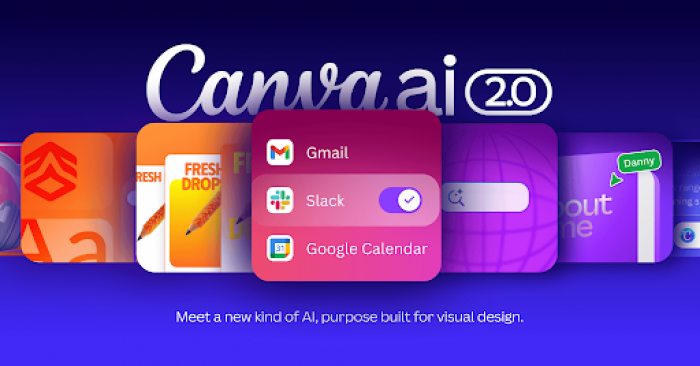
Canva AI 2.0 represents a fundamental shift in design workflows by introducing conversational creation, brand intelligence, and automated scheduling directly into the visual workspace. The platform combines nine integrated capabilities that transform rough concepts into polished, professional designs through natural language interaction.
Design Through Conversation and Agentic Orchestration
The conversational interface allows users to describe what they need in plain language, with the AI making autonomous decisions about images, text, fonts, colors, and layouts. This agentic orchestration means requesting "a LinkedIn carousel about productivity tips" results in a complete, editable design with appropriate visuals, on-brand typography, and optimized formatting all without manual template selection or element placement.
The Memory Library feature learns from each project, becoming more personal and aligned with individual creative preferences over time. Layered Object Intelligence ensures all generated designs maintain full editability, with every text box, image, and graphic remaining independently adjustable rather than flattened into single assets.
AI Connectors and Automation
Canva AI Connectors pull context from apps users rely on daily including Slack, Gmail, Google Drive, Calendar, Claude, and ChatGPT to create contextually relevant designs. The scheduling feature automates tasks to run even while offline, putting repetitive design work on autopilot. Web Research capability allows the AI to gather information from the internet and incorporate it directly into designs without manual data collection.
Brand Intelligence automatically applies organizational brand guidelines to anything created, ensuring every output maintains visual consistency by default. Magic SEO generates optimized descriptions for Canva Websites, while Magic Decorate and Style Match features enable rapid aesthetic transformations.
Ideal Users
Content creators managing high-volume social media output, marketing teams requiring brand-consistent assets across campaigns, small businesses without dedicated design resources, and solopreneurs producing client deliverables. The platform suits users who need professional design quality without specialized training or expensive software subscriptions.
3. Receipts Maker — Automated Receipt Generation
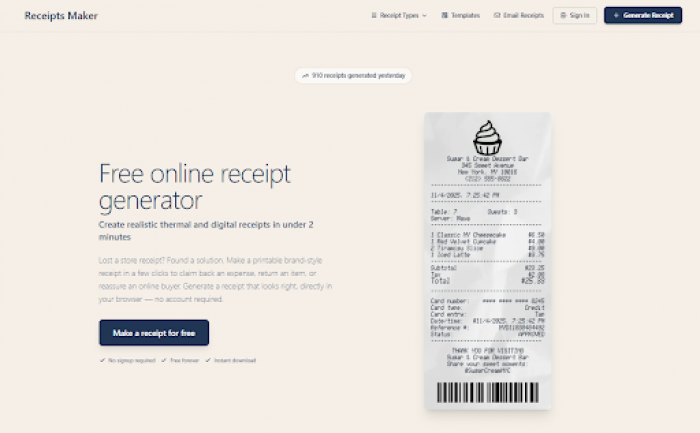
Receipts Maker solves the persistent problem of lost receipts and manual documentation by generating realistic thermal and digital receipts in under two minutes. The platform addresses expense reimbursement, small business documentation, resale proof, and personal record-keeping scenarios where professional receipts are essential but originals are missing or never issued.
Authentic Receipt Templates and Customization
The tool offers templates modeled after real POS systems from over 1,200 businesses, ensuring generated receipts match authentic formats in spacing, fonts, and structure. Templates include major retailers like Circle K, 7-Eleven, Costco, Target, and Kroger, as well as specialized formats for hotels, gas stations, auto services, and rental properties.
Customization capabilities cover every receipt element, including currency selection from 50+ options with proper symbols, custom logos and business branding, itemized purchases with accurate tax calculations, multiple payment methods, and barcode generation with custom data. The platform supports standard thermal paper widths (80mm and 58mm) with proper aspect ratios for direct printing.
Export and Documentation Features
Output formats include high-quality PDF, JPEG, and PNG files ready for printing, digital archiving, or email submission. The browser-based editor provides real-time preview to catch errors before download, with no account required for basic usage.
Ideal Users
Small business owners and freelancers needing professional receipt documentation, individuals claiming expense reimbursements for lost receipts, resellers providing purchase proof for online sales, and property managers documenting rent and service payments. The platform operates entirely in-browser without software installation, making it accessible from any device.
4. Descript — Text-Based Video Editing
Descript reimagines video editing by treating footage like a document, where changes to the transcribed text automatically update corresponding audio and video. The platform eliminates traditional timeline complexity through an interface familiar to anyone who has edited text, dramatically reducing the learning curve for non-technical creators.
Text-Based and Visual Editing Workflow
Upload or record content and Descript automatically transcribes it with speaker labels and timestamps. Editing happens through the transcript deleting words removes corresponding audio, rearranging sentences, reorders footage, and correcting transcription errors updates the text overlay. This Google Doc-style experience makes video editing accessible to content creators who find traditional software intimidating.
The visual canvas operates like a slide editor for arranging scenes, while the precision timeline provides advanced controls for fine-tuning clips, adjusting timing, removing cross-talk, and applying audio effects like EQ and compression. AI-powered features include automatic filler word removal, studio-quality sound enhancement, and green screen effects without physical green screens.
Collaboration and Publishing
Team collaboration happens naturally with commenting and version control similar to document editing tools. Publishing integrations push finished videos directly to YouTube, social platforms, or hosting services without intermediate downloads and uploads.
Ideal Users
Podcasters editing interview content, YouTube creators producing tutorials and vlogs, marketing teams creating video snippets from webinars, and content creators who understand writing better than traditional video editing interfaces. The platform particularly benefits users who create talk-heavy content where transcript accuracy matters.
5. Jasper AI — Long-Form Content Generation
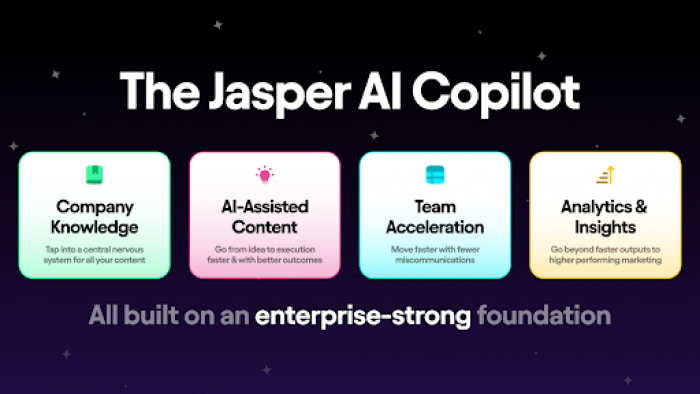
Jasper AI specializes in creating marketing copy, blog posts, social media content, and product descriptions through template-based workflows and conversational commands. The platform pulls from extensive databases to generate natural-sounding text complete with citations, quotes, and multiple variations per section.
Template-Driven Content Creation
The workflow starts with template selection matching the desired output format: blog posts, ad copy, email sequences, product descriptions, or social media captions. Input requirements vary by template but typically include topic, key points, target audience, and tone preferences. Jasper generates multiple versions simultaneously, providing flexibility to choose the most suitable content or combine elements from different outputs.
Blog post generation follows a structured approach where users define titles, key points, and audience parameters, then experiment with different prompts for varied perspectives. The AI creates sections with appropriate headers, transitions, and conclusions that maintain coherent narrative flow across longer pieces.
Platform-Specific Content Optimization
Social media templates tailor content for specific channels, automatically adjusting length, hashtag usage, and engagement tactics based on platform norms. Headlines, captions, and content snippets optimize for character limits and audience expectations unique to each network.
Ideal Users
Marketing teams scaling content production across channels, copywriters seeking inspiration and variations, content agencies managing multiple client accounts, and businesses maintaining active blogs without dedicated writing staff. The platform suits scenarios where volume and consistency matter more than deeply specialized expertise.
6. ElevenLabs — AI Voice Generation and Voice Agents
ElevenLabs produces lifelike speech from text with nuanced intonation, emotional awareness, and natural pacing across 70+ languages. The platform extends beyond simple text-to-speech into voice agent deployment for customer service, information delivery, and interactive experiences.
Voice Model Capabilities
AI voice models adapt to textual cues including punctuation, capitalization, and context to deliver appropriate emphasis, pauses, and emotional tone. Users select from thousands of pre-built voices representing different demographics, accents, and speaking styles, or create custom voice clones from sample recordings.
Voice cloning technology analyzes audio samples to replicate specific vocal characteristics, enabling brand-consistent narration or preservation of individual speaking patterns. The system maintains consistency across languages, allowing single voice profiles to generate speech in dozens of languages while retaining recognizable characteristics.
Omnichannel Voice Agents
Voice agents listen, read, and interact like humans across phone, chat, email, and WhatsApp channels. These conversational AI systems handle customer inquiries, provide information, schedule appointments, and execute transactions through natural language interaction. Agents deploy with configurable parameters for tone, response style, and escalation protocols, with monitoring dashboards tracking performance metrics.
Ideal Users
Content creators producing audiobooks and narration, e-learning platforms requiring multilingual voiceovers, accessibility teams adding audio to written content, customer service departments deploying conversational AI, and media companies localizing content across language markets. The platform suits any scenario where human-quality voice synthesis replaces manual recording or enables scalable audio production.
7. Runway ML — AI Video Generation and Transformation
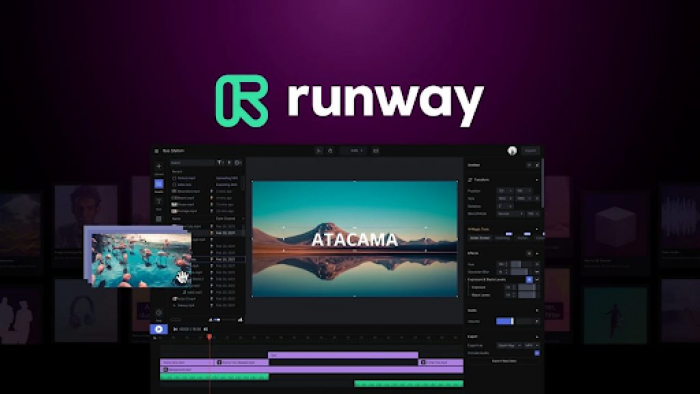
Runway ML provides comprehensive AI video capabilities including text-to-video generation, image animation, style transfer, and video transformation through the Gen-3 and Gen-4 model families. The platform targets creative professionals seeking experimental video effects and rapid concept visualization.
Generation and Transformation Features
Text-to-video functionality creates original footage from written descriptions, supporting both simple and complex prompts. Image-to-video transforms static images into dynamic content with camera movement, object motion, and scene evolution. The Motion Brush tool adds controlled movement to specific image areas when generating videos, enabling precise animation of selected elements.
Video-to-video transformation applies AI-generated effects and styles to existing footage. Users can convert themselves into claymation characters, morph scenes into line art or impressionist paintings, transform people into puppets, or apply dozens of other visual styles in seconds. Act One feature creates expressive character performances using driving videos and reference images, enabling facial animation from simple webcam recordings.
Creative Applications
Frame interpolation generates smooth slow-motion effects, video expansion extends frame boundaries beyond original edges, and inpainting removes unwanted elements while intelligently filling gaps. Lip sync functionality matches mouth movements to new audio tracks for dubbing and localization.
Ideal Users
Video creators exploring experimental aesthetics, marketing teams producing attention-grabbing social content, filmmakers prototyping concepts before expensive shoots, and motion designers creating unique visual effects. The platform serves users prioritizing creative exploration and visual distinctiveness over photorealistic precision.
8. Asana AI Studio — Intelligent Project Management
Asana AI Studio weaves artificial intelligence throughout project management workflows to suggest next steps, provide real-time project updates, identify potential bottlenecks, and optimize team workloads. The platform integrates with tools teams already use including Slack, Google Drive, and GitHub, combining task management with AI-powered insights.
AI-Powered Workflow Optimization
The system analyzes project data to recommend task sequencing, deadline adjustments, and resource allocation based on team capacity and historical patterns. Real-time bottleneck detection flags dependencies at risk of causing delays, prompting proactive resolution before schedules slip.
Workload optimization distributes tasks across team members based on current assignments, skill sets, and availability, preventing overcommitment while maximizing productivity. Automated project updates synthesize activity across tasks into coherent status reports, eliminating manual compilation of progress information.
Customization and Integration
Extensive customization options allow teams to build task workflows matching specific processes, with AI suggestions adapting to established patterns rather than forcing rigid methodologies. Integration breadth enables automation spanning project management, communication, file storage, and development tools within unified workflows.
Ideal Users
Project managers coordinating complex initiatives across teams, operations leaders optimizing resource allocation, development teams requiring GitHub integration, and organizations seeking AI-enhanced collaboration without abandoning familiar project management structures. The platform suits teams already invested in interconnected work tools who need intelligence layered over existing processes.
Choosing the Right Tools for Your Workflow
Tool selection should follow a clear hierarchy: start with pain points causing the most friction, evaluate integration requirements with existing systems, and consider whether the tool addresses a daily need versus occasional use case. Organizations struggling with information fragmentation benefit most from knowledge platforms like Glean before adding specialized point solutions. Content creators facing daily publishing pressure gain more value from design automation like Canva AI or documentation tools like Receipts Maker than general-purpose assistants.
| Tool | Primary Function | Best Suited For | Setup Complexity | Key Differentiator |
| Glean | Enterprise knowledge search and AI assistant | Large organizations with data across 100+ platforms | Medium | Saves 110 hours per employee annually through unified search |
| Canva AI 2.0 | Conversational design with brand intelligence | Content creators and marketing teams | Low | Learns your style and automates design through conversation |
| Receipts Maker | Professional receipt generation | Small businesses, freelancers, expense tracking | Minimal | Creates authentic receipts from 1,200+ templates in minutes |
| Descript | Text-based video editing | Podcasters and video creators | Low | Edit videos by editing text transcripts |
| Jasper AI | Template-based content generation | Marketing teams and content agencies | Low | Generates multiple content variations with citations |
| ElevenLabs | AI voice generation and voice agents | Content creators and customer service | Medium | Lifelike speech in 70+ languages with voice cloning |
| Runway ML | AI video generation and transformation | Creative professionals and experimenters | Medium | Transform existing videos with artistic AI effects |
| Asana AI Studio | Intelligent project management | Teams coordinating complex projects | Medium | AI-powered bottleneck detection and workload optimization |
Bottom Line : The common thread across successful adoption involves starting narrow rather than broad. Teams that fully automate one annoying weekly task before expanding to additional use cases achieve faster ROI and build organizational confidence in AI reliability compared to ambitious deployments attempting simultaneous comprehensive transformation. Begin with the single most repetitive task in your workflow, the one that makes you think "there must be a better way" and select the tool specifically designed to eliminate that friction.