

Table of Content
For most of last year I had a bad habit. I would write a caption, drop close to thirty hashtags under it, and hope. Then I spent a few months doing something duller: rewriting old captions across the accounts I manage, one batch at a time, and watching which posts started showing up when I typed a search into the app myself.
The pattern was not subtle. Posts that named the thing they were about, in plain words, in the very first line, kept surfacing weeks and months after I published them. The keyword-stuffed ones mostly sat where I left them. That was the moment it clicked that captions had quietly become the most controllable piece of search real estate I owned, and I had been wasting it on emoji and hashtag spray.
Here is the part most guides skip. Instagram, TikTok, and Pinterest are not really social feeds anymore. They are search engines with a feed attached, and the caption is the clearest text signal you hand them about what a post is for. This piece is the method I use now, plus the reasoning behind every step, so you can adapt it to your own accounts instead of memorizing a formula that stops working next quarter.
~125 IG CHARS BEFORE THE FOLD | 4,000 TIKTOK CAPTION CHARS, 2026 | 2025 POSTS ELIGIBLE FOR GOOGLE | ~40% OF GEN Z SEARCH SOCIAL FIRST |
What your caption is actually doing now
When you publish a post, the platform reads the caption to decide what the content is about and who should see it in search. That has always been partly true. What changed is how literally it now works, and how many text fields feed into it.
Instagram reads the words in your caption directly, and it also analyzes the photo or video itself. The two have to agree. If your caption says sourdough but the image is a plate of pasta, the visual layer notices the mismatch and quietly discounts the keyword. TikTok goes further: it reads your caption, transcribes the words you say out loud, and uses text recognition on anything written on screen. Pinterest treats the pin title, the description, and even the board name as its main ranking signal, on top of reading the image. So adding keywords is really one instruction: put the right words in the places each platform is looking.
| Platform | Text it reads for ranking | Best spot for the keyword | Caption room and the fold |
|---|---|---|---|
| Caption, first comment, bio, alt text, on-screen text, Reels audio, and the image itself | First sentence of the caption | 2,200 characters. Around 125 show before the See more line (about 55 on the Reels tab) | |
| TikTok | Caption, spoken audio, on-screen text, and hashtags | First line of the caption, and spoken in the first 3 to 5 seconds | Up to 4,000 characters in 2026, though it varies by region |
| Pin title, description, board name, and the image | Pin title, then the opening of the description | Title 100 characters, description 500. Front-load in the first 50 | |
| Post body, your headline, and your profile | First line, before the see more cutoff | 3,000 characters. Roughly 140 to 210 show before the fold | |
| X / Twitter | Post text and bio | First line | 280 characters on a free account, far more with Premium |
Same job, five different mailboxes. The keyword goes wherever that platform reads first.
Find the words people actually type
The most common mistake is guessing at keywords from your own head. You do not have to. Every platform hands you its real search data for free through the search bar. Type your topic, then read the autocomplete list. Those suggestions are real queries, ordered by demand, and the longer, more specific ones are the searches you can realistically win.

Keyword research starts in the app's own search bar, not a paid tool. Photo: Shixart1985 / CC BY 2.0.
● Search bar autocomplete. Start typing your topic in the app's own search. The dropdown is a ranked list of what people look for. Save the long, specific ones.
● Related searches. Run a search, then read the topic chips and the others-searched-for rows. Each one is a keyword you can build a post around.
● Trends and autosuggest. TikTok's autosuggest and Pinterest Trends surface rising and seasonal queries. Use them to plan six to eight weeks before a season peaks.
● Read your own comments. When someone asks a question in your comments, that phrasing is a keyword in the wild. Answer it in your next caption using their exact words.
● Watch who ranks. Search a term you want to own, see whose posts surface, and study how they wrote the first line. Learn the pattern rather than copying the caption.
● The autocomplete test. Before committing to a term, type it into the search bar. If it does not autocomplete, almost nobody searches it, so pick a phrase that does.
Weaving them in, in order
Once you have three or four terms, the actual writing is close to mechanical. This is the exact order I follow for a single caption, and it takes about two minutes once it becomes a habit.
Pick one primary term
Choose the single phrase you most want this post to be found for. Everything else in the caption supports it. One post, one job. Trying to rank a single post for five unrelated terms usually means it ranks for none.
Say it in the first line, like a person
The opening sentence carries the most weight and is often all that shows before the fold. Write a genuine first line that contains the phrase naturally. Three ways to store herbs in a small kitchen beats Herbs, small space, kitchen, storage tips.
Add two or three supporting words in the body
Further down, work in close variations and related terms. If your primary phrase is budget skincare routine, the body can mention drugstore products, oily skin, and morning steps. This is the wider net the systems reward, without any stuffing.
Make the words match what is on screen
Instagram and Pinterest analyze the image itself. If the caption says sourdough, the photo shows bread. A mismatch cancels the keyword out, so the caption and the visual have to point at the same thing.
Finish with a light hashtag set
Add three to five specific hashtags on Instagram and TikTok, not thirty. On Pinterest, skip them; tags there carry almost no ranking weight now. Treat hashtags as a small category hint, not the main event.
The same post, rewritten
This is easier to see than to describe. Below are two real-shaped captions, first the way I used to write them, then the way I write them now. The highlighted words are the search terms doing the work, and both versions are about the same length.
BEFORE New in! So obsessed with these, get yours before they are gone. #plants #plantsofinstagram #green #shoplocal #newarrival #obsessed #plantmom #urbanjungle No search term anywhere. The photo could be anything. Eight hashtags carrying the whole load. | AFTER Three low-light houseplants that survive a north-facing apartment. This week's restock is all beginner-friendly: snake plant, ZZ, and pothos, the ones that forgive a missed watering. Swipe for care notes. #lowlightplants #houseplantcare #beginnerplants The search sits in the first line, the caption matches the photo, and the hashtags shrank to three specific ones. |

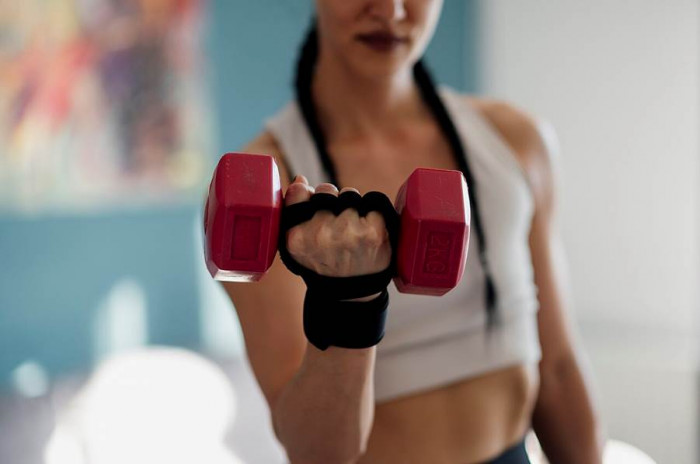
BEFORE Leg day. No excuses, let's go. #gym #fitness #grind #motivation #fitfam #gymtok #noexcuses #beastmode Nothing here tells TikTok what the video teaches or who it is for. | AFTER A 20-minute dumbbell leg workout you can do at home with no bench. Say the moves out loud in the video so TikTok can hear them: goblet squats, Romanian deadlifts, walking lunges. #legworkout #dumbbellworkout #homeworkout The keyword is in the first line and, on TikTok, spoken aloud so the auto-transcript indexes it too. |
Do this, not that
| DO | NOT THAT |
+ Write the first line for a human who is searching, then confirm the keyword is in it. + Use one clear primary term per post and let the rest support it. + Say your keyword out loud in videos so TikTok's transcript catches it. + Keep the caption and the visuals on the same topic. + Add alt text on Instagram in your own words. It is another text field that gets read. | x Stacking keywords with no sentence around them. It reads as spam and gets flagged. x Reusing the exact same caption on every platform. The fold and the format differ. x Chasing huge, generic terms. Recipe is a wall; high-protein overnight oats is a door. x Burying the keyword in the last line where the fold hides it. x Leaning on thirty hashtags to do the job a caption should be doing. |
One quick reference per app
The core idea is the same everywhere, but the placement details are not. Keep these next to you while you write.
| Primary keyword in the first sentence. Add alt text. Keep to three to ten relevant hashtags. Public professional posts can now surface in Google, so treat the caption like a mini page. | |
| TikTok | Front-load the keyword in the first 50 characters, say it in the first few seconds, and leave auto-captions on. They get indexed even if you hide them. Three to five focused hashtags. |
| A keyword-rich pin title, a helpful description with two or three terms, and a specifically named board (Easy Weeknight Dinners, not Food). Long-tail phrases win here. | |
| Put the hook and the keyword in the first line before the see more cutoff. Longer, well-spaced posts with line breaks tend to hold attention and dwell time, which the feed rewards. |

The mistakes that quietly cost you
● Treating the fold as decoration. If your keyword and your point sit below the See more line, most readers and part of the ranking signal never reach them. Lead, do not build up.
● Optimizing for a term nobody searches. A clever phrase you invented is not a query. If it does not autocomplete in the app's search bar, choose one that does.
● Letting the keyword and the image disagree. The visual layer reads the picture. When the words and the image point at different things, the system discounts the mismatch and your term stops counting.
● Copy-pasting one caption everywhere. A 4,000-character TikTok caption and a 280-character post are not the same task. Rework the first line and the length for each place.
● Forgetting spoken and on-screen text on video. On TikTok and Reels, the words you say and show on screen often carry as much weight as the caption. Silence wastes a whole ranking surface.
The Verdict
What I would tell you if we were starting today
After a year of doing this the slow way, one caption at a time, the takeaway is smaller than I expected. The accounts that win search are not the ones with the cleverest captions. They are the ones that say plainly what each post is about, in the first line, in words a real person would actually type.
I stopped writing captions to sound cool and started writing them to be findable, and the posts I fixed months ago are still pulling in views today. Thirty hashtags never did that for me. So if you change one thing this week, change your first line. Open your last ten posts, read only the opening sentence of each, and ask whether a stranger searching for your topic would ever land there. Most of mine failed that test, and fixing it cost nothing but the discipline to name the thing. Do that consistently and the algorithm mostly gets out of your way.