

Table of Content
MY HANDS-ON SCORE 4.2 / 5 ★★★★★ The fastest route I have found from a text box to a genuinely watchable talking-head video. The catch is the credit system, and you want to understand it before your card gets charged. | |
BUY IT IF You make marketing, explainer, training or course videos and you would rather type a script than book a camera. | THINK TWICE IF You need frame-level gesture control, predictable costs at high volume, or fast human support when something breaks. |
I did not expect a text box to hand me a finished ad. I typed a rough brief for a made-up product, went to make coffee, and came back to an avatar, some B-roll, burned-in captions, background music and seven cut scenes already stitched together into a 55-second vertical video.
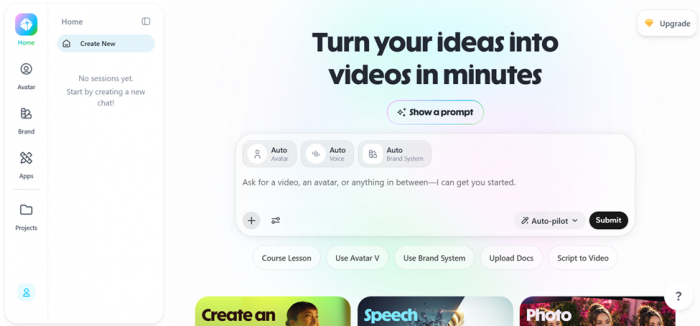
That is the promise on the HeyGen home page, "turn your ideas into videos in minutes," and after running it start to finish I can tell you the promise mostly holds. The word "mostly" is doing some work in that sentence, and this review is about where.
What follows is based on building with the tool, not skimming its feature list. I created an account, sat through the onboarding, dug through the avatar and voice libraries, and pushed the Video Agent through a complete job from an empty prompt to an exported file. For anything I could not verify by hand, like higher-tier limits and long-term billing, I checked HeyGen’s live pricing and what verified buyers report on G2, Capterra and Trustpilot. Every claim below is either something I watched on screen or something I could confirm from those sources.
What HeyGen actually is
HeyGen is an AI video generator built around talking avatars. You give it a script or a prompt, pick an avatar and a voice, and it produces a lip-synced video. It also clones voices, translates videos into other languages, and, as of this year, can plan and assemble an entire video for you from a single instruction through a feature it calls the Video Agent.
| Category | AI video and avatar generator (text-to-video) |
| Core job | Turn a script or prompt into a talking-head video with voice, captions and B-roll |
| Standout features | Avatar IV realistic avatars, one-prompt Video Agent, voice cloning, video translation |
| Free plan | Yes, 3 videos per month, up to 1 minute, 720p, with a watermark |
| Paid entry price | $24 / month for Creator (billed yearly), $29 month to month |
| Languages | 175+ supported for translation and dubbing |
| Scale | Used by 100,000+ businesses (G2, 2025), named G2’s #1 Fastest Growing Product |
HeyGen pricing in 2026
Pricing is where most of the complaints start, so it is worth being precise. There are five tiers. The prices below are the yearly rates I saw on the pricing page during testing, with the month-to-month figure noted where it differs. All plans run on credits, which is the part that trips people up.
| Plan | Price | Credits/mo | Max length | Export | Best for |
|---|---|---|---|---|---|
| Free | $0 | None | 1 min | 720p | Testing quality |
| Creator | $24/mo $288/yr | 600 | 30 min | 1080p | Solo 1080p output |
| Pro | $41/mo $488/yr | 1,000 | 30 min | 4K | More volume, 4K |
| Business | $119/mo $1,428/yr | 1,500 | 60 min | 4K | Teams, security |
| Enterprise | Custom | Custom | No cap | 4K | Governance at scale |
Read this before you subscribe: "unlimited" is not unlimited HeyGen’s marketing talks about unlimited videos, but that refers to drafts. Every final render spends credits from your monthly pool, and the premium Avatar IV model burns them roughly three times faster than the older avatars. A 600-credit Creator plan works out to around 30 minutes of premium avatar footage a month, less if you re-render takes. Plan by the credit count, not the plan name. |
One more thing worth knowing: the API is billed separately from these web plans. Paying for Creator or Pro does not give you API access, and vice versa. If you only want to make videos in the browser, ignore the API pricing entirely.
How I tested it, step by step
I wanted to see the whole path a normal first-time user walks, not just the polished demo. Here is exactly what I did, in order.
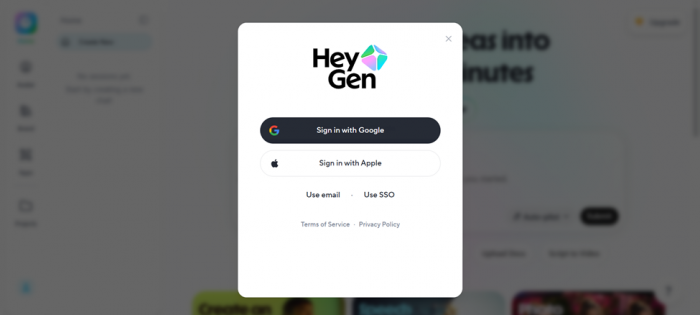
| 01 | Created an account Signed up with an email magic link. Google, Apple and SSO were the other options. The login email arrived within a minute. |
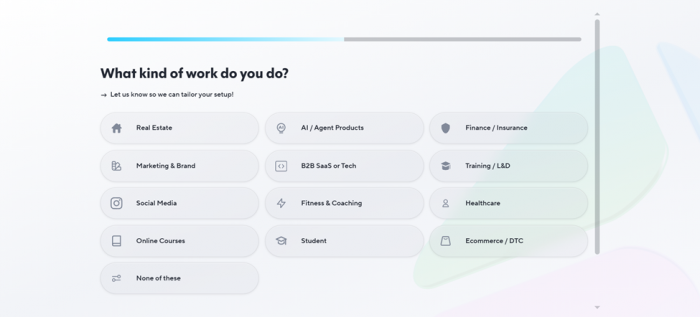
| 02 | Went through onboarding HeyGen asked what kind of work I do and what brought me to the platform, then tailored the dashboard around those answers. |
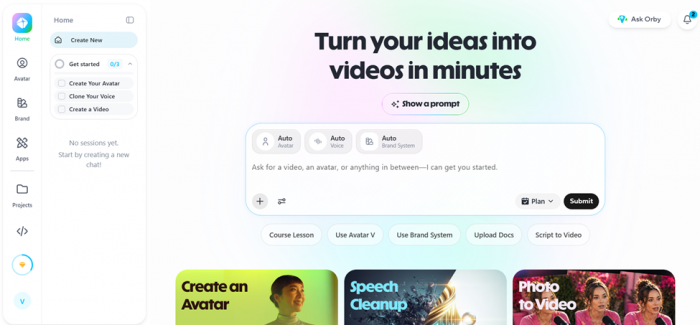
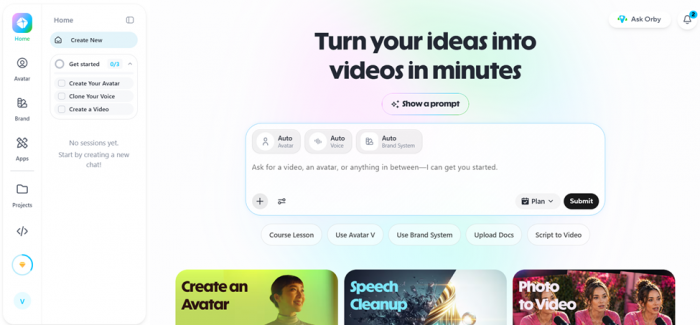
| 03 | Landed on the dashboard Got a three-step "Get started" checklist (create an avatar, clone a voice, make a video) and an in-app assistant called Ask Orby. |
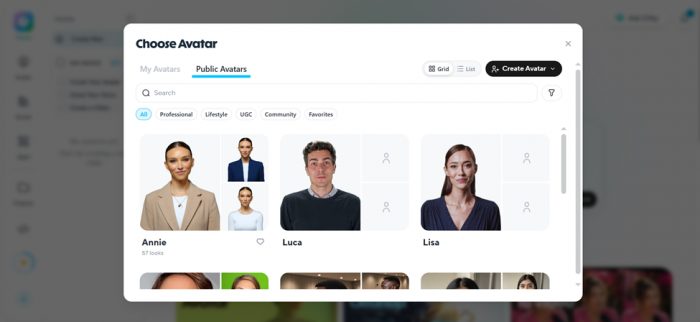
| 04 | Browsed the avatar library Opened the avatar picker and scrolled the public avatars, sorted into Professional, Lifestyle, UGC and Community. One avatar alone, Annie, had 57 different looks. |
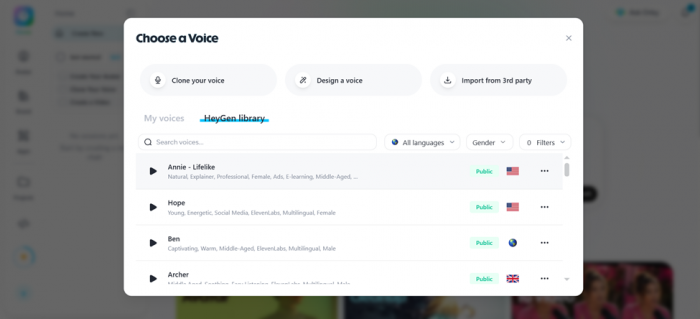
| 05 | Browsed the voice library Checked the voice options: clone your own, design a voice, or import a third-party voice, plus a large HeyGen library filterable by language and gender. |
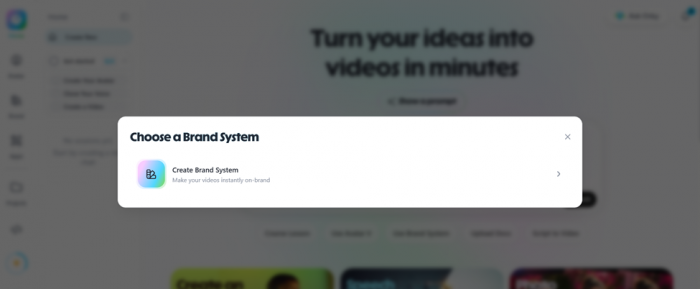
| 06 | Opened the Brand System Looked at the brand kit setup that keeps colours, fonts and logos consistent across every video you generate. |
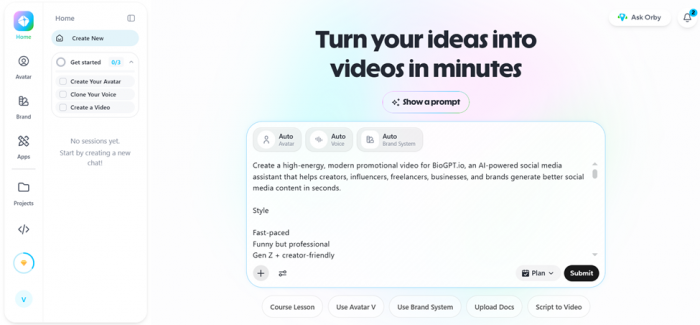
| 07 | Ran the Video Agent end to end Gave it a prompt for a fictional product ad. It drafted a script, asked whether I wanted an avatar, B-roll or a mix, then generated custom overlays, emoji, mock UI screenshots and social icons and assembled the scenes with background music. |
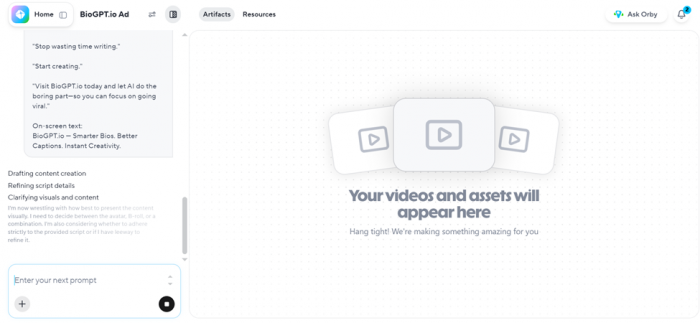
| 08 | Watched it render The render climbed steadily and then sat at 97% for a noticeable stretch before finishing. Not a dealbreaker, but worth flagging because other users report the same behaviour. |
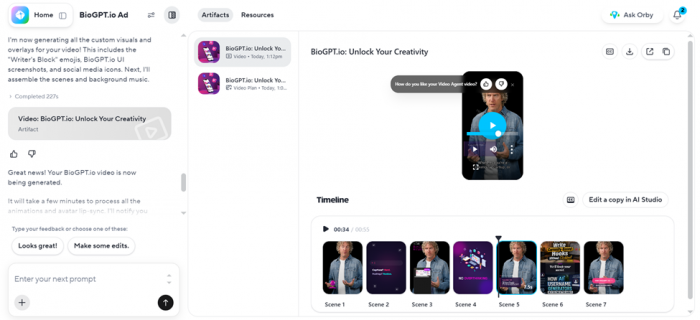
| 09 | Reviewed the result in the timeline Got a scene-by-scene timeline I could scrub, with a one-click option to open a copy in the fuller AI Studio editor for manual tweaks. |
| 10 | Exported and shared it Exported with separate Video, Captions and Audio tabs, a caption burn-in toggle and a save-to-Google-Drive button. The share panel gave me a public link, a password toggle, embed code, and one-tap posting to LinkedIn and X. |
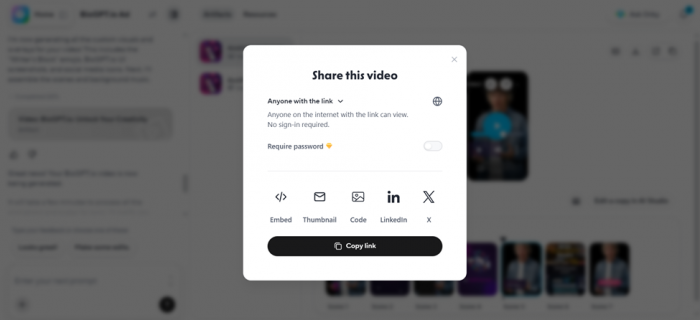
Here is the link of the output - https://app.heygen.com/videos/biogpt-io-unlock-your-creativity-cb82e3999f93480987c69de9080cf091
What the video actually looked like
The test job was a short ad for a fictional writing tool. From one prompt, HeyGen returned a finished vertical video titled "Unlock Your Creativity" with a presenter avatar cutting between captioned B-roll shots, on-screen text and licensed background music. Here is what came out of it.
LENGTH 55 sec | FORMAT Vertical 9:16 | SCENES 7 cuts |
CAPTIONS Auto burned-in | MUSIC Auto-scored | BUILD TIME A few min |
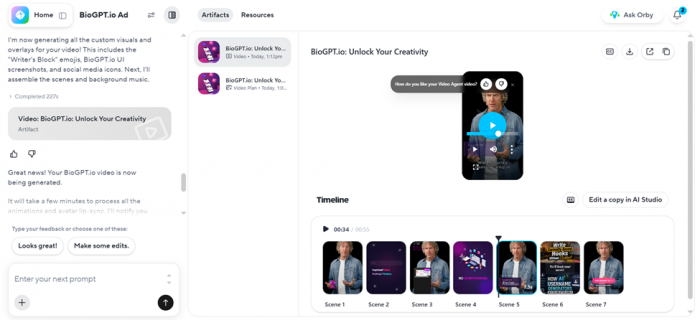
Honest assessment: for a first pass with zero manual editing, it was genuinely usable. The pacing was sensible, the captions were synced, and the cuts between the avatar and the B-roll felt like a real short-form ad rather than a slideshow. Lip-sync held up well in the close shots. In wider shots and on longer lines it read as AI if you were looking for it, mostly in the small stiffness of the head and hands. For social content, a product demo or a course intro, that quality bar is fine. For a hero brand film, you would still want a real shoot.
Features I actually used
HeyGen bundles a lot into one workspace. These are the pieces I touched during testing and how each held up.
PROMPT TO VIDEO Video Agent The headline feature. Type a brief, and it writes the script, picks visuals, generates overlays and assembles the scenes. This is the part that feels genuinely new. Verdict: the reason to try HeyGen | PRESENTERS Avatars & Avatar IV Hundreds of stock avatars across professional, lifestyle and UGC styles, plus custom digital twins. Avatar IV is the most lifelike model and the one that spends the most credits. Verdict: best-in-class realism |
AUDIO Voice cloning & library Clone your own voice, design a new one, import a third-party voice or pick from a big multilingual library. Output quality is good enough for real business use. Verdict: strong, business-ready | CONSISTENCY Brand System A brand kit that locks your colours, fonts and logo into every generated video. Useful if you are producing at volume and need everything on-brand. Verdict: handy for teams |
MANUAL CONTROL AI Studio editor When the auto-build gets you 90% there, you open a copy in the full editor to fix scenes, timing and text by hand. It is where the polish happens. Verdict: the safety net | DELIVERY Export & sharing Separate video, caption and audio exports, a caption burn-in toggle, save to Google Drive, plus shareable links with passwords, embeds and direct social posting. Verdict: flexible, no friction |
Pros and cons after building with it
What works
| What frustrates
|
What reviewers say on trusted sources
My testing is one data point. To sanity-check it, here is how HeyGen scores across the review platforms that verify their users, pulled while writing this piece. The pattern is striking, and it tells you more than any single number.
| Source | Score | Reviews | What it measures |
|---|---|---|---|
| G2 | 4.8 / 5 | 1,460 | Product quality, ease of use, features |
| Capterra | 4.7 / 5 | 307 | Verified business users |
| TrustRadius | 9.3 / 10 | Verified | Product innovation and fit |
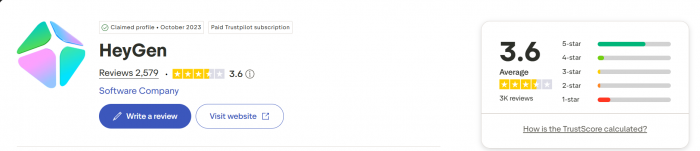
| Trustpilot | 2.3 / 5 | ~1,600 | Billing, support, cancellations |
| BBB | F | Complaints | Billing and support disputes |
The gap is not random. G2, Capterra and TrustRadius mostly capture verified business users rating what the product can do, and they love it. Trustpilot and the BBB mostly capture people who hit a billing surprise or needed support and struggled, and they do not. Both are true at once. One set tells you how good the videos are. The other tells you what happens when something goes wrong. Read both before you commit a year of budget.
What the positive reviews say
Reviewers repeatedly call it a fast, efficient way to get professional-looking video without a full production setup, and describe turning a simple script into a polished result in minutes. Capterra, verified user Positive |
The AI avatars land as "impressively realistic," and users say the voice generation is good enough for real business use in marketing and explainer content. Capterra, verified user Positive |
On G2, ease of use is the single most cited strength, mentioned in nearly half of all reviews, with the clean interface called out as accessible to non-editors. G2, aggregate Positive |
Even among critical reviewers, individual support agents get named and thanked for going "above and beyond" once a real person picks up the ticket. Trustpilot, 5-star Positive |
What the critical reviews say
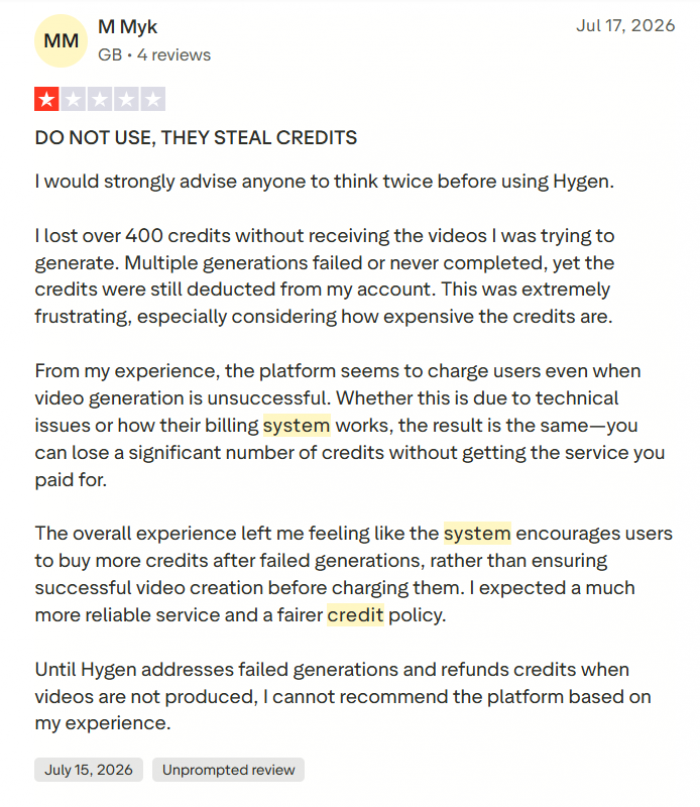
The most common complaint is discovering how the credit system really behaves after subscribing. Some reviewers go as far as calling the credit cap a "bait-and-switch." G2 and Trustpilot Critical |
Users flag that you cannot see the final result before credits are spent, and that avatar gestures cannot be controlled, which limits creative precision. Capterra, verified user Critical |
Support is the dominant grievance on Trustpilot: slow replies, generic automated answers, and refund requests that reviewers say were not honoured inside the stated window. Trustpilot and BBB Critical |
Rendering speed comes up often. Reddit users describe videos stuck at 97% for long stretches and jobs that once took minutes now taking much longer at peak times. Reddit, aggregate Critical |
Who HeyGen is for
A strong fit for you Marketers and content creators churning out short-form social, explainers and product demos at volume. Course and training builders who need a consistent presenter across many lessons without filming each one. Solo founders and small teams with no video crew and a real need for talking-head content. Global teams localising one video into dozens of languages with matched lip-sync. | Probably not for you High-end brand work that needs real actors, direction and frame-perfect gesture control. High-volume shops that render 100+ videos a month and cannot absorb credit overages or queue delays. Teams that live on support, given the consistent complaints about response times and refunds. Anyone needing tight cost predictability, since the credit model makes monthly spend harder to forecast. |
The VerdictWould I keep using it? 4.2 / 5 ★★★★★ After building a real video with it, my honest take is that HeyGen is the most impressive prompt-to-video tool I have used, and the one with the most self-inflicted friction. The core product is excellent. I gave it a rough idea and got back something I could genuinely post, and I did not need a single editing skill to get there. The Video Agent, the avatar realism and the sheer range of voices and languages are the real deal. The technology deserves the 4.8 it gets on G2. The billing experience is why Trustpilot sits at 2.3, and both scores are earned. So here is what I would tell a friend. Start on the free plan and build one real video before you pay anything, exactly like I did. If the output passes your bar, take Creator or Pro on the monthly rate first, not the annual one, and spend a month watching how fast credits disappear on your kind of content. Commit to a year only once you know your true monthly burn. Go in clear-eyed about credits and modest about support, and HeyGen will save you a surprising amount of time. Walk in expecting "unlimited" to mean unlimited, and you will be the next one-star review. |