

Table of Content
I spent most of this year writing captions for six accounts with nothing in common: a bakery, a B2B software company, two personal brands, a running club and a small nonprofit. Same writer, same hours, wildly different results. When a post flopped I used to blame the photo or the time of day. After logging around 400 posts in a spreadsheet, I stopped blaming the photo. The flops shared a handful of caption habits, and once I cut them, saves and shares moved in a way that scheduling tweaks never managed.
This is the list I wish someone had handed me in January. It is built from platform documentation, public statements from the people who run these platforms, accessibility guidance from Sprout Social and university digital teams, and my own numbers. No secret algorithm tricks, only published rules and the habits that ignore them.
The numbers behind every caption
Most caption mistakes come down to not knowing where the text gets cut. Every platform has a hard limit and a much shorter preview, and only the preview matters to someone scrolling.
| Platform | Hard limit | What shows before the fold | What that means |
|---|---|---|---|
| Instagram feed post | 2,200 characters | About 125 characters on mobile, then a "more" tap. The exact cut varies by device and app version. | The first sentence is the whole caption for most viewers. |
| Instagram Reels | 2,200 characters | One to two lines, since the caption sits over the video. | Write the first line as a subtitle. |
| LinkedIn post | 3,000 characters | About 200 characters on desktop, fewer on mobile. | The opener has to earn the click alone. |
| Facebook page post | 63,206 characters | A few hundred characters before "See more". | Short page posts still tend to do better. |
| TikTok | 4,000 characters | A line or two over the video. | Long captions are search text, not reading material. |
| X | 280 characters on standard accounts | Everything, unless a Premium plan allows long posts. | The limit is the preview. |

The ten mistakes, with fixes
Roughly in order of how much damage they did across my accounts.
Burying the point below the fold
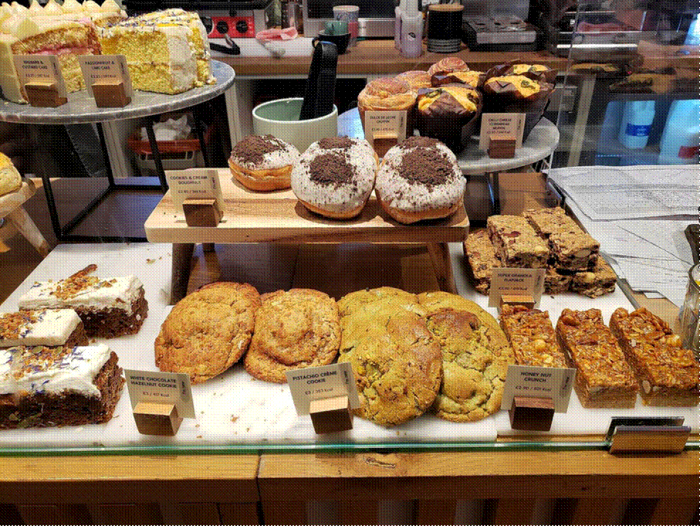
The bakery caption in the example below is a pattern I saw constantly: warm story first, instructions last. On mobile, Instagram shows about 125 characters before the "more" tap, and most people never tap. Everything after that point is an appendix.
Why it hurts The call to action, the price, the date and the link are invisible to the majority of viewers, so the post reads as a nice photo with no reason to act. | The fix Write the caption, then rewrite the first line last. Put the offer, the question or the hook in the first 100 characters and use the rest for depth. |
Before We opened at 6am today because a customer asked if she could pick up a birthday cake before her flight, and honestly that is the whole reason we started this place. Order by 8pm for next day pickup. |
After Next day cakes: order by 8pm, link in bio. Today we opened at 6am for a customer catching a flight, and that is the whole reason this place exists. |
Pasting one caption across every platform
Scheduling tools make it painless to write once and push everywhere. The problem is the table above. A LinkedIn opener that lands in 200 characters gets sliced at 125 on Instagram. On the software account, LinkedIn posts were going to Instagram verbatim with the first sentence cut mid-word.
Why it hurts Each platform cuts at a different point and rewards a different tone. A caption tuned for none of them underperforms on all of them. | The fix Keep the idea, rewrite the first line per platform, and preview each version before scheduling. |
Engagement bait
"Tag a friend who needs this." "Like if you agree." "Comment YES for the link." Meta calls this engagement bait. Its Business Help Center says posts and pages that use it are demoted, and it lists what it detects: react, comment, share, tag and vote baiting. Asking for help, advice or recommendations is explicitly exempt.
Why it hurts The short-term comment bump comes with reduced distribution, and the comments you get are single words that tell you nothing about your audience. | The fix Ask a question a real person would want to answer. "Which flavour should we bring back for October?" gets replies without tripping the classifier. |
Before Double tap if you love sourdough and tag someone who needs a loaf this weekend |
After We can only bake one of these two loaves on Saturday. Rye or olive? Tell us and we will go with the majority. |
Hashtag dumping
This changed for good in December 2025, when Instagram's creators account announced a cap of five hashtags per post and Reel, a year after hashtag following was removed. Adam Mosseri has said in several Q&A sessions that hashtags are not a way to get more reach; they tell people and the system what a post is about. A pasted block of 30 tags now gets trimmed or rejected.
Why it hurts A wall of generic tags adds noise for readers, is read aloud in full by screen readers, and no longer buys any distribution. | The fix Pick three to five tags that describe exactly what the post shows, in CamelCase so screen readers can pronounce them. Then stop thinking about hashtags. |
Captions with nothing searchable in them
"Sunday vibes." "New drop." "This one hits different." I have written all three, and none contains a word anyone would type into a search bar. Mosseri has said caption words are a stronger signal than hashtags, and since July 2025 public posts from professional Instagram accounts can be indexed by Google. The running club began ranking in Instagram search for "beginner 5k plan" once those words went into the caption.
Why it hurts Vague captions cannot be matched to searches in the app or on the web, so the post reaches followers on day one and nobody afterwards. | The fix Describe the post the way a person would search for it. Say "no-knead sourdough for beginners" instead of "weekend bake". Keep it natural, one clear topic per post. |

The wall of text
Long captions are fine. Unbroken long captions are not. On a phone, a 600-character paragraph with no line breaks looks like a legal notice.
Why it hurts Dense text gets a scroll instead of a read, which means no saves and no shares, the two signals that move reach. | The fix Two or three lines per paragraph, a blank line between them, one idea per block, using the platform's own line breaks. |
All caps, emoji floods and fancy fonts
Sprout Social's accessibility guide points out that screen readers may read all-caps words as acronyms, and emoji are announced by name every time they appear. Ten fire emoji in a row is announced ten times. Generated "fonts" are symbols, not text, and assistive technology reads them as gibberish or skips them.
Why it hurts A caption that assistive tech cannot parse is one part of your audience cannot act on. Shouty formatting also reads as spam to everyone else. | The fix Sentence case, emoji at the end of a sentence rather than in the middle, one or two at most, and platform-native formatting only. |
A call to action with no reason attached
"Link in bio" on its own is an instruction without a payoff. The nonprofit had it on almost every post and the bio link got single-digit taps. Changing it to "Link in bio to see the three families this paid for" lifted taps the same week. Nothing else changed.
Why it hurts People do not leave the feed on request. They leave when they know what is waiting on the other side. | The fix Pair every ask with the outcome: what they will see, get or learn. One ask per post. |
Publishing raw AI captions
I leaned on caption generators for about three months on the software account. The drafts were fine. The results were not. Unedited AI captions have a recognisable rhythm: an opening question, three benefits, a closing line about "elevating" something. Followers spot it, and comments dry up because nobody replies to a template.
Why it hurts Generic phrasing carries no searchable specifics and no personality, so it fails on both discovery and connection at once. | The fix Use the tool for a rough draft, then rewrite in your own words with a detail only you could know. If the caption could sit under a competitor's post unchanged, it is not finished. |
Never checking which captions actually worked
Every account I inherited had insights available and nobody looking at them. Likes were the only number quoted, and likes are the weakest signal. Saves, shares and profile visits carried the posts that kept growing weeks after publishing.
Why it hurts Without a record, you repeat the captions that felt good to write instead of the ones that performed, and the two rarely overlap. | The fix Keep a sheet: date, first line, saves, shares, comments. Once a month, reread the top ten first lines. |

Review table: which mistakes cost the most
My scoring from the 400-post log. Reach damage covers distribution and discovery; accessibility damage covers readers using assistive technology.
| Mistake | How common | Reach damage | Accessibility damage | Effort to fix | Verdict |
|---|---|---|---|---|---|
| Point below the fold | Very common | ■■■■■ High | ■■■■■ Low | Minutes | Fix first. Biggest gain, least work. |
| Same caption everywhere | Very common | ■■■■■ High | ■■■■■ Low | Ongoing | Worth it from three platforms up. |
| Engagement bait | Common | ■■■■■ High | ■■■■■ None | Minutes | Stop now. Meta demotes it in writing. |
| Hashtag dumping | Very common | ■■■■■ Medium | ■■■■■ Medium | Minutes | Mostly moot after the five-tag cap, but check old scheduled posts. |
| Nothing searchable | Common | ■■■■■ High | ■■■■■ None | Habit change | Slowest payoff, longest lasting. |
| Wall of text | Common | ■■■■■ Medium | ■■■■■ Medium | Minutes | Easy win. Just add breaks. |
| Caps, emoji floods, fonts | Common | ■■■■■ Medium | ■■■■■ High | Minutes | Non-negotiable for brands, public bodies and schools. |
| CTA with no reason | Very common | ■■■■■ Medium | ■■■■■ None | Minutes | Shows up in link taps within days. |
| Raw AI captions | Growing | ■■■■■ Medium | ■■■■■ None | Per post | Keep the tool, add the edit. |
| Never reviewing results | Very common | ■■■■■ High | ■■■■■ None | Monthly | Makes every other fix stick. |
What trusted sources are saying
I did not want this to rest on my spreadsheet alone. Here is where the platforms and accessibility specialists stand.
Adam Mosseri, Head of Instagram In repeated Q&A sessions he has said hashtags are not a way to get more reach. Their job is to say what a post is about and help search, not to amplify it. Reported by Social Media Today | Instagram @Creators Announced in December 2025 that captions would be limited to five hashtags per post and Reel, with the reasoning that a few targeted tags perform better than many generic ones. Reported by Social Media Today |
Meta Business Help Center Defines engagement bait as urging people to like, share, comment or tag to boost reach artificially, and states that posts and pages using it are demoted. Requests for help or advice are exempt. Meta, How to Avoid Posting Engagement Bait | Sprout Social, accessibility guide Recommends avoiding all caps because screen readers may announce them as acronyms, writing hashtags in CamelCase, and keeping emoji out of the middle of sentences. Sprout Social Insights |
Sendible, character limit guide Notes that only about 125 characters of an Instagram caption show before the "more" tap, and that Mosseri has described caption keywords as a primary ranking signal. Sendible Insights | University accessibility teams Nebraska and Texas Tech guidance lines up: emoji are read aloud by name, hashtag blocks are read in full, and generated fonts should be avoided. University of Nebraska; Texas Tech University |
Before you hit post
The list taped next to my monitor. Under a minute per caption once it becomes habit.
☐ First 100 characters work as a standalone sentence
☐ The ask, if there is one, is in that first line with a reason attached
☐ Rewritten per platform, not pasted
☐ No "like if", "tag a friend" or "comment YES"
☐ Three to five specific hashtags, CamelCase
☐ At least one phrase someone would type into search
☐ Paragraphs of two to three lines, native line breaks
☐ Sentence case, emoji at sentence ends only, no generated fonts
☐ Alt text added in the platform's accessibility field
☐ Logged in the sheet so it can be reviewed next month
Final verdict
After a year of this, my read is that captions are the cheapest lever most accounts are not pulling. Photography costs money. Video costs time. A caption costs a rewrite of one sentence. On the bakery account, the only thing we changed in March was moving the ordering instructions to the first line, and next-day cake orders from Instagram roughly doubled that month. No new photos, no ads, no schedule changes.
If you fix one thing, fix the fold. Write your first line so it survives the cut on the platform you are posting to. If you fix two, drop the engagement bait, because Meta has told you in writing what it does to reach. Everything else compounds from there: searchable words bring people in over months, clean formatting keeps them reading, a reason attached to the ask gets them to act, and a monthly look at the sheet tells you which first lines to write more of.
The AI tools stay in my workflow, but they never post. They draft, I rewrite, and the caption ships when it says something only this account could say. The whole system fits on a sticky note.