


Table of Content
- What Makes an AI Presentation Tool Useful?
- Quick Comparison
- 1. Microsoft Copilot : PowerPoint-Native Creation
- 2. Decktopus : Guided Deck Building
- 3. Slidesgo AI : Template-Led Creation
- 4. Prezi AI : Dynamic Visual Storytelling
- 5. MagicSlides : Content-to-Slides Conversion
- 6. Visme : Branded Business Presentations
- 7. Adobe Express : Mixed-Source Presentation Creation
- 8. Storydoc : Interactive Business Presentations
- Match the Tool to Your Starting Point
- Final Perspective
Most presentations do not begin with a blank slide. They begin with a Word document, meeting notes, a PDF, research, a spreadsheet, an old deck, or an idea that has not yet been organized. AI presentation tools are becoming useful because they can sit between that raw material and the finished deck. The better ones do more than generate attractive pages. They help organize information, reduce long passages, suggest layouts, create visuals, and give users something they can continue editing rather than a presentation that has to be rebuilt.
The eight tools below approach that process differently. Some work directly inside PowerPoint, while others are better for documents, visual storytelling, branded business decks, or interactive presentations.
What Makes an AI Presentation Tool Useful?
AI can generate a set of slides quickly, but generation speed alone says very little about the quality of the workflow. A tool that creates a presentation in 30 seconds but requires another hour of editing has not necessarily saved much time.
The more useful question is how much work the platform removes between the source material and the presentation that is actually ready to use.
| Area | What to Look For |
| Source support | Whether it can work from prompts, documents, PDFs, existing slides, spreadsheets, or links |
| Structure | Whether information is organized into a logical presentation rather than simply divided into pages |
| Editing | How easily generated copy, sections, layouts, and visuals can be changed |
| Design | Whether slides remain clear and consistent as the content changes |
| Export | Whether the finished deck can move into PowerPoint, PDF, or another required format |
| Branding | Whether repeated company fonts, colors, logos, and visual styles can be applied efficiently |
The starting point matters as much as the final design. Someone who already has a 30-page report needs a different tool from someone with only a presentation topic and a deadline.
Quick Comparison
| Tool | Strongest Use | Free Access | Paid Plan Starts At |
| Microsoft Copilot | Working directly in PowerPoint | Through eligible Microsoft plans | $9.99/month for Microsoft 365 Personal |
| Decktopus | Guided presentation creation | Limited access | $9.99/month annually |
| Slidesgo AI | Template-led deck creation | Yes | $3/month annually |
| Prezi AI | Dynamic visual storytelling | Yes | $7/month annually |
| MagicSlides | Converting existing content into slides | Limited | $29/month |
| Visme | Branded business presentations | Yes | $12.25/month annually |
| Adobe Express | Building decks from mixed source files | Yes | $9.99/month |
| Storydoc | Interactive sales and business presentations | 14-day trial | $33/user/month |
Prices are based on publicly listed US pricing available in October 2026 unless otherwise stated. Regional prices, taxes, promotional offers, and billing cycles can change the final amount.
1. Microsoft Copilot : PowerPoint-Native Creation
How It Works
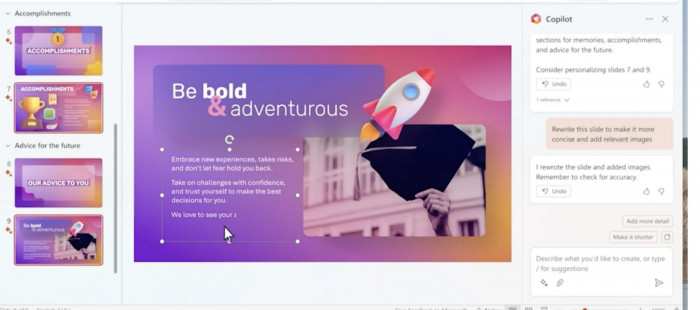
Microsoft Copilot works directly inside PowerPoint, allowing users to generate and refine presentations without moving the project into a separate AI presentation platform. It can help build a deck from a prompt or existing Microsoft content while leaving the result editable with normal PowerPoint tools.
That makes Copilot particularly useful in workplaces where PowerPoint is not simply the export format but the actual working file used by colleagues, clients, and managers. Microsoft specifically positions Copilot in PowerPoint around prompt-to-presentation creation and continued editing inside Microsoft 365.
Where It Helps Most
● It reduces the gap between existing Microsoft documents and the first presentation draft without forcing users to rebuild information manually.
● Slides remain inside PowerPoint, so users can continue changing charts, layouts, notes, animations, and branding with familiar controls.
● It fits naturally into organizations already using Word, Excel, Outlook, Teams, and other Microsoft 365 applications.
What You Still Need to Fix
Copilot can create a useful first structure, but it does not automatically know which information carries the most weight for a particular audience. Long source documents may still produce overly dense slides, while generated narratives need to be checked for emphasis, factual accuracy, and unnecessary repetition.
Input and Output
| Category | Details |
| Starts from | Prompts and Microsoft content |
| Final format | Native PowerPoint |
| Editing | Full PowerPoint editing |
| Main strength | AI generation without leaving PowerPoint |
Pricing
Microsoft includes Copilot inside several Microsoft 365 consumer subscriptions.
| Plan | Price |
| Microsoft 365 Personal | $9.99/month or $99.99/year |
| Microsoft 365 Family | $12.99/month or $129.99/year |
| Microsoft 365 Premium | $19.99/month or $199.99/year |
Microsoft 365 Personal includes Word, Excel, PowerPoint, and Outlook desktop apps with Copilot. Business and enterprise Copilot pricing is separate and depends on the Microsoft 365 package being used.
Final Take
Microsoft Copilot is one of the strongest options when PowerPoint is already the required working environment. Its main advantage is not unusual slide design but the ability to generate and edit without adding an export step or a second presentation platform.
2. Decktopus : Guided Deck Building
How It Works
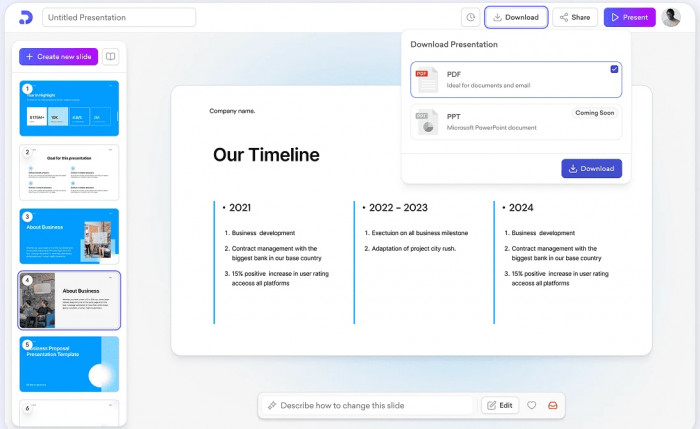
Decktopus is designed to make more of the presentation-building decisions for the user. It can generate presentation structures, slide content, and layouts from a brief, then provide AI-assisted editing after the first version is created.
The workflow is useful when the main difficulty is deciding how a topic should become a complete deck rather than simply polishing individual slides.
Where It Helps Most
● It can turn a rough presentation idea into a structured deck without requiring users to plan every page first.
● AI editing allows individual areas of the presentation to be refined after generation rather than starting again.
● Presentations can be exported as PPT, PDF, and PNG files, which makes it easier to continue working outside Decktopus.
● Its built-in presentation practice features can help users prepare delivery as well as create the deck.
What You Still Need to Fix
Decktopus uses AI credits, so generation is not completely unlimited even on the paid Pro plan. The current Pro allowance is 750 credits per month, which the company estimates at roughly 150 slides, meaning users producing or repeatedly regenerating large decks should pay attention to consumption.
Input and Output
| Category | Details |
| Starts from | Presentation prompt or brief |
| Export | PPT, PDF, PNG |
| Editing | AI-assisted and manual |
| Main strength | Guided structure and slide creation |
Pricing
| Plan | Price |
| Pro, Annual | $9.99/month, billed $119.88/year |
| Pro, 3-Month | $19.99/month |
| Pro, Monthly | $24.99/month |
| Enterprise | Custom pricing |
The annual plan is considerably cheaper than paying month to month, so users should compare the full commitment rather than only the displayed monthly equivalent.
Final Take
Decktopus is a practical choice when users want AI to handle more of the structural thinking. It removes many of the small design and organization decisions that slow down presentation creation, although frequent AI editing can make the credit allowance relevant.
3. Slidesgo AI : Template-Led Creation
How It Works
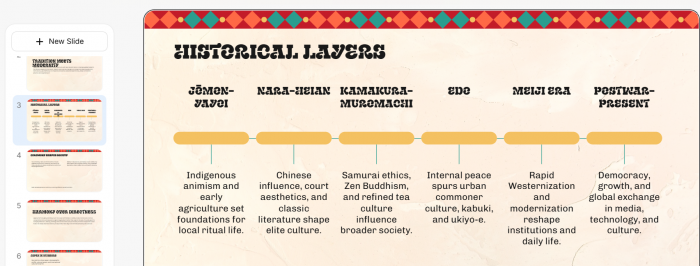
Slidesgo combines AI-generated presentations with a large template library. Instead of relying entirely on the AI to invent a visual system, users can work within an ecosystem of established presentation styles and editable layouts.
This makes it particularly accessible for people who prefer conventional slide design but want AI to reduce the work involved in planning and filling the deck.
Where It Helps Most
● Free users can generate up to three AI presentations per month before deciding whether a subscription is worthwhile.
● Premium access opens Slidesgo's full library of more than 30,000 templates.
● Users can work from polished template structures rather than spending time choosing fonts, backgrounds, layouts, and visual hierarchy independently.
● Premium removes attribution requirements, which is important when presentations are being used professionally.
What You Still Need to Fix
Template quality can help a presentation look consistent, but it does not guarantee that the template suits the content. Users still need to check whether decorative elements, typography, and slide density match the audience instead of selecting a design simply because it looks attractive.
Input and Output
| Category | Details |
| Starts from | Topic or prompt |
| Design model | AI generation plus templates |
| Free AI use | 3 presentations per month |
| Main strength | Large editable template library |
Pricing
| Plan | Price |
| Free | $0 |
| Premium Monthly | $5.99/month |
| Premium Annual | $3/month, billed $35.99/year |
Premium currently carries a fair-use limit of 150 AI generations and 150 template downloads per month despite being described as unlimited for normal use.
Final Take
Slidesgo AI is a good fit for users who want faster presentation creation without leaving familiar template-driven design behind. It is especially useful when visual consistency matters more than producing a completely unconventional presentation format.
4. Prezi AI : Dynamic Visual Storytelling

How It Works
Prezi AI approaches presentation design differently from the traditional sequence of rectangular slides. Its wider platform uses movement and spatial relationships to connect ideas, while AI can generate presentation content and work from existing PDF or PowerPoint material.
This structure can help when the presenter wants the audience to understand how ideas connect rather than simply move through one slide after another.
Where It Helps Most
● The free Basic plan includes 500 AI credits for presentation generation, file import, AI images, and text transformation.
● Plus and higher plans include unlimited AI presentation generation.
● Existing PowerPoint presentations can be imported rather than rebuilt from the beginning.
● Higher tiers add presentation recording, PDF export, offline access, branding, and analytics.
What You Still Need to Fix
The visual movement that makes Prezi distinctive can become distracting if it is used simply because the platform allows it. Formal financial reviews, board presentations, and highly standardized corporate decks often benefit from simpler sequencing and may be better suited to conventional slide software.
Input and Output
| Category | Details |
| Starts from | Prompt, PDF, PowerPoint content |
| Free AI use | 500 credits |
| Presentation style | Spatial and dynamic |
| Main strength | Showing relationships between ideas |
Pricing
| Plan | Price |
| Basic | Free |
| Standard | $7/month, billed annually |
| Plus | $19/month, billed annually |
| Premium | $29/month, billed annually |
Plus adds unlimited Prezi AI, PowerPoint import, premium images, PDF export, recording, branding, and offline access. Premium adds analytics and additional professional support.
Final Take
Prezi AI is strongest when presentation structure itself is part of the storytelling. It offers a noticeably different experience from conventional PPT creation, but that difference works best when the subject benefits from visual movement and connected ideas.
5. MagicSlides : Content-to-Slides Conversion
How It Works
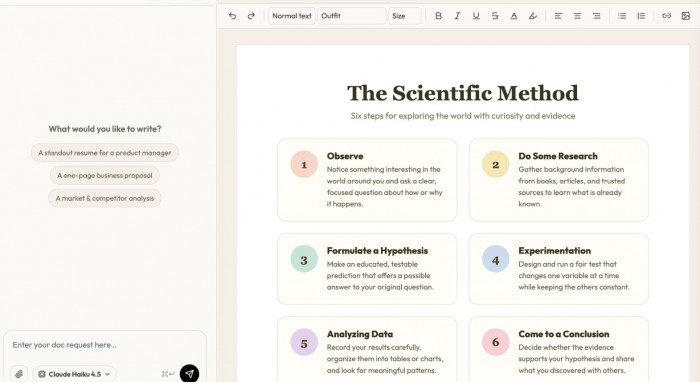
MagicSlides is built around converting existing information into presentations. That makes it useful when the difficult part is not deciding what to say but translating documents, research, or other material into an editable slide deck.
Its current Premium plan also supports presentations longer than 50 slides and multiple export formats, giving it more flexibility for detailed educational, training, research, and business material.
Where It Helps Most
● It can turn existing content into presentations rather than requiring every deck to begin from a short prompt.
● Users can export work as PPTX, PDF, PNG, JPG, or HTML.
● It supports image-to-editable-PowerPoint conversion, which can be useful when source material exists only as screenshots or flattened slide images.
● Premium includes AI editing, more than 200 premium templates, and more than 150 design-system presets.
What You Still Need to Fix
Content conversion tools can encourage users to preserve too much of the original document. A 40-page report does not automatically need a 40-slide deck, even if the software can create one. Long generated presentations still need human editing to remove detail that belongs in speaker notes or supporting material.
Input and Output
| Category | Details |
| Starts from | Existing information and presentation content |
| Export | PPTX, PDF, PNG, JPG, HTML |
| Large decks | 50+ slides supported on Premium |
| Main strength | Converting source material into editable slides |
Pricing
| Plan | Price |
| Premium Monthly | $29/month |
| Professional Design Service | $99 one-time promotional price |
| Team/Enterprise | Available separately |
Premium includes up to 50 presentations per month, AI editing, watermark-free export, larger presentations, and advanced design controls.
Final Take
MagicSlides is most useful when the information already exists and needs to become a presentation quickly. Its wide export support and larger presentation limits make it practical for content-heavy decks, provided users are willing to trim the generated result afterward.
6. Visme : Branded Business Presentations
How It Works
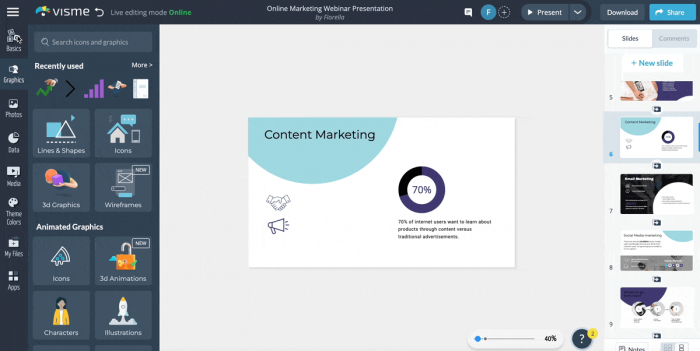
Visme combines presentation creation with a broader visual communication platform. Users can work on decks alongside reports, infographics, marketing graphics, and other business assets, which makes it particularly useful when one set of information needs to appear in several visual formats.
Its stronger paid tiers place considerable emphasis on branding, analytics, and professional export rather than only AI generation.
Where It Helps Most
● Companies can create presentations alongside reports and other visual assets in the same design environment.
● Higher plans provide brand kits for maintaining consistent colors, fonts, and visual identity across projects.
● Pro includes analytics and additional privacy controls for client-facing or internal presentations.
● PowerPoint export is available at the Pro tier, which matters when users need to continue editing the presentation elsewhere.
What You Still Need to Fix
Visme's breadth can be unnecessary for someone who only needs a quick presentation generator. Users who require editable PowerPoint export should also note that PPTX functionality sits higher in the plan structure, making the cheaper Starter plan less suitable for some professional workflows.
Input and Output
| Category | Details |
| Starts from | Business and visual content |
| Branding | Available on higher tiers |
| PPTX workflow | Stronger on Pro |
| Main strength | Branded visual communication |
Pricing
| Plan | Price |
| Basic | Free |
| Starter | $12.25/month per person, billed annually |
| Pro | $24.75/month per person, billed annually |
| Enterprise | Custom pricing |
Starter costs $147 per year, while Pro costs $297 annually. Visme states that standard plan pricing does not include additional setup or per-project fees.
Final Take
Visme is better viewed as a broader business-design platform than a simple AI PPT generator. It becomes more valuable when presentations need to match reports, marketing material, and other branded content produced by the same team.
7. Adobe Express : Mixed-Source Presentation Creation
How It Works
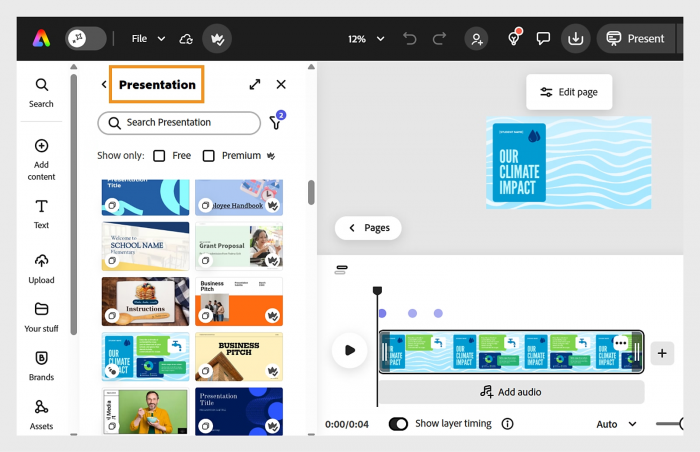
Adobe Express is useful when presentation source material comes from several places rather than one short prompt. Its broader content-creation environment can combine documents, existing visual assets, Adobe Stock material, and generative AI while keeping the result editable.
The platform also sits inside Adobe's larger creative ecosystem, which can make it practical for users already working with Adobe tools and assets.
Where It Helps Most
● The free plan gives users access to basic editing tools, more than 100,000 templates, and over one million royalty-free Adobe Stock assets.
● Premium expands the visual library to more than 200 million royalty-free assets.
● Premium includes 250 generative credits every month for AI-powered creative tasks.
● Users gain access to premium templates, additional animation and editing tools, one-click resizing, and the full Adobe Fonts collection.
What You Still Need to Fix
Adobe Express is a general content-creation platform rather than a presentation-only product. That versatility is useful for marketers and creators, but users who need only fast document-to-slide conversion may find dedicated presentation software more direct.
Input and Output
| Category | Details |
| Starts from | Documents, content, prompts, visual assets |
| Free assets | 1M+ royalty-free assets |
| Premium assets | 200M+ royalty-free assets |
| Main strength | Combining presentation creation with Adobe's visual ecosystem |
Pricing
| Plan | Price |
| Adobe Express Free | $0 |
| Adobe Express Premium | $9.99/month |
| Adobe Express Teams | Promotional pricing from $4.99/license/month, annual billing |
Premium has no annual commitment for individual users and includes 250 monthly generative credits, 100 GB of storage, premium templates, and expanded creative tools.
Final Take
Adobe Express works well when the presentation is part of a wider creative project rather than an isolated PPT file. Its strongest advantage is the combination of AI, editing tools, templates, stock assets, and visual content inside one environment.
8. Storydoc : Interactive Business Presentations
How It Works
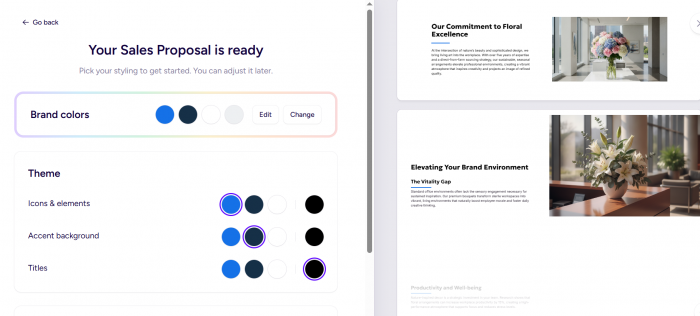
Storydoc focuses on interactive online presentations rather than treating every deck as a static PowerPoint file. Users can start from a template or use its AI Wizard to generate a complete presentation from a short description or existing material, then edit the structure and content afterward.
This makes Storydoc particularly relevant for sales presentations, proposals, reports, and client-facing material that will be shared through a link and viewed independently.
Where It Helps Most
● Its AI Wizard can generate a complete first draft from a description or uploaded source material.
● Interactive presentations can include richer visual and engagement elements than conventional static slides.
● Analytics help teams understand how recipients interact with shared presentations.
● Pro and Team tiers add stronger personalization, collaboration, workspace, integration, and version-control capabilities.
What You Still Need to Fix
Storydoc's strength is also its main limitation. It is designed primarily for interactive web-based business content, so users whose organization requires conventional editable PowerPoint files may prefer a tool built more directly around PPTX workflows.
Input and Output
| Category | Details |
| Starts from | Prompt, uploaded material, templates |
| Presentation style | Interactive web presentation |
| Analytics | Included, depth varies by plan |
| Main strength | Sales and client engagement |
Pricing
| Plan | Price |
| Free Trial | 14 days |
| Starter | $33/user/month |
| Pro | $60/user/month |
| Team | Custom pricing |
Starter currently includes five active documents, 20 AI image credits, and 25 AI text credits per month. Pro increases this to 30 active documents, 50 AI image credits, and 125 AI text credits while adding collaboration, personalization, integrations, and version control. Storydoc does not automatically charge users when the free trial ends.
Final Take
Storydoc is one of the more interesting choices when the presentation will be sent to prospects or clients rather than simply displayed during a meeting. Its interactive format and engagement tracking make it particularly useful for sales, proposals, and other business presentations designed to encourage a response.
Match the Tool to Your Starting Point
The easiest way to choose between these platforms is to focus on what exists before presentation creation begins.
| Starting Point | Tool to Consider | Why |
| Existing PowerPoint workflow | Microsoft Copilot | Keeps generation and editing inside PowerPoint |
| Rough idea with little structure | Decktopus | Makes more of the structural decisions |
| Need a ready-made visual style | Slidesgo AI | Combines AI with a large template library |
| Story needs visual movement | Prezi AI | Uses a more spatial presentation format |
| Long existing material | MagicSlides | Focuses on content-to-slide conversion |
| Brand-heavy business content | Visme | Stronger branding and visual asset controls |
| Mixed creative assets | Adobe Express | Combines AI, templates, stock assets, and editing |
| Sales or client presentation | Storydoc | Adds interaction and viewer analytics |
This approach is more useful than simply selecting the tool with the longest feature list. A platform can be excellent at presentation creation while still being poorly matched to the material a particular user already has.
For example, a PowerPoint-heavy consulting team may save more time with Copilot than with a visually impressive standalone generator because the deck never leaves its existing workflow. A sales team sending proposals by link may gain more from Storydoc's analytics and interactivity than from native PPTX editing.
Final Perspective
AI presentation tools are becoming less interchangeable as they mature. The important difference is no longer whether a platform can generate slides. Almost every tool in this list can do that. The difference is what happens before and after generation.
Microsoft Copilot makes sense when PowerPoint is already central to the workflow. Decktopus removes more of the planning work. Slidesgo AI combines automation with familiar templates, while Prezi AI provides a different storytelling model. MagicSlides is suited to converting existing material, Visme offers stronger brand-oriented visual production, and Adobe Express connects presentations to a wider creative ecosystem. Storydoc takes the strongest departure from traditional PPT creation by treating presentations as interactive, trackable business content.
The right tool should reduce the work that currently takes the most time without creating a new problem somewhere else. A presentation generated in seconds is not especially useful if the user then spends an hour repairing it.
The real value of AI presentation software is therefore not automatic slide creation on its own. It is shortening the distance between raw information and a clear, editable presentation that is genuinely ready to show someone.