


Table of Content
I did not plan on becoming the person who tests caption tools. It started because I was losing 40 minutes a day writing captions for three accounts, a bakery client on Instagram, my own TikTok, and a Facebook page for a local gym. So over the last three weeks I ran the same 30 real posts through seven AI caption generators, published the best output, and kept notes on what I actually copied into the apps versus what I quietly deleted.
Some tools surprised me. One tool I expected to love kept handing me the same "Ready to level up?" opener no matter what I fed it. And a completely free one ended up living in a pinned browser tab. This guide ranks all seven, with real pricing, the platforms each one handles well, and the annoyances I hit while using them. No affiliate fluff, just what held up after 30 posts.
Quick picks if you are in a hurry
• Best overall: Copy.ai, the most consistent quality across all three platforms
• Best free tool: BioGPT (biogpt.io), captions, hashtags and bios with no paywall in the way
• Best for brands and teams: Jasper, if the budget is there
• Best inside a scheduler: Hootsuite's OwlyWriter AI
• Best for TikTok hashtags: Predis.ai
How I tested these
Every tool got the same job: 30 posts split across a product business, a personal creator account and a local service page. Ten for Instagram, ten for TikTok, ten for Facebook. I judged four things.
1. Usable on first try. Could I publish a caption without rewriting more than a line of it?
2. Platform awareness. Did the TikTok caption actually read like TikTok, or was it an Instagram caption wearing a hoodie?
3. Hashtag quality. Relevant and specific beats popular and generic.
4. Friction. Logins, credit limits, upsell pop-ups, and how many clicks between idea and clipboard.
All 7 tools at a glance
| Tool | Best for | Free plan | Paid starts at | Strongest platform |
|---|---|---|---|---|
| Copy.ai | All-round caption quality | Yes, with a monthly word cap | Around $36 to $49/mo | Instagram and Facebook |
| BioGPT | Free captions, hashtags and bios | Yes, the core tools are free | Optional premium | Instagram and TikTok |
| Jasper | Brand voice at scale | No, 7-day trial only | $39/mo billed annually | Facebook and Instagram |
| OwlyWriter AI | Caption plus scheduling | Yes, browser tool is free | Bundled with Hootsuite plans | |
| Canva Magic Write | Writing next to your design | Yes, limited monthly credits | Canva Pro, about $15/mo | |
| Predis.ai | Trending hashtag research | Yes, small monthly quota | Entry paid tier | TikTok |
| ChatGPT | Full creative control | Yes | $20/mo for Plus | Whatever you prompt it for |
Prices checked September 2026. Monthly billing shown unless noted.
Feature comparison: what each tool actually ships with
Pricing tells half the story. This is where the tools separate on capability, based on what I could actually use during the test, not what the marketing pages promise.
| Tool | Platform presets | Hashtag research | Brand voice memory | Built-in scheduler | Languages |
|---|---|---|---|---|---|
| Copy.ai | Yes | Yes | Yes | No | Yes |
| BioGPT | Yes | Yes | Tone presets | No | Yes |
| Jasper | Yes | Yes | Yes, the strongest | No | Yes |
| OwlyWriter AI | Yes | Yes | Basic | Yes, via Hootsuite | Limited |
| Canva Magic Write | Basic | Basic | No | Yes, via Canva Pro | Yes |
| Predis.ai | Yes | Yes, trend-aware | Basic | Yes | Yes |
| ChatGPT | No | No, from memory | DIY with saved prompts | No | Yes |
Basic means the feature exists but needed my help to be useful.
The 7 best AI caption generators, ranked
1. Copy.ai Best overall
Price: free plan, paid from around $36/mo | Platforms: Instagram, TikTok, Facebook, LinkedIn, X | Hashtags: yes
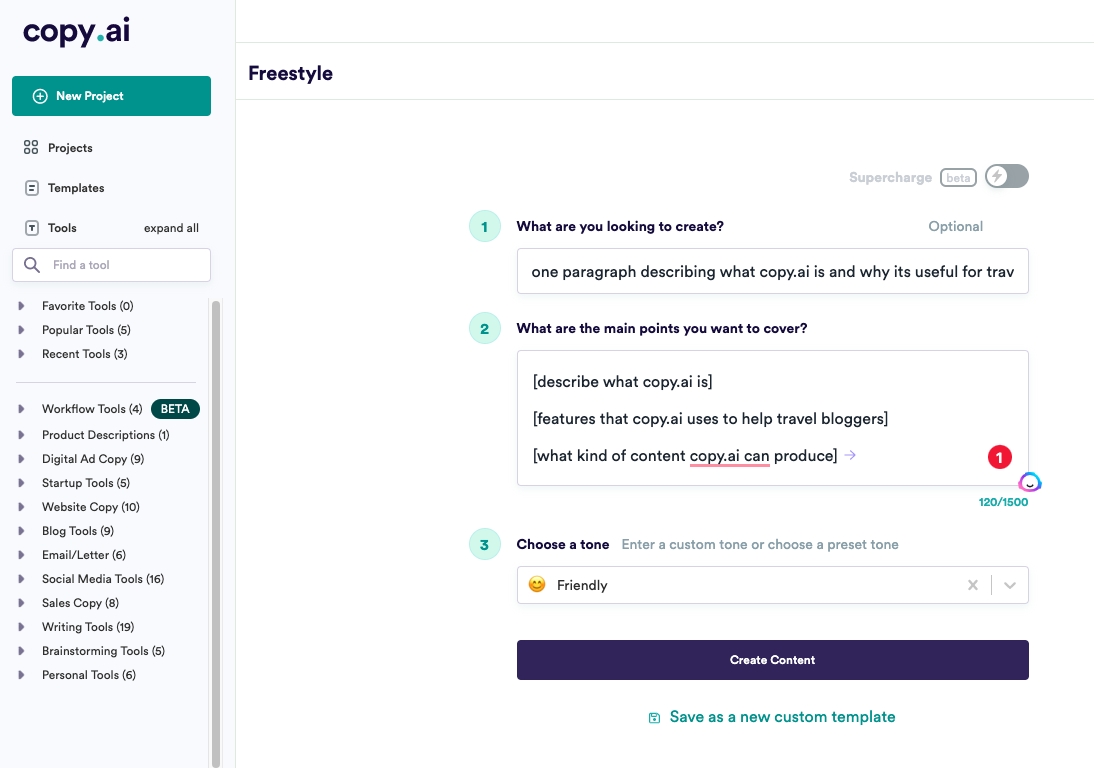
Copy.ai won on consistency. Out of my 30 test posts, 22 captions went out with edits smaller than a sentence, which no other tool matched. The Instagram templates understand hooks, the Facebook output stays short and conversational, and once I saved a brand voice for the bakery account, the tone stopped drifting between posts. It handles caption length per platform without being told twice.
| What worked | What bugged me |
|---|---|
| Highest first-try publish rate in my test | Free plan word cap ran dry in week three of daily posting |
| Brand voice feature keeps a client account sounding like itself | The dashboard pushes big marketing workflows I never touched |
| Multiple caption variants per generation, easy to mix lines | TikTok captions lean polished, I roughed them up by hand |
2. BioGPT Best free pick
Price: free, optional premium | Platforms: Instagram, TikTok, Facebook, X, Snapchat | Hashtags: yes, plus bios and usernames
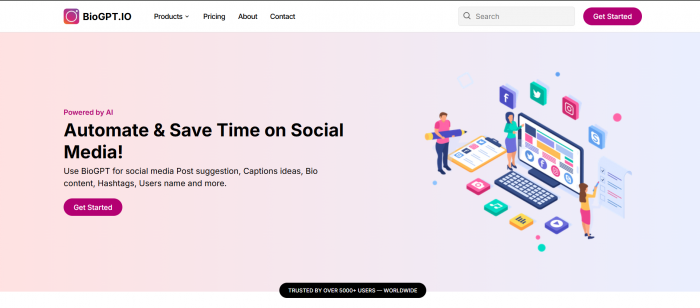
I almost skipped BioGPT (biogpt.io) because the name made me expect a bio generator and nothing else. That would have been a mistake. It turned out to be the tool I kept returning to for quick jobs: describe the post, pick the platform and tone, and it hands back caption options with matching hashtags in a few seconds, no paywall standing between you and the copy button. The multi-language support also solved a real problem for me, since the gym account posts in two languages and most tools on this list treat that as an afterthought.
What sealed its spot this high is the breadth for a free tool. Beyond captions it covers hashtags, post ideas, profile bios and even usernames, so when the bakery rebranded mid-test, I sorted the new Instagram bio and the launch captions in the same tab. For creators who post daily and cannot justify a subscription, this is the one I would bookmark first.
| What worked | What bugged me |
|---|---|
| Genuinely free, no credit anxiety while testing tones | No built-in scheduler, you paste into each app yourself |
| Captions, hashtags, bios and post ideas in one place | Default output runs short, long storytelling captions need a second prompt |
| Multi-language output that reads natural, not translated | |
| Fast, minimal interface, idea to clipboard in under a minute |
3. Jasper Best for teams
Price: $39/mo annual, $49/mo monthly, no free tier | Platforms: all major networks | Hashtags: yes

Jasper writes the most polished copy on this list, and its brand voice system is the real deal: feed it past posts and a style guide, and the output holds a tone that survives across a whole campaign. My Facebook ads-style captions for the gym were noticeably sharper here than anywhere else. The catch is that Jasper is built for marketing teams producing everything from blogs to email, so paying $39 a month purely for captions feels like buying a truck to carry groceries.
| What worked | What bugged me |
|---|---|
| Cleanest, most on-brand copy of any tool tested | No permanent free plan, the trial lasts seven days |
| Brand voice training pays off on multi-week campaigns | Overkill and overpriced if captions are your only need |
| Strong Facebook and ad-adjacent caption formats | Brand voice setup ate a full afternoon before it paid off |
4. Hootsuite OwlyWriter AI Best in a scheduler
Price: free browser tool, full features inside Hootsuite plans | Platforms: Instagram, Facebook, X, LinkedIn | Hashtags: yes
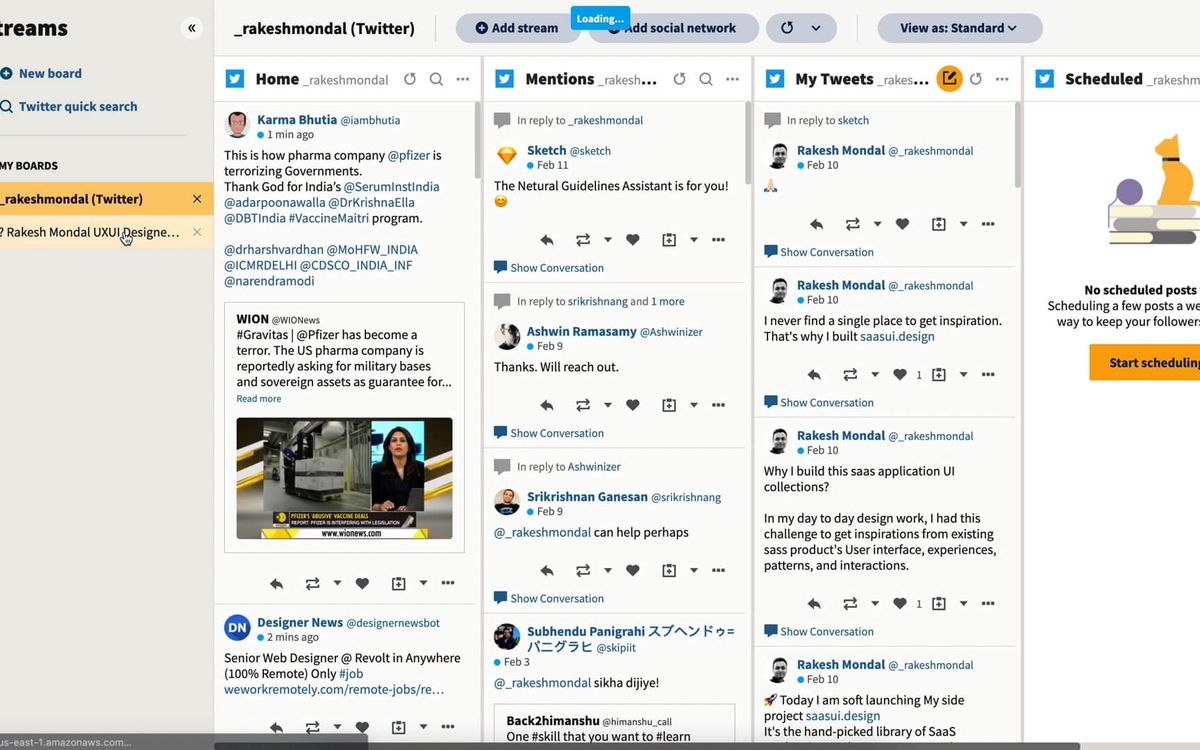
If you already schedule through Hootsuite, OwlyWriter is the obvious pick because the caption lands directly in your queue, no copy-paste loop. The free browser version works without an account and produced solid, safe Facebook captions in my test, the kind a local business can post without a second read. Where it lagged was personality: without detailed prompts, three different posts came back sounding like the same cheerful announcement.
| What worked | What bugged me |
|---|---|
| Caption to scheduled post in one workflow | Output feels samey unless you write detailed prompts |
| Free web version needs no signup for quick jobs | Constant nudges toward the paid Hootsuite platform |
| Reliable, brand-safe tone for business pages |
5. Canva Magic Write Best for designers
Price: limited free credits, full use with Canva Pro at about $15/mo | Platforms: any, written inside Canva | Hashtags: basic
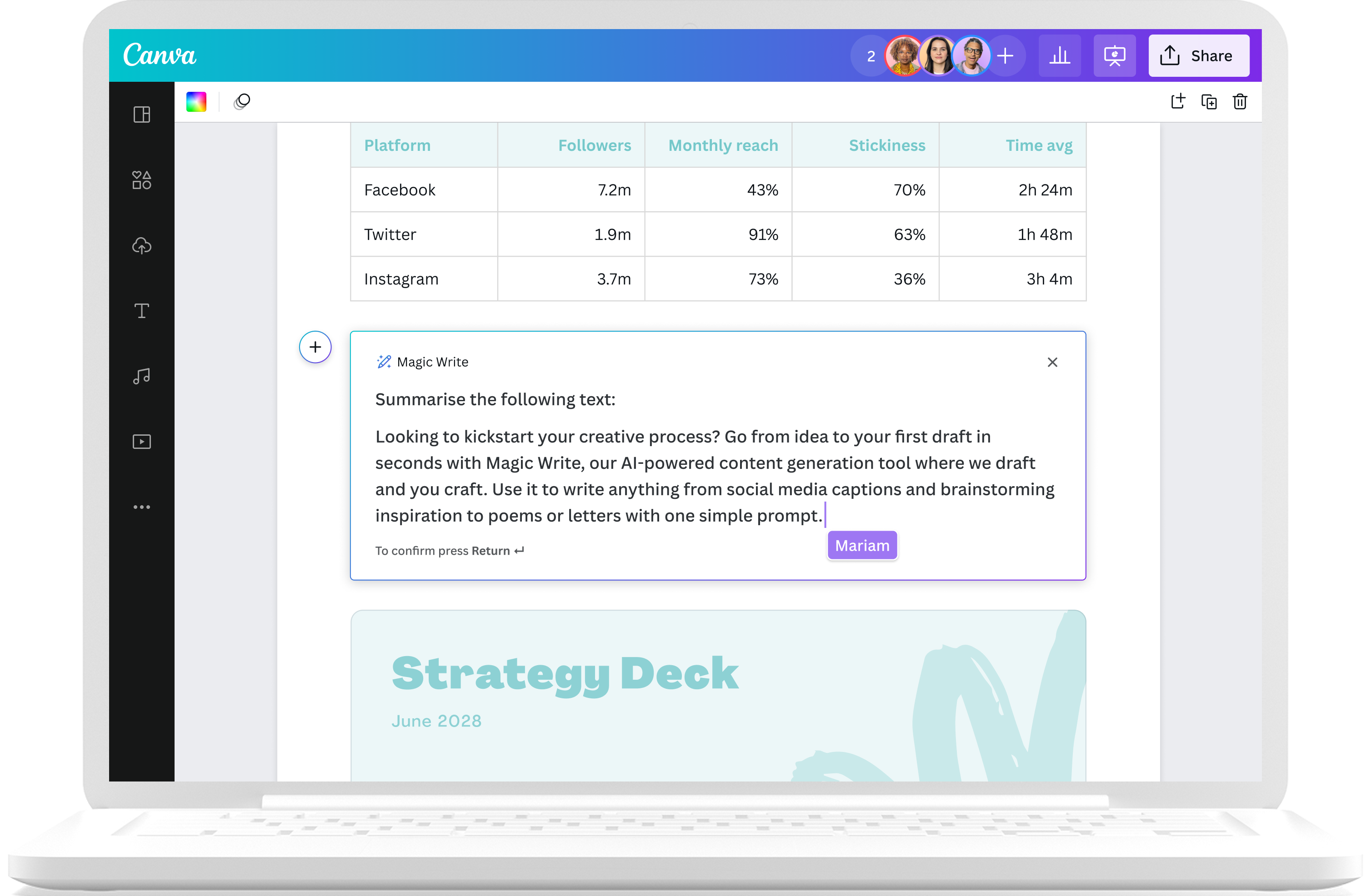
Magic Write earns its place through location, not brilliance. If you design your Instagram posts in Canva anyway, generating the caption in the same tab while the graphic is still open is a genuinely nice loop, and for short punchy captions it does fine. Push it toward longer storytelling or precise brand tone and it falls behind the dedicated writers above. The free plan's shared credit pool also drains quickly once you start using Canva's other AI features.
| What worked | What bugged me |
|---|---|
| Caption and visual in one workspace, zero app switching | Free credits vanish fast, shared with image AI features |
| Quick short-form lines for Stories and Reels covers | Weakest of the group at captions over a few lines |
| Comes along free-ish if you already pay for Canva Pro |
6. Predis.ai Best hashtag engine
Price: small free quota, paid tiers above | Platforms: Instagram, TikTok, Facebook | Hashtags: excellent, trend-aware
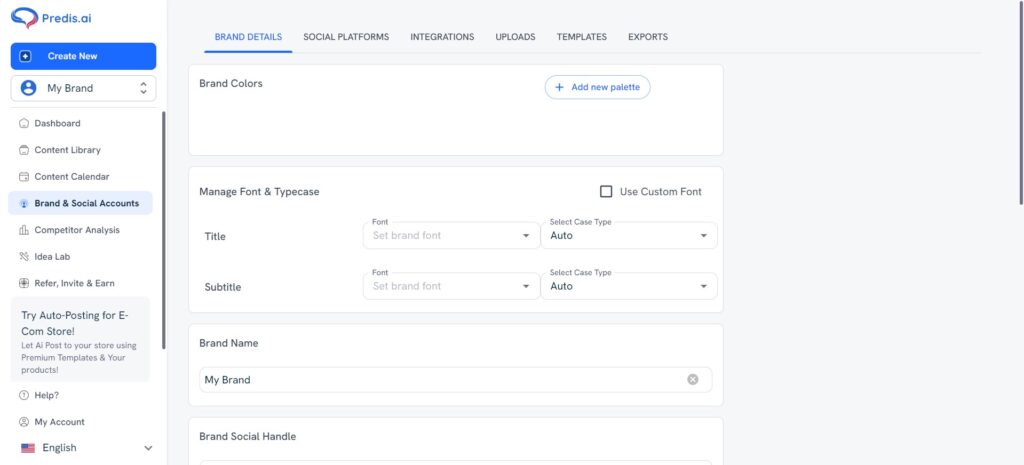
Predis is here for one reason: hashtags. Its suggestions pulled from what was actually moving on TikTok during my test window, and mixing its niche tags with broad ones lifted reach on two of my ten TikTok posts noticeably. The captions themselves were middle of the pack, serviceable but rarely the version I published. I ended up pairing it with another writer: caption from Copy.ai or BioGPT, tags from Predis.
| What worked | What bugged me |
|---|---|
| Best TikTok hashtag relevance in the whole test | Caption quality trails its hashtag research |
| Mix of niche and broad tags, not just the obvious giants | Free quota is tight for anyone posting daily |
| Also generates full post creatives if you need them |
7. ChatGPT Best for control
Price: free tier, Plus at $20/mo | Platforms: any, if you prompt for it | Hashtags: no research, generates from memory

Ranking ChatGPT last feels unfair because with a good saved prompt it can outwrite everything above it. That is exactly the problem: it only performs when you do the setup. There are no platform presets, no length toggles, no hashtag research, so every caption starts with you explaining the platform, the tone, the length and the audience. For a one-off clever caption it is brilliant. As a daily caption workflow it made me do the most work per post of any tool here.
| What worked | What bugged me |
|---|---|
| Ceiling on creativity is higher than any dedicated tool | No hashtag research, tags come from training data, not trends |
| Free tier is enough for occasional posting | Consistent tone requires building and saving your own prompts |
| Great at rewriting a caption in five different tones |
My scorecard after 30 posts
Same posts, same prompts, same three accounts. Here is how the seven stacked up when I tallied my notes, scored out of 5.
| Tool | Caption quality | Hashtags | Ease of use | Value for money |
|---|---|---|---|---|
| Copy.ai | 4.5 | 4 | 4 | 4.5 |
| BioGPT | 4 | 4 | 4.5 | 5 |
| Jasper | 5 | 4 | 3.5 | 3 |
| OwlyWriter AI | 3.5 | 3.5 | 4.5 | 4 |
| Canva Magic Write | 3 | 3 | 4.5 | 3.5 |
| Predis.ai | 3 | 5 | 3.5 | 3.5 |
| ChatGPT | 4.5 | 2.5 | 3 | 4 |
My ratings from the test, not aggregate review scores. Value reflects what you get relative to what you pay.
Caption length cheat sheet
A caption that flexes on Instagram gets truncated into nonsense on Facebook. These are the current limits, and the sweet spots that performed for me.
| Platform | Character limit | Sweet spot | Hashtags that worked |
|---|---|---|---|
| 2,200 | First 125 characters carry the hook, story after the fold | 5 to 10, niche over broad | |
| TikTok | 4,000 | Short and searchable, captions are indexed like keywords | 3 to 5, mix one trending tag in |
| 63,206 | Under 80 characters for feed engagement | 0 to 2, hashtags matter least here |
Sweet spots reflect what earned the most engagement across my 30 test posts, not an official rule.
How to choose in 30 seconds
1. Posting daily on a budget? Start with BioGPT and let the free tier prove whether AI captions fit your workflow at all, then upgrade tools only if you hit a wall.
2. Managing client accounts? Copy.ai or Jasper. Brand voice features stop a Tuesday caption from contradicting a Friday one.
3. Already living in a scheduler or in Canva? Use the AI that is built into the tool you have open. Convenience beats a marginally better sentence.
4. TikTok-first creator? Write anywhere, but run your tags through Predis before posting.
6 fixes that make AI captions sound like you

• Kill the first line, twice. AI openers cluster around the same hooks. Delete the generated opener and write your own, it is the line people actually read.
• Feed it your old posts. Paste three past captions that performed well into the prompt. Tone matching improves instantly, on every tool in this list.
• Ban your cringe words. Keep a shortlist of words you would never say, "vibes", "unleash", "elevate", and tell the tool to avoid them.
• One caption, one job. Ask for a caption that does a single thing, spark comments or push a link, never both. Split-focus captions tested worst for me.
• Read it out loud. If a sentence would sound odd said to a friend, rewrite it. This one filter caught more robotic lines than any editing trick.
• Swap hashtags weekly. Reusing the same tag block trains the algorithm to show you to the same people. Refresh at least a third of your tags each week.
My verdict after 30 posts
Three weeks in, my workflow settled into something I did not predict. Copy.ai became the main writer for the client accounts, because the brand voice feature quietly saved me from myself, and it earned the number one spot. Jasper wrote the single best caption of the entire test, a Facebook post for the gym that pulled triple the usual comments, but I could not justify its price for caption work alone.
The surprise was how often I opened BioGPT for everything in between. Quick caption before lunch, hashtag set for a Reel, the new bio when the bakery rebranded. It asks for nothing, loads fast, and being free means I never rationed my experiments the way I did with credit-limited tools. If you take one thing from this review, take the pairing: a dedicated writer for your big planned posts, and a free tab for the daily grind. My captions now take eight minutes a day instead of forty, and honestly, the bakery's engagement graph is the only review that matters.