


Table of Content
I have rewritten my own bio more times than I would like to admit. Every time I sat down to update a LinkedIn summary or an Instagram bio, the cursor would blink, and twenty minutes later I had three half-finished sentences that all sounded like a résumé read aloud. That exact frustration is why I started testing AI bio generators: you feed in a few details, pick a tone, and get a usable draft in seconds. If writing about yourself makes you cringe too, you are in the right place.
But "usable" is the operative word, and after putting these tools through real bios for LinkedIn, Instagram, websites, and speaker intros, I found the gap between them is wider than the marketing pages suggest. With generative AI now projected to add roughly $2.6 to $4.4 trillion a year to the global economy (McKinsey), more profiles than ever are AI-written, so the tool you pick and how you edit it increasingly decide whether you stand out or blend in. Below are the five I would actually recommend in 2026, what each is best at, transparent pricing, and the honest pros and cons I ran into along the way.
Quick comparison: the 5 best AI bio generators in 2026
| Tool | Best for | Free plan | Paid from (approx.) | Languages | Standout feature |
|---|---|---|---|---|---|
| Jasper AI | Professional, brand-consistent bios | No (7-day trial) | $39/mo (annual) | 25+ | Brand Voice training |
| BioGPT | Social-media bios across platforms | Yes (unlimited bios) | $15/mo | Multiple | Dedicated per-platform generators |
| Rytr | Budget-friendly, multilingual bios | Yes (10k chars/mo) | $9/mo ($7.50 annual) | 30+ | Lowest cost for unlimited use |
| Writesonic | SEO-friendly website & "About" bios | Yes (limited) | $39/mo (annual) | 25+ | SEO/AI-search optimization |
| Copy.ai | Marketing & workflow-driven copy | Yes (2,000 words/mo) | $49/mo ($36 annual) | 25+ | Multi-step content workflows |
Pricing of the Tools
| Tool | Free plan | Entry paid tier | Higher tier(s) | Annual saving |
|---|---|---|---|---|
| Jasper AI | None (7-day trial) | Creator $39/mo (annual) | Pro $59/mo; Business custom | ~20% |
| BioGPT | Free, unlimited bios | Standard $15/mo | Advance $35/mo | Flat pricing |
| Rytr | Free, 10k chars/mo | Unlimited $9/mo ($7.50 annual) | Premium $29/mo ($24 annual) | ~20% |
| Writesonic | Free, limited usage | ~$39/mo annual ($49 monthly) | GEO tiers ~$199/mo and up | ~20% |
| Copy.ai | Free, 2,000 words/mo | Pro $49/mo ($36 annual) | Enterprise custom | ~25% |
Prices reflect published rates as of mid-2026 and can change; always confirm on the official site before subscribing.
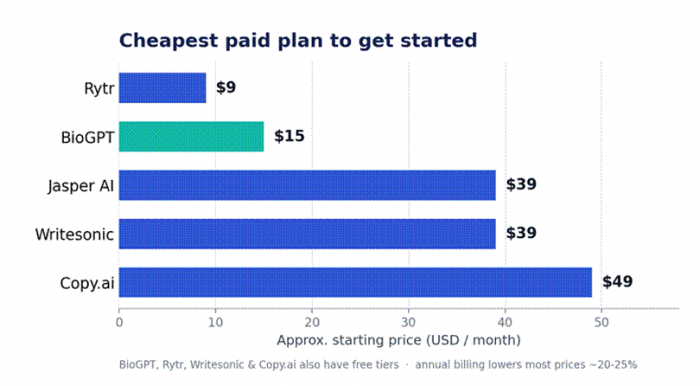
Figure 1. Entry-level paid plans compared. BioGPT (#2) highlighted in teal.
The 5 Best Alternatives
Jasper AI: Best for professional, brand-consistent bios
Jasper is the premium, marketing-grade option on this list, and it earns that label. Originally built for content teams, it has matured into a full platform with more than 50 writing templates, a Chrome extension that works inside Google Docs and email, and integrations with tools like Surfer SEO. For bios specifically, its biggest differentiator is Brand Voice: you train Jasper on examples of your existing writing, and it keeps every output consistent with that tone. If you manage several profiles, clients, or brands and need them all to sound coherent, that consistency is hard to replicate elsewhere.
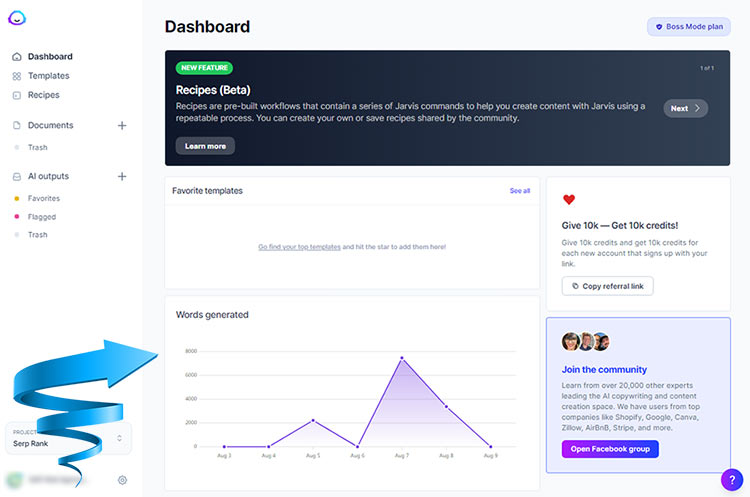
Where Jasper makes you pay, literally, is the commitment. There is no permanent free plan; you get a 7-day trial that requires a card and converts to billing on day eight unless you cancel. That makes it a tool for people who write professionally and often, not for someone who needs one bio a quarter. It rates well on review platforms (around 4.8/5 on Capterra across 1,000+ reviews), and the quality reputation is deserved.
in short: Best for brand consistency · Free plan: No (7-day trial) · From ~$39/mo (annual) · Rating: ~4.8/5
Pros
• Strong, consistent output with industry-leading Brand Voice training
• 50+ templates and integrations (Surfer SEO, Chrome extension) for a full content workflow
• Reliable for managing multiple brands or clients at once
Cons
• No free tier; premium pricing starts at ~$39/mo and climbs to ~$59/mo for the Pro plan
• Overkill (and overpriced) if you only need occasional bios
• Pro is limited to one seat; team features push you into custom Business pricing
BioGPT: Best for social-media bios across platforms
BioGPT takes the opposite approach to Jasper. Instead of one general writer, it offers dedicated generators for each platform (Instagram, Facebook, X, WhatsApp, LinkedIn, and TikTok), each shaped around that platform's tone and length conventions. Because it is purpose-built for bios and short social content, it gets you to a publishable line with less prompt fiddling than a general chatbot. Beyond bios, it also handles captions, hashtags, username suggestions, profile descriptions, and post ideas, with multi-language support built in.
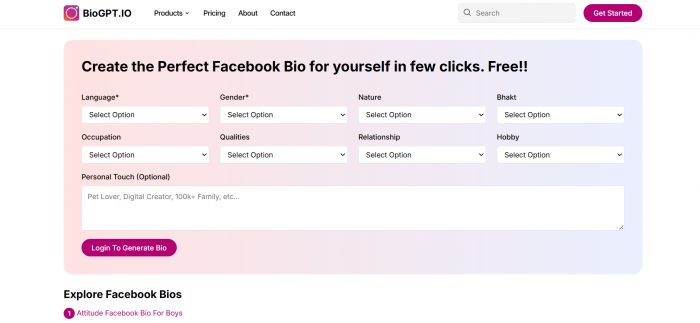
The standout, especially for creators, is the pricing. The Basic plan is free and unlimited for bios across all six platforms, which is rare in a market where most "free" tiers cap you quickly. Paid tiers add volume-based features: Standard ($15/mo, for influencers) adds username, caption, bio-content, and hashtag credits; Advance ($35/mo, for agencies) adds post suggestions, video editing, reels, and API credits. With 5,000+ users, it is a focused, low-friction choice when your bio's destination is a social profile rather than a corporate site.
in short: Best for social bios · Free plan: Yes (unlimited bios) · From $15/mo · Platforms: 6
Pros
• Genuinely free, unlimited bio generation across six social platforms
• Dedicated per-platform generators respect each network's tone and limits
• Extra social tools (captions, hashtags, usernames, post ideas) in one place
Cons
• Focused on social and short-form, so less suited to long professional or website bios
• Advanced features (posts, reels, API) are gated behind the $35/mo Advance tier
• A younger tool than the enterprise suites, with a smaller public review footprint
Rytr: Best budget-friendly and multilingual option
If price is your deciding factor, Rytr is hard to beat. Its paid Unlimited plan runs about $9/month (or $7.50 billed annually) for unlimited generation, a fraction of what Jasper or Copy.ai charge, while still including 40+ use-case templates, 20+ tones of voice, a built-in plagiarism checker, and a Chrome extension. The free plan gives you 10,000 characters per month (roughly 1,500 to 2,000 words), which is plenty for testing the tool and producing a handful of bios, though it is locked to a single language. Step up to the Premium plan ($29/mo, ~$24 annual) and you unlock 30+ languages plus custom tone profiles, which makes Rytr a strong pick for anyone writing bios in more than one language on a budget.
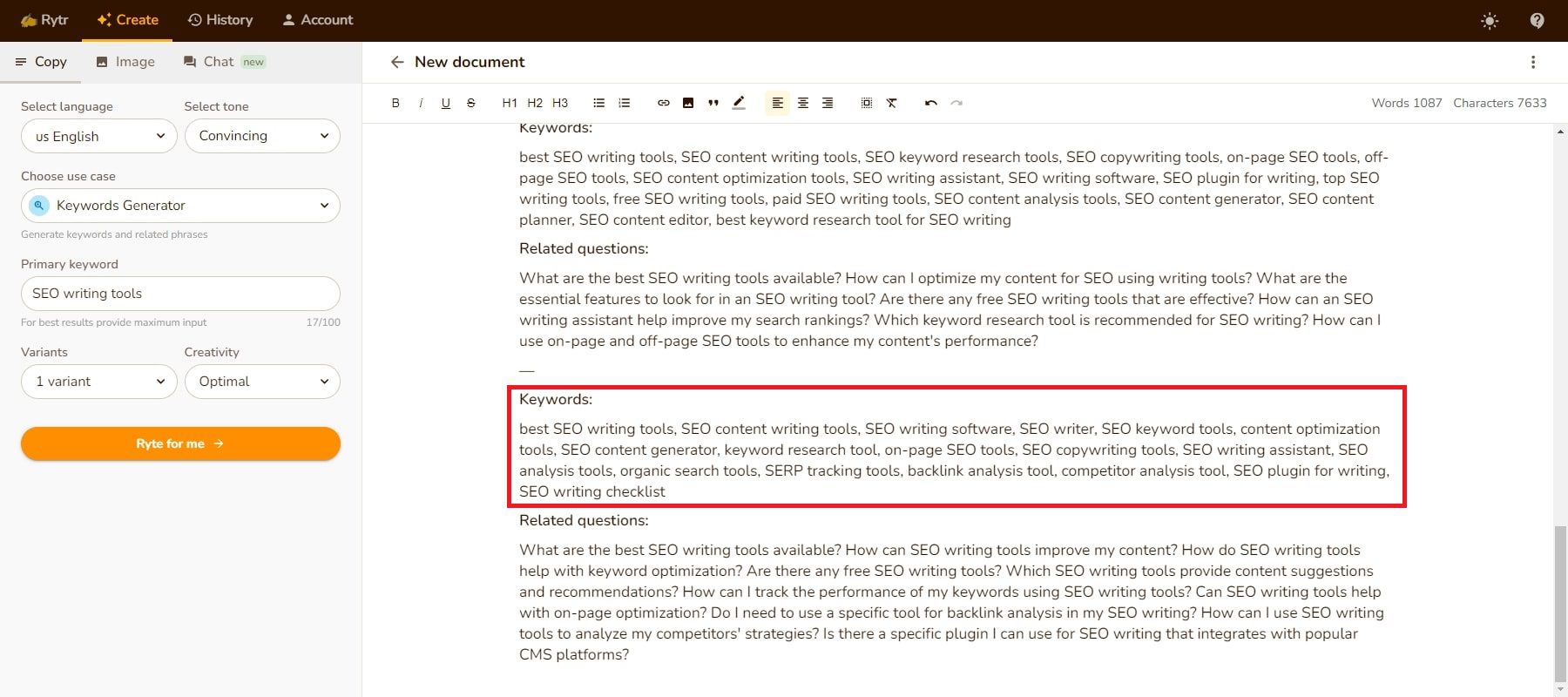
The honest trade-off is depth. Rytr is built for short-form copy (bios, captions, ad lines, product descriptions) and shines there, but its model lags the latest from competitors, so long or nuanced content can come out generic and need heavier editing. For bios, which are short by definition, that barely registers. Users reward it accordingly: Rytr holds around 4.7/5 on G2 and is used by millions, including large enterprises.
in short: Best budget pick · Free plan: Yes (10k chars/mo) · From $9/mo · Rating: ~4.7/5
Pros
• The cheapest unlimited plan here at ~$9/mo (~$7.50 annual)
• 30+ languages on Premium, excellent for multilingual bios
• 40+ templates, 20+ tones, and a plagiarism checker even on lower tiers
Cons
• Weaker on long-form depth and nuance than premium rivals
• Free tier is single-language and capped at 10,000 characters
• Few native integrations, so expect some copy-paste into your CMS
Writesonic: Best for SEO-friendly website and "About" bios
Writesonic is the right tool when your bio needs to double as findable content: a personal website "About" page, a founder profile, or a press-kit blurb you want search engines (and increasingly AI search engines) to surface. Built on GPT-4-class models with support for 25+ languages, it pairs bio and profile writing with a serious SEO toolkit, and in 2026 it has leaned hard into GEO (generative engine optimization), tracking and improving how your content appears across AI platforms like ChatGPT, Perplexity, and Google's AI overviews. For most people writing a bio that is more firepower than they need, but for solo brands and marketers who care about discoverability, it is a meaningful edge.

A fair warning on pricing: Writesonic's plan structure changes frequently and runs on a credit system that is confusing the first time you hit a limit. There is a free plan with limited usage (lighter models like GPT-4o mini and Claude Haiku), and paid plans generally start around $39/month billed annually ($49 monthly), with the headline GEO features reserved for higher tiers (roughly $199/month and up). Quality is well-rated, around 4.8/5 on Capterra across 2,000+ reviews, but like every tool here, drafts need editing first.
in short: Best for SEO/website bios · Free plan: Yes (limited) · From ~$39/mo (annual) · Rating: ~4.8/5
Pros
• GPT-4-class output with a genuine SEO and AI-search (GEO) toolkit
• 25+ languages and an article writer for bios that double as web pages
• A no-credit-card free plan for trying it out
Cons
• Credit-based pricing changes often and can be hard to budget
• The marquee GEO features sit behind expensive higher tiers ($199+/mo)
• More tool than necessary if you only want a quick social or LinkedIn bio
Copy.ai: Best for marketing and workflow-driven content
Copy.ai rounds out the list as the most workflow-oriented option. It offers 90+ writing tools (including a dedicated bio generator), 25+ languages, and Brand Voice to match your tone, but its real differentiator is multi-step workflow automation. You can chain actions so one input becomes a LinkedIn summary, a matching Instagram bio, a speaker intro, and an "About" paragraph all at once. For founders and marketers who treat their bio as one piece of a larger personal-brand system, that is a real time-saver, and the platform is SOC 2 Type II compliant.

On pricing, Copy.ai is one of the few premium tools with a permanent free plan: 2,000 words/month, 90+ templates, and 25+ languages, with no credit card or trial clock. That is enough for several bios before you decide to upgrade. The Pro plan ($49/mo, or $36/mo annual) removes the word cap and adds unlimited Brand Voices, workflow automation, and up to five seats. It rates around 4.4/5 on Capterra, with the common critique being that, like most general writers, output can feel generic without editing.
in short: Best for marketing workflows · Free plan: Yes (2,000 words/mo) · From $49/mo ($36 annual) · Rating: ~4.4/5
Pros
• Genuinely useful permanent free plan (2,000 words/mo, no card required)
• Multi-step workflows generate several bio variations from one brief
• Brand Voice, 90+ templates, 25+ languages, and SOC 2 Type II compliance
Cons
• Pro is pricier than Rytr or BioGPT at $49/mo (~$36 annual)
• Output can read generic on default settings without Brand Voice setup
• Workflow automation is powerful but has a learning curve for casual users
Side-by-side feature comparison
| Feature | Jasper AI | BioGPT | Rytr | Writesonic | Copy.ai |
|---|---|---|---|---|---|
| Permanent free plan | ✗ (trial) | ✓ | ✓ | ✓ | ✓ |
| Dedicated bio/social tools | Partial | ✓ | Partial | Partial | ✓ |
| Brand voice / tone control | ✓ (advanced) | Basic | ✓ | ✓ | ✓ |
| Multi-language support | ✓ (25+) | ✓ | ✓ (30+) | ✓ (25+) | ✓ (25+) |
| SEO / web-content tools | ✓ | ✗ | Limited | ✓ (strong) | ✓ |
| Workflow automation | ✓ (Business) | ✗ | ✗ | ✓ | ✓ (strong) |
| API access | ✓ (Business) | ✓ (Advance) | ✗ | ✓ | ✓ (Pro+) |
| Best entry price | ~$39/mo | Free / $15 | $9/mo | ~$39/mo | Free / $49 |
Which tool fits which bio destination
Use this matrix to match a tool to where your bio will actually live. ★ Best means purpose-built or clearly superior; ✓ Good means perfectly capable; Limited means it can do it but is not the natural choice.
| Tool | Instagram / TikTok | X (Twitter) | Website "About" | Speaker / press | |
|---|---|---|---|---|---|
| Jasper AI | ★ Best | ✓ Good | ✓ Good | ★ Best | ★ Best |
| BioGPT | ✓ Good | ★ Best | ★ Best | Limited | Limited |
| Rytr | ✓ Good | ✓ Good | ✓ Good | ✓ Good | ✓ Good |
| Writesonic | ✓ Good | ✓ Good | ✓ Good | ★ Best | ✓ Good |
| Copy.ai | ✓ Good | ✓ Good | ✓ Good | ✓ Good | ✓ Good |
Bio length and tone cheat sheet
Whichever tool you use, give it the right target. These are the limits and tones that work for each destination in 2026.
| Platform | Ideal length | Tone | Quick tip |
|---|---|---|---|
| LinkedIn "About" | Up to ~2,600 characters (3 to 5 short paragraphs) | Professional, first or third person | Lead with your role and the outcome you deliver |
| 150 characters max | Casual, personality-forward | One line, one call to action, emoji optional | |
| X (Twitter) | 160 characters max | Punchy, witty | Say what you do plus one memorable hook |
| TikTok | 80 characters max | Playful | Niche plus vibe in a few words |
| Website "About" | 50 to 200 words | Warm but credible | Use a story arc: who, what, proof, call to action |
| Speaker / press bio | 50 to 150 words | Formal, third person | Credentials first, always written in third person |
How to write a bio that actually lands (with any AI tool)
The tool only gets you halfway. These habits turn an AI draft into something you are proud to publish:
1. Give it real specifics. "I help early-stage SaaS founders cut churn" beats "passionate marketing professional." Concrete inputs produce concrete output.
2. Match the tone to the platform. Ask for a "confident, conversational LinkedIn summary" or a "playful one-line Instagram bio." Generic tone is the top reason AI bios sound fake.
3. Pick a point of view and stick to it. First person ("I build...") feels personal; third person ("Maya builds...") is standard for speaker and press bios. Do not mix them.
4. Lead with a hook, not a job title. Edit the opening line until it says something only you could say; this does more for memorability than anything the AI generates.
5. Respect the limits. Use the cheat sheet above so an Instagram bio is not written like a LinkedIn summary.
6. Read it aloud. If a sentence makes you wince, it will make a stranger click away. Cut the buzzwords, keep the human parts.
How to choose the right tool for you
| Your situation | Best pick | Why |
|---|---|---|
| Free and fast for social profiles | BioGPT | Unlimited bios across six platforms at no cost, with the right tone built in |
| Tight budget or writing in several languages | Rytr | ~$9/mo for unlimited short-form copy, 30+ languages on Premium |
| Managing a brand, or several, that must stay consistent | Jasper AI | Premium, but Brand Voice keeps every profile on-tone at scale |
| Bio lives on a website and needs to be found | Writesonic | GPT-4-class writing plus real SEO and AI-search tools |
| Bio is one piece of a bigger marketing system | Copy.ai | Workflows spin up every version from one brief, on a generous free plan |
Still undecided? Start with a free option (BioGPT for social, Copy.ai or Rytr otherwise), generate a few drafts, and pay only once a tool has earned a place in your routine.
The verdict
After all that testing, here is how I would actually decide. If I just needed a quick, free bio for a social profile, I would open BioGPT and be done in a minute. When a client's brand has to sound consistent across everything, I reach for Jasper. On a tight budget or writing in another language, Rytr is my pick; for a website "About" page that needs to be found, Writesonic; and when the bio is one piece of a bigger marketing push, Copy.ai. There is no single "best" tool, only the best one for your bio.
Whatever you choose, remember the part the marketing pages skip: the AI writes the draft, but you write the bio. My own routine is simple. I generate a few options, then spend two minutes rewriting the first line until it sounds unmistakably like me. That small human touch, layered on top of the right tool, is what turned my own forgettable profiles into ones people actually remember, and it will do the same for yours