

Table of Content
A creator I work with messaged me last month with one line: “Munch Studio or Buffer, which one should I actually pay for?” She had both trials open in separate tabs, a card ready, and a quiet fear that she was about to buy the wrong thing.
Here is what I told her, and the part that surprised her. The question is a little like asking whether to buy a camera or a filing cabinet. Both are useful. They do not do the same job.
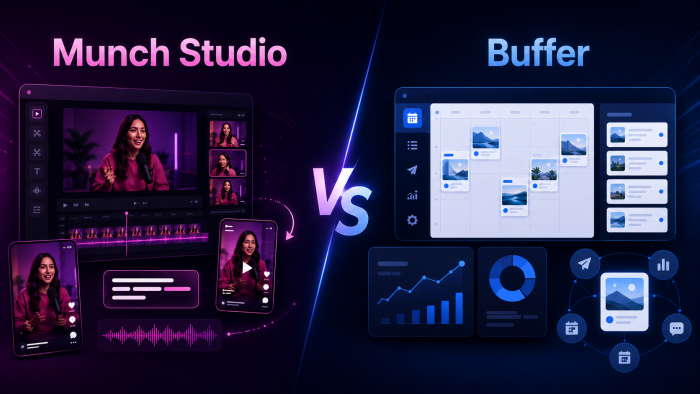
Munch Studio turns long videos into short clips. Buffer takes finished posts and gets them out on schedule, across every network you care about. One creates. One distributes. That single distinction reshapes the whole decision, and most head-to-head guides skate right past it. So let us do this properly.
The Short Version
If you remember one thing: reach for Munch Studio when your bottleneck is making video, and Buffer when your bottleneck is staying consistent. The snapshot below is the whole argument in one screen.
| At a glance | Munch Studio | Buffer |
|---|---|---|
| Core job | Turns long video into short clips | Schedules and publishes across networks |
| Best for | Podcasters, course creators, video brands | Solo creators, small teams, multi-platform posting |
| Starting price | $49/mo (Pro); about $40.80 annually | Free; paid from $5 per channel (annual) |
| What its AI does | Finds viral moments, captions, crops video | Rewrites and repurposes written copy, ideas |
| Publishes to | Instagram, TikTok, YouTube (no Facebook yet) | 11 networks incl. IG, FB, LinkedIn, X, TikTok |
| Real free plan | No (US accounts get one free clip) | Yes, and it does real work (3 channels) |
| Review signal | 2.1/5 Trustpilot (37) | 4.3/5 G2 (1,071); 4.5/5 Capterra (1,491) |
| One-line verdict | Buy it to create, not to distribute | Buy it to distribute, not to create |
What You Are Actually Comparing
These two names get pitted against each other because they both wear the “AI social media tool” label. Under the hood they sit at opposite ends of the same workflow. Munch Studio is a production tool: raw footage goes in, postable clips come out. Buffer is a distribution tool: finished posts go in, a tidy publishing schedule comes out. Neither replaces the other, and the better question is not “which is better” but “which half of my problem is louder right now.” Keep that lens on as we go tool by tool.
Munch Studio: The Video Repurposing Engine

Founded in 2021 in Tel Aviv by Oren Kandel and Peter Naftaliev, Munch Studio, the platform from the team behind GetMunch, now serves more than 3,000 businesses. It leans on GPT, OCR and NLP to read a long video, score each candidate clip for coherence, then hand you captioned, cropped segments built to travel. Point it at a 45-minute upload and expect finished clips in roughly 30 minutes. One honest caveat up front: this is a repurposing engine, not a full editor.
Feature Breakdown
| Feature | What it actually does |
|---|---|
| AI clip extraction | Scans for high-retention moments and gives each clip a coherence score so it stands alone. Reviewers say it lands the right cut roughly 7 times out of 10. |
| Auto captions | Accurate on standard English, exportable burned-in or as SRT, with styleable fonts and colours. The strongest part of the output. |
| Smart cropping | Reframes to 9:16, 1:1 and 16:9 while keeping the speaker centred for Reels, TikTok and Shorts. |
| Magic Posts | Auto-writes captions, titles and hashtags for TikTok, Instagram and X so a clip ships ready to publish. |
| Keyword and trend research | Charts search volume plus trending topics, brands and people, so you can prioritise clips likely to spread. |
| Languages | 50+ supported for transcription and subtitles, though accuracy dips on strong accents and non-English audio. |
| Publish Manager | Schedule and push clips straight to YouTube, TikTok and Instagram from one queue. |
| File support | MP4, MOV, AVI and WMV. Live streams have to be exported to a file first. |
| Not included | Full timeline editing, colour and brightness control, a mobile app, or a public API. |
Pricing (Verified, 2026)
| Plan | Monthly | Annual /mo | Upload mins | Who it fits |
|---|---|---|---|---|
| Pro | $49 | ~$40.80 | 200 / mo | Solo creators ready to post serious volume |
| Elite | $116 | ~$96.60 | 500 / mo | Micro-influencers and multi-page managers; gets new features first |
| Ultimate | $220 | ~$183.30 | 1,000 / mo | Brands, agencies and high-output teams |
| Custom | Contact | n/a | 1,000+ | Media teams that need more headroom |
No lasting free tier. US accounts get their first video free, and annual billing saves about 17%.
Pros and Cons
| What works well | Where it frustrates |
|---|---|
• Clip selection is good, often matching what a human editor would cut • Captions and auto-cropping are fast and clean out of the box • Trend and keyword data is baked in, not bolted on afterward • Turns hours of manual clipping into minutes; users report saving 3 to 5 hours per video • Beginner-friendly, with a first project running in under ten minutes | • Expensive, with a $49 floor and no lasting free plan • Clips sometimes start at an odd beat and need a quick trim • Processing is slow, around 30 minutes for a 45-minute file • Billing and cancellation complaints weigh down its Trustpilot score • Weaker on non-English content, and no Facebook publishing yet |
Where It Performs (and Where It Doesn't)
| Scenario | How Munch Studio handles it |
|---|---|
| Podcast and interview clips | Its home turf. Speech is the main signal it reads, so talking-head content shines. |
| Webinar into LinkedIn posts | Strong. Turns a 45-minute session into a handful of quotable, postable moments. |
| Music, vlogs, storytelling | Good for slicing long uploads into bite-size chunks with minimal fuss. |
| Highly technical or visual work | Weaker. It can miss nuance and moments that carry visually rather than verbally. |
| One-off videos | Hard to justify the price. The free first clip is really all the trial you get. |
Munch Studio Scorecard
| Content creation (video) | ★★★★☆ 4.3 / 5 |
| Ease of use | ★★★★☆ 4.0 / 5 |
| Value for money | ★★★☆☆ 3.2 / 5 |
| Scheduling and reach | ★★★☆☆ 2.8 / 5 |
| Support and billing | ★★★☆☆ 2.6 / 5 |
| Overall | ★★★★☆ 3.5 / 5 |
What the reviews say
On Trustpilot, Munch Studio’s longstanding getmunch.com listing sits at 2.1 out of 5 from 37 reviews, while a newer munchstudio.com page shows 4.1 from just six. The pattern in the larger pool is hard to miss: the product wins praise, the billing draws anger. Happy users call the repurposing incredible and admit they have more clips than they can schedule, while a cluster of one-star reviews describe surprise annual charges and slow cancellation replies. On G2 the smaller pool skews positive on ease and time saved, with the recurring gripe that a clip can start at a random point that loses the context. Read together, the message is clear. The technology delights; the checkout needs work. Set a renewal reminder and you sidestep most of the pain.
Buffer: The Calm, Everywhere Scheduler
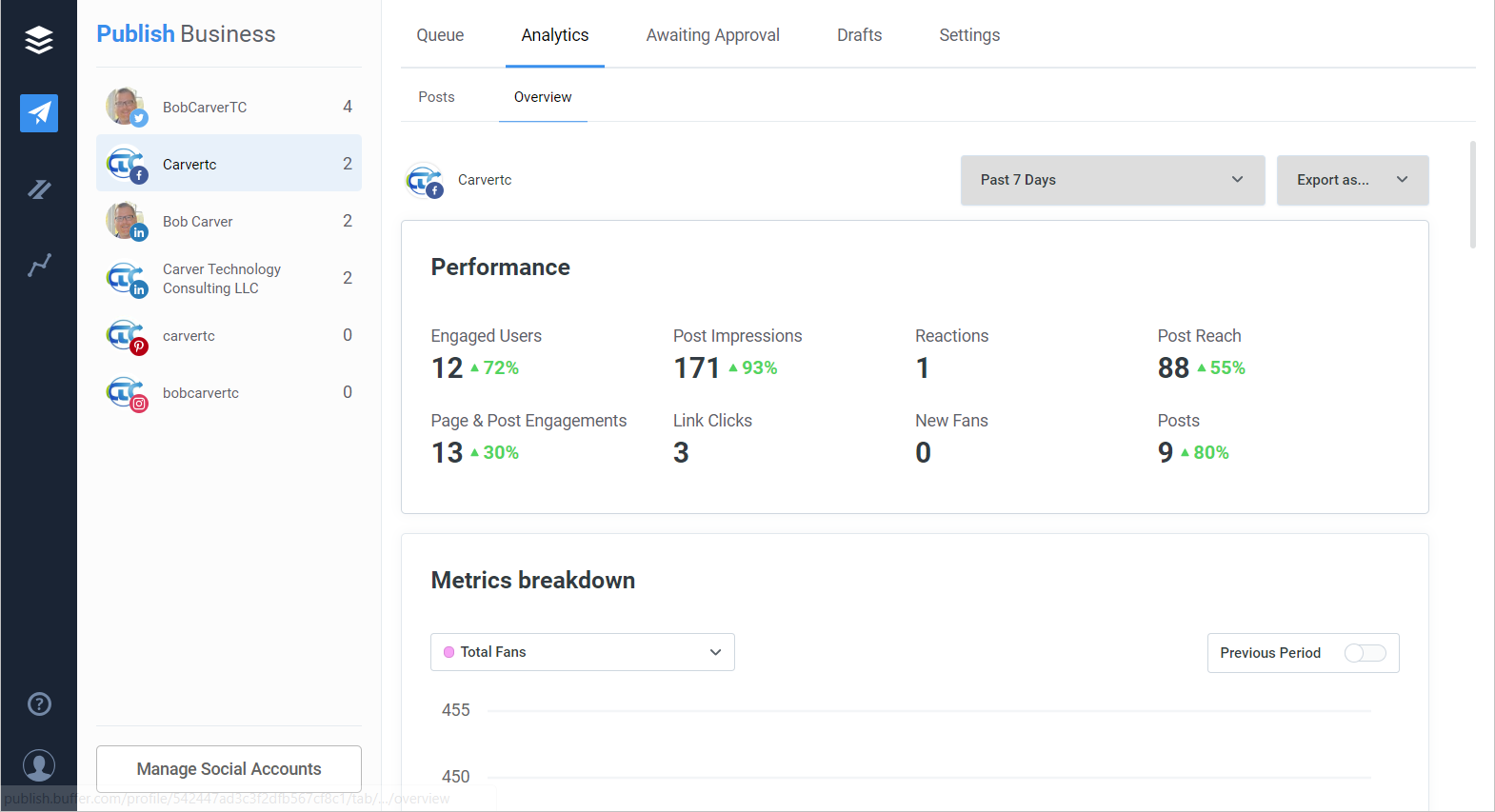
Buffer has been at this since 2010, bootstrapped out of San Francisco, and by early 2026 it counted more than 150,000 monthly active users. Its whole pitch is calm: fewer decisions, a clean queue, and a product that gets out of your way. The AI Assistant runs on OpenAI’s GPT-4 and is free on every plan, including the free one. A December 2025 pricing overhaul folded the old Agency tier into Team. The honest caveat here mirrors Munch’s: this is a distribution tool with a helpful writing assistant, not a content factory. It generates no images and no video.
Feature Breakdown
| Feature | What it actually does |
|---|---|
| Queue and calendar | Set time slots and Buffer fills them in order, with a visual monthly calendar and bulk CSV import up to 100 posts. |
| AI Assistant | GPT-4 powered and unlimited on every tier. Rewrites, shortens, expands, shifts tone, and splits one post into many. Text only. |
| Best Time to Post | Suggests slots from engagement patterns. Reviewers report a 15 to 20% lift over posting at random. |
| Community inbox | Reply to comments from Instagram, Facebook, LinkedIn, Threads and Bluesky in one place. No DMs, no X or TikTok replies. |
| Start Page | A free link-in-bio landing page builder, a Linktree alternative at no extra cost. |
| Analytics | Clean per-channel performance. No social listening, no competitor tracking, no audience demographics. |
| Networks | Instagram, Facebook, TikTok, LinkedIn, X, Threads, Bluesky, Pinterest, YouTube Shorts, Google Business and Mastodon. |
| Integrations | Canva, Dropbox, Google Drive, OneDrive, Zapier, WordPress and Bitly. |
| Trust and security | SOC 2 Type II certified, with real human support rather than bots. |
Pricing (Verified, 2026)
| Plan | Monthly | Annual /mo | What you get | Who it fits |
|---|---|---|---|---|
| Free | $0 | $0 | 3 channels, 10 queued posts each | Hobbyists and anyone testing the waters |
| Essentials | $6 / ch | $5 / ch | Unlimited posts, single user | Solo creators and small businesses |
| Team | $12 / ch | $10 / ch | Unlimited posts and users, approvals | Teams and agencies with sign-off |
Priced per channel, not per seat. Past 10 channels the rate drops (channels 11 to 25 run about $3.33 each annually). Paid plans include a 14-day trial, and nonprofits get 50% off.
Pros and Cons
| What works well | Where it frustrates |
|---|---|
• The easiest scheduler to learn; most users post within five minutes (Capterra rates ease 4.6/5) • A free plan that does real work, not a disguised trial • Broadest platform coverage here, including Bluesky, Threads and Google Business • Unlimited AI writing on every tier, with no token games • Transparent per-channel pricing plus a 50% nonprofit discount | • Per-channel cost stacks up fast past 8 to 10 channels for multi-brand agencies • Analytics are shallow, with no social listening or competitor benchmarking • AI writes clean first drafts but leans generic; budget a minute to add voice • No image or video generation of any kind • Community inbox skips X and TikTok, and there is no unified DM view |
Where It Performs (and Where It Doesn't)
| Scenario | How Buffer handles it |
|---|---|
| Solo creator, 3 to 6 channels | Ideal. The free or Essentials plan covers it for pocket change. |
| Small team with approvals | Team plan handles drafts and sign-off cleanly without per-seat fees. |
| Multi-brand agency, 15+ channels | Workable but pricey. Compare flat-rate rivals before you commit. |
| Deep analytics or listening | Look elsewhere. Sprout Social or Hootsuite own that ground. |
| Blog into platform posts | Strong. The AI splits long copy into per-network variants in seconds. |
Buffer Scorecard
| Ease of use | ★★★★★ 4.7 / 5 |
| Value for money | ★★★★☆ 4.3 / 5 |
| Platform coverage | ★★★★★ 4.5 / 5 |
| Scheduling and publishing | ★★★★★ 4.6 / 5 |
| Content creation (video) | ★★☆☆☆ 2.0 / 5 |
| Overall | ★★★★☆ 4.3 / 5 |
What the reviews say
Buffer carries the kind of ratings only years of quiet reliability produce: 4.3 out of 5 on G2 across more than 1,000 reviews, and 4.5 on Capterra across nearly 1,500, with an ease-of-use score of 4.6. The praise is consistent and a little boring in the best way. Posts go out on time, and the interface stays out of the way. Criticism lands in two familiar spots: analytics that feel thin next to enterprise suites, and a per-channel bill that climbs once you manage a stack of accounts. Nobody calls Buffer exciting. Plenty of people call it the one tool they never cancel.
Head to Head: The Comparison That Matters
Now the part you came for. Because these tools live at different ends of the workflow, a straight feature race would be unfair to both. So the tables below compare them on what each promises to do, then on the two things people really weigh: the AI and the money.
Core Capability Face-Off
| Capability | Munch Studio | Buffer |
|---|---|---|
| Creates video clips | Yes, its whole purpose | No |
| Writes social copy | Captions and Magic Posts for clips | Full AI Assistant across networks |
| Schedules posts | Limited: IG, TikTok, YouTube | Yes, all 11 networks |
| Community engagement | No | Comment inbox on 5 networks |
| Analytics | Clip and keyword performance | Per-channel post analytics |
| Link-in-bio page | No | Yes, free Start Page |
| Real free plan | No | Yes |
| Mobile app | No | Yes (iOS, Android) |
| Public API | No | Yes (beta) |
The AI Face-Off
| Aspect | Munch Studio | Buffer |
|---|---|---|
| What the AI does | Finds and cuts viral video moments | Generates and refines written posts |
| Underlying tech | GPT, OCR, NLP plus trend analysis | OpenAI GPT-4 |
| What comes out | Captioned, cropped short clips | Post ideas and platform-tuned copy |
| Media generation | Video clips from your footage | None; text only |
| Where it shines | Repurposing hours of video fast | Beating the blank page, adapting tone |
| Where it slips | Odd cut points, non-English audio | Generic drafts, needs a human pass |
Pricing Philosophy
| Factor | Munch Studio | Buffer |
|---|---|---|
| Billing model | Per tier of upload minutes | Per connected channel |
| Entry point | $49/mo, no free plan | $0 free, then $5 per channel |
| Scales with | How much video you process | How many accounts you run |
| Best value when | You publish lots of long video | You manage a handful of channels |
| Gets pricey when | You barely upload anything | You pass 10 or more channels |
| Free trial | First US video only | 14 days, full features |
Which One Wins for You
| You are a... | Better pick | Why |
|---|---|---|
| Podcaster repurposing episodes | Munch Studio | Clip selection on talking-head audio is its single strongest use. |
| Small business posting daily | Buffer | Cheap, simple, and it covers every network you actually need. |
| Video-first brand or agency | Munch Studio | Nothing else here turns long footage into ready clips at all. |
| Solo creator on a tight budget | Buffer | The free plan does real work at zero cost while you grow. |
| Team that needs approvals | Buffer | The Team plan handles drafts and sign-off with unlimited users. |
| Marketer drowning in webinars | Munch Studio | Turns one long session into a full week of postable clips. |
| Multi-brand agency, 20 channels | Buffer* | It works, but price the flat-rate rivals first. *Cost climbs. |
The Overall Scorecard
| Category | Munch Studio | Buffer |
|---|---|---|
| Ease of use | ★★★★☆ 4.0 | ★★★★★ 4.7 |
| Value for money | ★★★☆☆ 3.2 | ★★★★☆ 4.3 |
| Content creation | ★★★★☆ 4.3 | ★★☆☆☆ 2.0 |
| Scheduling and reach | ★★★☆☆ 2.8 | ★★★★★ 4.6 |
| Analytics | ★★★☆☆ 3.3 | ★★★☆☆ 3.2 |
| Support and trust | ★★★☆☆ 2.6 | ★★★★☆ 3.8 |
| Overall | ★★★★☆ 3.5 | ★★★★☆ 4.3 |
The Move Most Pros Actually Make: Both
Here is the twist. The sharpest creators I know do not choose between these two at all. They run both, because the tools slot together like two halves of one machine. Munch Studio does the making. Buffer does the moving.
| Record video | → | Clip in Munch Studio | → | Export clips | → | Schedule in Buffer | → | Engage |
At roughly $49 for Munch Studio plus $15 to $25 a month for Buffer, that full stack still costs less than a single freelance editor, and it covers both halves of the job: creation and distribution. If your budget only stretches to one for now, the verdict below is written for exactly that decision.
My Honest Verdict If someone put a gun to my wallet and made me pick one, here is the truth, and I mean it literally rather than as a hedge: it comes down to which problem keeps you up at night. |
If you are not producing much video, buy Buffer and do not look back. It is cheaper, kinder to beginners, covers more platforms, and it is the tool I would hand a friend starting from zero. The free plan alone carries most people further than they expect. My score is 4.3 out of 5, and it earns every bit.
If video is your engine, if you are sitting on hours of podcasts, webinars or interviews, Buffer cannot help where it hurts. Munch Studio can. Its clipping is good enough that I forgive the clunky billing, though I would still set a calendar reminder before any renewal date. My score is 3.5 out of 5, held back by price and support, not by the product itself.
And if you can swing both, that is not indecision. That is a complete workflow. Munch Studio makes it, Buffer moves it, and most serious creators need both halves eventually. Start with the one that fixes your loudest problem today, then add the other when the second one starts to sting.