


Table of Content
Overall, first impressions: ★★★☆☆ 3.0 / 5
The generated posts stayed locked behind a paid trial, so this rates the experience I could actually see, not the content itself.
| What it is | Done-for-you AI that plans, writes, and posts your social content |
| Best for | Time-strapped small businesses, solo founders, and creators |
| How setup works | Paste your website; it reads your brand and builds a plan |
| Platforms (Jul 2026) | Instagram, TikTok, YouTube, with more advertised |
| Price (Jul 2026) | From $38/mo billed yearly, or $58/mo month to month |
| Free trial | 7 days, but you enter card details up front |
| The catch | You can’t see any generated posts before paying |
I’ve lost count of the Sundays I’ve promised myself I’ll batch a week of posts, then quietly didn’t. So when a tool offers to handle the whole thing, strategy, captions, videos, scheduling, I don’t roll my eyes. I lean in. That’s the itch Munch Studio is selling to.
The pitch is simple. Give it your website, and it figures out your business, builds a posting plan, and starts making content you approve with a click. No dashboard to babysit, no agency retainer.
I didn’t want to review the marketing page, though. I wanted to know how it feels to use. So I gave it a real site and clicked through the flow like anyone would. Here’s what impressed me, what gave me pause, and the moment it went from “oh, nice” to “wait, really?”
So what is Munch Studio, exactly?
The short version before the hands-on part
Munch Studio is a “done-for-you” social media tool for small businesses, solo founders, and creators who know they should be posting but don’t have the time or the patience. It comes from the team behind Munch, the AI video-clipping tool many podcasters already use, so the short-form-video DNA is there from the start.
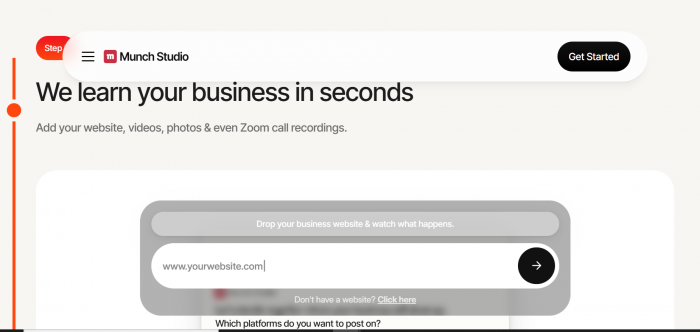
The idea is that you barely feed it anything. Instead of a long questionnaire, it learns you from your website, then turns that into a strategy and a stream of ready-to-post captions, carousels, and reels. You keep what you like, and it schedules and publishes for you.
• You give it: your website, plus your own photos or videos later if you want.
• It gives back: a content plan and finished posts built to match your brand.
• Your job: skim, approve, and let it post. During my run it lined up Instagram, TikTok, and YouTube.
Munch vs Munch Studio, they're not the same product
Same team, two very different tools. If you've read reviews of "Munch" and assumed they apply here, they mostly don't.
| Munch (the original) | Munch Studio (this review) | |
|---|---|---|
| What it does | Clips long videos into short-form cuts | Plans, writes and publishes your whole social presence |
| You give it | A long video or a YouTube link | Your website URL |
| You get back | Trimmed vertical clips with captions | A content plan plus finished posts, scheduled and published |
| Built for | Podcasters, YouTubers, video-first creators | Small businesses and solo founders who aren't posting at all |
| Price | From roughly $49/mo — VERIFY | From $38/mo billed yearly |
| Review volume | Substantial, years of G2 and Capterra reviews | Thin, the product is new |
| Do reviews transfer? | — | Only loosely. Shared team, shared video DNA, different product. |
Closing line:
Why it matters: Munch has a real review history, and the recurring criticisms there — occasional slowness, clips that miss the mark — are worth knowing about. But they're evidence about the team's track record, not proof of anything about Munch Studio's output.
What Munch Studio does and doesn't do
| Capability | Status | Notes |
|---|---|---|
| Instagram publishing | Confirmed | Part of the proposed plan |
| TikTok publishing | Confirmed | Part of the proposed plan |
| YouTube publishing | Confirmed | Part of the proposed plan |
| Facebook, LinkedIn, X, Pinterest | Advertised, not shown to me | Not in the plan built for my site — VERIFY |
| Reads your website automatically | Confirmed | The strongest part of the product |
| Pulls your existing images | Confirmed | Scraped real screenshots from my site |
| Upload your own photos and video | Offered | "You can add more later" |
| AI captions and post copy | Behind paywall | Advertised; I couldn't see any |
| Short-form video and reels | Behind paywall | Likely a strength given the Munch lineage |
| Auto-scheduling at peak times | Behind paywall | Advertised |
| Performance analytics | Behind paywall | Advertised |
| Content repurposing, long to short | Behind paywall | Advertised |
| Multi-brand management | In the pricing structure | Tiers for 1, 5 and 15 brands |
| Approve-before-post control | Implied by the flow | "You approve with a click" — VERIFY |
| Comment and DM inbox | Not seen | Not mentioned anywhere in the flow |
| Paid ads management | Not seen | Not part of the pitch |
| Free plan, no card | No | 7-day trial only, card required |
| Email verification on signup | No | No confirmation link or code was sent |
Closing line:
"Behind paywall" means advertised but locked behind the paid trial, so I can't confirm quality or reliability.
How I tested this
| Date of test | July 2026 |
| What I used | A real, live business site (biogpt.io), not a demo URL |
| Account type | Free sign-up, email, not Google SSO |
| How far I got | Website analysis → "Getting To Know You" plan → account creation → paywall |
| What I paid | Nothing |
| Session length | One sitting, start to finish, plus a second log-in to check for a way past the paywall |
| What this review does NOT cover | Quality of the generated posts, publishing reliability, analytics accuracy, support response times. All of it sits behind the card-gated trial. |
| Conflicts of interest | None. No affiliate relationship, no sponsorship, no free access provided. |
What actually happened when I used it
Walked through in the order it happened
I’ll take you through it step by step, because the sequence is genuinely part of the story. The order these screens arrive in is what shapes how you feel by the end.
The landing page: no surprises, and that’s fine
The homepage is clean and does its job. There’s a big headline (“The AI that does your social media marketing for you”), a one-line promise about saving time, money, and energy, and, front and center, a single input box: “Drop your business website and watch what happens.”
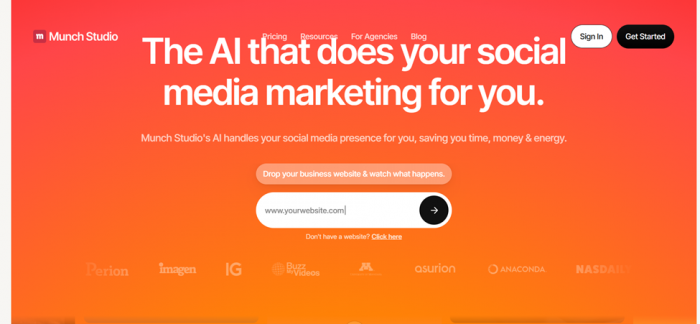
Nothing here is going to win a design award, but nothing is confusing either, and for this kind of product that’s arguably the right call. The whole page funnels you toward one action: paste a URL. So I did.
Feeding it a real website
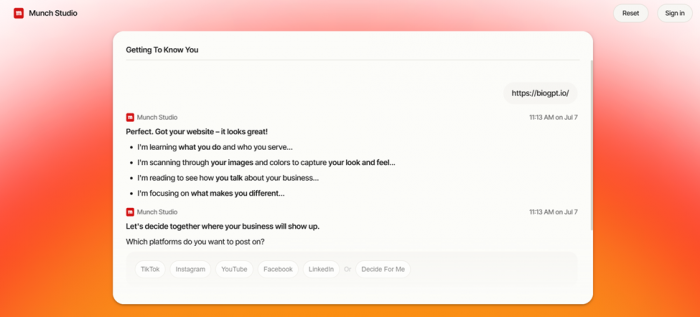
I dropped in a live site, biogpt.io, hit the arrow, and let it work. This is the part the whole product hinges on: can it look at a website cold and actually understand the business behind it? A few seconds of “analyzing,” and it came back with a screen it calls Getting To Know You. That’s where things got interesting.
The “Getting To Know You” read
This was the moment I sat up a little. It had pulled real images straight off the site, product screenshots and brand visuals, under a “Photos and Videos” section, noting these were found on my website and I could add more later. Then it laid out a proposed posting schedule across Instagram, TikTok, and YouTube, framed as a custom plan built from “millions of data points.”
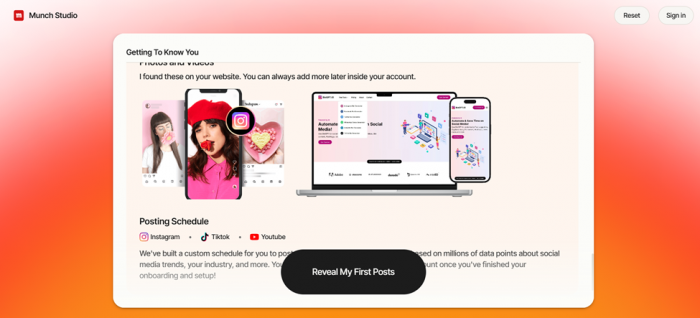
Take the data-points language with a grain of salt. That’s marketing, and no first session can verify it. But the practical effect was nice: in under a minute it had scraped my visuals and sketched a starting cadence without me typing a word about myself. A big “Reveal My First Posts” button sat at the bottom, dangling the payoff. Good instinct: show, don’t ask.
Signing up (smooth, maybe a touch too smooth)
To see those first posts, I needed an account. Two options: continue with Google, or use email. I went with email, and the sign-up itself was painless. No friction, no long form, straight through.
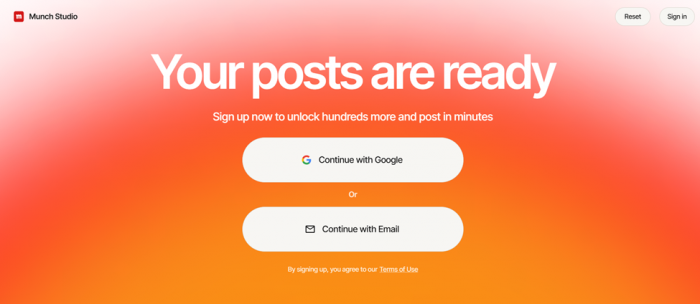
Worth noting, though: it never verified my email. No confirmation link, no code, nothing. Fewer steps is friendlier, sure. But an account that doesn’t check whether the address is even real is a small tell about where the product’s priorities sit right now, and the kind of gap I’d expect to get tightened over time. Minor, but I noticed.
And then, the wall
Here’s the turn. The instant I finished signing up, before I saw a single one of those promised first posts, I landed on a pricing page. “Try Munch Studio free for 7 days,” a plan picker, and a “Start My Free Trial” button.
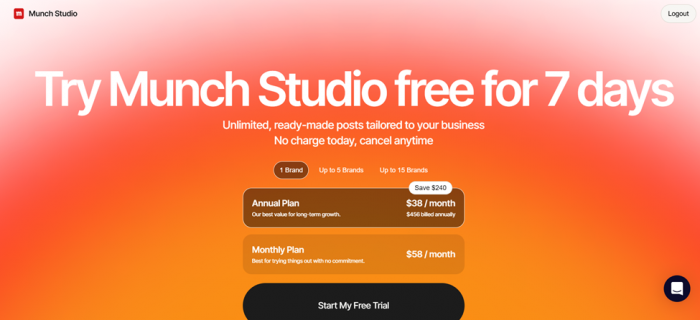
To be fair, there is a free trial, and it says no charge today. But it’s gated behind starting a paid plan, which means handing over payment details before you see any of the content the last five screens spent so much energy getting me excited about. The “Reveal My First Posts” carrot never actually gets revealed for free. I even logged out and back in to check whether I’d missed a way around it. Same wall, every time.
The “Reveal My First Posts” carrot never actually gets revealed, not without your card, anyway.
What Munch Studio genuinely gets right
Two things stood out, and they deserve full credit before I get to the friction.
• The onboarding is the best part, and it isn’t close. Pasting a URL and watching it pull your real images and sketch a schedule kills the blank-page freeze that stops most people from ever starting.
• The concept fits a real need. Plenty of owners don’t want to learn social media; they want it handled. Reading your site and drafting a month of content is a legitimate pitch, not a gimmick, and the video lineage means reels aren’t an afterthought.
A smooth signup isn’t the same as a great product, and I won’t pretend otherwise. But everything up to the paywall is polished, which is exactly why the next part stings a little.
Where it lost me
The problem isn’t that it’s bad. It’s one choice I’d push back on, plus two smaller notes.
• You can’t try it before paying. Every screen builds anticipation, then the payoff is locked behind a credit card. Show me one or two posts first and my whole reaction flips from “hmm” to “okay, show me more.”
• The signup never verified my email. Convenient, but a tool that will eventually post on your behalf is one I’d want taking basic account hygiene seriously from day one.
• It asks for commitment before trust. Handing over card details for an unseen product is a lot, especially for budget-conscious small businesses. “Cancel anytime” only helps if you remember to cancel.
None of these are unusual in the software world, and none mean the underlying content is weak. They’re trust choices, and they’re why my first session ended on a shrug instead of a signup.
The scorecard
How each part of the experience held up
Since the generated posts stayed locked behind the trial, these stars rate what I could genuinely put my hands on: the first look, the analysis, the sign-up, and the pricing I was shown. Read the overall as a first-impressions score, not a final word on the content.
| What I rated | Score | In a line |
|---|---|---|
| First look (landing page) | ★★★★☆ 4.0 | Clean, clear, and funnels you to one obvious action. |
| Website analysis | ★★★★½ 4.5 | Pulled real images and a schedule in under a minute. The standout. |
| Sign-up experience | ★★★½☆ 3.5 | Fast and painless, but it never verifies your email. |
| Try before you buy | ★½☆☆☆ 1.5 | Card-gated; you see zero output first. The sticking point. |
| Pricing & value | ★★½☆☆ 2.5 | Clear on the page, but premium and unprovable in the trial. |
| Ease of use | ★★★★☆ 4.0 | Easy to follow start to finish; nothing confusing. |
| Overall (provisional) | ★★★☆☆ 3.0 | Promising setup, frustrating gate. The content itself is untested. |
What it costs
As of July 2026 Treat these exact numbers as a moving target. Munch Studio’s plans show up at several different prices across the web, so this is clearly something they adjust. Confirm on their own pricing page before you buy. |
Plans are organized by how many brands you run: one brand, up to five, or up to fifteen, with the bigger tiers aimed at agencies. For a single brand, here’s the choice I was shown.
| Plan | Price | How it’s billed | Best for |
|---|---|---|---|
| Annual | $38 / mo | $456 up front for the year (saves $240) | Committing for the long haul |
| Monthly | $58 / mo | Billed month to month | Trying it out, no commitment |
Both sit on top of the 7-day trial, which you start by entering payment details (“no charge today, cancel anytime”). It’s pricier than a plain scheduler but cheaper than a freelancer or agency, the comparison Munch Studio wants you to make. Whether the premium is worth it comes down to the output, which is the one thing the trial wouldn’t let me see.
How it’s rated elsewhere
Because Munch Studio is still fairly new, third-party ratings are thin, so I wouldn’t lean on them too hard yet. Here’s the honest snapshot.

| Where | Score | The catch |
|---|---|---|
| Trustpilot | ★★☆ | Around 37 Reviews which sums up to it performing poor |
| Capterra | No score yet | Listed, but not enough reviews to produce a rating. |
| Product Hunt | Positive | Early feedback skews favorable, but there’s no overall star score. |
(The outside view, as of July 2026)
What users say
The wider picture, from public reviews (Jul 2026)
I only spent one session with it, so it’s worth widening the lens. Here’s the gist of what other people report, the good and the caveats, pulled from public reviews.
Product Hunt Praise Fast to set up, and it hands time back The loudest theme is speed. Early users say getting started is painless and that it claws back hours they used to lose to brainstorming and scheduling. One reviewer says it “takes the stress out of social media.” | Review roundups Praise The content stays on-brand A recurring compliment is that posts come out matching a business’s voice, colors, and style, so there’s little cleanup before publishing. That’s the whole promise, and it seems to land for the people who paid in. |
Trustpilot Small sample Warm reviews, but a small crowd It sits around four out of five, from only a handful of reviews. The early adopters are happy; there just aren’t many of them yet, so a couple of ratings can swing the average either way. | G2 · Munch video tool Caution The video sibling hints at rough edges Munch’s older clipping tool has far more reviews. People love the ease, but some say it can be “a bit slow” and occasionally miss the mark. Worth remembering for the newer product by the same team. |
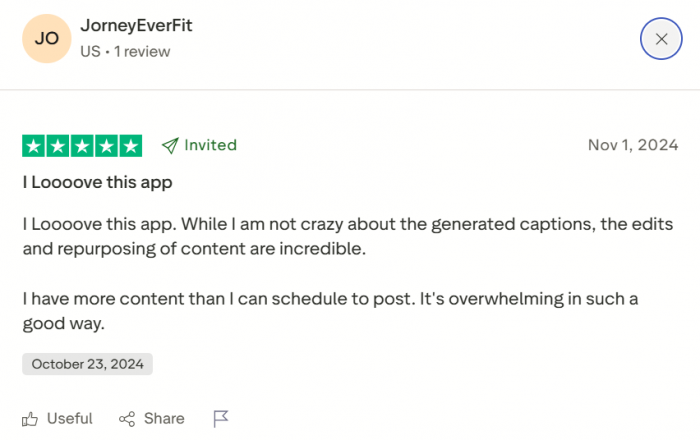
My read My take Thin on the thing that matters most Here’s what’s missing from almost every review: hardly anyone describes the actual quality of the generated posts, most likely because you have to pay to see them. The praise clusters around speed and setup, which is exactly the part I could confirm too. The output itself still deserves a test-drive of your own before you judge it. |
Read it as a mood, not a measurement. Sentiment leans positive, the sample is small and still growing, and the one question everyone skips is the one only you can answer for your own brand.
Who this is actually for
After walking through it, I’ve got a clear picture of who should give Munch Studio a real shot and who should probably keep browsing.
Give it a real shot if • You run a small business or personal brand and you’re just not posting consistently. • You’d rather pay to make the problem disappear than learn another tool. • You’re a coach, consultant, realtor, restaurant owner, or solo founder who values time over control. • You’re an agency managing a handful of client brands; the multi-brand tiers are built for you. | Hold off if • You’re a hobbyist or just curious and want to kick the tires before spending anything. • You’re protective of your brand voice and want tight control over every word. • You already enjoy making your own content or have a scheduler you like. • Entering card details for an unseen product is a hard no for you. |
The honest filter is simple: how much do you trust it to sound like you, and how much is your time actually worth?
The verdictGood bones, shown in the wrong order. I wanted to like Munch Studio more than my session let me, and I think that’s the fairest way to put it. Everything up to the paywall is genuinely well done. The idea is strong, the onboarding is smooth and even a little delightful, and the read-my-website-and-figure-me-out trick did more in forty-five seconds than I’d manage in an hour of setup on most tools. But the experience is built like a film that cuts to black right before the good part. It spends five screens getting you invested, then asks for your card before revealing anything you can actually judge. For a tool whose entire promise is trust me with your social media, asking people to commit money before they’ve read a single sentence it wrote is a strange note to end on. Trust is the product here, and the flow spends it in the wrong order. So, as of this session: the bones look good, the concept is real, and I’d happily revisit the day I can see sample posts without reaching for my wallet. Until then it’s a “keep an eye on it,” not a “sign up today.” Great tools earn the payment after they’ve shown you something, not before. |
If you do decide to try it, go in with your card ready and a cancellation reminder set, and judge it on one thing only: does the content sound like you? Everything else is secondary. That’s the whole ballgame.