

Table of Content
- What “download time” means on InDown.io
- My timed results, Reel by Reel
- Phone versus laptop
- Six things that change how long a Reel takes
- The step-by-step, with a clock on each step
- When a Reel takes longer than it should
- InDown.io versus Instagram's own save
- Small habits that shave off seconds
- Where it's quick, and where it isn't
- Final verdict
Nobody plans to spend a week with a Reel downloader. It usually starts with one clip worth keeping, a recipe or a tutorial that keeps getting scrolled past, and the discovery that Instagram's own save button hands back a file with a username stamped across it that sometimes arrives without its music. InDown.io is the tool most people land on next, and the first download tends to finish before the coffee has cooled. That raises an obvious question: does the speed hold up across different Reels, phones, and connections? The only way to find out was to put a stopwatch on it.
Over seven days, twelve public Reels went through indown.io/reels on an iPhone over Wi-Fi and mobile data, on an Android phone, and on a laptop. A stopwatch tracked two stages: the gap between pressing Search and the download buttons appearing, and the gap between tapping a download button and having a playable file on the device. What follows is what those numbers looked like, why they moved around, and what to do when a Reel takes longer than it should.
| The short answer: on a normal connection, InDown.io shows a preview and its Download Server buttons 3 to 4 seconds after a Reel link is pasted. Saving the file takes another 2 to 8 seconds depending on how long the Reel is. Add the time it takes to copy the link from Instagram and the whole job runs 20 to 45 seconds. Not one successful download in testing took longer than a minute from start to finish. |
Copy the link 10 to 20 s You, inside Instagram | Fetch and preview 3 to 4 s InDown.io's part | Save the file 2 to 8 s Your connection and device |
Column widths reflect roughly how much of the wait each stage takes. Under a minute, start to finish.
What “download time” means on InDown.io
There is no single number, because three different things are happening and only one of them belongs to InDown.io. The first stage is copying the link inside Instagram. The second is InDown.io fetching the public post and building a preview with its download buttons. The third is the browser pulling the MP4 onto the device. Each stage has its own clock and its own reasons for slowing down.
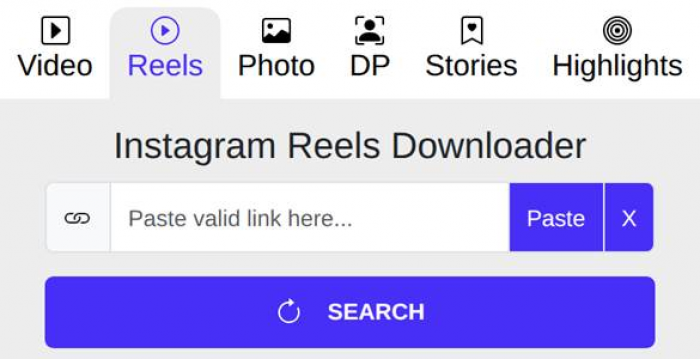
The Reels page on a phone: one input box, a Paste shortcut, and the Search button. This is the whole interface.
| Stage | Who controls it | Typical time | What slows it down |
|---|---|---|---|
| Copy the link | You | 10 to 20 seconds | Finding the share icon, switching apps |
| Fetch and preview | InDown.io | 3 to 4 seconds | Instagram responding slowly, server load |
| Save the file | Your connection | 2 to 8 seconds | Reel length, mobile data, the extra save step on iPhone |
When people ask how long InDown.io takes, they usually mean the middle stage, and that one is consistently short. The variation you feel in real life mostly comes from the first and third stages, which the tool has no say over.
My timed results, Reel by Reel
The twelve Reels were grouped by length, because length was the only thing that moved the save time in a predictable way. Preview time barely changed at all. A seven-second clip and a ninety-second clip both had the download buttons on screen inside four seconds.
| Reel length | Time to download buttons | Time to saved file | Total on InDown.io |
|---|---|---|---|
| Under 15 seconds | 2 to 3 seconds | 1 to 2 seconds | Under 6 seconds |
| 15 to 30 seconds | 3 to 4 seconds | 2 to 3 seconds | 5 to 7 seconds |
| 30 to 60 seconds | 3 to 4 seconds | 3 to 5 seconds | 6 to 9 seconds |
| 60 to 90 seconds | 4 to 5 seconds | 5 to 8 seconds | 9 to 13 seconds |
Measured with a phone stopwatch on home Wi-Fi. Mobile data added roughly 2 to 4 seconds to the save stage on the longer Reels and almost nothing to the preview stage.
Two things stood out. First, the preview stage is where the real work happens and it is quick, because InDown.io reads the public post on its own servers and hands you a direct file link rather than re-encoding anything. Second, the save stage is just a file transfer, so it behaves like any other download: a bigger file takes longer, and a weaker connection makes it worse. Reels can now run up to three minutes, and the longest ones will push the save stage past ten seconds on a phone.
Phone versus laptop
Most people use InDown.io on a phone, since that is where the Reels are. The laptop was expected to win comfortably, and it did, but by less than expected.
| Device and browser | Preview | Save | The catch |
|---|---|---|---|
| iPhone, Safari | 3 to 4 seconds | 3 to 6 seconds | Safari may open the video instead of saving it. Share, then Save Video, adds two taps and 5 to 10 seconds. |
| Android, Chrome | 3 to 4 seconds | 2 to 5 seconds | File lands in Downloads or the gallery with no extra step. |
| Laptop, Chrome | 2 to 3 seconds | 1 to 4 seconds | Fastest overall, though copying the link from the Instagram website takes a click or two more. |
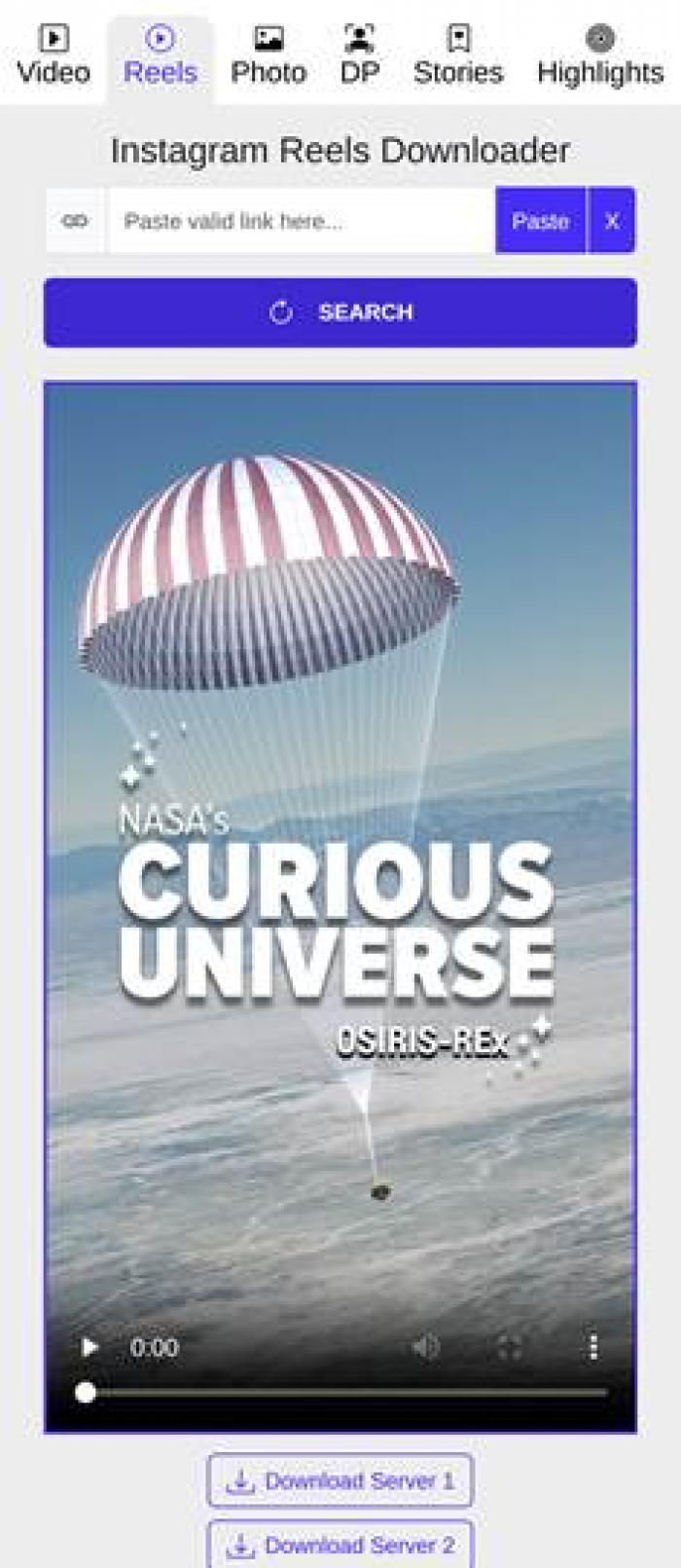
Mobile result state: the preview player sits above two buttons, Download Server 1 and Download Server 2. Everything stays within thumb reach.
The iPhone step is the one that inflates the total the most. Nothing about InDown.io is slower on iOS; the delay comes from Safari treating the MP4 as something to play rather than something to keep.
Six things that change how long a Reel takes
Reel length and file size. A 10-second Reel is a few megabytes. A 90-second one at 1080p can be 20 or more. The preview step doesn't care about size, the save step does. | Your connection. Wi-Fi gave the tightest numbers. On 4G the save stage stretched by a few seconds, and on one bar of signal it roughly doubled. |
Instagram's side of the fetch. InDown.io states that it does not use Instagram's API. It reads the public post the way a browser would, so a slow response from Instagram means a slower preview. | Ads on the way through. The site is free and ad-supported. An ad or a pop-up tab can surface when you tap a download button. Closing it costs a couple of seconds and the file is still waiting on the original page. |
Device and browser. iPhone Safari adds a save step. Android and desktop don't. A browser with dozens of tabs already open was noticeably slower in testing, which is on the phone rather than the site. | Server load and Instagram updates. Occasionally the fetch stalls entirely, usually right after Instagram changes something. A stalled fetch feels like a slow one until you notice the spinner isn't going anywhere. |
If you also download photos, Stories, or profile pictures, the full Indown.io review has a timing table for every content type under the heading Speed, reliability, and the rough edges, which pairs well with the Reel-only numbers here.
The step-by-step, with a clock on each step
This is the exact flow the Reels page walks you through, with the time each step takes once it has been done a few times.
1. Copy the link in Instagram. Open the Reel, tap the share icon (the paper plane) or the three dots, then Copy link. About 10 to 20 seconds, and the only step that needs your hands.
2. Open indown.io/reels. Any browser works and there is nothing to sign into. Bookmark it once and this drops to a couple of seconds.
3. Paste and press Search. The input box sits at the top of the page. A preview player and two buttons, Download Server 1 and Download Server 2, appeared 3 to 4 seconds later in every successful run.

Desktop view with a public Reel link pasted in. The Reels tab is selected and Search is the only button to press.
1. Press Download Server 1. The MP4 saves to your Downloads folder or gallery. 2 to 8 seconds depending on the Reel's length and your connection. If Server 1 stalls, Server 2 sits right under it and pulls the same file.
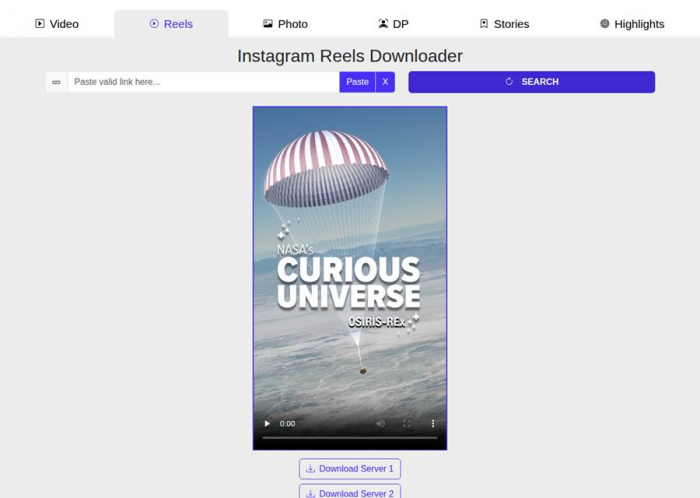
What you get after Search: a playable preview and the two download buttons. This appeared 3 to 4 seconds after pasting.
1. Check the file. Open it, confirm the audio is there and the username overlay is gone. Ten seconds well spent, because the rare bad download is obvious on playback.
When a Reel takes longer than it should
Most delays have a cause you can fix in under a minute. These are the ones that came up during the week and what cleared them.
| What you see | Likely cause | What to do | Time it costs |
|---|---|---|---|
| Spinner runs past 15 seconds | Instagram responding slowly, or a temporary stall on the tool's side | Refresh, paste again, and retry after a minute | 30 to 60 seconds |
| Download Server 1 hangs after you tap it | The first mirror is busy | Tap Download Server 2 instead | 5 to 10 seconds |
| A profile picture appears instead of the Reel | A known Reels page quirk that shows up after Instagram changes something | Refresh the page and paste the link again | 10 to 15 seconds |
| No download buttons at all | Private account, or a link copied from the address bar rather than the share menu | Confirm the account is public and copy from the share menu | 20 to 30 seconds |
| A new tab opens with an ad | Normal for a free, ad-supported site | Close the tab without clicking anything and return to the original page | 2 to 5 seconds |
| iPhone plays the video instead of saving it | Safari's default handling of an MP4 | Tap Share, then Save Video or Save to Files | 5 to 10 seconds |
The same failures come up with photos and Stories too, and the review keeps a longer checklist for them under When a download fails: quick fixes.
InDown.io versus Instagram's own save
Instagram lets you save some Reels from inside the app, so it is fair to ask whether a third-party tool is worth the extra seconds at all.
| Instagram's in-app download | InDown.io | |
|---|---|---|
| Time | Roughly 5 to 10 seconds, no app switching | 20 to 45 seconds including copying the link |
| Watermark | Username stamped on the video | None |
| Audio | Licensed music is often removed | Original audio stays intact |
| Availability | Only when the creator allows downloads | Any public Reel |
| Login | Your account | None |
On raw speed the in-app option wins, and if you only want a quick reference copy with a watermark on it, use that. InDown.io earns its extra seconds because the file it returns is the one the creator uploaded, sound included, and thirty seconds is a fair trade for that.
Small habits that shave off seconds
• Copy from the share menu, not the browser address bar. Address-bar links sometimes carry extra tracking parameters, and once or twice they failed outright while the share-menu link worked first time. • Keep the Reels page bookmarked or pinned. Typing the address every time was the slowest part of the first day. • Close ad tabs without tapping inside them. The download is still sitting on the original page. • Use Wi-Fi for Reels over a minute long. The preview stage doesn't care, but the save stage does. • Do one Reel at a time. There is no batch mode, and opening several tabs at once made each one slower rather than saving time overall. |
Where it's quick, and where it isn't
Quick • Preview in 3 to 4 seconds regardless of Reel length • Nothing to install and no login, so there is no setup time before the first download • Two download servers, so a stalled button has an immediate fallback • No download cap turned up in a week of testing, and the site says there is no limit • Files arrive at original quality with audio intact, so there is no second pass to fix anything | Not so quick • Ads and the occasional pop-up tab add a few seconds and some noise • The Reels page sometimes hands back a profile picture instead of the clip, which means a retry • One link at a time, with no batch option for saving several Reels • No progress indicator, so a stalled fetch looks identical to a slow one until you give up and refresh • iPhone users get an extra save step that has nothing to do with the tool but still adds to the clock |
Final verdict
After a week and a dozen Reels, the answer to the question in the title is simple: InDown.io takes about four seconds to do its part, and everything else on the clock is the user, the phone, or Instagram. The preview never kept anyone waiting, the saved files played cleanly with their sound, and the two stalls that came up were fixed by a refresh and a second paste. The practical advice is to expect about half a minute from the moment you decide to save a Reel to the moment it is playing from your gallery, and to treat a spinner that runs past fifteen seconds as a signal to retry rather than a reason to wait. On an iPhone, add ten seconds for Safari's save step and don't blame the tool for it. It earns a bookmark. It is not the fastest possible way to save a Reel, since Instagram's own button skips the app switching, but it is the fastest way tested to get the actual file, without a watermark and with the music still attached. That is the version worth keeping. |