


Table of Content
Your bio is the smallest piece of writing you own, and the highest leverage. It usually sits at the very top of your profile, above your posts, your portfolio, and your pitch. People read it before they decide whether to follow you, message you, hire you, or scroll past. With more than 5 billion people active on social media, that tiny block of text quietly does a lot of work on your behalf.
The trouble is that bios are genuinely hard to write. You have to sound confident without bragging, be specific without rambling, and do it all inside a brutal character limit. That is exactly the kind of constrained, repetitive writing task that AI handles well, which is why free AI bio generators have become so popular.
This guide compares five of the best free options in 2026, judged on the data that actually affects your choice, and gives each tool its own at-a-glance table so you can compare them directly.
Why bother with an AI bio generator?
Before the tools, here is what a good generator actually buys you. These are the reasons people reach for one instead of staring at an empty text box.
• Beat the blank page. Turn a few rough details into several polished drafts in seconds, then refine the best one.
• Respect the limits. Get versions that fit each platform's character count without manual trimming and counting.
• Stay consistent. Keep one recognizable voice across every profile you maintain, from LinkedIn to TikTok.
• Save real time. Shrink a task that often eats an hour down to a couple of minutes.
Why your bio matters more than your last 10 posts
A post has a shelf life of hours. A bio works around the clock, often for years. It is the one piece of copy a new visitor is almost guaranteed to read, and it frames everything else on your profile. The hard part is space. Every platform forces you to compress your entire identity into a sentence or two, and the limits are tighter than most people expect.
APPROXIMATE BIO CHARACTER LIMITS BY PLATFORM
| PLATFORM | APPROX. BIO CHARACTER LIMIT |
|---|---|
| TikTok | 80 |
| Facebook (short bio) | 101 |
| WhatsApp (About) | 139 |
| 150 | |
| X / Twitter | 160 |
| LinkedIn (headline) | 220 |
| LinkedIn (About section) | 2,600 |
Those numbers explain the blank-page problem. Cutting a paragraph down to 80 characters that still sounds like you is hard. A good generator removes the friction: feed it a few details, pick a tone, and choose from several platform-ready options.
How we compared them
To keep this useful rather than promotional, every tool was judged against the same practical criteria.
• Free-tier generosity. How much you can actually do before you hit a paywall.
• Platform coverage. Whether it tailors bios to specific networks, such as Instagram versus LinkedIn versus TikTok.
• Language support. Important if you serve a global or multilingual audience.
• Tone and customization. How much say you get over voice and style.
• Signup friction. Whether you can generate instantly or have to register first.
• Upgrade path. What the paid plans cost, and whether they earn the money.
The five tools at a glance
FIVE FREE TOOLS, SIDE BY SIDE
| TOOL | FREE TIER | PLATFORM-SPECIFIC BIOS | LANGUAGES | BEST FOR | PAID FROM |
|---|---|---|---|---|---|
| Rytr | 10,000 characters / month | General (any platform) | 30+ (paid) | A generous, flexible free allowance | ~$9 / mo |
| BioGPT | Unlimited bios | Yes · IG, FB, X, LinkedIn, TikTok, WhatsApp, Snapchat | Multiple | Platform-specific social bios | $15 / mo |
| Copy.ai | ~2,000 words / month | General + social templates | 95+ (paid) | Brand voice and marketing copy | ~$49 / mo |
| QuillBot | Unlimited bios (dedicated tool) | Yes · LinkedIn, IG, X, resumes | Suite covers 50+ | Students and professionals | ~$100 / yr |
| Simplified | Free Forever plan | Yes · social + web bios | 20+ | An all-in-one bio + design flow | ~$18 / mo |
Pricing and limits reflect data available in June 2026. AI tools change their plans often, so confirm the current details on each provider's site before committing.
Rytr
BEST GENEROUS FREE TIER
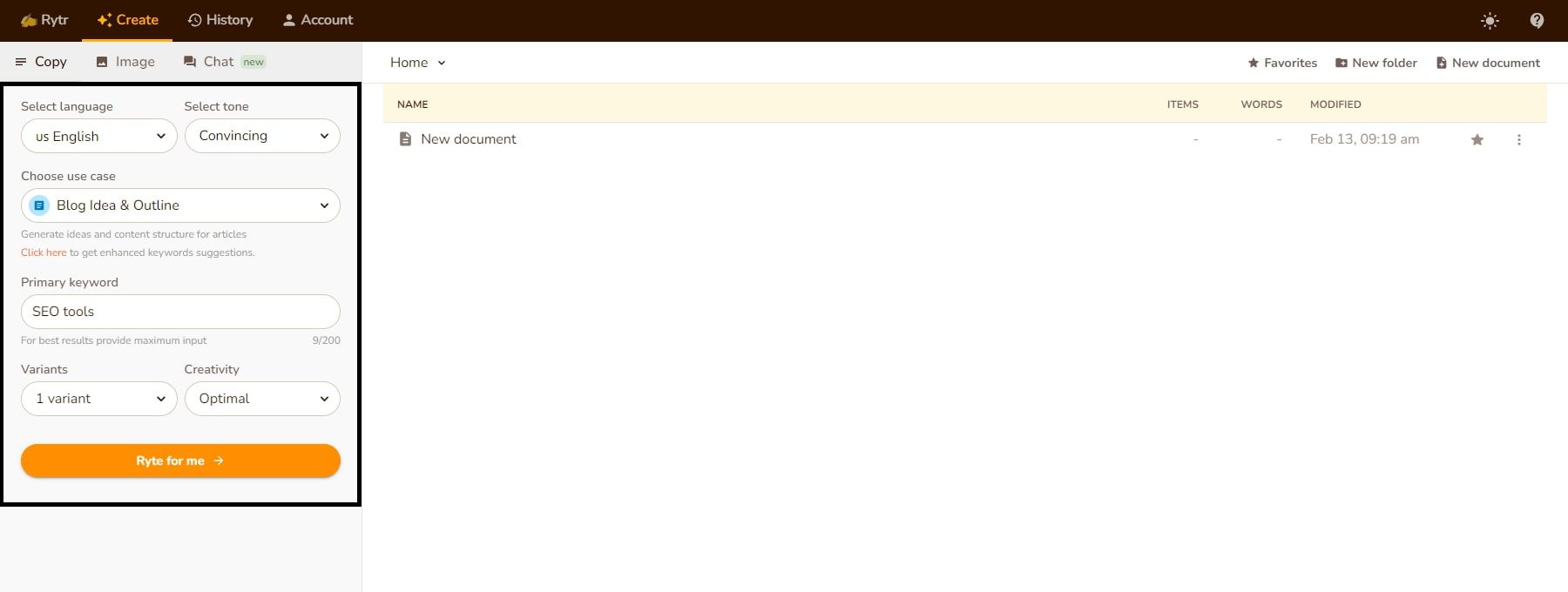
Rytr is a general-purpose AI writing assistant that happens to be excellent at short-form copy like bios. Its headline strength is one of the most generous free tiers in this category: 10,000 characters per month, enough to generate dozens of variations and experiment freely before you think about paying.
What makes it useful for bios is the control. Rytr offers 20+ tones of voice, from playful to formal, across 40+ use cases, so you can match a bio to your audience instead of settling for generic output. A built-in plagiarism checker and basic formatting mean the text is usually ready to publish across LinkedIn, X, Instagram, or a personal site with light editing. The trade-off is that Rytr is not bio-specific, so it will not automatically respect a platform's character count the way a dedicated social tool does, and you sometimes trim the result yourself.
RYTR AT A GLANCE
| Free tier | 10,000 characters per month (about 1,500 words), no credit card |
| Best for | A generous free allowance and fine tone control |
| Platforms | General output for LinkedIn, X, Instagram, and personal sites |
| Languages | 30+ on paid plans (the free plan is limited to one language) |
| Tone and style | 20+ tones across 40+ use cases |
| Signup | Free account required |
| Paid from | Saver $9/mo (100,000 characters); Unlimited $29/mo |
| Standout | Built-in plagiarism checker on every plan, including free |
BEST FOR A large, flexible free allowance and fine-grained tone control.
WATCH FOR Generic output if you skip the platform and length; multi-language sits behind paid plans.
BioGPT
PURPOSE-BUILT FOR SOCIAL BIOS
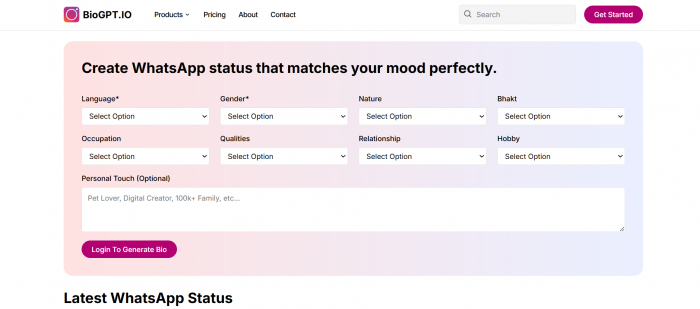
BioGPT takes the opposite approach to a general writer: it is purpose-built for social media. Where most tools give you one box and hope for the best, BioGPT offers dedicated generators for each network, including Instagram, Facebook, X (Twitter), LinkedIn, TikTok, WhatsApp, and Snapchat, so the output is shaped around each platform's conventions and limits from the start.
Its standout data point is the free plan. BioGPT's Basic tier is permanently free and includes unlimited bios across all of those platforms, with no monthly character cap on the core bio generator. For anyone who wants a strong bio, or several to test, without rationing credits, that beats word-limited rivals. It also supports multiple languages, so non-English bios are handled natively rather than as an afterthought.
BioGPT positions itself as a wider social assistant, not a single trick. Beyond bios it generates post suggestions, captions, bio, profile descriptions, and username ideas, which makes it a logical home base when your bio is one part of a regular posting routine. It is already trusted by more than 5,000 users worldwide. In practice, you pick the network, type a few details about yourself or your brand, and get several ready-to-paste options shaped for that platform's length and style.
BIOGPT AT A GLANCE
| Free tier | Unlimited bios on the Basic plan, $0 per month |
| Best for | Platform-specific social media bios, generated in bulk |
| Platforms | Instagram, Facebook, X, LinkedIn, TikTok, WhatsApp, Snapchat |
| Languages | Multiple, with native multi-language output |
| Tone and style | Output tuned per network; also does captions, hashtags, and usernames |
| Signup | Free account required |
| Paid from | Standard $15/mo; Advance $35/mo |
| Standout | A separate generator for each social network, plus unlimited free bios |
BEST FOR Bios tailored to a specific network, plus unlimited free generations.
WATCH FOR The free tier centers on bios; captions, hashtags, and post tools sit on the paid plans.
Copy.ai
BEST FOR BRAND VOICE
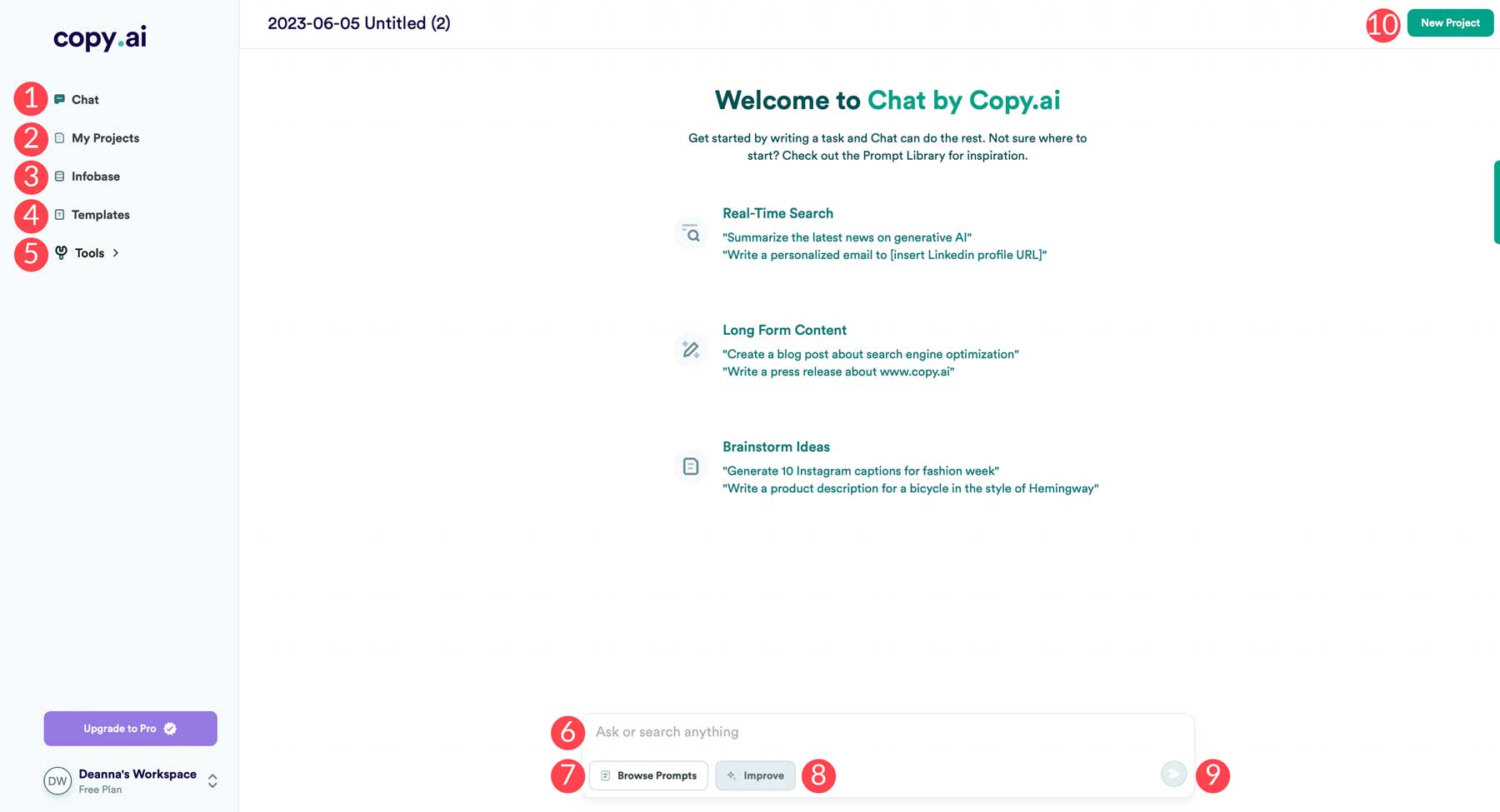
Copy.ai is one of the most established names in AI copywriting, and its bio generator benefits from that pedigree. The free plan gives you roughly 2,000 words per month plus access to 90+ writing tools and templates, with no credit card required to start. For light bio use, that is comfortable.
Where Copy.ai pulls ahead is consistency at scale. Its Brand Voice feature can be trained on your existing content so that every bio and caption sounds like you, which is valuable for a company profile or several accounts that need to feel coherent. On paid plans it supports 95+ languages, a strong fit for international teams. The catch is that Copy.ai is built for marketers and teams more than a one-off personal bio, and the most powerful features sit on the Pro plan at around $49 per month. Copy.ai has also revised its pricing several times in 2026, so confirm the current free allowance before relying on it.
COPY.AI AT A GLANCE
| Free tier | About 2,000 words per month and 90+ tools, no credit card |
| Best for | On-brand bios and marketing copy at scale |
| Platforms | General output plus social and bio templates |
| Languages | 95+ on paid plans |
| Tone and style | Trainable Brand Voice (mainly on paid plans) |
| Signup | Free account required |
| Paid from | Pro around $49/mo (about $36/mo billed annually) |
| Standout | Brand Voice trained on your own existing content |
BEST FOR Marketers and small teams who want on-brand bios alongside broader content.
WATCH FOR A modest free word cap and a steep jump to paid pricing.
QuillBot
BEST FOR STUDENTS & PROS
QuillBot built its reputation as a paraphrasing and editing powerhouse, used by more than 35 million people and holding a 4.8 out of 5 rating on Trustpilot across 12,000+ reviews, among the highest in the AI writing space. Its dedicated bio generator quietly carries that credibility forward.
The headline is simple: QuillBot's bio generator is completely free and unlimited, with no premium upgrade required. You can generate as many bios as you like for LinkedIn, Instagram, X, resumes, and more, and it adapts tone and length to each context. For a student polishing a profile or a job seeker writing a resume summary, that mix of zero cost and unlimited use is hard to beat.
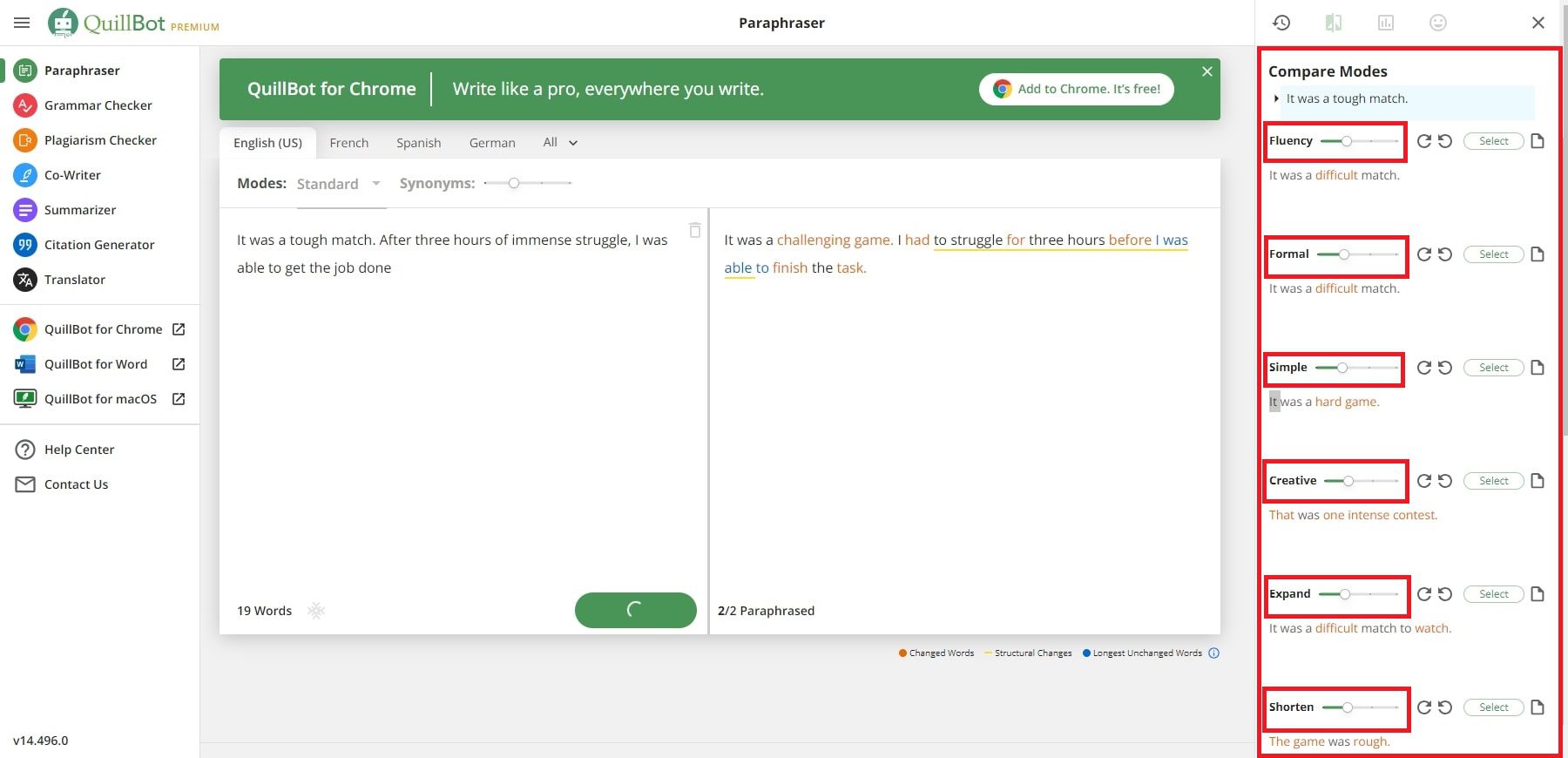
The real advantage is the surrounding suite. QuillBot pairs the bio generator with a paraphraser, grammar checker, summarizer, citation generator, and a translator covering 50+ languages, so you can generate a bio and then refine the wording and grammar without leaving the platform. The wider suite has free limits, with paraphrasing capped around 125 words for example, and Premium runs roughly $100 per year, but none of that affects the bio generator itself. In practice, it is the natural choice if you are already pasting text into QuillBot to paraphrase or check grammar, since the bio tool sits in the same workspace.
QUILLBOT AT A GLANCE
| Free tier | Unlimited bios from the dedicated tool, completely free |
| Best for | Students, job seekers, and working professionals |
| Platforms | LinkedIn, Instagram, X, and resumes |
| Languages | Translator across the suite covers 50+ |
| Tone and style | Adapts tone and length to the chosen context |
| Signup | Free to use; a free account unlocks more of the suite |
| Paid from | Premium around $100 per year (about $8.33/mo annually) |
| Standout | A full writing suite: paraphraser, grammar, plagiarism, and citations |
BEST FOR Students, job seekers, and professionals who want unlimited free bios plus editing tools.
WATCH FOR It leans professional, so it is less suited to playful, emoji-heavy social bios.
Simplified
BEST ALL-IN-ONE
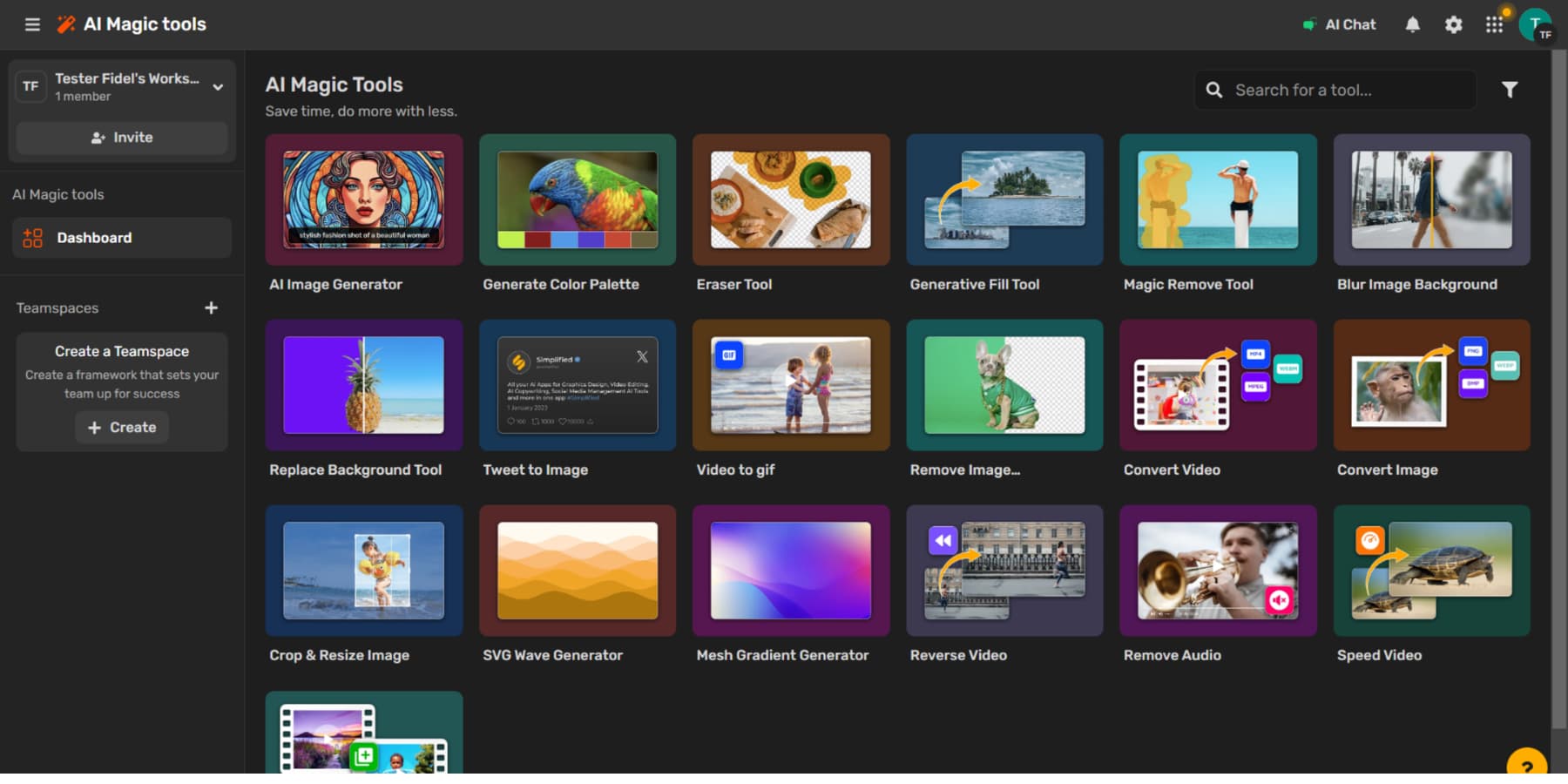
Simplified rounds out the list as the most versatile option. It is an all-in-one content platform, used by more than 10 million creators, that bundles a bio generator alongside design, video, and social scheduling tools. The bio generator runs on a Free Forever plan, supports multiple languages and tone selection, and tailors output to your chosen platform.
The appeal is the workflow. With Simplified you can write a bio, design a matching profile graphic, and schedule the post that announces the refresh, all in one place. For creators and small businesses who would otherwise juggle several apps, that saves real time. Its AI Writer supports 20+ languages and includes a plagiarism checker for longer content. Because Simplified does so much, the bio generator is one feature among many rather than the main event, so a focused tool will feel faster if bios are all you need.
SIMPLIFIED AT A GLANCE
| Free tier | Free Forever plan with credits for the AI Writer and design tools |
| Best for | Bios as part of an all-in-one design and social workflow |
| Platforms | Social profiles and websites |
| Languages | 20+ in the AI Writer |
| Tone and style | Tone selection plus multiple writing styles |
| Signup | Free account required |
| Paid from | Around $18/mo on a credit-based plan (rises with usage) |
| Standout | Bio writing, graphic design, and post scheduling in one app |
BEST FOR Creators and small businesses who want bios inside one design-and-social toolkit.
WATCH FOR The breadth can feel like more than you need for a single bio, and credits get shared across features.
Free vs paid: when does upgrading pay off?
For a one-off bio, every tool on this list does the job for free, so there is rarely a reason to pay. The free tiers exist precisely because a bio is short, and short-form text is cheap to generate. If you write a profile, copy it across, and move on, stay on the free plan.
Paying starts to make sense when bios are part of a bigger, repeating workload. If you manage several accounts and need a consistent voice, Copy.ai's Brand Voice earns its keep. If you generate short-form content every day, Rytr's Saver plan removes the character meter for about $9 a month. If captions, hashtags, and post ideas matter as much as the bio itself, BioGPT's paid tiers bundle them together. And if you live inside long documents that also need editing, QuillBot Premium adds unlimited paraphrasing and a plagiarism checker.
A simple rule keeps you from overspending: let the free plan prove the output quality first, then upgrade only once you can name the specific limit that is slowing you down, whether that is a word cap, a missing language, or a feature like brand voice.
Match the tool to your goal
There is no single best tool here. The right pick depends on what you are actually trying to do, so use this as a shortcut.
PICK BY WHAT YOU ARE TRYING TO ACHIEVE
| YOUR GOAL | BEST PICK | WHY |
|---|---|---|
| Platform-perfect social bios, free and unlimited | BioGPT | Dedicated per-network generators and an unlimited free tier |
| The biggest flexible free allowance and tone control | Rytr | 10,000 characters per month and 20+ tones |
| On-brand copy for a business or multiple accounts | Copy.ai | Trainable Brand Voice and 95+ languages |
| Unlimited free bios plus editing and proofreading | QuillBot | Free, unlimited bios inside a full writing suite |
| Bios plus design and scheduling in one app | Simplified | Bio generator bundled with design and social tools |
Seven tips for a bio that converts
AI gives you a strong first draft, but these principles turn a generic bio into one that earns follows and clicks.
1. Lead with value, not your job title. Say what you do for people, not just what you are called.
2. Include one specific, credible detail such as a number, a result, or a recognizable name, to build instant trust.
3. Match the platform. A LinkedIn bio and a TikTok bio should not read the same. Respect the tone and the character limit.
4. Add a clear next step. Tell visitors what to do: follow, DM, or tap the link.
5. Cut filler ruthlessly. Every word competes for limited space, so remove anything that does not add meaning.
6. Keep your voice. Use the AI draft as a base, then edit until it sounds like a real person (you).
7. Refresh it regularly. Your bio should evolve as your focus and accomplishments do.
The verdict
Every tool here can produce a solid bio for free, so the real question is fit. Rytr offers the most generous free allowance, BioGPT focuses on platform-specific social bios, Copy.ai keeps a business on-brand, QuillBot pairs unlimited free bios with a full editing suite, and Simplified folds bio writing into an all-in-one design workflow.
The best approach is to shortlist the two that match your goal, run your own details through each, and keep whichever output sounds most like you. Your bio is small, but the right one punches well above its character count.