

Table of Content
- The problem Instagram quietly creates
- What indown.io is, in plain terms
- What you can download
- How to download something, step by step
- Testing it: downloading a Reel from start to finish
- Output quality and the watermark question
- Speed, reliability, and the rough edges
- When a download fails: quick fixes
- Is it safe?
- Who it is for, and who it is not
- Alternatives worth knowing about
- The bottom line
AT A GLANCE
| Cost | Free, supported by on-page ads |
| Account | None required for public posts |
| Output | MP4 or JPG with no username watermark |
| Quality | Original upload quality, no re-compression |
| Content | Public posts only |
| Devices | Any browser on phone, tablet, or computer |
The problem Instagram quietly creates
Instagram is built for scrolling, not for keeping. You can like a post, bookmark it, or leave a comment, but none of that puts a real file on your device. The bookmark only saves a post inside the app, where it stays locked behind your login and vanishes the moment the creator deletes it.
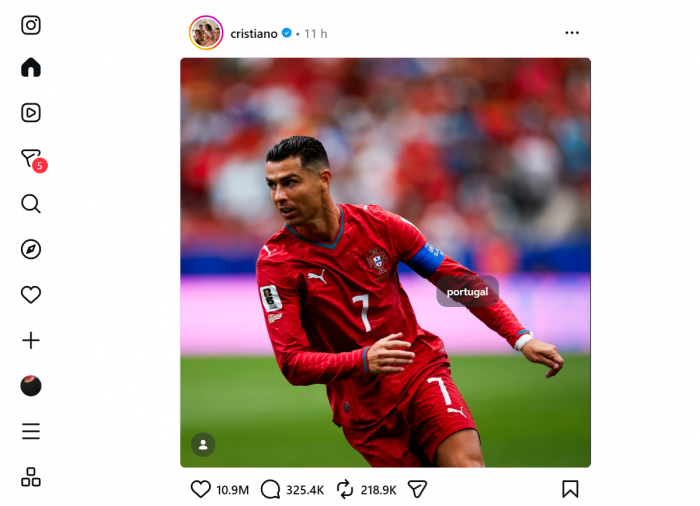
Even Instagram's own Reel save comes with strings. Every file carries a watermark with the creator's handle, and Reels built on licensed music often arrive silent. That gap is why third-party downloaders exist.
Indown.io is one of the most widely used. This guide tests whether it earns the attention, including a Reel downloaded from start to finish.
What indown.io is, in plain terms
Indown.io is a free, browser-based tool for saving public Instagram content. There is nothing to install and no account to create. You copy a post's link, paste it into a box, and it hands back a clean file, usually an MP4 or a JPG, with no username overlay.

It reads a public post the same way Instagram's own web player does, so it never touches your account and only sees what is already public. That no-login design is the biggest trust signal in this category, because a tool that never asks for a password cannot leak one.
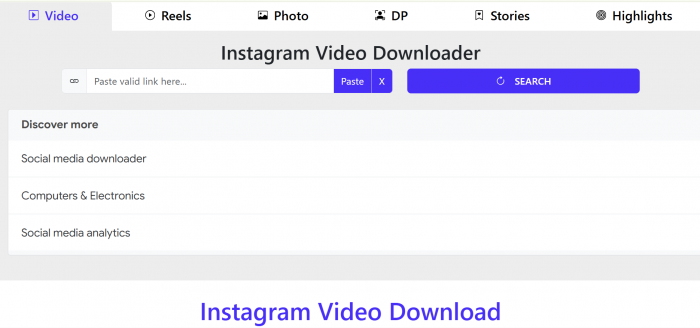
One thing to be clear about: indown.io is an independent service, not run by Instagram or Meta, and it is a downloader rather than an editor or a posting app.
What you can download
Most people come for one thing, usually a Reel, but indown.io handles all of Instagram's main formats. Each one has its own simple page:

• Reels: the headline feature, and also the least consistent.
• Feed videos: standard posts and longer clips.
• Photos and carousels: grab a single slide or the whole set.
• Stories and Highlights: public only, and gone after 24 hours.
• Profile pictures: the most reliable function of all.
Stories are a common reason to use it, since they disappear after twenty-four hours. Carousels come slide by slide, so you can take one image or the whole set without screenshotting.
A NOTE ON PRIVATE DOWNLOADS There is also a page that promises private downloads, and I would set expectations carefully. Independent testing finds it usually loops you through redirect pages without delivering a file, and there is no credible evidence it can reach private posts. Reaching private content is a line nobody should try to cross, so treat that feature as marketing. |
How to download something, step by step
It works the same on phone, tablet, and computer, and takes under a minute. The only step people fumble is copying the right link.
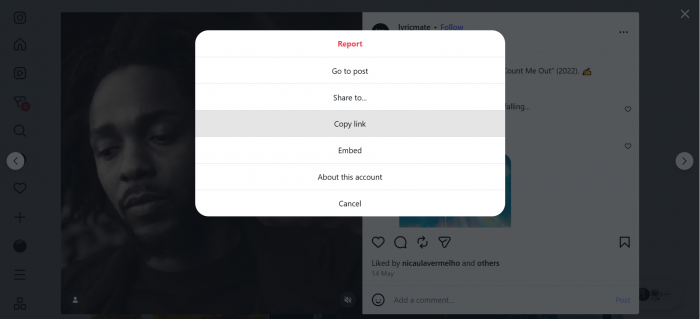
1. Copy the link. In Instagram, open the Reel, video, photo, or Story, tap the three-dot menu or share icon, and choose Copy Link.
2. Paste it in. Open indown.io in any browser and paste the link into the box. It fetches the post and prepares a download by itself, usually in a few seconds.
3. Press download. The file lands in your Downloads folder or gallery. It defaults to the highest-quality source, so there is nothing to configure.
Where the file lands depends on your device. On a computer it goes to Downloads, and on Android usually your gallery. On iPhone, Safari may open the video first, so tap Share, then Save to Files, then move it into Photos.
Testing it: downloading a Reel from start to finish
I ran one public Reel through the whole process and timed each stage. The Reels page is both the most popular feature and the one most likely to be inconsistent, so it is the fair thing to test.
Tested: one public Reel, mobile browser, timed from copy to playback.
1. First, the link. I opened a public Reel, tapped the three-dot menu, and chose Copy Link. This was the only part that needed my hands.
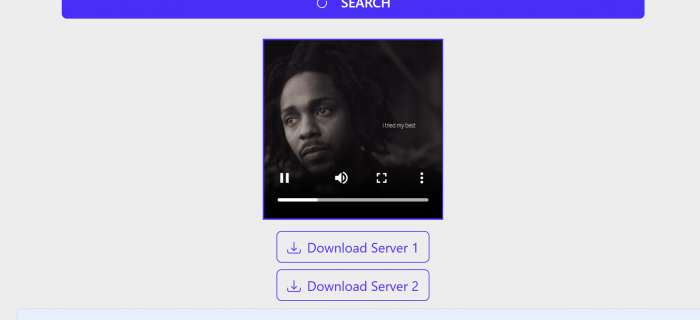
2. Next, the paste. I opened indown.io in a mobile browser and pasted the URL. It recognized the link right away, and within three to four seconds a preview and a clear Download button appeared. No menus, no resolution choices to second-guess.
3. Then, the download. I pressed the button. An ad briefly surfaced, then the file resolved and saved to the device. Smaller clips were close to instant, while a longer Reel took a few extra seconds.
4. Finally, the playback check. I opened the saved file. Audio and video were both intact, the username overlay was gone, and the resolution matched the original. Start to finish, it came in under a minute.
One fair note: it is smooth when it works, but the Reels page is where occasional failures show up, usually after Instagram changes something. A link that fails once often works on a second try, so retry before assuming it is broken.
Output quality and the watermark question
When a download lands, the quality is good, for a simple reason: indown.io passes the original file through untouched instead of re-compressing it. A Reel posted in 1080p comes down in 1080p, and the audio stays intact.
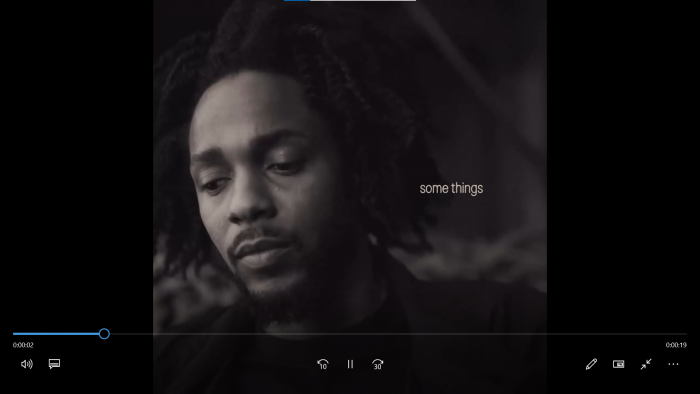
That last point matters, because Instagram's own Reel save can strip licensed music. Older or already-compressed uploads will still arrive smaller, since the tool can only return what was posted.
The other headline is the watermark. Files come without the username overlay that the in-app save stamps on, so the clip keeps its original look. That is handy for a personal archive, though it raises a responsibility question covered below, since removing attribution does not remove a creator's rights.
Speed, reliability, and the rough edges
Speed is rarely the problem. On a normal connection most links resolve in a few seconds, and only longer video makes you wait. Pages load quickly and stay responsive, unlike older downloader sites that push you through several redirect pages first.
TYPICAL SPEED BY CONTENT TYPE
| CONTENT TYPE | TIME TO DOWNLOAD | NOTES |
|---|---|---|
| Profile picture | About 1 to 2 seconds | The smallest fetch, close to instant. |
| Single photo | About 2 to 3 seconds | Fast and consistent. |
| Photo carousel | About 3 to 4 seconds | Each slide is offered separately. |
| Reel | About 3 to 4 seconds | Matches the hands-on test above. |
| Story | About 3 to 5 seconds | Public Stories only. |
| Feed video | About 3 to 6 seconds | Scales with the length of the clip. |
| Longer video | About 6 to 10 seconds | The main thing that makes you wait. |
Approximate time from pasting a link to a working download button, on a normal connection. Based on hands-on testing; older or compressed uploads vary.
Reliability is the honest weak point. Downloads occasionally fail, the Reels page especially, usually when Instagram changes something the tool has to catch up with. There is also no bulk option, so it is one link at a time.
None of this is unique to indown.io. It is typical of the whole category, which is part of why no single downloader owns the space.
Mobile versus desktop
This is where indown.io quietly earns goodwill. Many browser-based downloaders fall apart on phones, with cramped buttons and layouts that overflow the screen. Indown.io is better tuned for mobile: pages load fast, the input box and button stay within thumb reach, and nothing demands pinching or awkward scrolling.
That matters, since most Instagram browsing happens on a phone. The desktop experience is just as simple, with files dropping neatly into Downloads, but mobile is what most people will use day to day, and it holds up.
When a download fails: quick fixes
Most problems have a simple cause. Run through these before assuming the tool is broken.
- The download button never appears. The post is probably private, or the link is wrong. Make sure you copied it from Instagram's share menu (Copy Link), not from your browser's address bar, and that the account is public.
- A Reel returns the wrong clip or the wrong media. This is a known Reels quirk that shows up after Instagram changes something. Refresh the page, re-paste the link, and try again in a minute.
- The Reel just won't download. Retry once or twice. A link that stalls on the first attempt often works on the second, since the tool is catching up to an Instagram change.
- On iPhone, the video opens instead of saving. Tap Share, then Save to Files or Save Video, then move it into your Photos app.
- A Story won't download. It has likely expired, Stories are public-only and vanish after 24 hours, or the account is private. Only live, public Stories can be fetched.
- Too many pop-ups and redirect tabs. Close the extra tab without clicking anything; the real download stays on the original page. A pop-up blocker cuts most of the noise.
Is it safe?
Safety and legality are two separate questions, and lumping them together is how people get into trouble. It helps to take them one at a time.
On safety, the biggest point in its favor is that public downloads never ask for your Instagram login. Credential theft is the worst risk with shady downloaders, and a tool that only needs a copied URL sidesteps it entirely.
| DOES THE CREATOR KNOW YOU DOWNLOADED IT? No. Instagram does not notify anyone when you save a public Reel, photo, or Story through a third-party tool. Indown.io reads the post the same way the public web player does, so it never touches the creator's account or yours, and there is no "downloaded by" alert. The screenshot notification people worry about is a separate feature that only applies to disappearing photos and videos sent inside a private DM, not to public posts. |
|---|
As for reputation, the honest answer is that the big review platforms have little to say, so the real signal comes from the App Store and from automated safety scanners. Here is how it lines up:
REVIEWS AND REPUTATION ACROSS PLATFORMS
| SOURCE | RATING | SCORE | WHAT IT TELLS YOU |
|---|---|---|---|
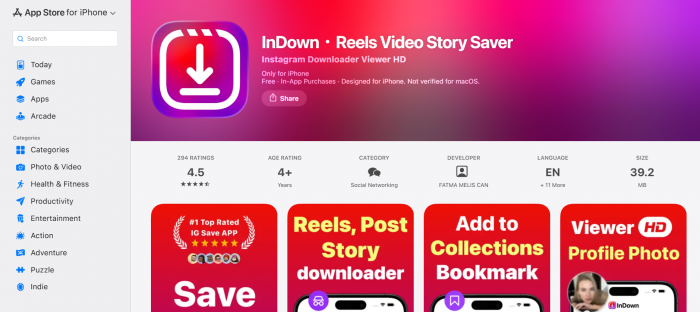
| Apple App Store | ★★★★½ | 4.5 / 5 (294) | User reviews of the companion app, and broadly positive. The strongest direct signal. |
| GridinSoft scan | ★★★★★ | 99 / 100 | Automated safety check. Rated legitimate, with a well-established domain. |
| MalwareTips scan | ★★★★½ | 85 / 100 | Automated security scan. Clean across 92 antivirus and blocklist engines. |
| Scam Detector | ★★★☆☆ | 58.9 / 100 | The cautious outlier. Flags the downloader category by heuristic, not confirmed fraud. |
| Trustpilot | Not rated | No reviews | A profile exists, but nobody has reviewed it yet. |
| G2 and Capterra | Not rated | Not listed | These directories cover paid business software, not free consumer tools. |
Stars normalize each numeric score to a 5-point scale for comparison. App Store stars are user reviews; scanner scores are automated safety and trust checks, not user ratings. Figures shift over time.
Two things stand out. The domain has been live since 2022, sits behind Cloudflare, and is clean across the major security engines, and the single cautious score is a heuristic flag for the category rather than evidence of fraud. The recurring complaints elsewhere are functional, not fraud: pop-up ads, redirect tabs, and Reels that sometimes return the wrong media.
THE ONE RULE WORTH KEEPING Confirm you are on the real indown.io rather than a lookalike domain, and never enter your Instagram password into any third-party tool. |
Free, but understand how
Indown.io is free, with no charge for public downloads and no usage cap advertised. That holds up, with two footnotes.
First, free downloader sites pay the bills with ads, so expect some ad units and the occasional pop-up on the way to your file. The load is usually tolerable rather than aggressive, and it is the trade for never being asked to pay or register.
Second, the mobile app is a separate matter from the website, so check the app store for in-app purchases rather than assuming the free status carries over.
Copyright and using it responsibly
A downloader is just a tool, and the responsibility for how it is used sits with you. Downloading a clip transfers no ownership, and a missing watermark does not erase the creator's rights.
The rule is simple: keep downloads to personal use, like saving a clip to watch offline. If you plan to repost, remix, or use something commercially, ask the creator first and credit them. Public does not mean unowned.
Who it is for, and who it is not
It comes down to what you need. The split below is the honest summary, and the tool sits firmly on one side of it.
| A STRONG FIT IF | A WEAKER FIT IF |
|---|---|
• You want a clean, watermark-free copy of a public post in under a minute. • You are on a phone and would rather not install an app or hand over a login. • You already have the link and just want the file, fast. | • You need to download many posts in bulk. • You are hoping to reach private content. • You want a full editing or social media management suite. |
If your needs are on the right, you are better served elsewhere. If they are on the left, indown.io does that job well and gets out of your way.
Alternatives worth knowing about
Indown.io does its core job well, but it is one link at a time and public-only. If your needs sit outside that, a few other tools cover the gaps. All of them are still third-party, so the same rules apply: stick to public content, expect ads, and never enter your Instagram password.
| TOOL | TYPE | BEST FOR | KEEP IN MIND |
|---|---|---|---|
| 4K Stogram | Desktop app | Bulk and batch downloads, archiving whole profiles | It is an install, not a paste-a-link site, and the full version is paid. |
| SnapInsta | Browser tool | A near-identical fast, no-login web alternative | Ad-heavy, and shares the same occasional Reels failures. |
| SaveInsta | Browser tool | Reels, videos, and photos in original quality | Same public-only limit and pop-up trade-off. |
| iGram | Browser tool | Multi-platform (also TikTok and other networks) | Broad rather than deep; interface pushes ads. |
If you regularly need to save many posts at once, a desktop app like 4K Stogram is the honest answer, since no paste-a-link site handles bulk well. For everything else, a browser tool like indown.io is faster because there is nothing to install.
The bottom line
THE VERDICT Indown.io is a competent, free, no-login downloader that does its core jobs well and produces clean files at original quality when a download succeeds. Its weaknesses are real too: an inconsistent Reels page, no bulk option, and ads. In the Reel test it delivered a watermark-free file with intact audio in under a minute, with a quick retry the only fix when a link stalled. Treat it as a simple link-based tool, stick to public content and personal use, and it is a reliable way to pull a clip off Instagram and onto your device. |