

Table of Content
4.0 / 5 ★★★★☆ Solid for image generation, held back by the video paywall. |
TESTED Text-to-image | COULDN'T TEST Video (no tokens) | SIGN-UP FRICTION None | VERDICT 4.0 / 5 |
The setup
Most AI art tools make you earn your first image: an email confirmation here, a verification code there, a paywall before you have drawn a single pixel. Frosting AI did almost none of that. I clicked the site, picked log in over just browse, and was inside before I had finished bracing for a one-time passcode that never came.
What follows is not a spec sheet rephrased into prose. It is a single, honest run through the product, every screen I actually touched, in the order I touched it, ending with a score that reflects this exact session and nothing I did not see.
At a glance: the session, summarized
| STAGE | WHAT I DID | HOW IT FELT |
|---|---|---|
| Entry | Chose log in over browsing as a guest | Smooth, logged in instantly |
| Onboarding | Picked an art style: Furry, Anime, or Photorealistic | Clear, three obvious lanes |
| Setup | Selected a model, then an aspect ratio | Good, real control |
| Generate | Ran a text-to-image portrait prompt | Nice result, faintly AI-looking |
| Video | Tried video generation | Blocked, no tokens available |
METHODOLOGY This is an n=1 hands-on, not an aggregate benchmark. The score later is built from these five stages, weighted by how much each one matters to someone who just wants to sit down and make art. |
Five screens, start to finish
Logging in (or not bothering to)
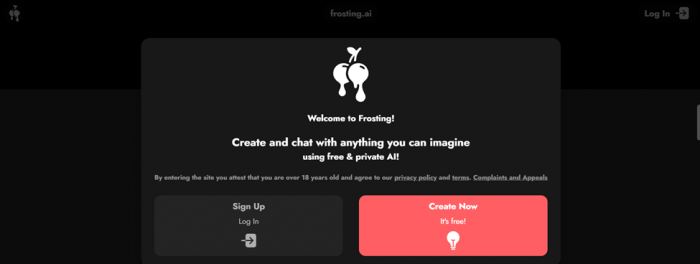
The front door gives you a fork: log in, or just go through it as a guest. I chose to log in, and it simply let me in. No one-time passcode, no email round-trip, no check-your-inbox detour. For a creative tool, that frictionlessness is a genuine pleasure. Worth noting the flip side, purely as an observation: an instant login with no verification step is convenient, but it is a lighter touch on account security than some people will expect.
What kind of art do you want to make?
The very first question. Three lanes, no ambiguity:
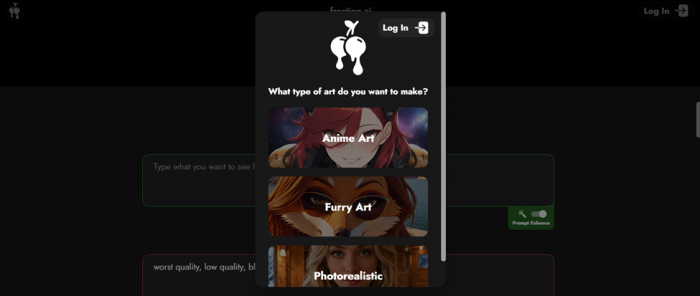
• Furry art, for the character and anthro crowd
• Anime art, stylized and illustrative output
• Photorealistic art, what I went with
Splitting the experience by intent up front is smart. Rather than dumping every knob on you at once, it routes you toward models tuned for the look you actually want.
Picking a model, then an aspect ratio

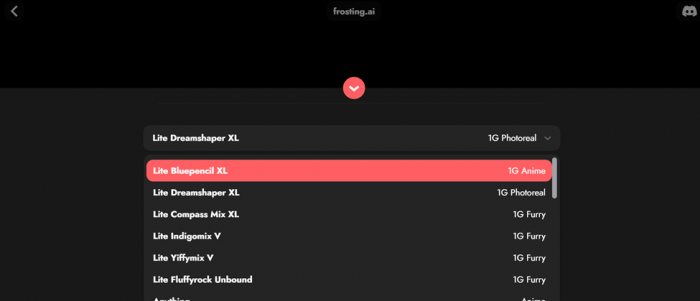
From there I landed on a list of models, chose one, and moved to an aspect-ratio selector. This is the part that separates a toy from a tool: you are not stuck with one engine and one square output.
The text-to-image test
Here is the actual recipe I cooked with, prompt and negative prompt, exactly as entered:
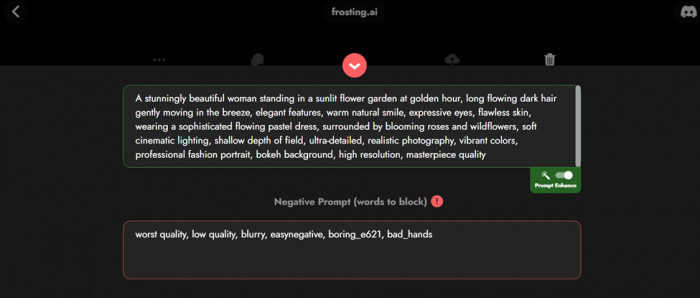
PROMPT A stunningly beautiful woman standing in a sunlit flower garden at golden hour, long flowing dark hair gently moving in the breeze, elegant features, warm natural smile, expressive eyes, flawless skin, wearing a sophisticated flowing pastel dress, surrounded by blooming roses and wildflowers, soft cinematic lighting, shallow depth of field, ultra-detailed, realistic photography, vibrant colors, professional fashion portrait, bokeh background, high resolution, masterpiece quality NEGATIVE PROMPT worst quality, low quality, blurry, easynegative, boring_e621, bad_hands |
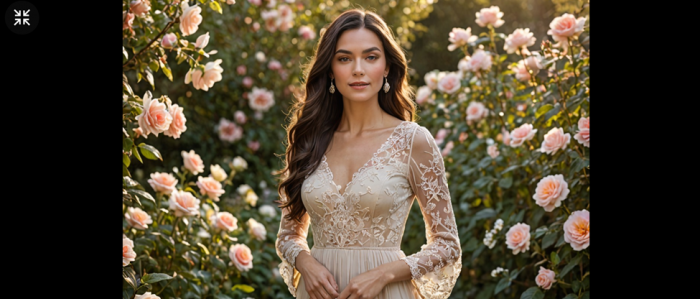
The verdict on the output: nice. Genuinely pleasant: the golden-hour lighting landed, the depth of field read as intended, the composition held together. It still carried that faint, tell-tale AI sheen (the slightly-too-perfect skin, the uncanny polish you learn to spot), but as a one-shot result from a single prompt, it was a good showing.
WORTH KNOWING That a full negative prompt was respected, including community tags like easynegative and boring_e621, signals this is built on a Stable-Diffusion-style stack that rewards prompt craft. Power users will feel at home. |
The video wall
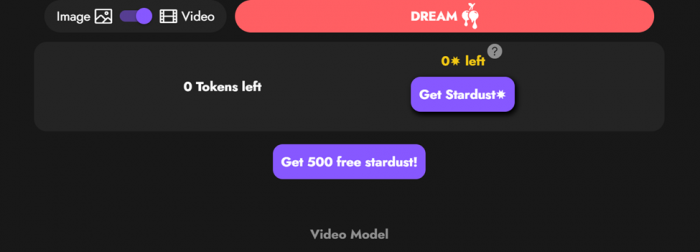
Image generation went well enough that I wanted to push further into video generation, and this is where the run ended. I had no tokens available for video, so I could not try it at all. That is the one genuinely deflating moment of the session: the feature is visible, dangled, and then gated. For an evaluation run it is a hard stop; for a casual user it is the nudge toward a paid plan.
THE CATCH Video sits behind a token economy that a fresh account does not appear to start with. Plan your budget before you count on motion. |
What Frosting AI can do
Underneath the simple front end, Frosting AI is a reasonably deep Stable-Diffusion toolkit. Here is what it actually offers, and where each piece bites.
| FEATURE | WHAT IT DOES | THE CATCH |
|---|---|---|
| Three style lanes | Furry, Anime, and Photorealistic, each routing your prompt to models tuned for that look | You choose the lane up front, not per image |
| Prompts and negatives | Positive and negative prompt fields with prompt-strength control; it honors community tags like easynegative and boring_e621 | Rewards careful prompts; vague ones drift |
| Model picker | Routes across Stable Diffusion, SDXL, and community checkpoints (Pony, Juggernaut and similar) by content type | It will not tell you which checkpoint is live, a snag for prompt engineers |
| Aspect ratios | Square, portrait, landscape, and widescreen, picked before you generate | A standard set, with no fully custom dimensions |
| Reference and editing | Image-to-image, reference-image style matching, ControlNet, and inpainting | Reserved for paid tiers |
| Batch and upscaling | Generate up to 16 images at once and upscale to higher resolution | Sits behind higher plans; cheaper tiers queue during busy hours |
| Video generation (beta) | Text-to-video on the upper tiers | Token and tier-gated (the wall I hit), and reviewers call the output basic next to dedicated video tools |
| DreamChat (beta) | An AI character-chat layer attached to the generator | Reviewers say it forgets a character's backstory within a few exchanges |
| Community and content | A Multiverse gallery and contests, plus an SFW or NSFW toggle in settings | Age-gated to 18+, and 21+ in Alabama, Mississippi, Nebraska, and Wyoming |
Plans and credits
Frosting AI runs a daily-credit freemium model. The free tier is unusually generous; paid tiers stack credits, speed, and the heavier tools. Exact figures vary between sources and change over time, so treat these as approximate.
| TIER | PRICE (APPROX) | WHAT IT ADDS |
|---|---|---|
| Free | $0 | Around 100 credits a day (roughly 25 to 50 images), standard models, no watermark on current tiers |
| Planet | about $7/mo | More daily credits and image upscaling |
| Star | about $25/mo | Batch generation and higher-resolution output |
| Nebula | mid-tier | ControlNet, reference-image input, inpainting, video beta, and priority over free users |
| Galaxy | about $120/mo | Maximum credits, fastest processing, and a priority support queue |
Annual billing takes roughly 20% off, and verified nonprofits get about 50% off. Confirm the current tiers on the Subscribe page; published prices vary by source.
Pros and cons
Pulling my hands-on session together with the consensus across independent reviews, here is the honest ledger, kept specific rather than generic.
Pros
• Near-instant sign-in: making art seconds after landing, with no email confirmation and no Discord
• Unusually generous free tier: roughly 100 credits a day, enough to test seriously before paying
• Real prompt control: positive and negative prompts, prompt strength, and respect for community tags like easynegative and boring_e621
• Style breadth that holds up: reviewers note the anime and furry lanes dodge the generic AI look
• A deep toolkit without an enterprise tier: aspect ratios, model picker, reference images, ControlNet, inpainting, batch up to 16, and upscaling
• Affordable entry at about $7 a month, with roughly 20% off annually and 50% off for nonprofits
Cons
• Video is gated and underwhelming: I had no tokens for it, and reviewers call the output basic next to dedicated tools
• Output still reads slightly AI: faintly too-perfect skin, and hands and faces that distort on complex prompts
• The quality ceiling is mid-tier SDXL, not FLUX class; named characters and text inside images are unreliable
• Half-baked extras: DreamChat forgets a character's backstory within a few exchanges
• Light security and dated fine print: instant login with no verification, and a privacy policy untouched since 2023
• Support friction: scattered billing and customer-support complaints, with help mostly routed through Discord
• Opaque models: it will not tell you which checkpoint is generating your image
What the wider web says
READ THIS FIRST Frosting AI is not listed on G2, Capterra, or Trustpilot. Those are business-software and verified-purchase platforms, and Frosting AI is a consumer art generator with a permissive adult-content policy, so it has no profile on any of them (a TrustedReviews-style directory even carries it with zero ratings). To keep this honest and still useful, the figures below come from the places that actually cover it: website trust scanners, independent hands-on reviews, and user forums. |
Trust and safety scanners
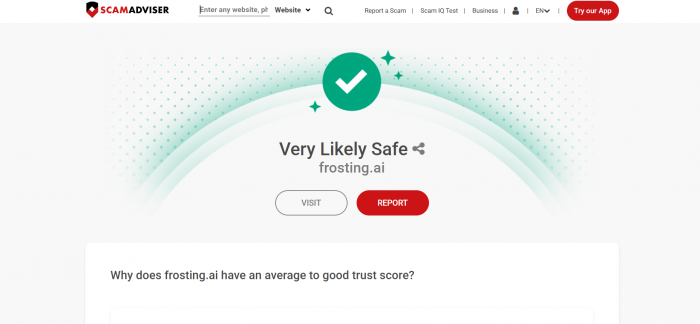
These are automated scores, not human reviews, and they openly disagree, which is normal for a tool in this niche. Treat them as a rough safety signal, not a quality verdict.
| SCANNER | SCORE / VERDICT | HOW TO READ IT |
|---|---|---|
| ScamAdviser | High, likely legit | Old domain, valid SSL, flagged as reliable |
| ScamDoc | 76%, rated Average | Says more checking is needed; domain owner hidden in WHOIS |
| Scam Detector | 24.7 / 100 | Auto-flagged suspicious, but these scanners flag many legit sites and upsell security tools, so weight it lightly |
Independent hands-on reviews
Plenty of reviewers have put real hours in. Their verdicts cluster around one idea: strong, affordable image generation, weaker on fine detail and on anything that is not image generation.
| SOURCE | VERDICT | WHAT THEY FLAGGED |
|---|---|---|
| Fritz AI | 4.5 / 5 | Fast, easy, affordable; does what it says on the tin |
| Plisio (2026) | Good but not great | Clean interface; hands distort in portraits |
| Scribe (2026) | Strong images, weak rest | Chat feature forgets context; queue waits on cheap tiers |
| ToolJunction | Accessible, affordable | Struggles with complex scenes and in-image text; basic video |
| Aiarty / Digiarty | Solid for casual use | Can feel laggy during batch generation |
| MobileAppDaily | Liked the style range | Anime and furry avoid the generic AI look |
Forum chatter lands in the same place. On the AllInsider community, users call it probably legit and genuinely useful, but with scattered complaints about billing and customer support, so the common advice is to read the pricing terms closely before subscribing.
ONE DATA POINT WORTH KNOWING Per Similarweb figures cited across reviews, Frosting AI drew roughly 235,800 visits in March 2026, down about 43% from around 411,000 the previous quarter. The audience skews heavily male and 18 to 24, and most visits are direct rather than from search, which points to a loyal returning base rather than a tool living on SEO. |
Alternatives to consider
If Frosting AI is not the right fit, here is how a few mainstream image generators compare. These are general-purpose tools, and most of them restrict adult content, so if a permissive content policy is the main reason you are looking at Frosting AI, weigh that against the quality and control these offer.
| TOOL | PRICING (APPROX) | BEST FOR | HOW IT COMPARES TO FROSTING AI |
|---|---|---|---|
| Midjourney | No free tier; from $10/mo | Top-tier artistic quality and photorealism | Sharper, more stylized output, but no free tier and it bills by GPU time |
| Leonardo AI | Free tier; paid from $12/mo | Fine control, character consistency, game and concept art | More creative controls and custom model training, plus a free tier; broader and less adult-permissive |
| DALL-E 3 (in ChatGPT) | Limited free; about $20/mo with ChatGPT Plus | Plain-language prompts and quick edits inside chat | Better at following everyday prompts, but fewer art-style presets and tuning knobs |
| Krea AI | Free tier; paid from $24/mo | Real-time canvas and many models in one place | Far more models and a live canvas, but pricier and has its own billing complaints |
| Stable Diffusion / Civitai | Free and open-source (self-host) | Maximum control, custom models, no content gate | Same engine family Frosting uses, but you run it yourself: total freedom, steep setup |
Prices verified June 2026 against each provider and are approximate; they change often, so confirm current rates on the official sites before publishing.
Scored from the inside
4.0 / 5 ★★★★☆
A confident image generator with a paywall-shaped gap. Frosting AI nails the part most tools fumble (getting you in and creating) and stumbles only where it asks you to pay to keep going. Four dimensions, each rated against this single hands-on session:
| DIMENSION | SCORE | NOTE |
|---|---|---|
| Onboarding and sign-in | 4.5 / 5 | Instant login and a clear three-style choice; loses half a point only on the no-verification flow |
| Models and customization | 4.5 / 5 | Model picker, aspect-ratio control, and full negative-prompt support, the real creative levers |
| Image output quality | 4.0 / 5 | Looked genuinely nice from one prompt; held back slightly by a recognizable AI sheen |
| Feature access and value | 3.0 / 5 | Video was visible but locked: no starter tokens meant a hard stop on a headline feature |
Final verdict: worth your first session, budget before your second
Based on the exact run I took, covering the instant login, the three-way style choice, picking a model and aspect ratio, the golden-hour garden portrait that came back looking good if a touch AI-polished, and the video feature I could not open because the account had no tokens, Frosting AI reads as a capable, low-friction image generator that is a genuine pleasure right up until the token economy taps you on the shoulder.
If you mainly want to generate stills, this is an easy, rewarding tool to recommend: you will be making art within seconds and shaping it with real controls. If video is the reason you came, go in clear-eyed: that door is closed until you pay to open it, and a fresh account will not get you through it. For what it is worth, that matches the wider web: independent reviews run from 4.5/5 at the enthusiastic end to “good images, half-baked everything else” at the critical end, which puts this 4.0 right in the middle.
4.0 / 5 Recommended, with one caveat Verdict based on one hands-on session. Text-to-image tested; video not tested (no tokens). |