


Table of Content
I've spent more hours than I'd like to admit staring at a blank caption box, wondering whether #marketing was going to do anything for a post or just sit there looking desperate. If you run social accounts for a living, or you're a creator trying to get seen without buying reach, you already know the feeling.
So this isn't a “top 15 tools, all amazing!” listicle. I picked four AI hashtag generators, looked at how they actually work, checked what real users say, and wrote down where each one earns its place and where it doesn't. Two are free (or free to start), two are paid. That's the whole list. No filler.
If you're in a hurry, there's a comparison table below, then the honest breakdown of each.
First, do hashtags even still work in 2026?
Yes, but not the way the 2019 growth-hacking blogs promised.
Hashtags today are one discovery signal among many. Platforms lean heavily on what your content is actually about (captions, on-screen text, audio, alt text) and how people engage with it. A pile of 30 generic tags won't rescue a weak post, and it can make you look spammy.
What still works is a small, relevant set: a mix of broad, niche, and community tags that match the specific post, not just your general niche. That's the real job these tools do. They help you brainstorm faster and dodge the overused, dead, or off-topic tags you'd otherwise reach for on autopilot.
Keep that expectation in mind as you read. A generator is a research assistant, not a magic reach button.
The four tools at a glance
| Tool | Best for | Free option | Paid pricing | Main limitation |
|---|---|---|---|---|
| All Hashtag | Fast, no-login brainstorming | Fully free | N/A | No real performance data |
| BioGPT.IO | Bios, captions and hashtags in one place | Free bio tools | $15/mo or $35/mo | Hashtags sit on the paid tier |
| Flick | Serious Instagram hashtag research | 7-day trial | $14 / $30 / $68 mo | Instagram-first; entry post cap |
| RiteTag | Real-time tags while you browse | 7-day trial | ~$49/yr (reports extra) | Focused on X and Instagram |
Pricing reflects each vendor's public listing in mid-2026. Confirm the current page before you commit, since these change.
Free And Freemium Picks
All Hashtag
Free
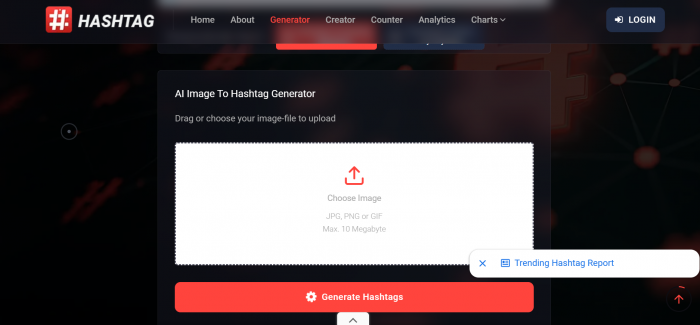
The “just give me tags right now” tool.
What it is. A completely free, browser-based generator. No account, no paywall at the last step. Type a keyword, hit generate, and it returns top, random, or live tags you can copy in bulk, plus a hashtag counter, creator, and light analytics.
Where it shines. Speed and zero friction. When you just need a starting set and don't want to log into anything, it delivers. It's also good for volume brainstorming: generate a big list, then hand-pick the 5 to 10 that actually fit.
Where it falls short. There's no meaningful performance data. It won't tell you whether a tag is overused, banned, or trending, so you're on your own to filter. As Brand24's 2026 roundup framed it, it's most useful when you don't yet know what to use, less so for analytics-heavy strategy.
Pricing. Free. No account, no paid tiers, and no usage caps.
Best for. Creators and small businesses who want a quick, free idea list and are happy to curate the results themselves. Skip it if you need to know which tags are actually driving reach.
BioGPT.IO
Freemium
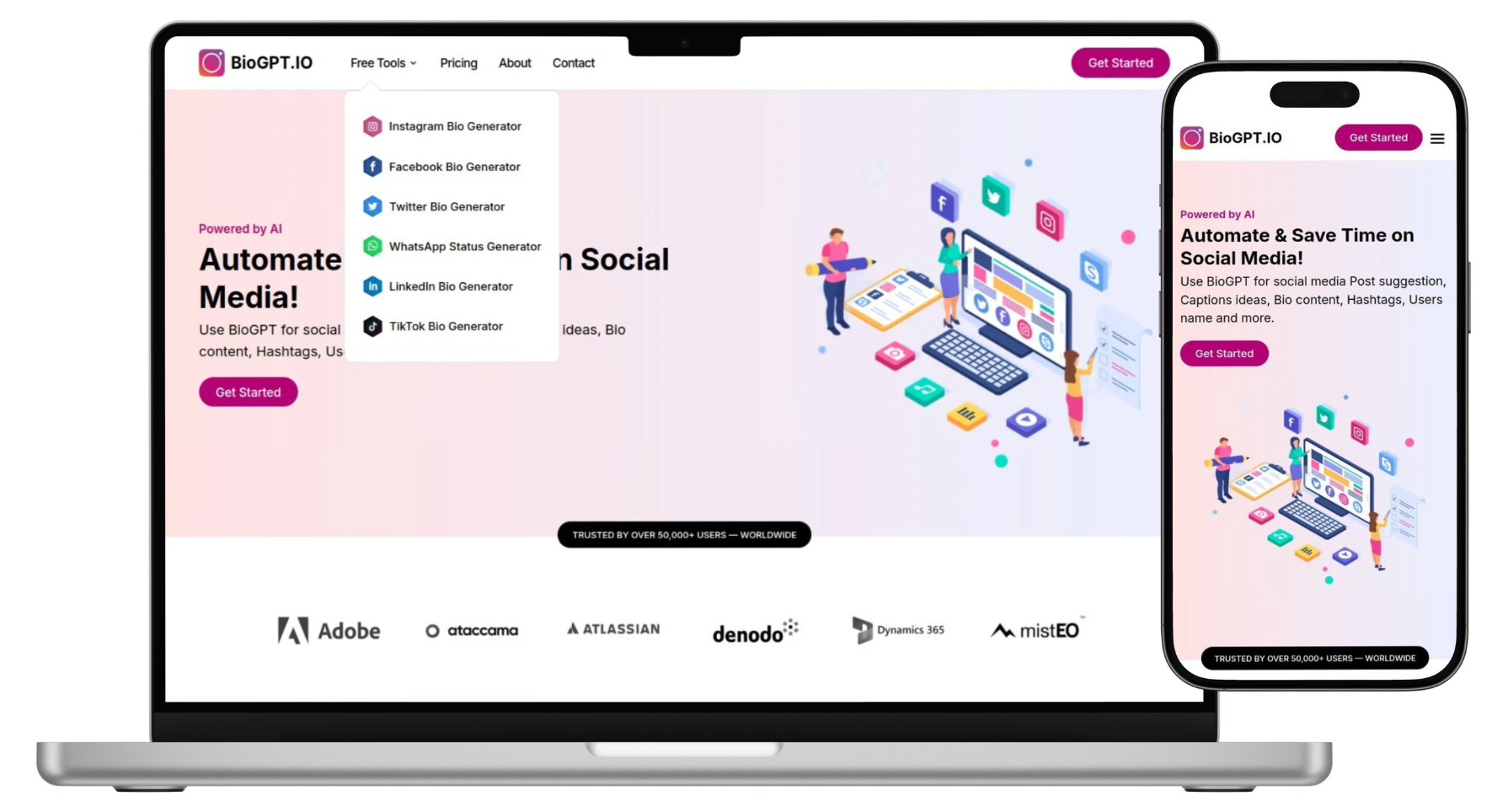
An all-in-one social copy assistant that also does hashtags.
What it is. A broader social-content tool. Its free tier is built around bio generators (Instagram, Facebook, X, TikTok, LinkedIn, WhatsApp) and it layers on captions, usernames, post ideas, and hashtags across multiple languages.
The honest bit on “free.” The bio tools are free and unlimited on the Basic plan. But hashtag and caption generation live on the paid Standard plan ($15/month), which includes 100 hashtag-idea credits. The $35/month Advance plan adds post suggestions, reel and video tools, and 5,000 API credits. So it's freemium, not free-for-hashtags. I'd rather tell you that upfront than have you hit the wall mid-task.
Where it shines. Consolidation. If you're juggling five tabs (one for the bio, one for captions, one for hashtags), having them in one place saves real time. Multi-language support helps mixed audiences, and the API credits on the top plan make it interesting if you want to wire hashtag generation into your own workflow or a small script.
Where it falls short. It's a copy assistant, not a hashtag analytics platform. No competition scores or reach estimates. Treat its output like a smart brainstorm you still need to sanity-check.
Pricing. Freemium, billed monthly:
● Basic: Free. Unlimited bio generators.
● Standard ($15/mo): 100 hashtag-idea credits, plus captions and usernames.
● Advance ($35/mo): Post suggestions, reel and video tools, and 5,000 API credits.
Best for. Solo creators who want captions, bios, and hashtags handled together and don't need deep metrics. Skip it if you only care about hashtags and want them free.
Paid Picks
Flick
Paid · 7-Day Trial

The one to beat for Instagram hashtag research.
What it is. Flick started as a pure Instagram hashtag tool and grew into a full suite (scheduling, analytics, and an AI assistant called Iris) covering Instagram, Facebook, TikTok, and LinkedIn.
Why it's here. The hashtag research. Instead of a flat list, Flick recommends tags based on your account size, sorts them by competition and relevance, and works across 20+ languages. You build balanced sets, save them as reusable groups, and track which ones move the needle.
What reviewers say. On G2, users repeatedly praise the hashtag research and ease of use. The recurring note is that it helps find the right mix of high, medium, and low competition tags. Independent reviews (SocialRails, Research.com) call the hashtag tooling the strongest part of the product. The common criticism: the AI caption writing is more of a starting point than a finished draft, and there's no X/Twitter support.
Pricing. Three tiers, with annual billing saving about 20%:
● Solo ($14/mo): about 30 scheduled posts and 4 profiles. Fine for one creator, tight for daily posting.
● Pro ($30/mo): higher caps for regular posting.
● Agency ($68/mo): team features and more profiles.
A 7-day free trial covers every plan, and Flick is an approved Meta and Instagram partner, which matters for account safety.
Best for. Anyone treating Instagram as a serious growth channel who wants data behind their tag choices. Skip it if your focus is X/Twitter or you need team collaboration on the cheapest plan.
RiteTag
Paid · 7-Day Trial
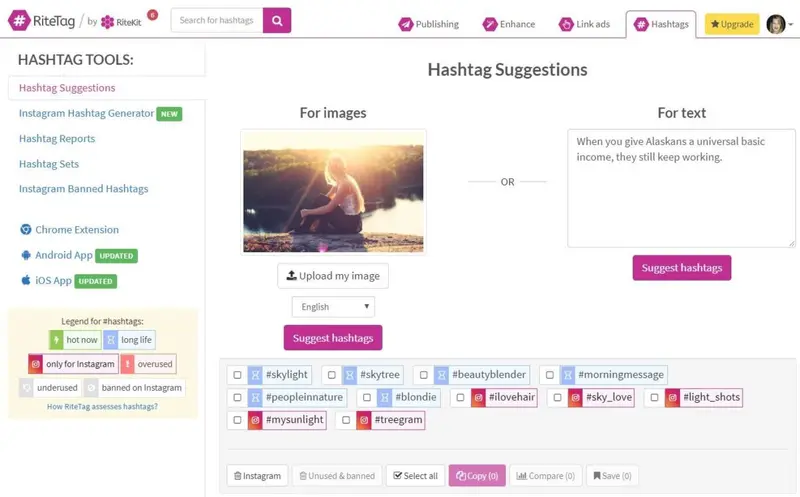
Real-time tags, right where you're already working.
What it is. RiteTag (from RiteKit) is a hashtag suggestion tool built around real-time engagement data and a browser extension, so you can generate tags for text or images almost anywhere on the web.
The signature feature. Color coding. RiteTag grades each tag: roughly, green means high engagement right now, blue means slower-burning long-term potential, and red means so overused it's probably wasted. Right-click an image, choose “Generate Hashtags,” and you get suggestions in seconds.
Where it fits your workflow. It plugs into tools you may already use (Buffer, Hootsuite) and works on desktop and mobile. That “suggest tags right where I post” convenience is what G2 reviewers tend to highlight. It leans toward X/Twitter and Instagram, with data that's especially strong for X.
Honest limitations. A few G2 reviewers note the extension occasionally fails to detect hashtags on certain pages.
Pricing. The split trips a few people up:
● Hashtag suggestions: about $49/year.
● Hashtag reports: billed separately by data volume.
● Free trial: 7 days.
Best for. Marketers and creators who want fast, in-context suggestions, especially for X/Twitter and image-heavy Instagram posts. Skip it if you need multi-platform analytics or one polished dashboard.
How the four score across review sites
Ratings are worth a glance, but read them with a pinch of salt: samples are small, and some review sites allow incentivized reviews. Here's the honest state of play in mid-2026.
| Tool | G2 | Other platforms | Sample size | Overall read |
|---|---|---|---|---|
| All Hashtag | No profile | Not listed on B2B review sites; cited in free-tool roundups | n/a | Free-tool favorite; judge by output |
| BioGPT.IO | No profile | Limited third-party reviews (newer tool) | n/a | Try the free tier first |
| Flick | 4.7 / 5 | App Store 4.6/5; Trustpilot base too thin to count | 137 (G2), 715 (App Store) | Strong, current approval |
| RiteTag | Positive | Long-running niche tool; small review base | ~30+ (G2) | Well-liked, small sample |
Figures reflect public listings in mid-2026 and shift over time. A small review base is usually a market-presence signal, not a quality verdict.
Which tool for which job
Skip the deliberation. Find the row that sounds like you and start there.
| If this is your situation | Best pick | Why |
|---|---|---|
| One-off post, need tags fast, no sign-up | All Hashtag | Free and instant, nothing to log into |
| Writing a bio, caption and hashtags together | BioGPT.IO | One workspace; hashtags on the $15/mo tier |
| Growing Instagram with data behind your tags | Flick | Competition scoring tuned to your account size |
| Posting heavily on X/Twitter, tags as you browse | RiteTag | Real-time, color-coded browser extension |
| Agency running several client Instagram profiles | Flick (Agency) | Multi-profile scheduling, analytics and team seats |
| Wiring hashtag generation into your own app | BioGPT.IO (Advance) | 5,000 API credits on the top plan |
| Generating tags straight from an image | RiteTag | Right-click any photo to get suggestions |
So which one should you actually use?
Here's how I'd decide, based on what you're really trying to do:
● “I just need a quick list, free, no login.” All Hashtag. Generate, curate, move on.
● “I want captions, bios, and hashtags in one place.” BioGPT.IO, free for bios, $15/mo once you want hashtag and caption credits.
● “Instagram is my growth channel and I want data behind my tags.” Flick. Start with the 7-day trial.
● “I post to X/Twitter a lot and want tags as I browse.” RiteTag and its color-coded extension.
A small confession from experience: the best setup is often two tools, not one. A free brainstormer (All Hashtag) to widen your options, plus one paid tool (Flick or RiteTag) to check strength before you post. You don't need all four.
Tips that matter more than the tool you pick
The generator is maybe 20% of the outcome. The rest is how you use it.
01 Describe the post, not the account. “Content ideas for tired founders” beats “marketing.” Vague inputs give vague tags.
02 Trim ruthlessly. Take the list of 30 and keep the 5 to 10 that genuinely fit. Relevance beats volume.
03 Mix the sizes. A couple of niche tags, one or two mid-size, maybe one broad. All-broad tags bury you instantly.
04 Check for banned or dead tags. Free tools often won't flag these, so a paid checker earns its keep here.
05 Refresh monthly. Trending tags decay fast. Rotate your sets and drop what's gone quiet.
06 Watch your own analytics. No tool knows your audience better than your last 20 posts do.
What these tools won't do
● Fix weak content. A great tag set on a boring post is still a boring post.
● Guarantee reach. Anyone promising “2x reach” is selling, not measuring.
● Publish without a human check. Suggestions are AI-generated, so review tone, relevance, and local guidelines first.
● Matter equally everywhere. On LinkedIn especially, keywords and genuine engagement outweigh hashtags.
My final take
If I had to hand this to a friend starting fresh in 2026, I'd say: begin free. Use All Hashtag to see how generators feel, and if you want bios and captions handled too, sign up for BioGPT.IO and upgrade only when the free tools aren't enough. If your growth actually depends on Instagram, put the Flick trial to work. And if you live on X or want tags as you browse, RiteTag's color-coded extension is a genuinely pleasant way to work.
But hold the whole category loosely. These tools are good at what they do (brainstorming, filtering, checking strength) and honest about what they can't do, which is make mediocre content spread. Pick one or two that fit how you post, use them for a month, and let your own numbers tell you whether to keep going.
That's the part no generator can do for you. And it's the part that matters most.