

Table of Content
WHAT I TYPED Why Mondays Should Be Illegal 😴 | → ~2 MIN | WHAT IT MADE Bad Monday. |
THE SHORT VERSION → Fast. A polished-looking draft landed in under two minutes. → Clever. It auto-titled my throwaway prompt "Bad Monday." → Honest limits. A superb starting point, but shallow content and shaky billing. |
I have a reflex whenever a tool offers to build my slides for me: I brace for a wall of grey bullet points and a template that looks like a 2011 intranet.
So I tested Slidesgo's AI Presentation Maker the way I actually distrust it. Not with a polite business brief, but with the silliest topic I could think of, to see whether the machine had a pulse.
One caveat on scope, because a review is only as good as its limits. I ran a single presentation, start to finish, on the free plan. No Premium, no billing stress-test, no month of daily use. So read the score as a sharp first impression, then I widen the lens to what long-term testers and thousands of public reviewers report.
"Why Mondays Should Be Illegal 😴", and yes, the sleepy emoji was fully intended.
If the AI could do something charming with that, it could survive a real deadline. Spoiler for the impatient: it did, and it started with the title.
Getting Inside
The sign-up that quietly respected me
Three ways in, and a small password detail that says the product is paying attention.
The front door offered three ways in:
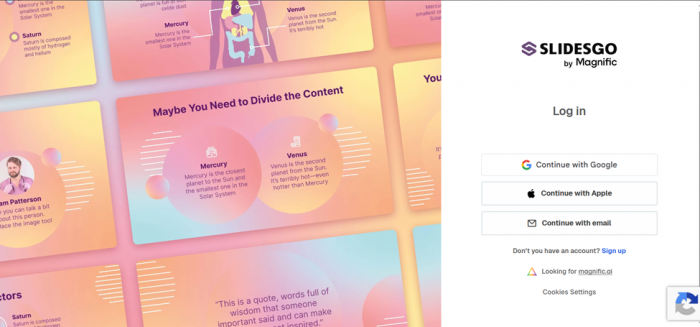
| Apple |
I went with email on purpose. That path is where products usually get lazy and where friction hides. Slidesgo did the opposite.
As I set a password, a live meter rated its strength in real time, nudging me from "weak" toward something it approved of.
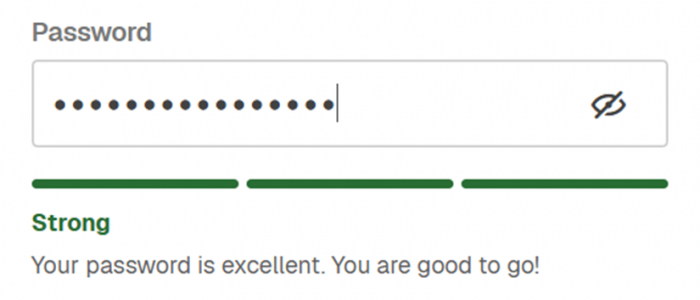
It is a tiny feature. It is also the kind of detail that says a product is thinking about the person on the other side of the screen, not just harvesting a signup.
Independent testers echo the low-friction start. A reviewer at Fritz.ai noted you can register and get working without handing over payment details, which keeps the free tier a real trial rather than bait.
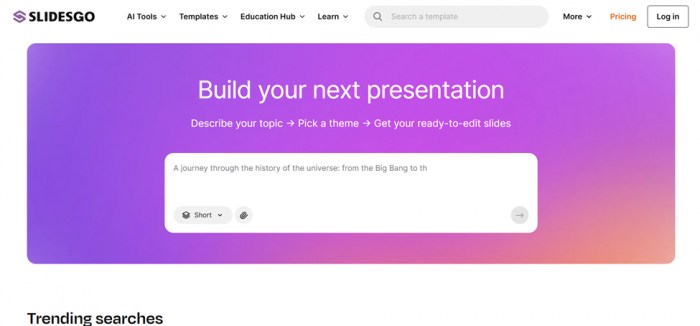
Then the interface dropped me on a single question: what do you want to make slides about?
The Prompt
Feeding it something ridiculous on purpose
Type a topic, pick a theme, get out of the way. The flow is refreshingly linear.
I typed Why Mondays Should Be Illegal 😴 into the prompt box and hit go.
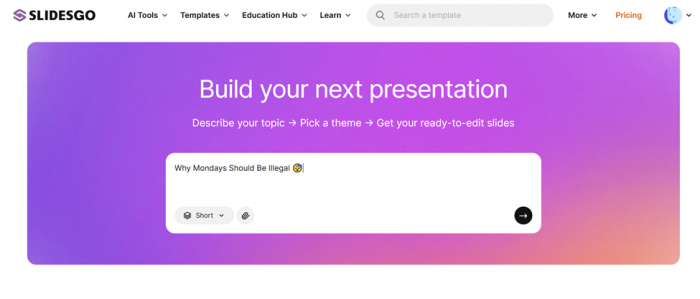
The flow was refreshingly linear: enter your topic, pick a theme from a gallery, let it run. There was no maze of settings before I could see anything, which is exactly how a first-timer wants to be treated.
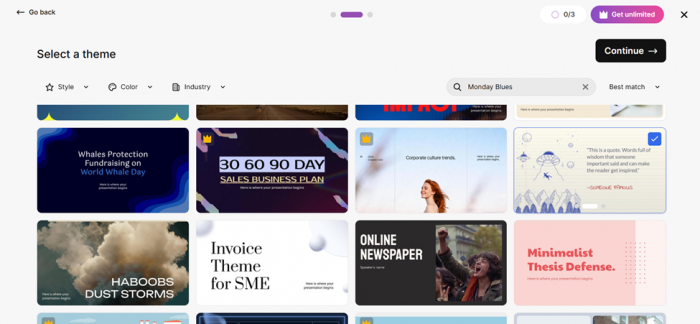
Theme selection is where Slidesgo's personality lives. This is a Freepik company, built on a huge library of designer-made templates, so picking a vibe up front means the AI dresses your content in something a human already sculpted. I chose a look that matched the cheeky topic and let it cook.
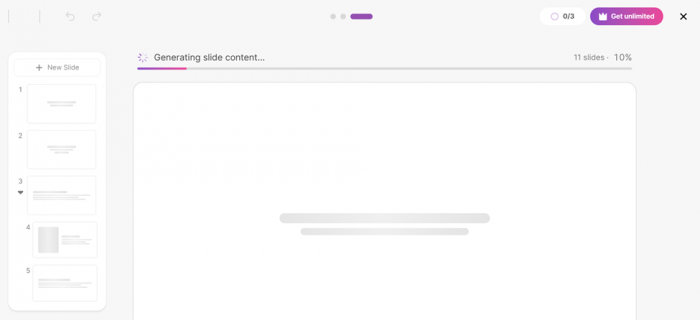
Generation took under two minutes for me. Other testers report roughly 30 to 60 seconds for a standard deck.
Either way, the gap between "I have an idea" and "I have slides" is about the length of a coffee refill. On a Monday, that is the correct amount of effort.
The PayOff
Meet "Bad Monday," the title I didn't write
One small act of editorial judgment turned me from skeptic to fan.
The moment that won me over was the title. From my rambling, emoji-laden prompt, the AI named the deck "Bad Monday."
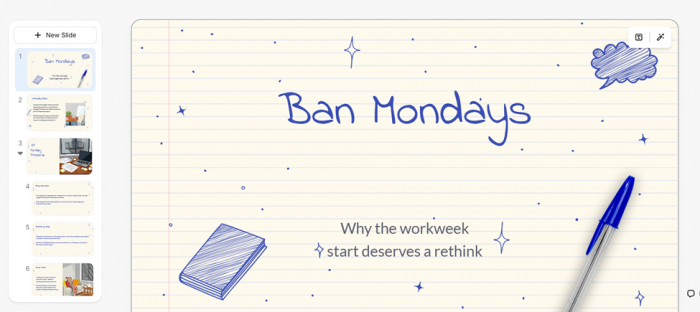
Not "Why Mondays Should Be Illegal." Not a literal echo of my input. Something punchier, cleaner, and frankly funnier than what I gave it. That is the difference between a tool that transcribes and a tool that interprets.
From there the deck held up. The structure was logical, moving through the idea in a sensible order instead of crowding one slide.
The visuals matched the aesthetic I picked, pulled from the same imagery and icons that power Freepik and Flaticon, so nothing felt bolted on.
This is where I stopped being a skeptic. Two minutes of my time produced something I would not have been embarrassed to open in front of a room.
Long-term reviewers frame the strength the same way. From Fritz.ai to LivingSlide, the consensus is that Slidesgo is superb at handing you a polished starting point.
Where they get careful, and where I would too, is how deep the content goes. Credit first, though: as a way to beat a blank page, this delivered.
· THE RUN, BY THE NUMBERS
<2 min Prompt to finished draft, my run | 800+ AI template designs to dress the deck | 3/mo AI presentations on the free plan | 85 Max slides you can expand a deck to |
MY SESSION AT A GLANCE
| What I did | What happened |
| Logged in via | Email (Apple and Google also offered), with a live password-strength meter |
| Prompt I gave | "Why Mondays Should Be Illegal 😴" |
| Title it generated | "Bad Monday", punchier than my input |
| Time to draft | Under two minutes |
| Images | On-topic and matched the chosen aesthetic |
| Customization found | A tone control (Professional, Casual, Creative) plus in-browser editing |
| Export options | Google Slides and PowerPoint (PPTX), also Figma |
| Plan | Free tier, no card required to try |
The settings, and the one that mattered
A generated deck only earns its keep if you can bend it toward your own voice.
So I went hunting through the settings. The control that stood out was tone.
Slidesgo lets you set the whole deck's register:
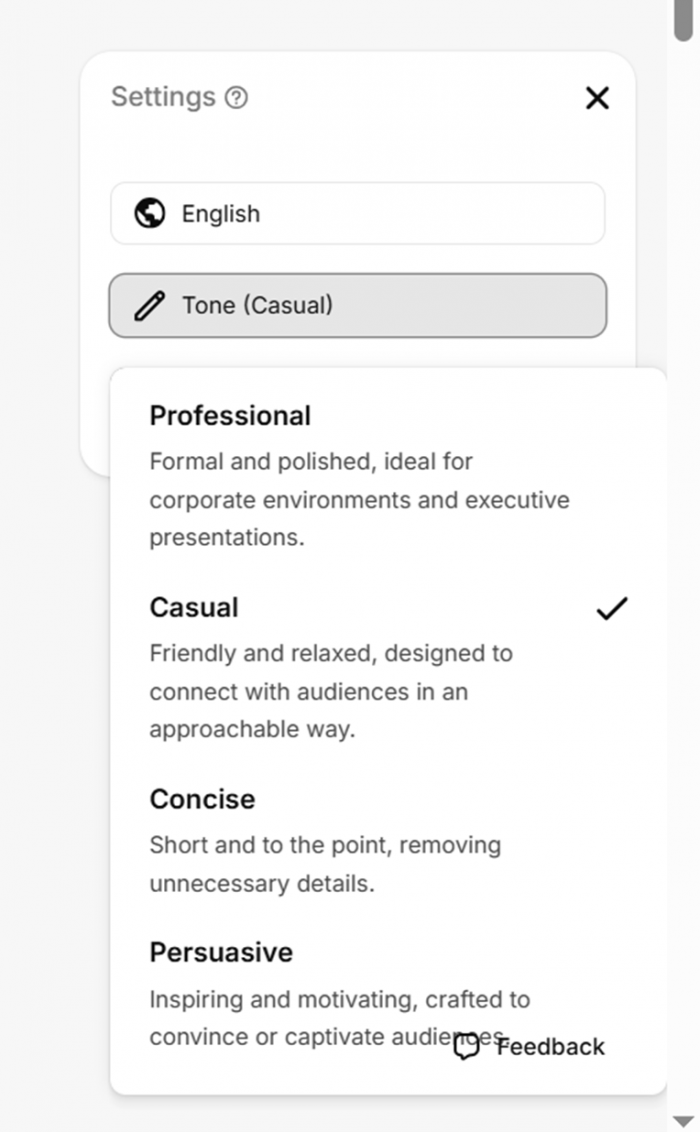
| Professional | Casual | Concise | Persuasive |
The same topic can read as a boardroom brief or a playful class talk. For a rebellious anti-Monday manifesto, leaning into Creative rather than fighting a stiff default is the whole point.
Everything else happens in a browser editor, so no install and no context-switch. You can rewrite text, swap images, and nudge layout right there.
It is not a full design suite, and reviewers are honest that the editing is lighter than a dedicated tool. But for tightening a deck that is already 80 percent there, it is enough.
On paid tiers, testers note you can also switch the image style between Photo, Illustration, and 3D, and feed it your own documents so the AI builds from your material.
The export step that respects your workflow
The feature I value most is the one a lot of AI tools quietly get wrong.
Slidesgo does not lock your work inside its own walls. When the deck was ready, I could send it straight out:
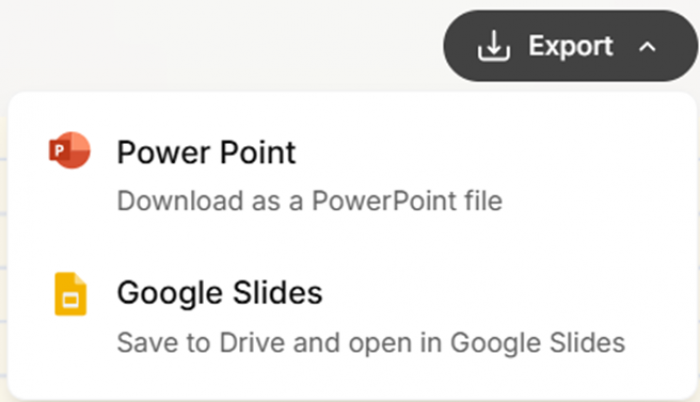
| Google Slides | PowerPoint |
The output drops into whatever you and your team already use.
That tool-agnostic export is a big part of why Slidesgo has stayed popular for years. You are not learning a new app; you are getting a designed head start that plays nicely with the software already open on your desktop.
Anyone who has fought to get a "beautiful" AI deck out of its native format in one piece knows a friction-free handoff beats a dozen flashy features.
What the trusted reviewers found
One session is a data point, not a verdict. Here is the wider record.
Slidesgo launched in 2019 under Freepik Company and has years of public reviews behind it.
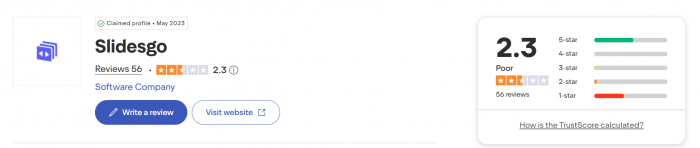
The picture is genuinely split: the product scores high, while the billing experience drags the average down on one platform. Here is the honest spread.
| Source | Rating | The one-line takeaway |
| G2 | 4.7 / 5 | Users praise the variety, ease of use, and time saved. Roughly 73% award five stars. |
| Capterra | ~4.8 / 5 | Consistently strong marks for design quality and template breadth. |
| Trustpilot | ~2.3 / 5 | Templates loved; the score is pulled down almost entirely by billing and cancellation complaints, not the slides. |
| Fritz.ai | Recommended* | Best for teachers, students and internal work. Not the pick for brand-critical, client-facing decks. |
| LivingSlide | Mid-tier AI | Beautiful, template-first results, but the AI's written content stays surface-level versus purpose-built writers. |
| Dokie.ai | Good, limits | A great quick-draft starter; business users may still rewrite content for a meeting-ready deck. |
*Recommended with caveats. Across every source the pattern is consistent: design and speed earn near-unanimous praise, content depth earns polite reservations, and the subscription flow earns real frustration. My two-minute run only touched the first of those three.
What actual users are saying
Ratings flatten people into numbers. Here are the voices behind them.
Paraphrased from verified reviews on G2 and Trustpilot, good and bad side by side, because that balance is the real story.
★★★★★ Beginner-friendly and a real time-saver. The library has a well-designed template for almost any topic, and editing it is genuinely easy. Verified reviewer G2 · five stars | ★★★★★ Leans on it constantly for the classroom. It turns lesson prep from a chore into a few clicks and the results look professional. Educator Trustpilot · five stars |
★★☆☆☆ Loves the templates, but hit a wall trying to cancel and got billed anyway. The design is great; the subscription flow needs serious work. Former subscriber Trustpilot · two stars | ★★★☆☆ The AI generator is a fast first draft, not a finished deck. Expect to rewrite the content yourself before anything client-ready. Business user G2 · three stars |
What I loved, what I didn't
The quick ledger, in plain terms, before you decide.
What I loved + Idea to designed draft in under two minutes + The auto-title "Bad Monday" showed real editorial taste + Templates and images look genuinely professional + A tone control that actually changes the voice + Exports cleanly to Google Slides, PowerPoint and Figma + Free to try, no card up front, plus a password meter that cares | What I didn't - AI writes a solid outline, not deep or fact-checked content - Free plan caps you at 3 presentations a month - An attribution slide sticks to free exports - Billing and cancellation are the big public complaint - Popular free templates can feel over-used - The most distinctive designs sit behind Premium |
The Final Draft4.1 / 5 · my hands-on take ★★★★☆ A delightful head start that knows its lane Slidesgo did the one thing I secretly hoped it couldn't: it made me smile. A groggy joke about Mondays came back as a clean deck called "Bad Monday" in under two minutes. The aesthetics, the tone control, and the frictionless export all backed up that first spark. As a cure for the blank page it is excellent, and for students, teachers, and anyone who needs something presentable fast, I would recommend it without hesitation. Where it earns its missing point is depth and trust. The AI writes a strong skeleton, not the muscle. For a fact-checked, on-brand, client-facing deck I would still rewrite the words myself, and I would go in with eyes open about the billing complaints that shadow this tool across Trustpilot. A starting line, not a finish line, and honest about being one. WHAT LIFTED THE SCORE ↑ The "Bad Monday" title, a genuine spark of taste ↑ Two-minute turnaround from a throwaway prompt ↑ Design and images that looked deliberate ↑ Export that never held my work hostage WHAT HELD IT BACK ↓ Content stays shallow without a rewrite ↓ Three-decks-a-month ceiling on the free tier ↓ The attribution slide on free exports ↓ A subscription flow users openly distrust |
REACH FOR IT IF You are a student, teacher, freelancer, or small team who needs a good-looking deck in minutes, you are happy to sharpen the words yourself, and you want your slides to open right in Google Slides or PowerPoint. | LOOK ELSEWHERE IF You need a fact-checked, strictly on-brand, client-facing presentation with deep written content, or you want a tool that writes the full narrative for you rather than dressing your outline in a template. |