


Table of Content
- Why the bio does the heavy lifting
- The four parts of a bio, and the order to fix them
- Know your real character limits
- Before and after, on a real rewrite
- Write the bio line in one pass
- The keyword move that grows discovery
- Get the link strategy right
- How to tell if it is working
- Final verdict, after enough rewrites to lose count
Last spring I took over the profile for a small ceramics studio sitting at around 4,000 followers with almost no link traffic. The feed was fine. The bio was the problem. It read like the sign-off at the bottom of an email: the owner’s first name, a peace-sign emoji, and the single word “artist.”
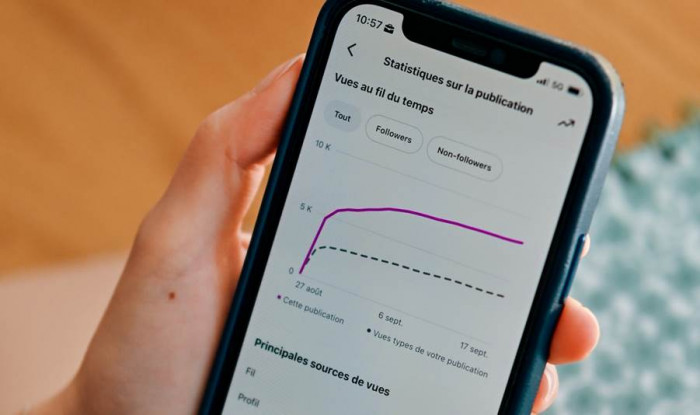
I spent two weeks rewriting only the bio. Nothing else. Same posting rhythm, same photos, same everything. I changed one element at a time and watched the profile-visit-to-follow ratio in the account’s built-in insights. Over that stretch, the follow rate on new visitors climbed from a little under 3 percent to just over 8 percent, and taps on the link roughly doubled. That is the whole reason this guide exists. Your bio is not decoration. It is the shortest, highest-leverage piece of copy you will ever write, and most people spend thirty seconds on it and then never touch it again.
What follows is the exact order I work in now, plus the specific character limits and rules I keep taped next to my monitor because platforms move them around and getting one wrong quietly kills your reach.
Why the bio does the heavy lifting
Think about the actual sequence. Someone sees one of your posts, gets curious, and taps your name. For a second or two they land on your profile, and in that second they decide two things: do I follow, and do I tap the link. The bio is the copy that answers both. A great feed earns the visit. The bio converts it.
THE READ It is read by everyone
Not everyone sees a given post, but almost everyone who considers following reads the bio first. That makes it the highest-traffic sentence you own.
THE DECISION It settles the follow
People follow accounts they can describe in one line. If your bio makes that line for them, the follow becomes easy. If they have to guess, they scroll on.
THE CLICK It routes the click
The only reliably tappable link on most profiles lives here. A vague bio and a bare URL leaks the exact traffic you worked to earn.
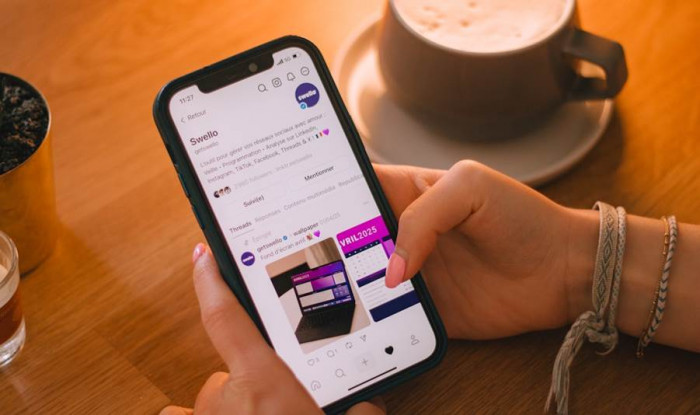
The decision to follow or scroll on happens in a second or two. Your bio is the copy that tips it. Photo: Swello / Unsplash.
The four parts of a bio, and the order to fix them
A profile is not one field. It is a stack of small fields that each do a job, and creators routinely optimize the pretty one (the bio line) while ignoring the two that actually drive discovery and clicks. Here is the anatomy, top to bottom.
PART 1 The name field · 30 characters
Separate from your @handle. On Instagram this field is indexed by search, so it is where a keyword earns its keep. “Maya” is a name. “Maya | Ceramics Studio” is discoverable.
PART 2 The bio line · 150 characters
The one or two sentences under your name. Who you help, what they get, and one reason to stay. Every character counts here, spaces and emojis included.
PART 3 The call to action
A single clear instruction: what to tap and why. “Free glaze guide below” beats “link in bio” because it names the reward, not the mechanic.
PART 4 The link
The destination. One clean link, or a small set of them. This is the part people paste a raw URL into and lose 30 characters plus all the persuasion.
ORDER MATTERS Fix the name field first, because it affects who even finds you. Then the bio line, then the call to action, then the link. Most people do it in reverse and wonder why traffic never grows. |
Know your real character limits
You cannot write tight copy if you are guessing at the ceiling. These are the current text limits for the profile fields that matter most for clicks and follows. Draft to the shortest one you post on, because a line that fits TikTok will almost always fit everywhere else, but the reverse is not true.
| Platform | Bio field | Name / handle field | Clickable link |
| 150 characters | Name 30, username 30 | Website field, up to 5 links | |
| TikTok | 80 characters | Username 24, name 30 | Website field, eligibility varies |
| X (Twitter) | 160 characters | Display name 50 | Website field, always clickable |
| 160 characters | Name 20 | Website field, one link |
Profile field limits as of mid-2026. Platforms adjust these, so confirm inside the app before you finalize.
Two rules that trip people up. First, on Instagram the name field is weighted in search, so a keyword there does more for discovery than the same word buried in your bio line. Second, on TikTok a link typed into the bio text is not clickable at all. Only the dedicated Website field creates a tappable link, and access to that field has shifted between business accounts and follower thresholds over the past two years, so check what your account actually shows rather than trusting a screenshot from last year.
THE EMOJI TAX Emojis count against your limit, and complex ones cost more than you think. A plain star is one character. Skin-tone modifiers, flags, and combined emojis are encoded as several characters each, so a bio that looks like it fits can suddenly refuse to save. Budget for it. |

Before and after, on a real rewrite
Abstract advice is easy to nod along to and hard to use. So here is the ceramics bio at the two ends of that two-week test, shown the way a visitor sees it. Read them out loud. The second one tells you what you get and what to do next. The first one tells you a name.
BEFORE
Maya @mayamakes artist ✌️ 37 / 150 No keyword, no offer, no clear tap |
AFTER
Maya | Handmade Ceramics @mayamakes Small-batch mugs & bowls, made in Leeds 🏺 94 / 150 Keyword in name, clear promise, real CTA |
Notice what the second version does not do. It does not list every material she works with, it does not thank you for visiting, and it does not stuff in five hashtags. It answers “is this for me,” gives a reason to expect more (the monthly drop), and names a specific reward for the tap. The keyword moved into the name field, where search can see it, instead of eating space in the bio line.
Write the bio line in one pass
The blank field is where people freeze and then default to adjectives. Skip that. Fill three slots in plain language and then trim.

1. Say who it is for and what they get. Lead with the audience and the payoff, not your job title. “Budget dinners for tired parents” works harder than “food blogger and recipe developer.”
2. Give one reason to expect more. A cadence or a specialty. “New recipe every Sunday” or “one-pan only.” This is the line that turns a visitor into a follower instead of a one-time reader.
3. Point at the tap and name the reward. End on the action. Not “link in bio,” but what the link gives them: a guide, a shop, a booking page, the current drop.
4. Cut it down and add line breaks last. Remove every word that is not doing a job, then add line breaks so the three ideas sit on their own lines. Type breaks in the mobile app, since some browsers strip them when you save.
One more small thing that matters more than it should: do not paste a raw web address into the bio text. A typical URL burns 20 to 40 of your characters and persuades no one. Keep the link in the dedicated field and spend your bio characters on the reason to tap it.
The keyword move that grows discovery
Search inside these apps has quietly become a real traffic source. People type “vegan baker,” “portrait photographer Chicago,” or “resume coach” straight into the search bar, and the app looks at your name and bio fields to decide whether to show you. That is why the name field is the most underused growth lever on a profile.
WEAK Name: “Sarah”
Beautiful, human, invisible to search. Nobody looks up your first name unless they already know you, which defeats the purpose of discovery.
STRONG Name: “Sarah · Food & Travel”
Now the app can match you to people searching your niche. Same 30-character field, doing actual work. Keep it readable, not a keyword pile-up.
Use natural phrasing a person would type, not a jammed list. One or two real terms that describe what you do beats five that read like spam and get you nowhere. Save the personality for the bio line underneath.

Get the link strategy right
This is where most of the clicks are won or lost, and it is the part people think about least. You usually have one link slot and many destinations: a shop, a newsletter, a booking page, your other platforms. The instinct is to dump all of them into a link-in-bio page. Resist it.
Do
• Send people to the single thing you most want them to do this month.
• If you need a hub, keep it to three to five links with clear labels.
• Name the destination in your bio so the tap feels intentional.
• Say “link in bio” out loud in your videos when the moment fits. It measurably lifts taps.
• Use Instagram’s multiple-link feature or a tool like Linktree or Beacons when one link truly is not enough.
Don’t
• Post a link-in-bio page with fifteen buttons and no priority.
• Bury a raw URL inside the bio text where it cannot even be tapped.
• Point everyone to a generic homepage that makes them hunt.
• Change your link every day so nobody learns to trust it.
• Forget to check that the link still works after a platform update.
A link hub with fifteen options is not generosity, it is indecision passed on to the visitor. Every extra choice lowers the odds they pick the one that matters. Decide for them.

How to tell if it is working
Likes are the wrong yardstick here. A bio change does not move likes, it moves two quieter numbers that most creators never open. If your account has any kind of insights, these are the ones to watch after you publish a new bio.
METRIC 1 Profile visits to follows
Of the people who land on your profile, how many follow. This is the cleanest read on whether your bio makes the case. Change one element, wait a week, compare.
METRIC 2 Link taps
How many people tap through. If your reach is steady but taps jump after a bio edit, the copy did that. If taps fall, roll it back.
Change one thing at a time. If you rewrite the name field, the bio line, and the link on the same day, you will never know which one moved the numbers. I test the name field first on its own, then the bio line, then the call to action, giving each a few days. It is slower, and it is the only way to actually learn what your audience responds to instead of guessing forever.
Final verdict, after enough rewrites to lose countI have now done this on accounts across ceramics, coaching, a local cafe, and a personal newsletter, and the pattern holds every time. The bio is the cheapest growth work available, and almost nobody does it properly. You do not need a new content strategy or a posting schedule that runs your life. You need 150 characters that say who you help, one reason to stay, and a specific tap, plus a keyword sitting in the name field where search can find it. The version that beats a clever tagline is almost always the plainer one. Every time I have tried to be witty, the numbers stayed flat. Every time I said the useful thing in ordinary words and named the reward for tapping, follows and clicks moved. Write it, check the two numbers that matter a week later, keep the winner, and change one thing at a time. That loop, run three or four times, will do more for your profile than a month of extra posting. If you only act on one line of this whole piece: open your profile right now, move your keyword into the name field, and rewrite your call to action so it names the reward instead of the mechanic. That single edit is where I have seen the biggest jump, and it takes about two minutes. Effort Low Payoff High Time to first result about 1 week |