

Table of Content
- Why the First Line of a Bio Decides Everything
- Bio Character Limits by Platform (Verified for 2026)
- The Anatomy of an Engaging Bio: A 5-Part Framework
- Before and After: Bio Examples That Work
- Platform-by-Platform Playbook
- Words to Cut and What to Show Instead
- First Person or Third Person? Choosing the Right Voice
- Using AI to Write a Bio: An Honest Assessment
- 7 Mistakes That Make a Profile Introduction Forgettable
- Final Verdict
Profile introductions look simple until the cursor is blinking inside an empty bio field. To build this guide, the writer spent several weeks working inside those fields: rewriting a single LinkedIn About section more than a dozen times, trimming Instagram and X bios to their exact character caps, running drafts through LinkedIn's Premium "Write with AI" assistant and two general chatbots, and reading every version back cold the next morning.
One pattern held on every platform. The versions that drew replies, follows and profile visits were rarely the most polished. They were the most specific. A plain line like "helps SaaS teams cut churn" did more work than a paragraph about passion and drive, and the AI drafts only became usable after real numbers and project names went into them.
Everything below survived that testing and is backed by published research or platform documentation rather than guesswork.

THE SHORT ANSWER
An engaging profile introduction names who the person helps and how in the very first line, backs that with one concrete proof point, adds a human detail and ends with a clear next step, all inside the platform's character limit.
Lead with the outcome A job title alone rarely hooks anyone. | Evidence over adjectives Numbers and named projects beat "passionate." |
Respect the limit 80 characters on TikTok is a different job from 2,600 on LinkedIn. | AI drafts, humans finish Use AI for the first version, never the last. |
Why the First Line of a Bio Decides Everything
Visitors do not read profiles the way they read books. They glance, judge and decide whether to keep going, and the research on how fast that happens leaves no room for a slow warm-up.

100 ms FIRST IMPRESSION SPEED A 2006 Princeton study in Psychological Science found trait judgments made after seeing a face for a tenth of a second closely matched judgments made with unlimited time. | ~20% OF WORDS ACTUALLY READ Nielsen Norman Group estimated visitors read at most 28% of the words on an average web page, with about 20% being more realistic. | 21x MORE PROFILE VIEWS LinkedIn has reported that members with a profile photo get up to 21 times more profile views and 9 times more connection requests. |
The photo and the opening line of the bio carry almost all of that first impression. The same Nielsen analysis found people read about half the information only on pages of 111 words or fewer, which is a strong case for putting the point first and keeping short bios genuinely short.
Bio Character Limits by Platform (Verified for 2026)
An engaging bio has to fit its box first. These are the current limits for the fields visitors notice first.
| Platform | Field | Limit | What it means in practice |
|---|---|---|---|
| Headline | 220 | Appears beside the name in search, comments and the feed. Put the key phrase first, since shorter displays cut it off. | |
| About section | 2,600 | Only the opening lines show before "see more," so the hook must land there. | |
| Bio | 150 | Spaces, emojis and line breaks all count. Up to five links live in a separate links area. | |
| Name field | 30 | Searchable, so a keyword here, such as "Wedding Photographer," helps discovery. | |
| X | Bio | 160 | X Premium does not raise it. The display name allows 50 characters. |
| TikTok | Bio | 80 | The tightest major limit. A clickable link appears only once the account qualifies, commonly at 1,000 followers. |
| GitHub | Bio | 160 | A profile README can carry the longer story. |
| 💡 Limits change. Before publishing, paste the final draft into the platform's own edit screen and watch its live counter, since some emojis count as two characters. |
The Anatomy of an Engaging Bio: A 5-Part Framework
Strong bios on very different platforms share the same skeleton. Short bios compress it into two lines, while a LinkedIn About section gives each part its own paragraph.

| 1 | The Hook One line naming who the person helps and the result. "Helps early-stage founders turn pitch decks into funded rounds" beats "Consultant | Strategist | Visionary." |
| 2 | The Proof One verifiable detail: a number, client type, project or credential. Proof turns a claim into something a stranger can believe. |
| 3 | The Context What the person actually does, in the words their audience would search. This is where keywords belong, written naturally. |
| 4 | The Human Detail A specific interest or opinion. "Restores 1970s road bikes on weekends" sticks. "Loves to travel" describes almost everyone. |
| 5 | The Next Step Tell the reader what to do: read the pinned post, book a call, open the portfolio or send a DM with a keyword. |
Before and After: Bio Examples That Work
The quickest way to see the framework working is a side-by-side comparison. Every example below is original and fits its platform's limit.

| Profile | Before | After | What changed |
|---|---|---|---|
Marketing manager LinkedIn headline | Passionate, results-driven marketing professional | Marketing Manager at a B2B fintech | Grew organic signups 3x in 18 months | Writes about SEO for regulated industries | Adjectives swapped for a measurable result and a niche. |
Fitness coach | Fitness lover 💪 Living my best life ✨ DM me! | Strength coach for busy parents 🏋️ 30-min home workouts, no gym needed. Free 4-week plan below | Audience, offer and a reason to tap the link. |
Freelance developer X | Coder. Coffee addict. Dreamer. | Freelance React developer. Rebuilds slow e-commerce checkouts. One performance fix every Friday. | A clear service plus a reason to follow. |
Local bakery TikTok | Welcome to our page!! | Sourdough baked at 4am daily 🥖 Watch the whole process | Says exactly what the videos show. |
Data analyst GitHub | Student | Data analyst learning in public. Python, SQL and dashboards for nonprofits. Projects pinned below. | Skills, focus and where to look next. |
Platform-by-Platform Playbook
The framework stays the same, but each platform rewards a slightly different emphasis.
Best for careers, B2B and recruiters 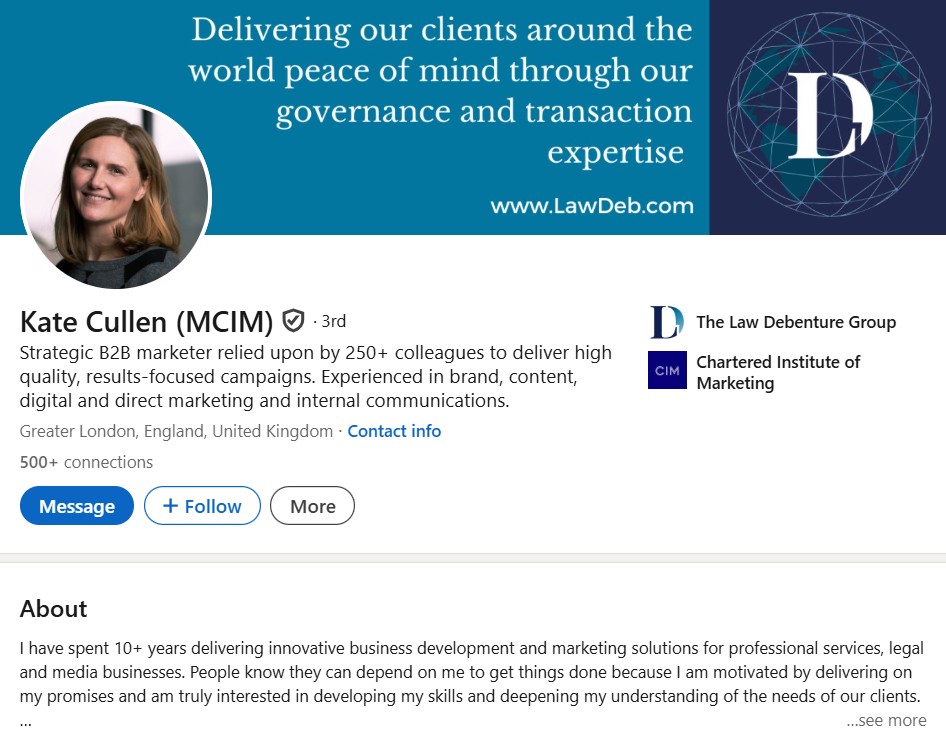 ● Headline: role plus result first, searchable keywords after. ● About: treat the lines before "see more" as the whole pitch. LinkedIn indexes this section in search, so relevant terms belong early. ● Pin proof in the Featured section. |
Best for creators, local businesses, visual work  ● Put the main keyword in the name field, since search scans the name and bio. ● Use line breaks to separate who, what and the call to action. ● Point the bio at the first link, which displays most prominently. |
X Best for writers, founders, commentators  ● Bio and pinned post work as a pair: one promises, the other proves. ● Use the separate website field instead of spending bio characters on a URL. ● Update the bio when focus shifts so it matches the feed. |
TikTok Best for short video creators and brands  ● With 80 characters, name the content niche and little else. ● Skip pasting a URL into the bio text until the link field unlocks. ● Match the bio to the first videos a visitor sees. |
GitHub Best for developers and technical portfolios  ● Bio: stack, focus and current work within 160 characters. ● Create a public repository named exactly like the username and add a README.md to show a longer introduction on the profile. ● Pin the projects the bio mentions. |
Words to Cut and What to Show Instead
LinkedIn analyzed its English-language profiles for five straight years and published lists of the most overused buzzwords. The 2014 global list included motivated, passionate, creative, driven, extensive experience, responsible, strategic, track record, organizational and expert. LinkedIn's own advice was to show examples instead of claiming traits.
| Overused word | Why it falls flat | Show this instead |
|---|---|---|
| Passionate | Nearly every profile claims it | A side project, talk or article on the topic |
| Motivated / Driven | An unprovable self-assessment | A goal hit early, with the number |
| Creative | Says nothing about the output | A link to the strongest portfolio piece |
| Extensive experience | Vague on how much and where | "11 years in hospital supply chains" |
| Strategic | Stretched to cover everything | One decision made and what it changed |
| Expert | Stronger when someone else says it | A recommendation, certification or client name |
First Person or Third Person? Choosing the Right Voice
Voice changes how a bio feels, and the right choice depends on where it appears.
| Voice | Example opening | Works best for |
|---|---|---|
| First person | "I build onboarding flows new users actually finish." | LinkedIn About, newsletters, personal sites |
| Third person | "Maya Chen builds onboarding flows new users actually finish." | Speaker bios, author pages, press kits, team pages |
| No pronoun | "Builds onboarding flows new users actually finish." | Short bios on X, Instagram, TikTok and GitHub |
Mixing voices inside one bio is the most common slip. Pick one and hold it from the first line to the last.
Using AI to Write a Bio: An Honest Assessment
LinkedIn began rolling out AI writing suggestions for the Headline and About sections to Premium subscribers in 2023, built on OpenAI models. LinkedIn's chief product officer, Tomer Cohen, encouraged users to review and edit the suggestions for accuracy and tone before saving. General chatbots and free bio generators now do the same job across every platform.
What AI does well ✓ Ends the blank-page problem in seconds ✓ Trims long drafts to an exact character count ✓ Offers several angles to compare at once ✓ Spots missing pieces, such as a call to action | Where AI falls short ✕ Drifts back to the same buzzwords LinkedIn flagged years ago ✕ Can inflate titles or invent results when the prompt is thin ✕ Drafts from different people start sounding alike, a concern raised when LinkedIn's tool launched ✕ Cannot supply the personal detail that makes a bio memorable |
| Prompt that produced the most usable drafts during testing: paste three real achievements with numbers, name the target audience, state the exact character limit, then ask for five versions that use no adjectives. Edit the strongest one by hand. |
7 Mistakes That Make a Profile Introduction Forgettable
MISTAKE 1 Title only A title says what someone is called, not what they do for anyone. | MISTAKE 2 Writing for everyone A bio aimed at every reader persuades none of them. |
MISTAKE 3 An outdated bio A role that ended two years ago signals an abandoned profile. | MISTAKE 4 Emoji overload Two or three as markers help scanning. A row of them reads as noise. |
MISTAKE 5 No call to action Interested visitors leave because nothing tells them where to go. | MISTAKE 6 Jargon and acronyms If a stranger cannot decode it, it costs attention instead of earning it. |
MISTAKE 7 Mismatched profiles Different stories on LinkedIn, X and a personal site make visitors doubt all three. |
Final Verdict
Specific Beats Clever, Every Time
After weeks of drafting, deleting and redrafting, the writer's conclusion is plain: an engaging profile introduction is less a writing trick than a decision about who the profile is for. Once that decision was made, every later version improved. The hook sharpened, the proof became obvious and the adjectives stopped feeling necessary.
The AI tools earned a spot as editors, especially for squeezing a draft into 150 or 160 characters or offering five angles at once. Every draft they produced still needed a human pass to replace generic claims with real ones. The strongest bios in this test were the ones a stranger could repeat back after a single read.
BOTTOM LINE Pick one audience, open with the result delivered to them, prove it with a single fact and give visitors one thing to do next. Then revisit the bio every few months, because an introduction that was accurate last year can stop being true without anyone noticing. |