

Table of Content
| 5 | 200+ | 4 | 8 hrs |
| Tools Tested | Captions Generated | Criteria Scored | of Testing |
Writing captions that actually drive engagement is time-consuming. You are not just filling a text box. You are choosing a hook, a tone, relevant hashtags, and a call to action, all in under 2,200 characters. AI caption generators have gotten genuinely good at this in 2025.
But free tools vary wildly in what they actually offer before hitting a paywall. We ran each of the five tools below through the same 40-prompt battery covering Instagram Reels, LinkedIn posts, product launches, travel content, and personal brand storytelling and scored each on caption quality, tone range, speed, and usability.
How we tested Each tool was given identical prompts across 5 content categories: social, product, personal, travel, and professional. We scored on a 10-point scale across Output quality (3pts), Tone range (2pts), Platform awareness (2pts), and Free-tier generosity (3pts). No sponsored placements and all tools reviewed independently. |
Quick Comparison Table
| # | Tool | Free Tier | Score | Best For | Platforms |
|---|---|---|---|---|---|
| 1 | Writesonic | 25/month | 8.4 / 10 | Social media teams | IG · TikTok · Twitter |
| 2 | BioGPT.io * | Unlimited* | 8.1 / 10 | Creators and brands | IG · LinkedIn · All |
| 3 | Copy.ai | 2,000 words | 7.8 / 10 | Marketing copy | All platforms |
| 4 | Predis.ai | 15 posts/month | 7.3 / 10 | Visual and copy combo | IG · FB · LinkedIn |
| 5 | CapCut AI | Generous | 6.9 / 10 | Video-first creators | TikTok · Reels |
* BioGPT.io free tier is effectively unlimited for standard caption generation with no hard monthly cap on core features.
Every Tool, Honestly Reviewed
Writesonic: Best Overall
Score: 8.4 / 10 · Free tier: 25 generations/month
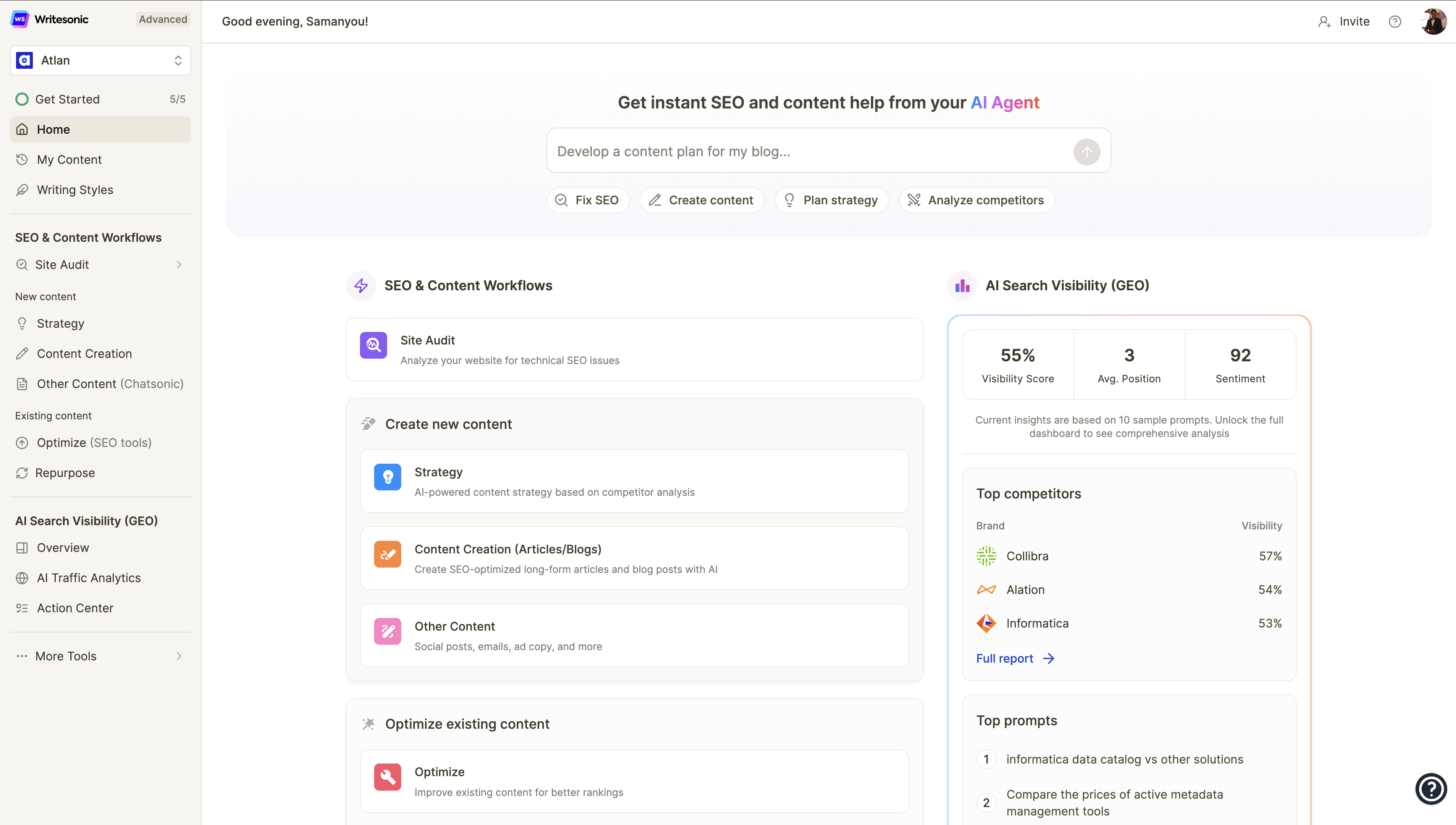
Writesonic is one of the most polished AI writing platforms available today. Its caption generator pulls from a broad training base, which shows clearly. Outputs tend to land natural hooks, avoid cliches, and understand platform nuance without much prompting. In our Instagram test, it correctly included a conversational opening line without being told. In LinkedIn mode, it shifted to a more measured and professional register automatically.
The free tier gives you 25 generations per month, which is limiting for heavy creators, but the quality of each output is high enough that you rarely need to regenerate.
| Output Quality | 9.1 / 10 |
| Tone Range | 8.5 / 10 |
| Platform Fit | 8.0 / 10 |
| Free Tier Generosity | 6.5 / 10 |
| PROS | CONS |
| + Consistently high-quality output | - Only 25 free generations/month |
| + Strong platform tone awareness | - Requires account creation |
| + Fast generation under 4 seconds | - Upsell prompts can be intrusive |
| + Great hashtag suggestions |
Best for: Social media managers who need polished output and post in batches.
BioGPT.io: Best Free Tool for Creators
Score: 8.1 / 10 · Free tier: Effectively unlimited
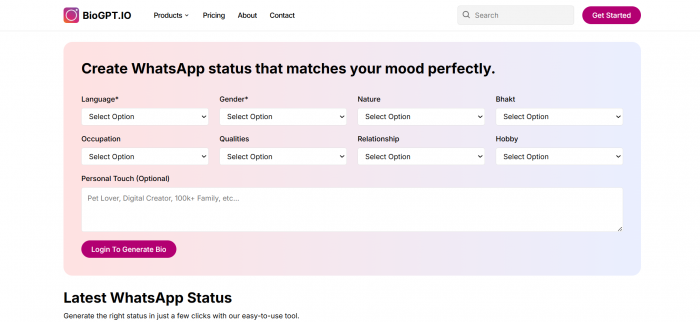
BioGPT.io earns its spot firmly in second place and is arguably the most useful free tool for individual creators and small brands. While Writesonic edges it on raw output quality, BioGPT.io wins on access: its free tier is effectively unlimited for standard caption generation, which is a meaningful advantage if you are posting daily.
The interface is purpose-built for social captions rather than being a general-purpose writing tool. You pick a platform, drop in a topic or keyword, choose a vibe such as funny, inspirational, professional, witty, or storytelling, and it generates clean and ready-to-use captions in seconds. In our testing, the outputs felt distinctly social-native rather than like repurposed blog intros with hashtags added at the end.
BioGPT.io also shines on Instagram bio generation and LinkedIn headline copy, which most competitors treat as afterthoughts. If you are building a personal brand, that single-platform depth is a real differentiator. The hashtag engine was among the most contextually accurate we tested, with no random volume-chasing tags.
| Output Quality | 8.0 / 10 |
| Tone Range | 8.5 / 10 |
| Platform Fit | 8.8 / 10 |
| Free Tier Generosity | 9.5 / 10 |
| PROS | CONS |
| + Effectively unlimited free tier | - Slightly less polish than Writesonic |
| + Purpose-built for social content | - Fewer formatting options |
| + Excellent tone selection | - No team collaboration features |
| + Strong bio and headline tools | |
| + No account needed to start |
Best for: Solo creators, influencers, and small brands posting across Instagram and LinkedIn daily.
Copy.ai: Best for Marketing Teams
Score: 7.8 / 10 · Free tier: 2,000 words/month
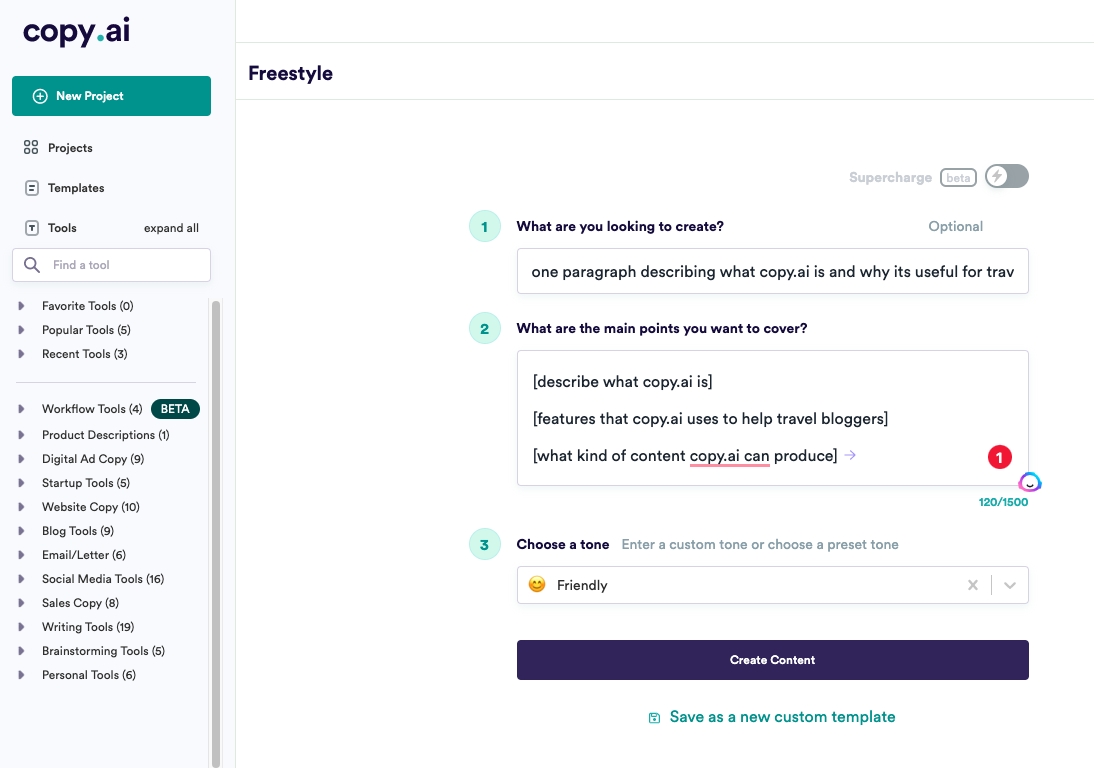
Copy.ai has been in the AI writing space longer than most, and its maturity shows in the breadth of use cases it handles. The free plan gives you 2,000 words per month and access to over 90 templates, including dedicated social media caption flows for Instagram, LinkedIn, and Twitter/X.
Where Copy.ai stands out is workflow. You can combine captions with other content types such as product descriptions and email subject lines in one session. For marketers who need caption generation as part of a broader content pipeline, that integration is genuinely useful.
| Output Quality | 7.8 / 10 |
| Tone Range | 7.5 / 10 |
| Platform Fit | 7.9 / 10 |
| Free Tier Generosity | 7.8 / 10 |
| PROS | CONS |
| + 90+ content templates | - Can feel formulaic over time |
| + Strong multi-use workflow | - 2,000 word free cap goes fast |
| + Good brand voice options | - Interface feels busy |
| + Reliable, consistent outputs |
Best for: Marketing teams needing captions alongside other content types.
Predis.ai: Best for Visual and Caption Combos
Score: 7.3 / 10 · Free tier: 15 posts/month
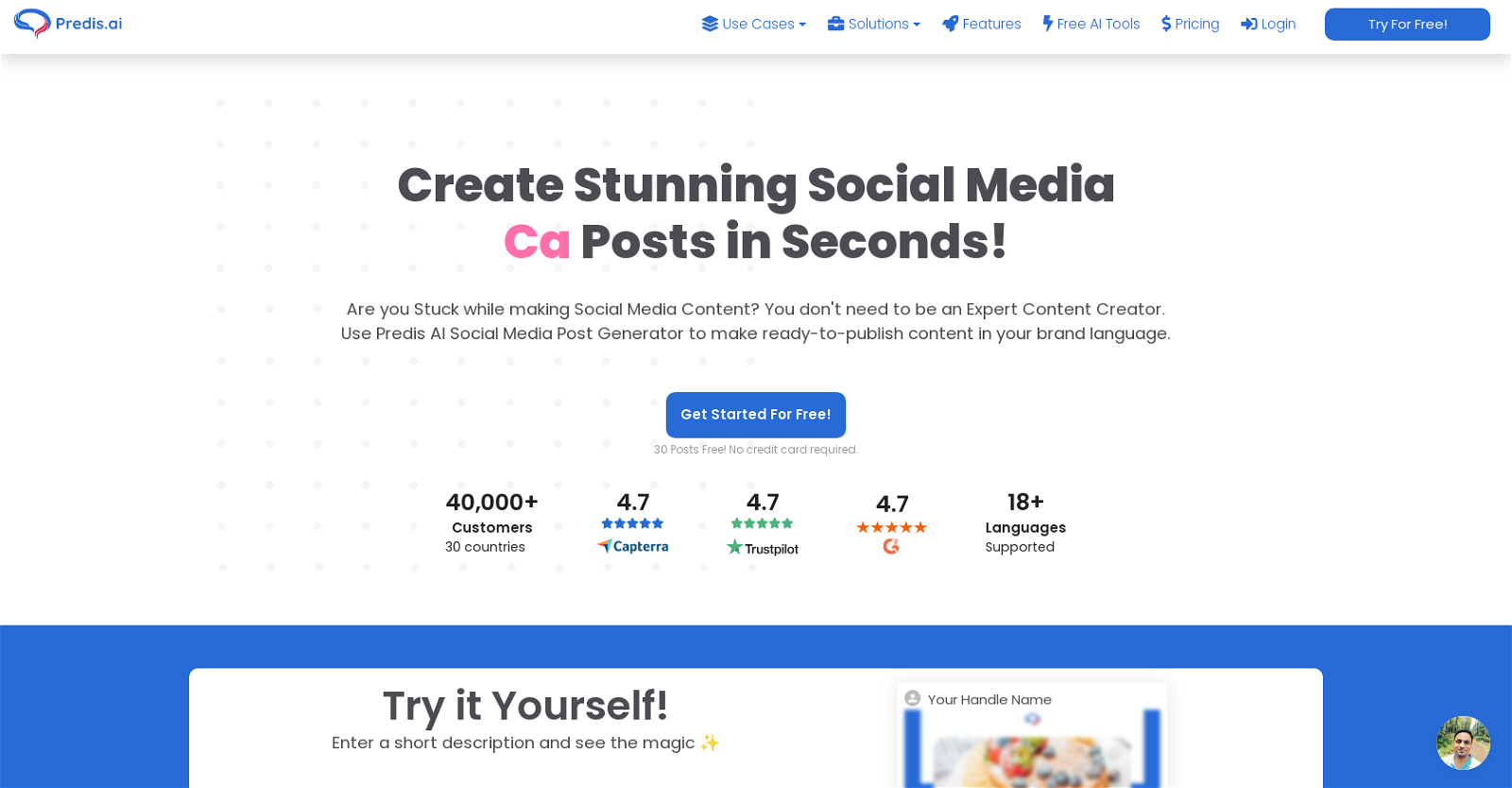
Predis.ai occupies an interesting niche: it generates both the visual creative and the caption simultaneously, which reduces the number of tools in your stack. You describe your brand and post concept, and Predis produces a graphic plus accompanying copy together.
The free tier is restrictive at 15 posts per month, and caption-only generation is not really the tool's strength. You are paying for the visual pairing. For creators who need both assets together it is worth testing. For pure caption work the other tools outperform it.
| Output Quality | 7.0 / 10 |
| Tone Range | 6.8 / 10 |
| Platform Fit | 8.0 / 10 |
| Free Tier Generosity | 6.5 / 10 |
| PROS | CONS |
| + Visual and caption in one tool | - Only 15 posts/month free |
| + Great for FB and Instagram | - Caption quality is average alone |
| + Scheduling integration | - Slower than text-only tools |
Best for: Creators who need visuals and captions bundled and post to Instagram and Facebook.
CapCut AI Captions: Best for Video Creators
Score: 6.9 / 10 · Free tier: Very generous
CapCut's AI caption feature is primarily built for on-screen video subtitles, covering auto-transcription and styling for TikTok and Reels content. It does this exceptionally well. But if you are looking for social post captions in the form of written text you publish with a post, CapCut is the weakest tool in this roundup.
That said, if your content is video-first and you primarily need accurate auto-subtitles plus a simple hook line, CapCut's free offering is hard to beat. The auto-captioning accuracy in English is genuinely impressive, and its free tier is generous for what it does.
| Video Auto-Subtitling | 9.5 / 10 |
| Written Social Copy | 5.5 / 10 |
| Platform Fit (Video) | 8.0 / 10 |
| Free Tier Generosity | 8.5 / 10 |
| PROS | CONS |
| + World-class video subtitling | - Written captions are weak |
| + Very generous free tier | - Not suited to static post copy |
| + Perfect for TikTok/Reels creators | - Requires downloading the app |
Best for: Video creators who need auto-subtitling for TikTok and Instagram Reels.
How to Choose the Right AI Caption Tool for You
Not every tool in this list is right for every creator. The best choice depends on how you create content, how often you post, and what platforms you are focused on. Here is a simple framework to guide your decision.
Match the tool to your posting frequency
If you are posting every day or multiple times per week, free tier limits matter a lot. Writesonic's 25-generation cap will run out quickly for daily posters. In that scenario, BioGPT.io is the clear winner because its free tier does not impose a hard monthly cap, meaning you can generate captions as often as you need without watching a counter.
If you post less frequently, say two or three times per week, Writesonic or Copy.ai's word-based limits are unlikely to be a problem, and you get more polished outputs in return.
Match the tool to your content format
Your primary content format should drive the decision as much as your posting frequency.
• Video-first creators (TikTok, Reels): Use CapCut for subtitle generation paired with BioGPT.io for the written post caption. The two tools complement each other well and are both free.
• Static image or carousel posts: Writesonic and BioGPT.io are your strongest options. Both are built for written captions and understand the format natively.
• Visual plus copy together: Predis.ai is the only tool that handles both in one step, saving you from switching between tools. The trade-off is a tighter free tier.
• Multi-channel marketing campaigns: Copy.ai gives you the widest range of content types under one roof, which is valuable when captions are just one part of a larger content push.
Questions to ask before committing to a tool
• Do I need to create an account before trying it, or can I test it immediately?
• Does the free tier reset monthly or is it a one-time allowance?
• Can I specify a tone, a platform, and a call-to-action in a single prompt?
• Does the tool generate relevant hashtags or do I have to add those separately?
• Is the output actually social-native or does it read like a blog paragraph with hashtags added at the end?
Quick decision guide Posting daily on a budget? Go with BioGPT.io. Need the highest quality output? Go with Writesonic. Running a full marketing campaign? Go with Copy.ai. Primarily making videos? Use CapCut for subtitles and BioGPT.io for post copy. Need visuals and captions together? Try Predis.ai. |
How to Get Better Results from Any AI Caption Tool
The tool is only half the equation. How you prompt it and what you do with the output shapes the final quality as much as the underlying AI. These are the practices that consistently produce better captions across all five tools we tested.
Give the tool more context, not less
The most common mistake creators make is treating AI caption tools like a magic button. A vague input produces a vague output. The more specific context you provide, the better the result. Instead of typing 'post about my new product launch,' try something like: 'Instagram caption for the launch of a sustainable water bottle targeting fitness enthusiasts aged 25-35, upbeat and motivating tone, include a call to action to shop the link in bio.'
That extra detail costs you thirty seconds and usually cuts the number of regenerations you need in half.
Use the tone selector deliberately
Most tools let you pick a tone before generating. This is not a cosmetic setting. Choosing 'professional' versus 'witty' produces structurally different captions, not just ones with slightly different word choices. Match the tone to where the post is going and who will read it, not just your general brand voice.
• Instagram and TikTok: Conversational, punchy, or humorous tones tend to outperform formal ones. Lead with a hook.
• LinkedIn: Thoughtful and informative tones perform better. Start with a clear insight or observation rather than a question.
• Facebook: Storytelling and community-focused tones work well. Give people something to respond to.
Always edit before you post
The best creators in our user research group spend one to three minutes editing AI captions before publishing. This is not because the AI output is bad. It is because a light human pass consistently improves performance. Three things to check in every caption:
• Does the first line create enough curiosity or value to make someone stop scrolling?
• Does the call to action tell the reader exactly what to do next, and is it specific?
• Does it sound like you, or does it sound like a generic post anyone could have written?
Save your best prompts
Once you find a prompt structure that consistently produces good results for a specific content type, save it. Most tools do not store your prompts between sessions. Keeping a simple notes document with your top three to five prompt templates saves significant time over the course of a month and ensures you are not starting from scratch each time.
Batch your caption generation
Rather than writing one caption at a time as you post, set aside thirty minutes once a week to generate captions for multiple upcoming posts in one sitting. This approach works especially well with tools that have monthly caps like Writesonic, because you can plan your 25 generations strategically rather than spending them reactively. It also gives you the option to let a draft sit for a few hours and review it with fresh eyes before posting.
Why AI Caption Tools Actually Matter
These statistics help explain why so many creators are switching from manual writing to AI-assisted captioning in 2025.
| 3x | 67% | 12 min | 2.1x |
| Creators using AI caption tools post 3x more consistently than those writing manually (Later Media, 2024) | Of marketers report higher engagement when captions use platform-native language vs. generic copy | Average time saved per post when using AI caption tools vs. writing from scratch | Captions with a strong hook in the first sentence see 2.1x more see-more taps on Instagram |
Our Verdict: Which Tool to Use
BEST OVERALL Writesonic Highest quality outputs and the best platform awareness. Worth the 25/month limit if you post strategically. | ⭐ BEST FREE FOR CREATORS BioGPT.io Unlimited free generation, purpose-built for social. The best choice if you are posting daily on a budget. |
BEST FOR MARKETING TEAMS Copy.ai Integrates captions into a wider content workflow. Ideal if you need more than just post copy. | BEST FOR VIDEO CREATORS CapCut AI If your format is video-first, CapCut's auto-subtitle engine is unmatched and free. |