


Table of Content
- Why 30 days is the sweet spot
- What goes inside a content calendar
- Set your foundation first
- Build your content pillars
- Lock in your posting frequency
- Choose your best posting windows
- The 30-Day Content Calendar Template
- Fill 30 days in about 90 minutes
- The tools you need (and do not)
- Track, learn, and adjust
- Mistakes that quietly kill a calendar
- Your quick-start checklist
- Plan once, show up easily
You sit down to post, stare at the blank screen, and the same question shows up that showed up yesterday: what do I post today? Twenty minutes later you publish something rushed, or you publish nothing at all. Then a week goes quiet, your reach slips, and the cycle repeats.
A 30-day content calendar breaks that loop. Not with more willpower, but with a system that answers the “what do I post” question once, in advance, so daily posting becomes copy, tweak, and schedule instead of panic and guess. Here is the full template, the data behind it, and a workflow to plan a whole month in about 90 minutes.
THE CASE FOR PLANNING
Why 30 days is the sweet spot
One week is too short to balance your content or spot patterns. A full year is too long to stay accurate, since platforms, trends, and your own offers shift faster than that. Thirty days is the window where planning is both realistic and useful.
TOO SHORT 1 week No room to balance pillars or learn what works. | JUST RIGHT 30 days Long enough to balance and measure, short enough to stay current. | TOO LONG 1 year Trends and offers move on. Stale before you post it. |
Planning at all is what separates brands that grow from brands that wing it. Research from the Content Marketing Institute has repeatedly shown that marketers with a documented strategy are far more likely to rate themselves highly effective than those running on a loose, verbal plan, and a calendar is the simplest form that documented strategy can take. Consistency is the other half: TikTok’s 2026 algorithm even added a bonus for accounts that post on predictable schedules, and every major platform reads steady activity as a sign an account is worth surfacing.
THE ANATOMY
What goes inside a content calendar
A calendar is not a list of captions. It is a map of every decision a post needs, made before you are under time pressure. A complete entry captures eight things:
• Date and time: when it goes live
• Platform: where it posts
• Pillar: the theme it serves
• Format: video, carousel, or story
• Hook and caption: the words that stop the scroll
• Tags and links: hashtags, mentions, and URLs
• Visual asset: the image or clip
• Call to action: the job the post does
Solving all eight once, in a batch, beats solving them thirty times under deadline. The payoff is fewer rushed posts, fewer broken links and missed tags, and a feed that looks intentional instead of reactive.
STEP 1
Set your foundation first
Skipping this is the top reason calendars fall apart by week two. Forty-five minutes here saves the whole month.
• Pick your platforms. Choose the one or two where your audience already is, and run them well before adding more. One strong feed beats six mediocre ones.
• Set one measurable goal. “Grow” is not a goal. “Add 500 followers,” “drive 1,000 clicks,” or “generate 30 qualified DMs” are. Your goal decides what earns a slot.
• Know your audience. Note what they struggle with and what they already save, share, and comment on. Their behavior is a better guide than guessing.
Once your platform, goal, and audience are set, the calendar almost fills itself.
STEP 2
Build your content pillars
Pillars are the three to five recurring themes everything you post falls under. They are the single best cure for blank-screen panic, because you are filling known categories instead of inventing ideas from nothing.
| PILLAR | JOB IT DOES | EXAMPLE POSTS |
|---|---|---|
| Educate | Build authority and earn saves | How-tos, tips, myth-busting, explainers |
| Inspire | Build trust and connection | Customer wins, transformations, mission stories |
| Entertain | Build reach and shareability | Trends, relatable moments, light humor |
| Engage | Build community and signal value | Questions, polls, this-or-that, user content |
| Promote | Drive the business outcome | Products, offers, launches, calls to action |
Why this mix? Because it is what audiences ask for. Sprout Social’s 2026 consumer research found people actively want brands to teach them and to show up with a recurring story, not just sell.
40% of consumers want more educational content about products and services from the brands they follow. | 1 in 5 want original, episodic content series rather than one-off posts. |
The 80/20 rule that keeps people following you
Here is the ratio that separates accounts people follow from accounts people tolerate. Flip it and your feed becomes an ad nobody asked for. Honor it and your promotional posts actually convert, because you earned the trust first.
80% VALUE FIRST | 20% PROMOTE |
For every pure sales post, plan about four value posts around it. Commit to the mix for at least 90 days before judging it.
STEP 3
Lock in your posting frequency
You do not need to post constantly. You need a pace you can sustain without quality dropping, because the moment quality slips, frequency stops helping. The 2026 data points to clear, realistic ranges.
| PLATFORM | SUSTAINABLE FREQUENCY | NOTES |
|---|---|---|
| 3 to 5 feed posts / week | Add 1 to 2 Stories daily; Reels drive the most reach | |
| 3 to 5 / week (up to 1 to 2 daily) | Older, work-hours audience; mix video and links | |
| TikTok | 1 to 3 / day, 2 to 5 / week to start | High velocity is rewarded, never at the cost of quality |
| 2 to 5 / week | Posts have a long shelf life; lead with useful content | |
| X (Twitter) | 3 to 10 / day | Content moves fast, so volume fits the platform |
THE ONE RULE THAT MATTERS MOST
Pick a cadence and hold it for at least eight weeks before changing it. Algorithms reward predictable behavior and results compound over time. Start lower than you think you can manage, because a reliable three posts a week beats an ambitious seven you abandon.
STEP 4
Choose your best posting windows
Great content at a dead hour underperforms decent content posted when your audience is scrolling. Timing does not replace quality, but it amplifies it. The strongest window across platforms in 2026 is weekday mornings, roughly 7 to 11 AM, with Wednesday the top day and lunchtime a strong second.
| PLATFORM | STRONGEST GENERAL WINDOW |
|---|---|
| 7 to 9 AM on weekdays (business hours) | |
| 7 to 9 AM, plus lunch and early evening | |
| TikTok | 6 to 8 AM and evenings, Thursday to Saturday |
| 9 to 11 AM, with video strong 5 to 8 PM | |
| X (Twitter) | 8 to 10 AM on weekdays |
Treat these as a starting point, not a law. B2B audiences engage during work hours while B2C audiences wake up at night and on weekends, so let your own analytics have the final word. If you optimize one thing, put your most important post of the week out on Wednesday morning.
THE CENTERPIECE
The 30-Day Content Calendar Template
This assumes one primary platform at a comfortable five-posts-per-week rhythm with lighter weekends, landing around 22 posts for the month. Scale it to your own frequency. Each week follows a gentle arc so the month never feels repetitive.

Week 1: Establish authority
| DAY | PILLAR | FORMAT | CONTENT IDEA |
|---|---|---|---|
| Mon | Educate | Carousel | “5 mistakes people make with [your topic]” |
| Tue | Engage | Story poll | Ask: “What is your biggest struggle with [topic]?” |
| Wed | Educate | Short video | A 30-second how-to answering a top question |
| Thu | Inspire | Single image | A customer result or before-and-after story |
| Fri | Entertain | Reel / trend | A relatable moment or light take on your industry |
| Wknd | Engage | Story | Behind-the-scenes of your week or a weekend question |
Week 2: Build connection
| DAY | PILLAR | FORMAT | CONTENT IDEA |
|---|---|---|---|
| Mon | Educate | Carousel | A step-by-step guide to one specific outcome |
| Tue | Inspire | Video | Your origin story or why you do this work |
| Wed | Engage | This-or-that | Let your audience pick between two options |
| Thu | Entertain | Reel | Trend audio applied to your niche |
| Fri | Educate | Single image | A quick tip or stat your audience can screenshot |
| Wknd | Inspire | Story | Reshare a customer post or a kind message |
Week 3: Build momentum
| DAY | PILLAR | FORMAT | CONTENT IDEA |
|---|---|---|---|
| Mon | Educate | Video | A deeper tutorial that leads to your offer |
| Tue | Engage | Story Q&A | Open the floor: “Ask me anything about [topic]” |
| Wed | Inspire | Carousel | A case study from problem to result |
| Thu | Promote | Single image | Tease what is coming: “Working on something for you” |
| Fri | Entertain | Reel | A myth-bust or “things I wish I knew” format |
| Wknd | Engage | Story poll | Warm up the audience for next week’s offer |
Week 4: Convert and reflect
| DAY | PILLAR | FORMAT | CONTENT IDEA |
|---|---|---|---|
| Mon | Promote | Carousel | Full offer reveal: what it is, who it helps, next step |
| Tue | Educate | Video | Address the most common objection to your offer |
| Wed | Inspire | Single image | A testimonial that proves the offer works |
| Thu | Promote | Story | A clear, time-bound call to action with the link |
| Fri | Engage | Story | Thank your community and ask what they want next |
| Wknd | Entertain | Reel | Light, shareable post to close the month on a high |
Notice how few slots are openly promotional. The month adds value first, earns attention, then asks for the sale. That is the 80/20 rule turned into a schedule.
THE WORKFLOW
Fill 30 days in about 90 minutes
A blank template is just homework. The trick is batching: doing one type of task across all thirty days at once instead of switching modes daily.
1. Minutes 0 to 15, brain-dump by pillar. List six to eight ideas under each pillar. You now have far more than thirty, so you get to choose the best instead of scraping for any idea at all.
2. Minutes 15 to 40, place the ideas. Drop your strongest ideas into the right days using the weekly arc above, matching format to platform. You are not writing yet, just placing.
3. Minutes 40 to 75, write in one sitting. Thirty captions back to back is far faster than one a day, because your brain stays in writing mode. Draft every hook first, since the hook is what stops the scroll.
4. Minutes 75 to 90, schedule everything. Load it into a scheduling tool, set your best windows, done. Your daily job shrinks to replying to comments and watching what performs.
TOOLING
The tools you need (and do not)
You can run a 30-day calendar in a free spreadsheet, and many great marketers do. A scheduling tool simply buys back time once you are ready.
| START FREE, TODAY | UPGRADE LATER |
|---|---|
A simple spreadsheet • Columns for date, platform, pillar, format, caption, asset, status • Genuinely all you need to begin • Zero cost and total control | A scheduling tool • Publishes posts automatically at your chosen times • Suggests windows from your real audience data • Keeps analytics in one place so you see what works |
MEASURE AND IMPROVE
Track, learn, and adjust
A calendar is not a set-it-and-forget-it object. It is a hypothesis you test every month.
THE INSIGHT MOST PEOPLE MISS
Judge performance by pillar, not by post. Ask which theme consistently earns the most saves, shares, and comments, then give next month more of what works. If your promotional posts tank, you usually did not add enough value first.
• Signals over vanity. In 2026 the platforms weight saves, shares, comments, and watch time far above likes, and saved posts keep circulating for weeks. Fewer likes with lots of saves is often the bigger win.
• Give it time. Hold your frequency steady for eight weeks and your pillars for 90 days before judging, then revisit the mix every six to nine months as interests shift.
AVOID THESE
Mistakes that quietly kill a calendar
• Going all-promotion. If every post sells, you break the trust that makes social content work. Protect the 80/20 ratio.
• Posting in bursts, then vanishing. Seven posts then silence teaches the algorithm you are unreliable. A steady three a week wins.
• Chasing volume over quality. A flood of low-effort posts does more harm than a few strong ones. Frequency only helps when quality holds.
• Ignoring your own data. Benchmarks are a starting line, not a finish line. Your analytics know your audience better than any guide.
• Treating every pillar the same. Vary formats even within one theme. Mix tutorials, tips, and explainers inside “Educate.”
DO THIS NOW
Your quick-start checklist
- Choose your one or two main platforms.
- Write one measurable goal for the month.
- Define three to five content pillars.
- Set a frequency you can sustain for eight weeks.
- Find your two or three best posting windows.
- Brain-dump ideas, then drop the best into the template.
- Batch-write your hooks and captions in one sitting.
- Schedule everything to your best times.
- At month’s end, review by pillar and adjust.
THE FINAL WORD
Plan once, show up easily
A 30-day calendar is not about turning your social media into a rigid machine. It is about doing your thinking once, in advance, so showing up daily becomes light instead of heavy. The brands that win are rarely the loudest or the most frequent. They are the ones who plan their value, post it consistently, listen to their data, and adjust.
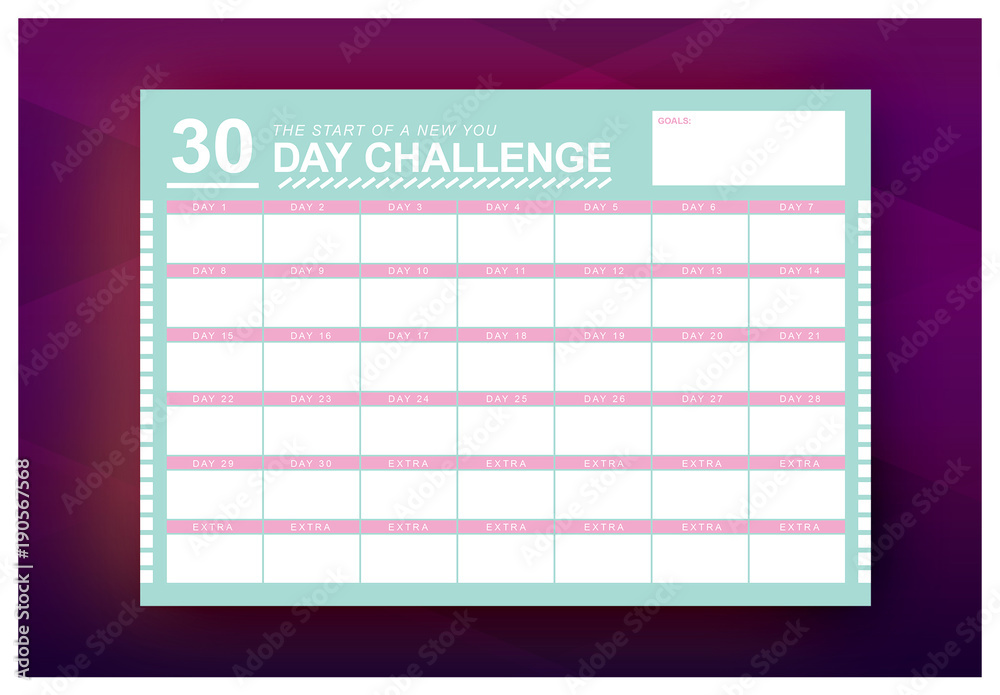
You have the template, the data behind it, and a 90-minute workflow to fill it. Open a blank document, copy the weekly structure, and start your brain-dump. Your next thirty days can be planned before you finish your coffee.