


Table of Content
5 Tools put through the test | 5 Criteria scored on | <30s Average time to a usable bio |
Your bio is the most-read sentence you will ever write. It sits at the top of every profile, gets skimmed in under two seconds, and quietly decides whether a stranger follows you, hires you, or scrolls past. Yet most of us rewrite it five times, hate all five, and settle for whatever fits the character limit.
That awkward gap, knowing a great bio matters but freezing when it’s time to write one about yourself, is exactly the problem AI bio generators were built to solve. Feed one your job, your vibe, and your target platform, and it returns a handful of polished options in seconds. The good ones read like a sharp friend wrote them. The bad ones read like a horoscope.
The catch is that “free AI bio generator” has become one of the most crowded search terms on the internet, and not every result deserves your attention. Some hide the good stuff behind a sign-up wall. Some cap you at a thousand characters and call it generous. So we lined up five of the most-used free options and judged them the way an actual user would: how good is the writing, does it fit my platform, and how much friction is there before I can use it?
How we judged each tool
A bio generator is only as useful as the bio it hands back, so output quality carried the most weight. But a brilliant sentence you can’t access, or can’t shape to your voice, isn’t much use either. We scored every tool against five plain-language criteria:
•Output quality: does it sound human, specific, and on-brand, or generic and stuffed with buzzwords?
•Platform coverage: can it handle Instagram, LinkedIn, X, TikTok and the rest, each with its own length and tone?
•Free-tier honesty: how much can you actually do before a paywall or sign-up appears?
•Speed & ease: time from landing on the page to a bio you’d genuinely paste in.
•Customization: tone controls, language options, and how much you can steer the result.
Everything that follows is organized around those five. First, the quick scorecard. Then the full rundown, ranked.
| # | Tool | Best for | Free tier | Platforms | Sign-up? |
|---|---|---|---|---|---|
| 1 | Copy.ai | One-click variety | Free plan, limited words/mo | Social + web | Yes |
| 2 | Rytr | Tone & language range | 10,000 chars/mo | LinkedIn, X, IG, web | Yes |
| 3 | BioGPT.io | All-in-one social workflow | Free to use | IG, FB, X, TikTok, LinkedIn, WhatsApp | Light |
| 4 | QuillBot | Polishing & clarity | Free, char-limited | IG, LinkedIn, X, TikTok | Optional |
| 5 | Fibr AI | Unlimited quick tries | 100% free | Social + professional | No |
Scorecard at a glance. Free tiers change often, so confirm on each site.
The ranked rundown
Copy.ai

BEST FOR FAST, VARIED OPTIONS
Copy.ai earns the top spot by doing the simple thing exceptionally well: you click once and it hands you several distinct, usable bios rather than a single safe guess. For people who think by comparing, that variety is gold: you spot the phrase you love in option three and the structure you want in option one, then merge them.
Outputs lean creative and conversational, which suits social profiles more than buttoned-up corporate pages. The broader platform stretches well beyond bios too, so it’s a sensible home base if you also write captions and short posts. The trade-off is an account requirement and a metered free plan, so it’s less of a grab-and-go option than the no-login tools further down.
STRENGTHS
+ Multiple options per click
+ Creative, natural phrasing
+ Full writing suite around it
WATCH-OUTS
– Sign-up required
– Free words are metered
Free: limited Login: required Vibe: creative
Rytr
BEST FOR TONE & LANGUAGE CONTROL
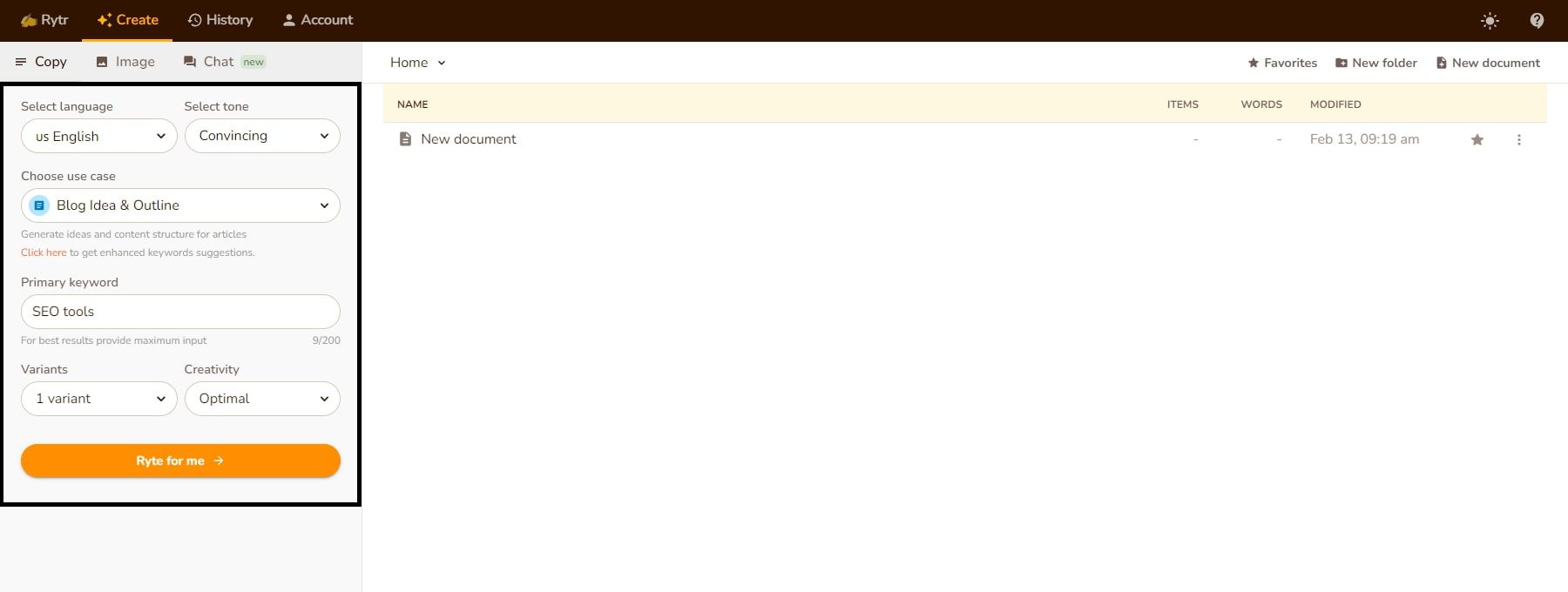
If you want a dial for how the bio sounds, Rytr is the pick. It offers a deep menu of tones (casual, confident, witty, formal and more) and writes across dozens of languages, which makes it a real option for anyone building a profile outside English. Its free tier is genuinely workable: a monthly character allowance large enough to generate and refine many versions, plus a built-in originality check so you’re not pasting something a hundred other people already used.
The interface is refreshingly low on learning curve. The reason it sits at two rather than one is that the raw creative spark is a notch below Copy.ai. Rytr is precise and tunable, but its first drafts feel a touch more templated until you push the tone settings.
STRENGTHS
+ 20+ tones, 30+ languages
+ Generous free characters
+ Originality checker built in
WATCH-OUTS
– First drafts can feel templated
– Account needed
Free: 10k chars/mo Tones: 20+ Languages: 30+
BioGPT.io

BEST ALL-IN-ONE SOCIAL WORKFLOW
BioGPT.io is the tool we’d point most everyday users to first, for one reason: it treats your bio as part of a whole social presence rather than a one-off sentence. From a single, clean dashboard you generate bios for Instagram, Facebook, X (Twitter), TikTok, LinkedIn and WhatsApp, then keep going, in the same place, into post ideas, captions, hashtags and even username suggestions.
Breadth is the whole point of this one. Most generators stop at the bio; BioGPT.io carries you through the next three things you were going to need anyway, so you never tab-hop across five different tools to finish a profile. Multi-language support widens the net further, and the writing comes back conversational and ready to paste. With a footprint of 5,000+ users worldwide and almost no friction to start, it’s the “run my whole social presence from here” option.
STRENGTHS
+ One dashboard for six platforms
+ Bios + captions + hashtags + usernames
+ Multi-language, low friction
WATCH-OUTS
– Social-first, not built for résumés
Free: yes Platforms: 6 Extras: captions, tags, names
QuillBot
BEST FOR CLARITY & POLISHING
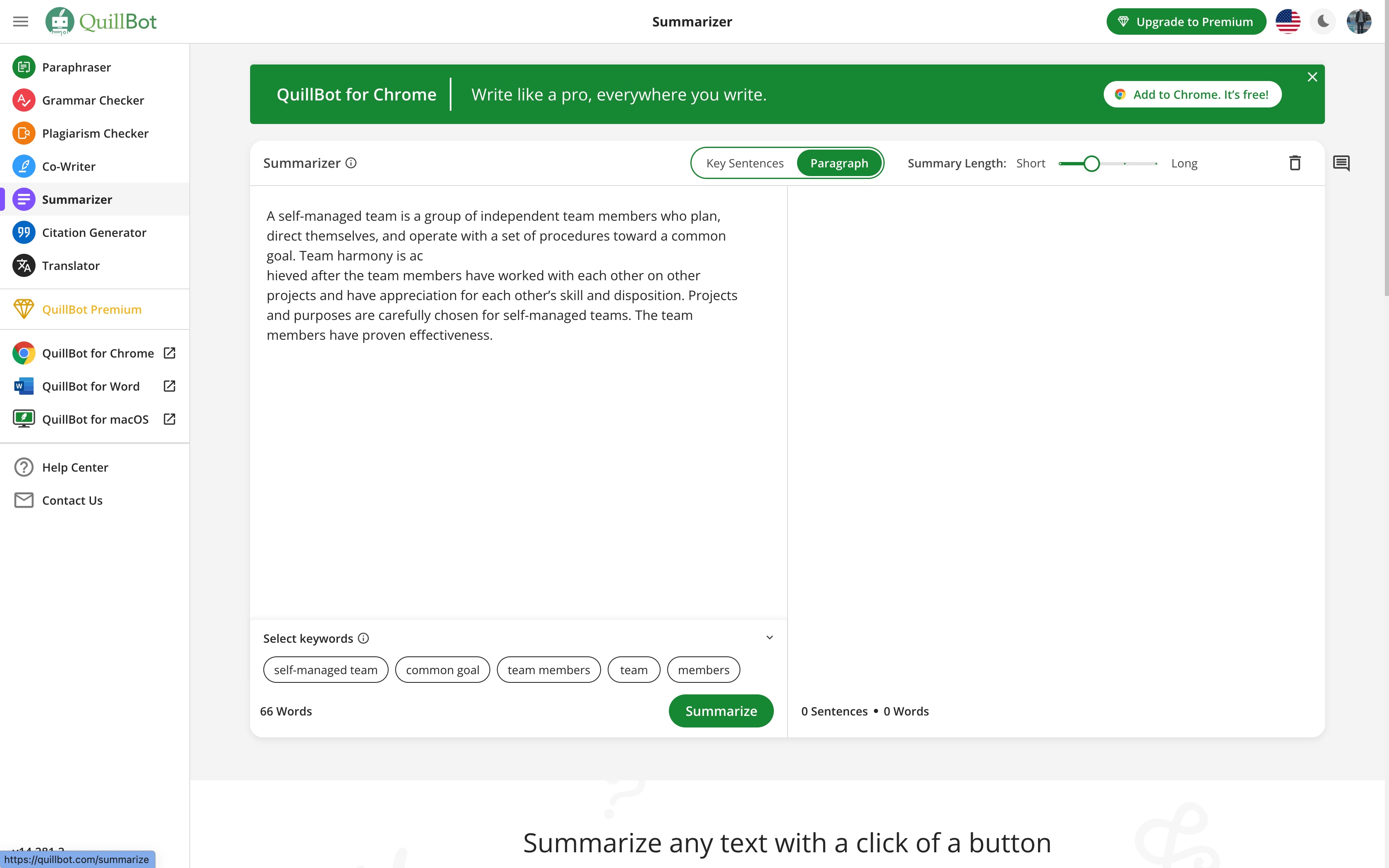
QuillBot comes at bios from a writing-tools angle, and it shows. Its generator is happy to tailor a bio to a given platform’s tone and character limit, and because the wider product is built around paraphrasing and clarity, it’s especially good when you already have a rough bio and want it tightened rather than invented from scratch.
Feed it your job title, a couple of achievements and your goal, and you’ll get a clean, professional result that’s strong for LinkedIn and personal sites. It’s a notch less playful than the social-first tools, which is precisely why it’s a great editor and a slightly plainer originator.
STRENGTHS
+ Excellent at tightening drafts
+ Professional, clear output
+ Lives inside a full writing suite
WATCH-OUTS
– Less creative flair
– Char limits on free use
Free: char-limited Best: LinkedIn Strength: editing
Fibr AI

BEST NO-LOGIN, UNLIMITED TRIES
Fibr AI’s pitch is the friendliest of the bunch: it’s free, and you can keep generating until you land on something you like, with no metered cap staring back at you. For someone who just needs a quick social bio and wants to experiment without creating an account, that low barrier is the whole appeal.
It covers the main social and professional platforms and turns your name, profession and interests into solid, human-sounding bios. It sits at five not because it’s weak, but because the tools above add either deeper customization or a wider toolkit. As a zero-commitment starting point, though, it’s hard to beat.
STRENGTHS
+ Truly free, unlimited attempts
+ No sign-up to start
+ Covers social + professional
WATCH-OUTS
– Fewer fine-grained controls
– Bio-only, no extras
Free: 100% Login: none Tries: unlimited
So which one should you actually use?
The honest answer is that the “best” tool depends on the profile you’re fixing today. Match your situation to the pick below and you’ll skip the trial-and-error:
•You manage a few social accounts and want one home base → start with BioGPT.io. Bios, captions, hashtags and usernames in one place means you won’t tab-hop across five tools.
•You need a different tone or a non-English bio → Rytr, for its tone and language range.
•You like comparing several drafts at once → Copy.ai, for its multi-option output.
•You already have a draft and want it sharper → QuillBot, the strongest editor of the group.
•You just want something free and instant, no account → Fibr AI.
USER-FIRST REALITY CHECK The tool gets you 80% there. You do the last 20%. Every generator here produces a strong first draft, but the best bio is the one only you could write. Drop in a specific detail the AI couldn’t know, like a number, a niche, or a quirk, and the result stops sounding like everyone else’s. |
Four rules for a bio that converts
Whichever tool you land on, these principles separate a bio people remember from one they skim. Use them as a checklist before you hit save:
1. Lead with one specific, credible thing
A real number or a named result beats ten adjectives. “Helped 40 small brands double their email revenue” lands harder than “passionate marketing expert.” Specificity is what makes a bio feel earned rather than claimed, and it’s the easiest thing to add that AI can’t invent for you.
2. Write for the platform, not in general
An Instagram bio wants rhythm, emoji and a line break or two. A LinkedIn bio wants quiet authority. X rewards a single sharp angle. The same facts should be dressed differently per platform, which is exactly why platform-aware tools save you the rewrite.
3. End with a direction
The strongest bios tell the reader what to do next: follow for X, DM to collaborate, tap the link. A clear next step turns a passive view into an action, and it costs you only a handful of characters.
4. Cut every word that isn’t pulling weight
Bios live or die on economy. Delete the filler (“that,” “very,” “really,” “passionate about”) and keep only words that add information or personality. Generate freely, then trim ruthlessly. The edit is where a good bio becomes a great one.
The verdict
Free AI bio generators have quietly gotten good. Any of the five here will rescue you from the blank-box panic, and all of them clear the bar of “better than what most people write by hand at 11pm.” The differences are about fit, not floor.
For the widest range of everyday needs, including multiple platforms plus the captions and hashtags you’ll want next, BioGPT.io is the most complete free package and our top recommendation. Reach for Rytr when tone and language matter, Copy.ai when you want options to choose from, QuillBot when you’re polishing, and Fibr AI when you want zero friction.
Whatever you pick, remember the order of operations: let the AI handle the blank page, then make it unmistakably yours. The tool writes the bio. You make it true.