
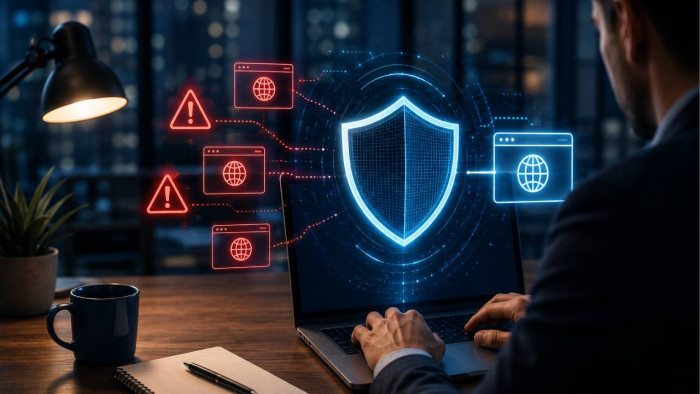

● DMARC enforces security on domains you own, but cannot block external lookalike domains owned by attackers.
● Cybercriminals exploit visual trust using typosquatting, homoglyphs, cousin domains, subdomain tricks, and bitsquatting.
● Victim customers blame your brand for fraud, which can destroy your business.
● You must enforce p=reject on your primary domain while continuously monitoring Certificate Transparency logs for fake registrations.
● Mitigate damage by registering high-risk domain variants defensively and deploying BIMI with a Verified Mark Certificate.
Hackers know people trust your name, so they register domains that look almost exactly like yours, then use them to send their phishing emails. The damage lands on your brand, even though the attack never touched your infrastructure. Even though proper email authentication is extremely important, stopping full domain abuse requires you to know where native protocols end and proactive domain security begins. Here is how these attacks work, why standard email authentication alone cannot stop them, and the practical steps needed to protect your business from brand impersonation.
What a Lookalike Domain Attack Looks Like
Attackers rely on subtle visual deception to fool users. Because most people skim email addresses rather than scrutinize every character, cybercriminals employ specific domain formatting tricks to make fraudulent messages look authentic.
● Typosquatting - This technique targets common typing mistakes: omitting a character, repeating one, replacing a letter with a keyboard-adjacent one, transposing two adjacent letters, swapping a vowel, or using an alternative top-level domain (TLD). An attacker might register yourbrand.co or yosrbrand.com instead of your legitimate yourbrand.com. It’s easy not to notice these when they are sent to a mobile screen or viewed in a crowded inbox.
● Homoglyphs (IDN Homograph Attacks) - Internationalized Domain Names (IDNs) allow non-ASCII characters in web addresses. Attackers exploit this by swapping Latin characters with identical-looking Cyrillic or Greek characters, for example replacing a Latin "a" (U+0061) with a Cyrillic "а" (U+0430).
● Cousin Domains - Instead of modifying your brand name, attackers append believable keywords that imply legitimate administrative or service operations. Examples include yourbrand-support.com, yourbrand-secure.net, or verify-yourbrand.com.
● Subdomain Deception - In this variation, attackers register an unrelated base domain that they fully control and create a subdomain using your actual brand name. Because email clients and browsers display the left side of the address prominently, users frequently miss the actual destination domain on the right.
● Bitsquatting - A rarer, more technical variant that exploits random memory or hardware bit-flip errors rather than a human typing mistake. A single flipped bit during DNS resolution can occasionally send a request to a domain that differs from the real one by just one bit, such as yougrand.com instead of yourbrand.com. It is uncommon but well documented in security research, and customer education cannot prevent it, since no one actually typed anything wrong.
Why This Hurts Your Brand Even Though It's Not Your Domain
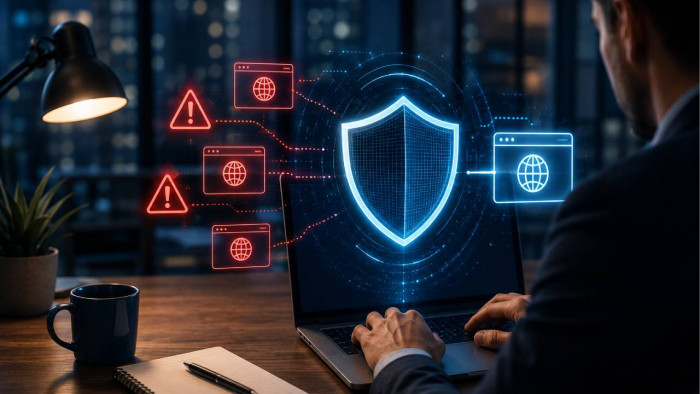
When cybercriminals launch a brand impersonation campaign, the infrastructure used belongs entirely to the attacker. However, the reputational fallout hits your organization directly.
Zscaler's ThreatLabz threat research team tracked more than 30,000 lookalike domains impersonating over 500 brands between February and July 2024, and found that roughly a third were confirmed malicious, with Google, Microsoft, and Amazon alone accounting for close to 75 percent of the domains observed.
● The attacker registers a lookalike domain, for example yourbrand-security.com.
● A phishing email is sent to customers or employees.
● Recipients are compromised, losing credentials or payments.
● The reputational and operational impact falls entirely on your organization.
Customers who fall victim to a scam do not differentiate between an email sent from your real domain and one sent from a lookalike. When a fake domain successfully tricks a customer into giving up credentials, transferring money, or exposing personal data, the victim views the event as a failure of your company's security.
According to threat intelligence reports from the FBI Internet Crime Complaint Center (IC3)'s 2025 Internet Crime Report, phishing and spoofing remained among the most frequently reported cybercrimes in the United States, and contributed to reported losses that reached nearly $21 billion for the year. That risk compounds quickly: IBM's 2025 Cost of a Data Breach Report found phishing was the most common way attackers gained initial access to a breach, at an average cost of $4.8 million per incident, and lookalike domains are frequently the first step in that chain. The consequences?
1. Customer support desks become overwhelmed with inquiries, refund requests, and complaints from victims of fake communications.
2. Trust is difficult to build and instant to lose. Customers who experience financial loss or privacy violations tied to your brand name often cut ties 100%.
3. If recipients frequently mark lookalike domain emails as spam or phishing, mail user agents and filter providers may lower the overall sender reputation score associated with your brand's display name and assets.
4. If a lookalike domain scam results in exposure of personal or health data, your organization can face separate breach notification and compliance obligations under laws such as the GDPR, CCPA, or HIPAA, on top of the reputational damage.
The Critical Distinction: Spoofing vs. Lookalike Domains
To build an effective strategy, you must distinguish between domain spoofing and lookalike domains, and understand what DMARC can and cannot do against each.
| Threat Vector | Exact-Domain Spoofing | Lookalike / Cousin Domain Phishing |
| Sender Address | [email protected] | [email protected] |
| Ownership | You own the domain | Attacker owns the domain |
| DMARC Effect | Blocked directly via p=reject | No effect (attacker sets their own policy) |
| Primary Defense | SPF, DKIM, DMARC enforcement | Monitoring, takedowns, BIMI |
Exact-Domain Spoofing
Exact spoofing occurs when an attacker crafts an email header that claims to come directly from your exact, legitimate domain. Because you own this domain, you have total authority over its DNS settings. Publishing an explicit SPF record, configuring DKIM signing, and establishing a DMARC policy set to p=reject instructs receiving mail servers to drop these fake messages automatically.
Lookalike Domains
A lookalike domain is a separate domain registered and owned by the attacker. Because the attacker owns this domain, they can publish their own valid SPF, DKIM, and DMARC records for it. When a mailbox provider receives an email from yourbrand-support.com, the message passes SPF and DKIM authentication for that specific domain.
Your primary domain's DMARC policy has zero authority over a third-party domain owned by someone else. DMARC cannot block an email originating from a domain you do not own. Recognizing this boundary is the foundation of a complete brand protection strategy.
Step One: Lock Down Your Own Domain
Before attempting to tackle external third-party domains, you must fully secure your legitimate domain infrastructure against direct exploitation.
1. Identify All Sending Systems
Audit every system that sends outbound email using your domain, including primary mail servers, CRM platforms, marketing tools, and ticketing software.
2. Configure SPF and DKIM
● SPF: Publish an accurate SPF record in your public DNS listing every authorized IP address and third-party service provider permitted to send mail on your behalf.
● DKIM: Generate unique 2048-bit DKIM keypairs for each sending service. Attach cryptographic signatures to outbound headers to verify message integrity.
3. Move DMARC to Enforcement
Publish a DMARC record starting with a monitoring policy (p=none) to analyze report data. Validate your DNS configuration using a reliable DMARC checker to verify that tags, alignment modes, and syntax are error-free. Once legitimate mail sources are fully aligned, escalate your enforcement policy to p=quarantine and ultimately to p=reject.
Step Two: Monitor for Lookalike Registrations
Because you cannot prevent an attacker from purchasing an unregistered domain name through a public registrar, you need visibility into newly registered domains targeting your brand.
1. Automate Domain Stream Monitoring
Implement continuous monitoring tools that query global domain registration databases and Certificate Transparency (CT) logs. These feeds automatically flag newly registered domains containing your brand name, common misspellings, or homoglyph variants. This kind of automation matters more every year, since attackers increasingly use AI tools to generate and register large batches of subtly varied domains at once.
2. Investigate Suspicious Domains
When a candidate domain is flagged, perform a structured investigation:
● Use a WHOIS domain lookup tool to extract registrar details, registration timestamps, and name server configurations.
● Check whether MX records are configured on the suspicious domain, which indicates active email capabilities.
● Inspect active web servers in an isolated sandbox to determine if a phishing landing page imitating your site is live.
● Check the SSL certificate's validation level. Attackers overwhelmingly rely on free Domain Validation certificates, which only confirm that someone controls the domain, not who they are. A legitimate brand's certificate typically carries Organization Validation or Extended Validation details naming the actual company.
● Run a quick search for the domain alongside terms like "scam," "phishing," or "review" to see whether other users or security researchers have already flagged it.
3. Execute Takedown Procedures
If a domain infringes on your trademark or hosts a malicious phishing page, initiate a takedown workflow:
● Submit abuse reports directly to the domain's registrar and hosting provider detailing the brand impersonation and malicious activity.
● Request immediate DNS sinkholing or suspension of the domain.
● For persistent high-value domain disputes, file an administrative complaint under the Uniform Domain-Name Dispute-Resolution Policy UDRP.
Step Three: Reduce the Damage a Lookalike Can Do
A comprehensive defense pairs domain enforcement and active monitoring with strategies designed to reduce the success rate of lookalike phishing attempts.
● SPF, DKIM, and DMARC at p=reject.
● BIMI plus a Verified Mark Certificate.
● Proactive registration of high-risk domain variants.
● Certificate Transparency log monitoring and abuse reporting.
Deploy BIMI (Brand Indicators for Message Identification)
BIMI allows organizations that have enforced DMARC p=quarantine or p=reject to display a verified corporate logo alongside their outbound emails in supported inboxes like Gmail and Apple Mail. Obtaining a Verified Mark Certificate VMC requires you to prove trademark ownership of the logo.
Because an attacker with a lookalike domain can’t really secure a VMC for your trademarked logo, their phishing emails will lack this official visual trust sign.
Register High-Risk Domain Variants Defensively
You can register domain variations to create a defensive perimeter around your primary brand asset:
● Secure key country-code TLDs (ccTLDs) and top generic TLDs.
● Register high-risk variations containing common prefixes or suffixes.
● Point defensively registered domains to your main website or configure them with explicit v=spf1 -all records and p=reject DMARC policies.
Establish Cstomer Education and Reporting Channels
Give your customers and staff clear guidance on how your company communicates:
● Publish an official list of your primary web and email domains in your site's help center.
● Explicitly inform customers that your staff will never request sensitive credentials, passwords, or payment updates via external links or third-party domains.
● Set up a dedicated abuse reporting mailbox and show it as well as you can on your contact page.
FAQ
Can DMARC stop lookalike domain phishing?
No. DMARC only protects domains that you own and manage. Because a lookalike domain is registered separately by an attacker, the attacker controls its DNS records and can pass DMARC checks on their own domain.
What's the difference between spoofing and a lookalike domain?
Exact-domain spoofing occurs when an attacker sends an email using your exact domain address without authorization. A lookalike domain attack uses a completely different, newly registered domain that visually resembles your brand.
How do I find out if someone registered a domain like mine?
You can track new domain registrations using domain monitoring services that scan Certificate Transparency logs, WHOIS updates, and DNS zone changes for variations of your brand name, common typosquatting patterns, and homoglyph characters.
What should I do if a lookalike domain is impersonating my brand?
First, perform a WHOIS lookup to identify the registrar and hosting provider. Next, gather evidence of the phishing activity or trademark infringement and submit formal abuse reports requesting domain suspension. If the domain hosts an active phishing site, submit the URL to security blocklists such as Google Safe Browsing and Microsoft SmartScreen.
Are all lookalike domains malicious?
Not necessarily. Some companies register their own common misspellings defensively, redirecting visitors to their real site, so a lookalike domain is not automatically a threat. That said, any lookalike domain your organization did not register itself should be investigated.