

Table of Content
- When a Social Media Scheduler Actually Becomes Necessary
- Design Philosophy: Visual Planning vs Structured Automation
- Content Planning Experience
- Automation and Content Recycling Capabilities
- Collaboration and Team Workflow
- Analytics and Performance Insights
- Pricing Comparison
- User Reviews and Market Reputation
- Which Tool Fits Different Types of Users
- Final Perspective
Social media management has evolved far beyond simply posting content manually. Brands, creators, and marketing teams now juggle multiple platforms, different posting schedules, analytics tracking, and audience engagement all at once. What begins as a simple Instagram or LinkedIn presence quickly becomes a daily operational task that consumes hours.
This is where scheduling platforms become essential. Instead of posting content manually every day, tools like Later and SocialBee allow users to plan content, organize campaigns, and track performance from one dashboard.
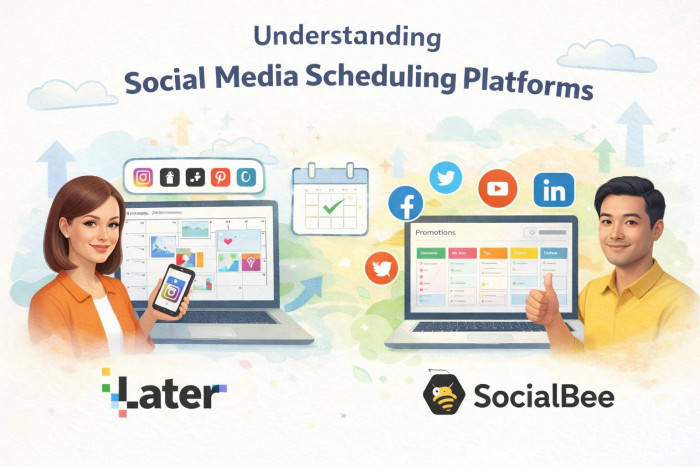
Both tools aim to simplify social media management, but they approach the problem from different angles. Later is known for its visual planning workflow and strong Instagram and influencer marketing tools, while SocialBee focuses heavily on structured scheduling, automation, and content recycling.
Understanding how these philosophies shape real-world workflows is the key to choosing the right platform.
When a Social Media Scheduler Actually Becomes Necessary
For individuals posting occasionally on one social platform, manual posting might still work. But once someone manages multiple platforms or runs social media professionally, the complexity grows quickly.
Creators often need to coordinate posts across Instagram, TikTok, YouTube Shorts, and Pinterest. Small businesses must schedule promotions, announcements, and engagement posts consistently. Agencies may manage dozens of accounts across multiple clients.
Without scheduling tools, this leads to:
1. inconsistent posting schedules
2. missed content opportunities
3. inefficient manual posting
4. difficulty tracking performance
This is why scheduling platforms have become a core part of modern social media workflows. Instead of treating content as isolated posts, these tools help users plan an entire content pipeline.
Both Later and SocialBee solve this problem, but they prioritize different workflows.
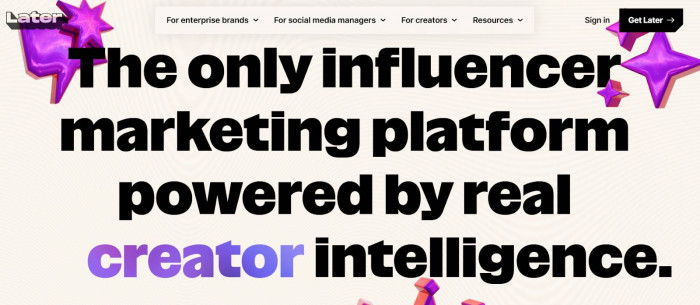
Later is built around visual planning and content campaigns, while SocialBee is designed for automated publishing and structured posting systems.
That difference shapes nearly every part of the user experience.
Design Philosophy: Visual Planning vs Structured Automation
The biggest difference between Later and SocialBee appears the moment you open their dashboards.
Later is built around a visual-first philosophy. The platform was originally designed for Instagram scheduling, and that influence still shapes its interface today. The dashboard focuses on visual grids, drag-and-drop calendars, and media previews.
This approach makes the tool especially attractive for:
1. influencers
2. Instagram creators
3. brands focused on visual content
4. marketing teams planning aesthetic feeds
Instead of thinking about posting schedules in abstract time slots, users see how their Instagram feed or campaign will visually appear before publishing.
SocialBee takes a completely different approach.
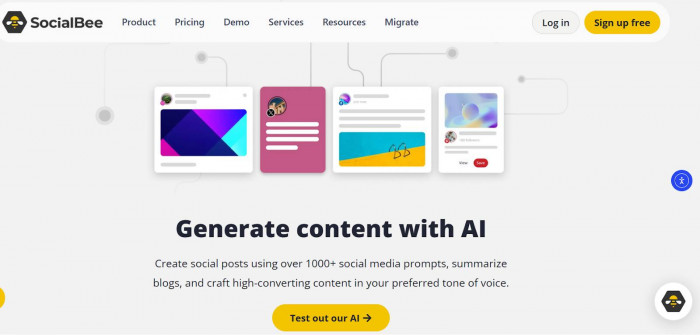
Instead of focusing on visuals, SocialBee emphasizes structured publishing workflows. Content is organized into categories such as promotions, blog posts, tips, or engagement content. Each category can be assigned specific posting schedules.
For example:
1. Monday mornings: educational posts
2. Wednesday afternoons: product promotions
3. Friday evenings: engagement questions
The system then rotates content automatically within those categories.
This automation-driven design makes SocialBee especially useful for businesses managing long-term content strategies rather than visually curated feeds.
The result is two very different daily workflows.
Later feels like planning a social media campaign visually, while SocialBee feels like running an automated content engine.
Content Planning Experience
Planning posts is the core activity in any social media scheduler, and this is another area where Later and SocialBee diverge significantly.
Later focuses on a visual calendar and media library experience. Users upload images or videos into a media library, then drag those assets onto the scheduling calendar. The system shows exactly how the content will appear on the platform.
This is particularly useful for Instagram where feed aesthetics matter.
Later also provides:
1. post preview tools
2. hashtag suggestions
3. AI caption assistance
4. scheduling across Instagram, TikTok, Pinterest, LinkedIn, and more
For creators and marketers who rely on visual storytelling, this workflow feels natural.
SocialBee’s planning process is less visual but more structured.
Instead of focusing on media organization first, SocialBee encourages users to categorize content before scheduling it. Posts are placed into content categories, and each category has its own publishing schedule.
This system allows content to rotate automatically, which is useful for evergreen material such as blog posts or educational tips.
A quick comparison highlights the differences:
Later planning workflow
1. visual drag-and-drop calendar
2. media library with previews
3. campaign-style scheduling
SocialBee planning workflow
1. category-based scheduling
2. automation-driven publishing
3. structured content rotation
Neither approach is inherently better. The difference comes down to how users prefer to organize content.
Automation and Content Recycling Capabilities
Automation is where SocialBee clearly stands out.
Social media content often includes a mix of time-sensitive posts and evergreen material. Evergreen content such as tutorials, blog articles, and educational posts can remain relevant for months or even years.
SocialBee is designed to reuse this content automatically.
The platform allows users to create content categories and enable recycling for specific posts. Once the system reaches the end of a category queue, it can loop back and publish the posts again.
This is extremely useful for businesses that want to continuously promote valuable content without constantly rewriting posts.
Typical SocialBee automation features include:
1. category-based posting schedules
2. evergreen content recycling
3. bulk scheduling
4. automated posting queues
Later, by contrast, is less focused on recycling.
The platform is primarily built for campaign-style scheduling rather than continuous automation. Users plan content visually for specific dates rather than setting up automated content pipelines.
This difference benefits different users:
1. Agencies managing evergreen marketing campaigns often prefer SocialBee.
2. Influencers and visual brands may prefer Later’s campaign-style planning.
3. Small businesses may benefit from SocialBee’s automation if they want consistent posting without constant manual input.
Collaboration and Team Workflow
Team collaboration becomes critical once multiple people are involved in social media management.
Later offers collaboration features designed primarily for marketing teams. Users can assign roles, manage content drafts, and preview posts before publishing.
The platform also supports:
1. multi-user access
2. post approvals
3. shared content calendars
4. influencer campaign management
This works well for brand teams coordinating social media campaigns.
SocialBee also supports collaboration but is particularly useful for agencies managing multiple clients.
The platform includes tools for:
1. client workspaces
2. multiple social profile management
3. content approval workflows
4. centralized scheduling for multiple brands
Because SocialBee organizes content by categories and profiles, agencies often find it easier to scale workflows across many clients.
In general:
● Later works well for internal brand teams and influencers
● SocialBee often works better for agencies managing many social accounts
Analytics and Performance Insights
Both platforms provide analytics tools, but their focus differs slightly.
Later places strong emphasis on visual content performance, especially on Instagram.
Users can track metrics such as:
1. engagement rates
2. follower growth
3. post reach
4. best posting times
Later also includes influencer marketing analytics that help brands evaluate partnerships and track campaign results.
SocialBee’s analytics tools focus more on cross-platform performance tracking. The platform supports detailed reports across multiple social networks, helping marketers understand which types of posts perform best.
SocialBee also provides:
1. engagement tracking
2. content performance insights
3. platform-level analytics comparisons
While both tools offer analytics, Later’s analytics are often stronger for Instagram-focused strategies, while SocialBee’s reporting works better for broader multi-platform campaigns.
Pricing Comparison
Pricing models differ significantly between the two platforms.
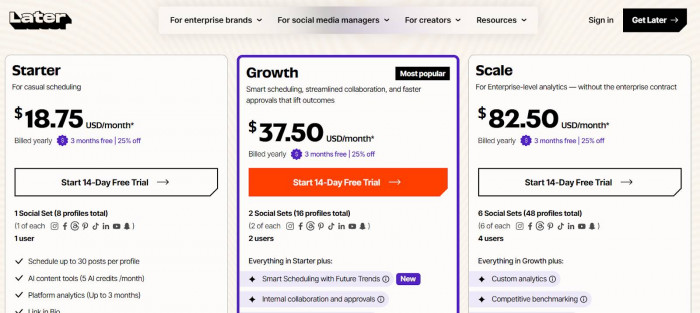
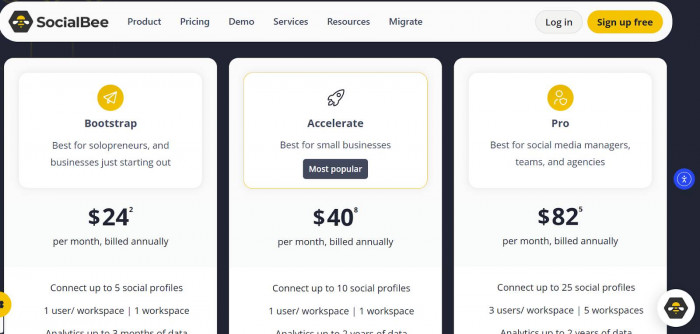
Later structures its pricing around Social Sets, which represent groups of social profiles.
SocialBee prices plans based on the number of individual social profiles connected to the account.
| Platform | Plan | Price | Key Limits |
| Later | Starter | ~$25/month | 1 Social Set |
| Later | Growth | ~$50/month | More posts & analytics |
| Later | Scale | ~$110/month | Advanced analytics & collaboration |
| SocialBee | Bootstrap | $29/month | 5 social profiles |
| SocialBee | Accelerate | $49/month | 10 social profiles |
| SocialBee | Pro | $99/month | 25 social profiles |
This difference can significantly affect pricing depending on the user's needs.
For example:
● Later may be cheaper for individual creators managing a few profiles
● SocialBee may become more cost-effective for agencies managing many social accounts
Understanding how each platform counts profiles and accounts is important before choosing a plan.
User Reviews and Market Reputation
Both platforms are well established in the social media management space, but user feedback highlights different strengths.
Reviews on sites like G2 and Trustpilot often praise Later for its user-friendly interface and visual planning tools.
Many creators describe it as intuitive and easy to learn.
However, some users mention that Later’s automation features are limited compared with more advanced scheduling platforms.
SocialBee receives strong feedback for its automation capabilities.
Many marketers highlight how much time they save using its structured posting system.
For example:
Some marketers say SocialBee saves significant time thanks to automation and bulk scheduling features.
However, some new users report that the interface requires a short learning period because the category-based workflow is different from typical scheduling tools.
In general, reviews suggest:
● Later is praised for ease of use and visual planning
● SocialBee is praised for automation and scheduling flexibility
Which Tool Fits Different Types of Users
Choosing between Later and SocialBee largely depends on the type of user and workflow.
Solo creators
● Later often works best because of its visual planning tools
● Instagram creators especially benefit from feed previews
Small businesses
● SocialBee may be more efficient due to automation and recycling
● businesses can schedule evergreen content easily
Agencies managing multiple clients
● SocialBee’s content categories and multi-profile support make scaling easier
Influencer marketers
● Later’s influencer analytics and visual campaign planning tools provide strong advantages
Final Perspective
Both Later and SocialBee solve the same core challenge: helping people manage social media more efficiently. The difference lies in how they approach the problem.
Later focuses on visual content planning and campaign management, making it particularly appealing for creators, influencers, and brands that prioritize aesthetics and content presentation.
SocialBee emphasizes automation and structured publishing workflows, which can dramatically reduce the time required to maintain consistent posting schedules.
For users who want to carefully plan visual campaigns and preview how posts will appear, Later offers a streamlined experience. For businesses that rely on evergreen content and automated scheduling, SocialBee can feel like a powerful content engine.
Choosing between them ultimately depends on how you prefer to organize and publish your content rather than which tool has the longer feature list.