


Table of Content
If you run social media for yourself or a small business, you already know the real problem. It is not a lack of ideas. It is the relentless pace. You are expected to show up on Instagram, TikTok, LinkedIn, and X several times a week with content that looks good and sounds like a real person, and you are expected to do it without a team or a budget.
Free AI tools can take a large chunk of that weight off your shoulders. Used well, they help you move faster on the boring parts so you can spend your energy on the parts only you can do. Used badly, they produce generic filler that audiences scroll right past. This guide is built around the first outcome: a practical, repeatable way to create social media content with free AI tools that still sounds like you, and that puts your judgment first at every step.
First, What the Data Actually Says
The shift toward AI-assisted content is not hype anymore. It is how most marketing teams already work. In Social Media Examiner's 2025 AI Marketing Industry Report, which surveyed more than 730 marketers, 90% said they use AI for text-based tasks, with the most common uses being idea generation, drafting, and writing headlines. Statista's 2026 content marketing study found that just over half of B2B content teams now use AI to produce text, images, or video.
The reason is time. Industry surveys compiled by Straits Research estimate that marketers save an average of around 2.5 hours per day using generative AI, largely by speeding up writing, captioning, and repurposing. That is the whole appeal in one number: more output, less burnout.
Roughly 86% of marketers still manually edit what AI produces before it goes out. AI is doing the first draft, not the final word.
This is the part that matters most, and the part this guide is built around. The people getting good results are not handing the keys to a robot. They are using AI as an assistant and keeping a human in the loop. That is the difference between content that performs and the low-quality “AI slop” that platforms and audiences increasingly punish.
So the goal is not to automate yourself out of the process. It is to automate the friction and keep your judgment front and center.
A Simple Workflow That Puts You First
The biggest mistake people make with AI tools is treating them like a vending machine: type a request, copy the output, paste it, post it. That is exactly how you end up sounding like everyone else.
A better approach is to treat AI as a collaborator at each stage of a workflow you already control. Here is a five-step loop you can run for almost any post.
1. Start with your idea, not the tool's. Decide what you actually want to say: a lesson, a story, a tip, an announcement. AI is great at expanding and refining an idea, but the spark should come from you and your real experience. That is what makes content worth following.
2. Draft fast, then cut. Ask an AI writing tool to turn your rough idea into a first draft or a few angles. Treat everything it gives you as raw clay. Keep the 20% that sounds like you and rewrite the rest.
3. Make it visual. Pair your text with a graphic, image, or short video. Free design tools with built-in AI can get you most of the way to a clean visual in minutes.
4. Polish the packaging. Tighten the caption, generate a few options, and add hashtags that match the actual topic. This is the part AI handles best and the part that eats the most time manually.
5. Schedule and review. Queue your posts, then check performance so your next round is smarter than your last.
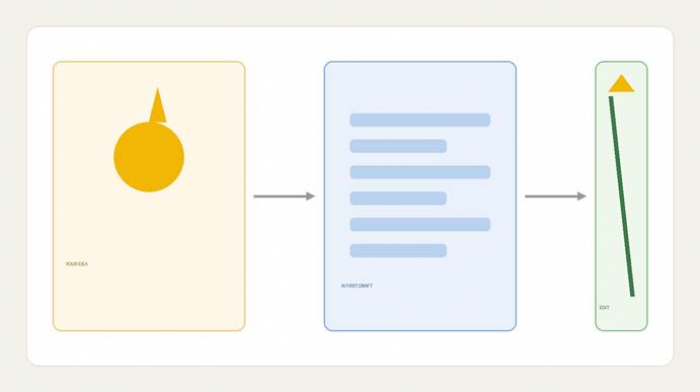
Your idea drives the first draft. Your edit decides what actually gets published.
Notice that AI touches every step but never runs the whole thing on autopilot. You stay in charge of the idea and the final voice, which is exactly what keeps the content user-first rather than tool-first.
Free AI Tools, Organized by What You Actually Need to Do
Tool lists are everywhere, and most of them are not very useful because they list dozens of names with no sense of when to use what. Below, the tools are grouped by the job you are trying to get done. A quick note on the word “free”: almost all of these are freemium, meaning there is a genuinely usable free tier, usually with limits on how much you can generate per day or per month. That is plenty for most individuals and small businesses.
Ideas, Captions, and Written Content
This is where AI saves the most time, and where most people start.
• ChatGPT (free tier). The default for a reason. Good for brainstorming hooks, drafting captions, turning one idea into ten posts, and adapting a message for different platforms.

• Claude (free tier). Strong at longer-form writing and at matching a tone you describe. Useful when you want a draft that needs less rewriting.

• Google Gemini (free tier). A solid alternative that ties into Google's ecosystem if that is where you already work.
• BioGPT.io. A free, social-media-specific tool built around the short text that platforms actually need: profile bios, captions, hashtags, post suggestions, profile descriptions, and even username ideas, with generators tailored to Instagram, Facebook, X, TikTok, LinkedIn, and WhatsApp. If you have ever stared at the bio field not knowing what to write, or needed a batch of caption options fast, this kind of focused tool handles those specific jobs quickly. It also supports multiple languages, which helps if you post to a global audience.

The general-purpose chat tools (ChatGPT, Claude, Gemini) are best when you want flexibility and longer drafts. A focused tool like BioGPT.io is best when you want platform-ready bios, captions, and hashtags without writing a detailed prompt every time. Pick whichever matches the job in front of you rather than committing to one tool for everything.
Images and Graphics
• Canva (free tier). The most popular choice for non-designers. Its free plan includes AI features for generating images, removing backgrounds, and resizing a single design for multiple platforms, plus thousands of templates.
• Microsoft Designer / Bing Image Creator (free). Free AI image generation, useful for original visuals when a stock photo will not do.
• Adobe Express (free tier). A capable free design tool with AI-assisted graphics and templates sized for every platform.
• Ideogram (free tier). Particularly good at generating images that include readable text, which most image generators still struggle with.
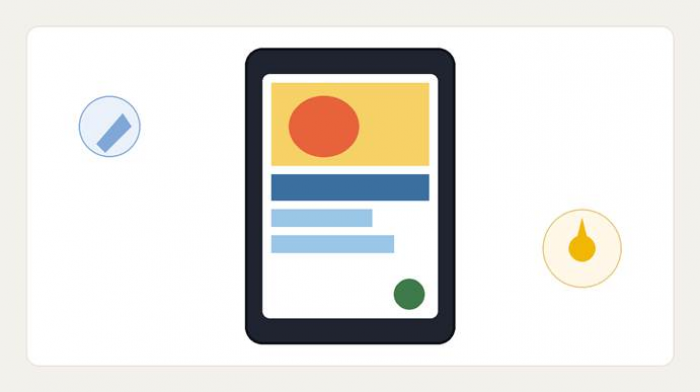
Free design tools with built-in AI can carry most of the visual work, leaving you to fine-tune the result.
Video and Short-Form
Short video drives an enormous share of social engagement, and it no longer requires editing skills.
• CapCut (free). The go-to free editor for Reels, TikToks, and Shorts, with AI captions, auto-cut, background removal, and trending templates.
• Canva (free tier). Beyond static graphics, Canva also handles simple video editing and can turn a script or set of images into a short clip.
A practical tip backed by the data: your existing content library is a goldmine. Repurposing one long video into several short clips, or one blog post into a week of posts, is one of the highest-return uses of AI, and it is far easier than creating everything from scratch.
Hashtags, Repurposing, and Scheduling
• BioGPT.io. Useful here for generating relevant hashtag sets and post ideas tied to your topic, rather than recycling the same generic tags.
• Buffer (free tier). Lets you schedule posts across platforms and includes an AI assistant to help rewrite and repurpose copy for each channel.
• Metricool or Later (free tiers). Both offer free scheduling and basic analytics so you can plan ahead and see what is working.
You do not need all of these. A realistic free stack for one person might be: one chat tool for ideas and drafts, Canva or CapCut for visuals, BioGPT.io for bios and captions, and Buffer to schedule. That is enough to run a consistent presence across several platforms for $0.
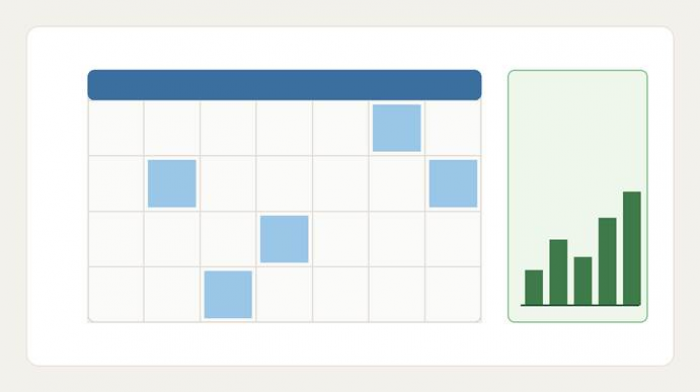
Scheduling and reviewing performance close the loop, so each round of content is informed by the last.
How to Keep It User-First (and Not Sound Like a Robot)
This is the part most AI content guides skip, and it is the part that actually determines whether this works for you. The tools are easy. Using them without losing your voice is the real skill.
• Feed the AI your voice. Paste in two or three of your best past posts and ask the tool to match that style. Generic input produces generic output. Your examples are the most valuable thing you can give it.
• Edit everything. Treat every draft as a starting point, never a finished post. Cut the fluff, swap in your own phrasing, and remove anything that sounds like a press release. Around 86% of marketers do exactly this. It is the norm, not the exception.
• Add what AI cannot. Your real opinion, a specific story, a number from your own experience, a behind-the-scenes detail. This is what makes someone stop scrolling and follow you, and it is the one thing no model can invent for you.
• Fact-check claims. AI tools can state things confidently that are wrong. If a post includes a statistic, a date, or a claim about a product, verify it before you publish.
• Avoid the slop trap. Audiences and platforms are getting better at spotting low-effort AI content, and it can quietly hurt your reach and trust. The fix is simple: post less often if you have to, but make each post genuinely useful or genuinely you.
• Be honest where it counts. Norms vary by platform and region, but transparency about AI-generated or heavily AI-assisted media is increasingly expected and, in some places, required. When in doubt, disclose.
The throughline is this: AI handles the volume, you protect the voice. That balance is what the data consistently shows separates content that performs from content that gets ignored. Every shortcut in this guide exists to buy you time for the parts that only a real person can do, not to replace you in the process.
Getting Started This Week
You do not need to master ten tools or overhaul your whole process. Pick one platform you care about and one tool from each stage, say, ChatGPT for ideas, Canva for visuals, and BioGPT.io for captions and hashtags, and run the five-step workflow on a single post. Then do it again tomorrow.
Within a week you will have a rhythm. Within a month you will have a system that lets you show up consistently without the burnout, while keeping the thing that actually matters: content that sounds like a real person, because a real person is still behind it.
The tools are free. The strategy, and the voice, are yours.