

I needed to pick a winner for an Instagram giveaway with a few hundred comments, and doing it by hand was not happening. EasyComment kept turning up as a free tool for exactly that, bundled with a stack of other social features. So I signed up and spent a few days running its main tools on real posts to see how much of the pitch holds up.
This is what those tools did in my hands: the comment generator, the follower and comment exporters, the giveaway picker, and the anonymous viewers. I tracked what each one produced, where it saved time, and where it made me work around it. The short version is that some tools are genuinely useful and some exist mainly to pull search traffic.
Signing Up and Getting In
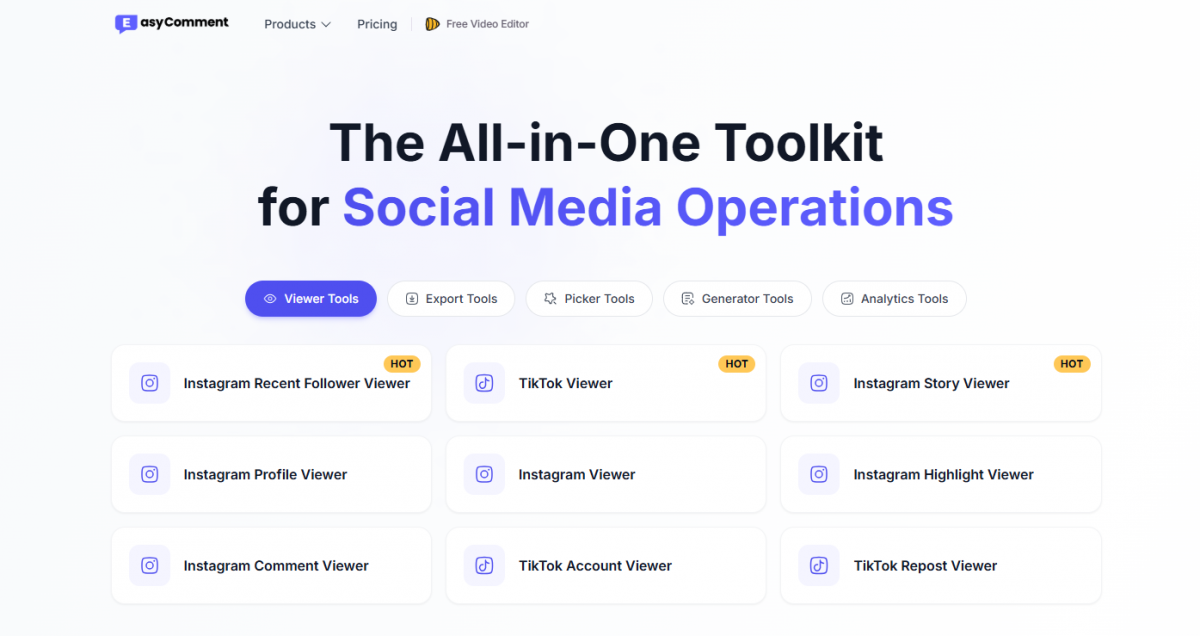
EasyComment runs entirely in the browser. There is no Chrome extension for the current version, which I confirmed by going looking for one and finding only the dashboard and a login. I could open several tools without an account, but anything that produced a file or used AI asked me to sign up first.
Signup took an email and nothing more. Once inside, the dashboard listed the tools in groups by platform and type, with a credit balance sitting in the corner. Those free credits are the currency for the paid features, and the site made that clear without saying how far they stretch. I found that out later by using them up.
What I Actually Tested
I did not run every tool on the site, because many are small variations of the same idea. I picked the ones a social manager or creator reaches for first and ran each on a real post or account rather than a demo.
| Tool | What I ran it on | Outcome |
| Instagram Comment Generator | Three of my own feed posts | Usable after light edits |
| Instagram Comment Exporter | A post with about 800 comments | Clean CSV, full list |
| Instagram Comment Picker | A live giveaway post | Picked a winner in seconds |
| Instagram Follower Exporter | A mid-size account | Partial list, slow run |
| Instagram Story Viewer | A public account | Loaded without signing in |
| Instagram Profile Viewer | A private account | Returned nothing |
The rest of this report goes tool by tool through what those outcomes looked like up close.
The Comment Generator in Use
I started with the Instagram Comment Generator, since the AI comment angle is what the tool leads with. I pasted the text and context of three of my own posts and let it write comments for each. Speed was not the problem. The quality was mixed.
Each run handed back a batch of five comments per post, and a tone setting let me switch between a casual and a more formal voice. The casual setting read closer to how people actually comment, so I left it there for the rest of the test.
The comments that worked were the ones tied to a clear subject in the post. On a product launch post it wrote a line that named the product and asked a sensible question, and I would have posted it with one small edit. On a vaguer lifestyle post it fell back on generic praise that could sit under any image, and those I deleted.
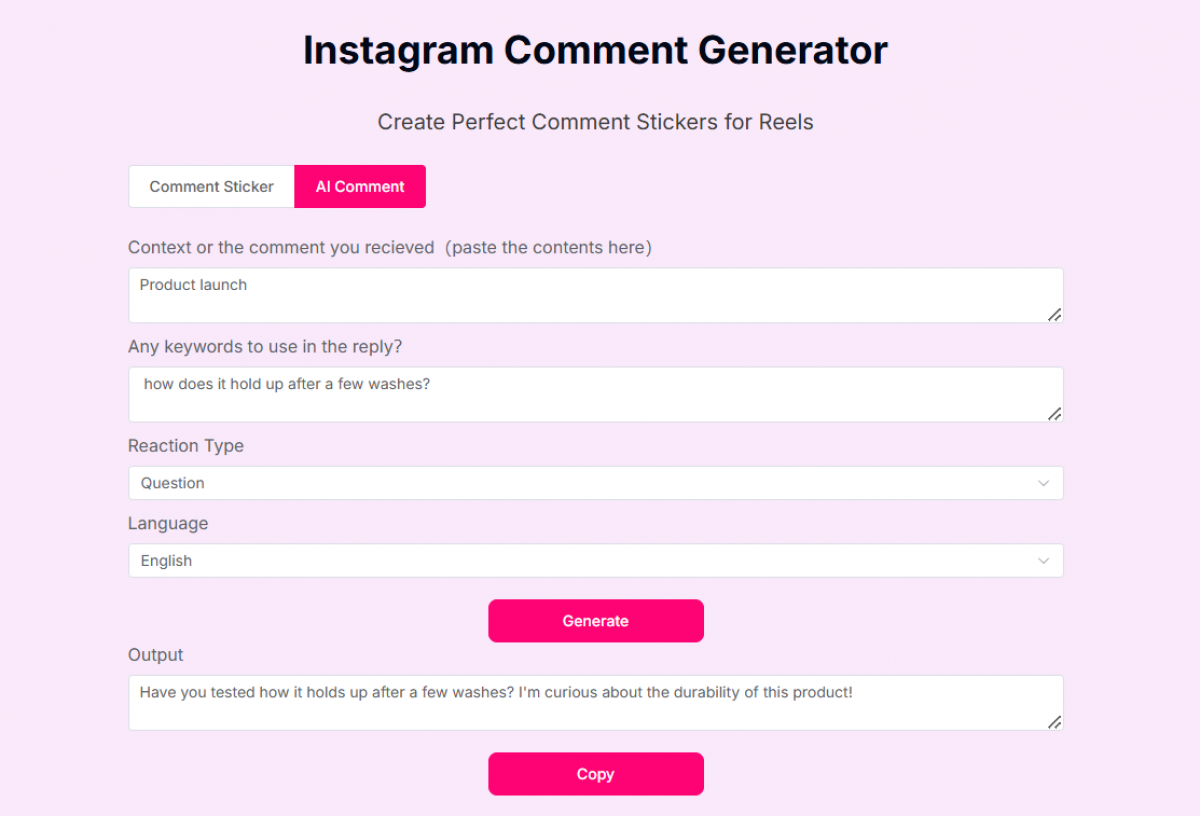
Here is a sample of what it returned, unedited:
| Post topic | Comment it generated | My call |
| Product launch | "Have you tested how it holds up after a few washes? I'm curious about the durability of this product!" | Kept, minor edit |
| Travel photo | "Wow this is absolutely stunning, goals!" | Deleted, too generic |
| How-to carousel | "Saving this, step three is the part I always skip." | Kept as is |
Across the three posts I kept a little over half of what it produced. That is a fair hit rate for a first draft, but a draft is all it is. Anyone expecting to automate comments without reading them will end up posting filler.
Exporting Followers and Comments
The export tools were the ones I expected to lean on most, and they split cleanly between working well and testing my patience.
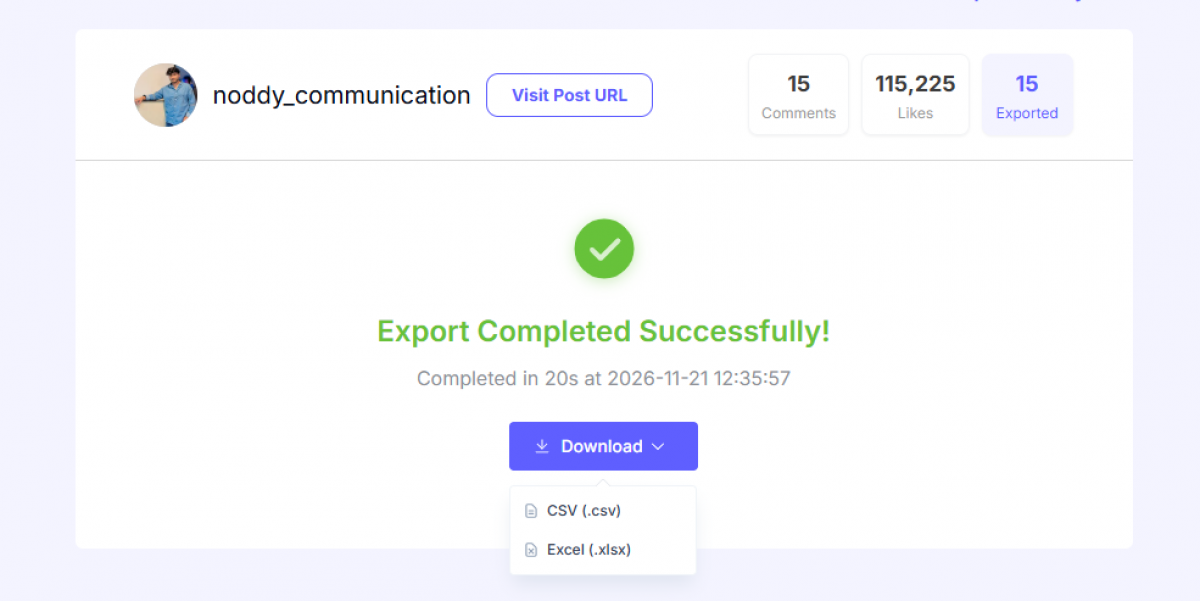
The Instagram Comment Exporter was the standout. I ran it on a post with roughly 800 comments, and it returned a CSV with one row per comment and the fields I needed. The file opened clean in Excel with no broken rows, and the full list was there. For pulling entries out of a busy post, this alone did the job I came for. Each row carried:
• The commenter's username, which is the field that matters for a giveaway or for outreach later.
• The full comment text, with emojis preserved and no truncation on the longer ones.
• A timestamp that let me filter down to comments left inside the giveaway window.
The Instagram Follower Exporter was slower and less complete. On a mid-size account it ran for a while and returned a partial list rather than the full follower count, with no message about why it stopped. What none of the exports gave me was any contact detail beyond the handle, which is expected, since that data is not public. For list building the handle is the starting point and nothing past it.
The Giveaway Picker Test
This was the tool I signed up for, and it ran with the least friction of anything I tested. I pasted the URL of a giveaway post into the Instagram Comment Picker, it pulled the comments, and it selected a winner in a few seconds.
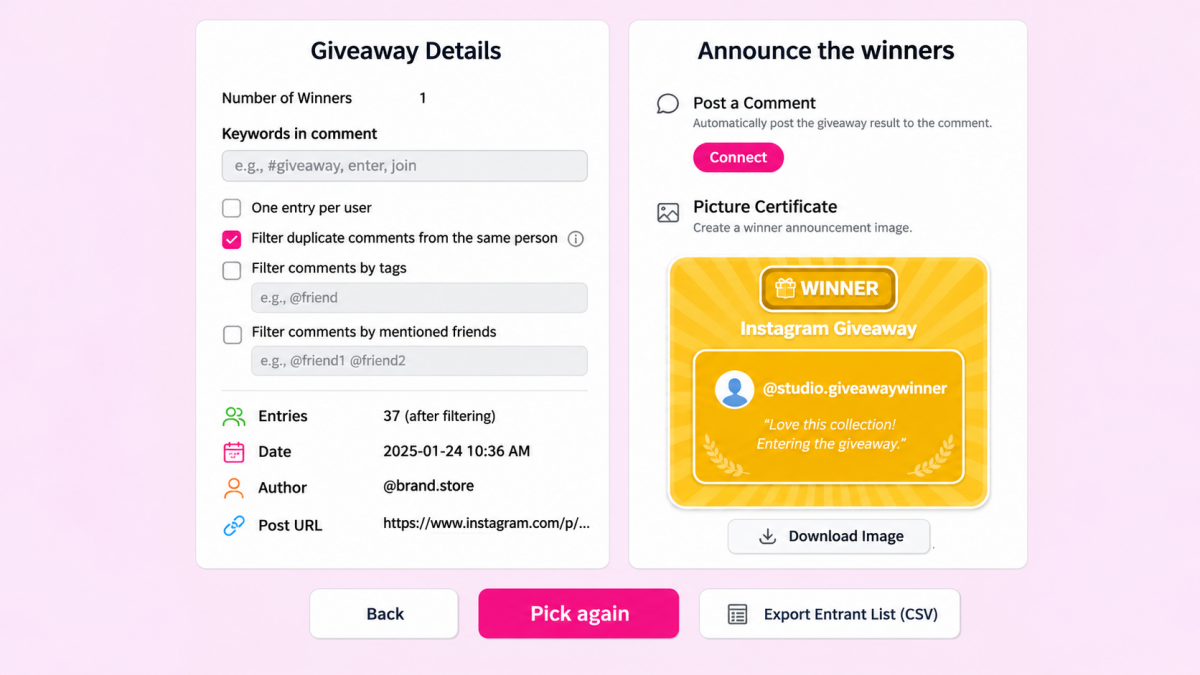
The settings mattered more than I expected. I could filter duplicate comments from the same user, which stops one person flooding the entry list to improve their odds, and I could require a tag or a minimum comment for an entry to count. With duplicates filtered, the entry count dropped well below the raw comment total, which is the honest number to run a draw on.
When the draw finished it showed the winner's handle and their exact comment, with a button to run the draw again. It also let me export the full entrant list to a spreadsheet, which is the part I kept, since it gave me a record to show if anyone questioned the result.
What I could not verify was the fairness claim. The tool says the selection is random and fair, but it does not show the method or a seed, so I took that on trust. For a casual giveaway that is fine. For a prize worth contesting, the lack of a visible, repeatable method is a real gap.
The Viewer Tools
The viewer tools are where the distance between the marketing and the reality showed most. I tested the Instagram Story Viewer and the Profile Viewer, both pitched as anonymous ways to look at accounts.

On public accounts the Story Viewer loaded content without a login, and it kept my own account out of the viewer list, so the anonymous part held for public profiles. On a private account it returned nothing. That is correct behavior, but it is not what the framing implies. No tool reaches content a platform keeps private, and this one does not either.
I ran the TikTok Viewer on a public account for the same test. It loaded the public videos and the basic counts without a login, matching what the Instagram viewers did, and it hit the same wall on anything the account had set to private. The pattern held across both platforms, where public data loads and private data does not.
These tools pull most of their search traffic on the anonymous-viewing angle, going by the keywords the site ranks for, and they work only inside what is already public. I would not build anything on them.
Output Quality, Honestly
After running the main tools, the quality fell into two camps. The data tools were reliable, and the AI tools needed a human.
The exporters and the picker did their jobs because they work with public data and simple logic, and there is little room for them to go wrong. The comment export was accurate and the picker was fast. These are the tools I would keep.
The AI comment generator sat lower. It produced usable lines when a post gave it something concrete to react to, and filler when the post was vague. It is a drafting aid, and treating it as more than that would hurt an account rather than help it.
Where It Slowed Me Down
Nothing I tested was broken, but a few things cost me time or trust. These are the friction points worth knowing before you rely on it:
• The follower exporter returned partial results on a mid-size account and gave no reason for stopping, so I could not tell whether the list was complete.
• The credit balance dropped faster than I expected, and a paywall prompt appeared mid-task once the free credits ran low.
• The comment generator misread the tone of two posts and returned upbeat lines for a neutral update, which meant reading every output before using it.
• The viewer tools imply more access than they deliver, so the time I spent testing them on private accounts was wasted.
Pricing and Credits
EasyComment runs on a credit system. Signing up is free and comes with a small monthly allowance, and beyond that paid access comes as either a monthly subscription or a one-time credit pack. Every export or generator run draws from the balance, so the plan a user needs comes down to how often they run the tools.
The three subscriptions break down like this:
| Plan | Price | Credits / month | Per credit |
| Starter | $9/mo | 300 | $0.030 |
| Standard (most popular) | $19/mo | 1,000 | $0.019 |
| Pro | $49/mo | 2,000 | $0.025 |
The "68% off" badge in the site navigation matches the Standard plan, which lists at $19 against a struck-through $60. The discounted prices are what the site shows by default, so the original figures act more as anchors than as a price anyone actually pays. Standard is also the cheapest per credit of the three, which is why the site pushes it.
For people who would rather not subscribe, one-time packs run from $3 for 50 credits up to $149 for 7,500, and the FAQ says they never expire and can be stacked. The per-credit cost falls as the pack grows, from $0.060 on the smallest to $0.020 on the largest, so the packs reward buying ahead. Prices show in dollars, though the page does not name the currency.
What the Free Tier Actually Gets You
The free tier is thin. New and free users get five credits a month, reset on the first, and each export or generator run spends from that, so I reached the paywall within a few actions in my first session.
Once the balance ran low the paid prompt appeared, carrying the same "68% off" badge, with the real plan prices kept on the pricing page rather than in front of me while I worked. There is no forced subscription and credits can be topped up as needed, which suits occasional use more than daily use.
For a one-off job, a single giveaway draw or one export, the five free credits or the $3 pack cover it. For steady weekly use it turns into a paid tool, and it is fair to call it that.
Who It Fits and Who Should Skip It
After testing, the tool sorts its users cleanly. It fits creators and small social managers who run the occasional giveaway and want a fast winner picker, and it fits anyone who needs a clean one-off export of the comments or likes on a single post. It also works as a first-draft source for people who will edit AI comments before posting them.
It is a poor fit for teams that need complete follower data at scale, because the exporter returned partial lists in my test. It does not suit anyone expecting the viewer tools to reach private content, since that content stays out of reach. And it is the wrong tool for accounts planning to post AI comments without reading them, because the output needs a human pass every time.
The Verdict
EasyComment is two tools wearing one name. The data side, the comment exporter and the giveaway picker, did their jobs quickly and cleanly, and those are the reasons I would open it again. The AI and viewer side is thinner, useful only as a draft or limited to public data that was never hard to see.
If you need a winner picked or a post's comments pulled into a spreadsheet, the free credits will probably cover it and the tool earns its place for that. If you want an engagement engine that writes and posts for you, this is not it, and the gap between what the viewers promise and what they return is the thing I would watch most.