


Table of Content
You write something you actually like. The rhythm feels right, the jokes land, the sentences sound like you. Then you run it through a grammar checker and get back a tidy, corrected version that reads like a memo written by a committee. The commas are perfect. The personality is gone.
That trade-off is not the price of clean writing. The problem is rarely the AI itself. It is the instruction. Most people ask a model to “fix the grammar” and leave it at that, so the model quietly fills in the blanks: smoother, more formal, more generic. It rewrites your voice out of politeness, because nobody told it the voice was the point.
The fix is to tell the model what to protect, not only what to repair. Below are 15 prompts I keep coming back to after years of editing my own drafts and cleaning up other people’s. Each one corrects the mechanics while leaving the things that make writing feel human alone. Find the one that matches your situation, paste your text underneath it, and you will get clean copy that still sounds like you.
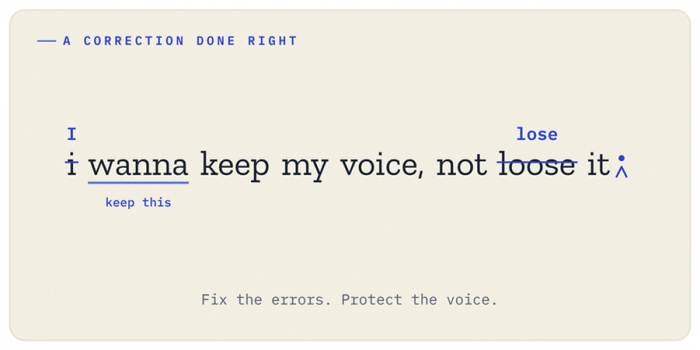
A correction done right: fix the errors, protect the voice.
Why grammar tools quietly erase your voice
A grammar correction and a style rewrite are two different jobs, but most tools blur them into one. When you only say “fix this,” the model has no way of knowing that your short, punchy fragments are intentional, that you wrote “gonna” on purpose, or that the slightly odd phrasing in paragraph three is the whole joke. So it sands everything down to a safe middle. The result is technically correct and completely forgettable.
There is also a quieter issue. Models are trained on enormous amounts of polished, professional text, so their idea of “better” leans toward formal and neutral by default. Left to its own judgment, the AI drifts toward that average. Your slang, your rhythm, your regional spelling, and your willingness to start a sentence with “And” all read like errors to a system optimized for the middle of the road.
The prompts that follow work because they put up guardrails. They tell the model the boundary between an honest mistake and a deliberate choice. Get that boundary right and grammar correction stops being a personality transplant.
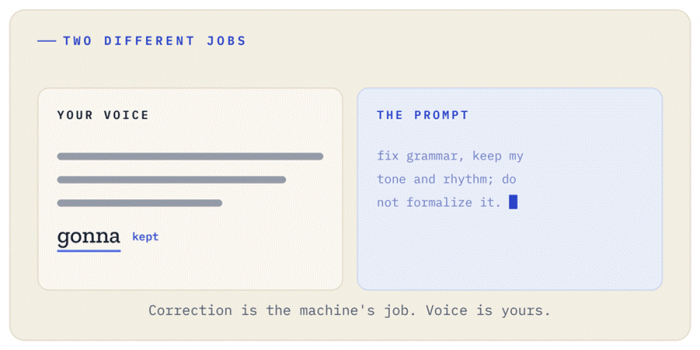
Two different jobs: your voice on warm paper, the prompt as cool machine input.
The prompts
The light-touch correction
Start here for almost everything. This is the prompt I use most, and it solves the most common complaint by far.
PROMPT Fix only the grammar, spelling, and punctuation in the text below. Do not change my word choices, sentence structure, tone, or rhythm. If a sentence is grammatically fine but unusual, leave it alone. Return the corrected version only. |
The key phrase is “if a sentence is grammatically fine but unusual, leave it alone.” That single instruction stops the model from treating style as a defect.
Flag every change so you stay in control
When the writing matters, you do not want silent edits. You want to approve them. This one keeps you in the driver’s seat.
PROMPT Correct the grammar and punctuation below, but show me every change you make. List each edit with the original wording, the corrected wording, and a one-line reason. Do not apply any change that affects meaning or tone without flagging it first. |
This is slower to read through, but it is the version I trust for anything going public. You catch the moment the AI “fixes” something that was never broken.
Lock in a casual, conversational tone
If your writing lives in emails, social posts, or a personal blog, formality is the enemy. Name the tone you want so the model defends it.
PROMPT Edit the text below for grammar and clarity while keeping a casual, conversational tone. Keep contractions, keep the relaxed phrasing, and do not make it sound formal or corporate. It should still read like one person talking to another. |
Telling the model what you do not want (“formal or corporate”) is as useful as telling it what you do want.
Match a sample of your own writing
This is the closest thing to teaching the AI your voice. Give it a paragraph you are proud of, then ask it to clean new text in that same style.
PROMPT Below are two things. First, a writing sample that shows my natural voice. Second, a new draft. Fix the grammar in the new draft so it matches the voice, rhythm, and word choices of the sample. Do not import any tone that is not present in the sample. |
Use a sample that is genuinely yours, not something you admire from another writer. The point is to anchor the model to how you sound on a good day.
Mechanics only, hands off word choice
Sometimes you want a pure proofread and nothing more. No suggestions, no improvements, no help you did not ask for.
PROMPT Act as a proofreader, not an editor. Correct only objective errors: spelling, subject-verb agreement, punctuation, and obvious typos. Do not rephrase anything, do not swap words for synonyms, and do not suggest improvements. If there are no errors in a sentence, return it exactly as written. |
This is the lightest possible pass. It is perfect for text where every word was already chosen deliberately.
Keep regional spelling and dialect
Models love to “correct” British English to American English, or the reverse. They also flatten regional expressions. Lock your variety in.
PROMPT Proofread the text below using British English spelling and conventions. Do not change spellings like "colour" or "realise" to American forms, and do not replace regional expressions with neutral ones. Fix only genuine errors within that variety of English. |
Swap in whichever variety applies. This small instruction saves a surprising amount of cleanup later.
Help for a second-language writer without erasing them
If English is not your first language, generic grammar tools tend to over-correct and strip away the character of how you write. This prompt finds a healthier balance.
PROMPT I am not a native English speaker. Correct the grammar and clarity in my text so it reads naturally to a native speaker, but keep my voice and my way of expressing ideas. Do not make it sound like a different person. Where you fix something, briefly note the rule so I can learn it. |
You get cleaner English and a small lesson each time, which is how the corrections eventually stop being necessary.
Tighten without sterilizing
Wordy first drafts are normal. The trick is trimming the fat without trimming the flavor.
PROMPT Fix the grammar below and tighten any sentences that are clearly padded or repetitive. Remove filler words, but do not cut anything that adds voice, humor, or personality. Keep the result roughly the same length and tone, just cleaner. |
The line “do not cut anything that adds voice, humor, or personality” is what keeps the edit from turning your warm paragraph into a bullet point.
Fix dialogue while keeping each character's voice
Fiction writers run into a specific problem: characters are supposed to speak imperfectly. A maid and a professor should not sound the same after a grammar pass.
PROMPT The text below is fiction with dialogue. Correct grammar and punctuation in the narration normally. Inside quotation marks, only fix true typos. Do not "correct" how characters speak, including slang, broken grammar, or dialect, because that is intentional characterization. |
This protects the part of the story that does the most work, which is how people actually talk.
A professional email that still sounds warm
Work writing does not have to be cold. You can be correct, clear, and still sound like a human being your reader would want to reply to.
PROMPT Polish the email below for grammar and professionalism, but keep it warm and human. Avoid stiff corporate phrasing and cliches. It should sound polished and respectful without sounding like a template. Keep my greeting and sign-off as they are. |
The instruction to keep your greeting and sign-off matters more than it seems, because that is usually where your personality lives in an email.
Correct and teach so you actually improve
If you keep making the same mistakes, this prompt turns every edit into a quiet tutoring session. Over time you write cleaner first drafts.
PROMPT Correct the grammar in my text, then add a short note at the end listing the two or three error patterns I repeat most. Explain each one simply with a quick example, so I can avoid it next time. Keep the corrected text itself clean, without inline comments. |
I use this when I notice myself fixing the same comma splice for the hundredth time. The pattern list is the part that sticks.
Two separate passes, grammar then optional style notes
This one respects the boundary between correcting and improving by keeping them in different boxes. You get the clean version first, and the suggestions are clearly optional.
PROMPT Give me two things, clearly separated. First, my text with only grammar and punctuation fixed and nothing else changed. Second, a short, optional list of style suggestions I am free to ignore. Do not blend the two; keep the corrected text pure. |
The separation is the whole point. You can use the clean version immediately and treat the style notes as a menu rather than a verdict.
Keep my sentence rhythm and length
Some writers build long, flowing sentences. Others write short. Punchy. Deliberate. A grammar tool often “balances” these into a uniform medium length, which kills the cadence.
PROMPT Fix the grammar below without changing the length or rhythm of my sentences. If I wrote a long sentence, keep it long. If I wrote a deliberate fragment, keep it. Do not split, merge, or rebalance sentences for flow. |
Rhythm is invisible until it is gone. This prompt keeps your pacing intact.
Protect intentional fragments and stylistic choices
Closely related, but aimed at the things that look like errors and are not. Fragments, comma splices for effect, repetition for emphasis, all of it.
PROMPT Proofread the text below, but treat the following as intentional, not errors: sentence fragments, repetition used for emphasis, and informal punctuation for rhythm. Fix only mistakes that would confuse a reader or look like genuine typos. Preserve every deliberate choice. |
When you write with intention, a generic correction reads like a fight. This prompt ends the fight before it starts.
A final platform-specific proofread
Right before something ships, give it one targeted pass for where it will actually live. Context changes what “correct” even means.
PROMPT This is a final proofread for [a LinkedIn post / a print newsletter / a customer-facing webpage]. Fix any remaining grammar and punctuation errors and check that the tone fits that context. Flag anything that reads awkwardly out loud, but do not rewrite my voice. Keep changes minimal. |
Reading awkwardly out loud is the test that catches the errors the eyes skip. Naming the platform tells the model which conventions matter.
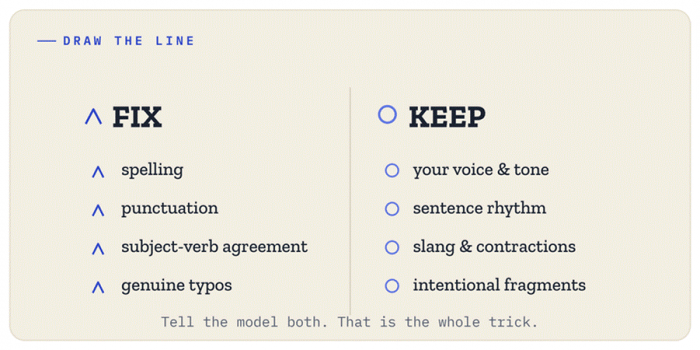
Draw the line: tell the model what to fix and what to keep.
How to get the most out of these prompts
A few habits make a big difference, and most of them take seconds.
Be specific about your tone in your own words. Casual means different things to different people. If you can describe your voice as “dry and a little sarcastic” or “warm but direct,” say so. The more precisely you name it, the better the model protects it.
Give the model an example whenever the stakes are high. Prompt number four exists because nothing teaches voice faster than showing it. Even a single strong paragraph dramatically improves the result.
Always reread the output yourself. This is the part people skip, and it is the most important one. AI can introduce a subtle error while fixing another, change a meaning you did not want changed, or quietly drop a word. The model is a fast assistant, not a final authority. Your eyes are the last checkpoint, and they should stay that way for anything that carries your name.
Run a second pass when you need it. There is nothing wrong with using prompt number one for a quick clean, then prompt number two to verify the edits. Layering is normal, and it costs you almost nothing.
Trust your ear over the suggestion. If a “correction” makes a sentence sound worse to you, you are probably right. Grammar rules serve clarity and voice, not the other way around. You are allowed to decline an edit.
The bottom line
Fixing grammar and keeping your voice were never really in conflict. The conflict came from vague instructions that left the model guessing, and a model that guesses toward bland. Once you tell it exactly what to protect, the personality stays and only the mistakes leave.
Save the two or three prompts above that fit how you write most often. Tweak the wording until it sounds like something you would actually ask a sharp editor sitting next to you. That is the real goal here, not a perfect machine, but a tool that makes your writing cleaner without making it someone else’s. Clean grammar is easy to come by. Clean grammar that still sounds like you is the part worth getting right.