


Table of Content
- 1. Pictory – Best for Faceless YouTube Videos
- 2. Descript – Best for AI Video Editing and Talking-Head Content
- 3. Synthesia – Best for AI Avatar and Presenter Videos
- 4. Runway – Best for Advanced AI Video Generation
- 5. Opus Clip – Best for YouTube Shorts and Content Repurposing
- Feature Comparison Table
- How to Choose the Right AI Tool for Your Channel
- Conclusion
AI is rapidly reshaping how YouTube content gets produced, edited, and scaled. What once required expensive software, hours of manual editing, and sometimes an entire production team can now be streamlined through intelligent automation. Today’s creators are using AI video creator tools for YouTube to generate scripts, produce visuals, clone realistic voiceovers, and repurpose long videos into short-form content in a fraction of the traditional time.
This shift is not just about convenience. It is about competitiveness. Channels that publish consistently and adapt quickly to trends tend to grow faster, and AI makes that level of output achievable even for solo creators. At the same time, not every AI platform delivers the same value. Some tools are excellent for faceless videos, others are better for editing talking-head footage, and a few specialize in short-form repurposing or cinematic AI generation.
This guide focuses on practical decision-making. Instead of listing tools superficially, we will examine where each platform genuinely helps YouTubers, where limitations appear, and which type of creator benefits most from each option. By the end, you should have a clear idea of how to build a smarter AI YouTube workflow rather than simply adding another subscription.
1. Pictory – Best for Faceless YouTube Videos
Pictory has positioned itself as one of the most accessible AI video creators for YouTube, particularly for faceless content workflows. Its core promise is simple: turn text into engaging videos with minimal manual editing. For many creators running informational or list-style channels, this directly addresses the biggest production bottleneck. (https://pictory.ai/)
The platform’s strongest capability is its script-to-video pipeline. Users can paste a script or even a blog URL, and Pictory automatically builds a storyboard using stock visuals, transitions, captions, and AI voiceovers. While the results are not cinematic, they are often good enough for educational, news-style, or niche informational content where clarity matters more than visual artistry.

In practical use, Pictory significantly reduces production time for channels that prioritize volume. Creators running faceless finance channels, tech explainers, trivia content, or educational summaries often find the tool especially useful because it removes much of the repetitive editing workload. The automatic caption generation is another meaningful advantage, particularly for YouTube accessibility and retention.
Pricing is relatively approachable compared to many competitors. The platform typically offers a free trial, with paid plans starting around the lower mid-tier subscription range. However, monthly video minute limits can become restrictive for high-volume creators, so scaling costs should be considered early.
The main limitation is creative control. Because Pictory relies heavily on stock matching, videos can sometimes feel templated if not manually refined. It is also not ideal for creators who appear on camera or require advanced cinematic editing.
Overall, Pictory works best for creators focused on efficient faceless production rather than highly customized visual storytelling.
2. Descript – Best for AI Video Editing and Talking-Head Content
Descript occupies a very different position in the AI YouTube ecosystem. Rather than focusing primarily on text-to-video generation, it excels as an AI-powered editing environment, especially for creators who record their own footage. Its defining feature is text-based editing, which allows users to edit video simply by editing the transcript. (https://www.descript.com/)
For talking-head YouTubers, educators, and podcast creators, this workflow can dramatically reduce editing time. Removing filler words, tightening pacing, and restructuring content becomes far more intuitive compared to traditional timeline editing. Descript’s Overdub voice cloning also adds flexibility for correcting small mistakes without re-recording.
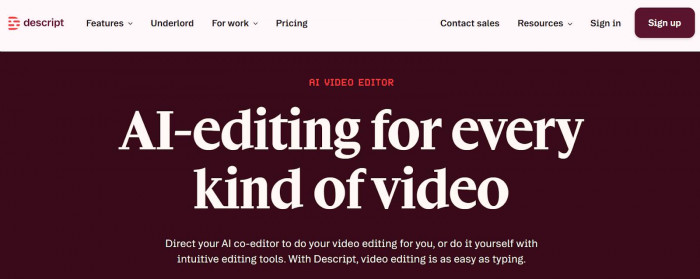
In real-world YouTube workflows, Descript shines when creators already have recorded material and need to polish it efficiently. It is particularly valuable for interview-based channels, educational explainers, commentary creators, and screen-recording tutorials. The integrated screen recording feature further strengthens its position for tutorial creators.
The platform offers a free plan, with paid tiers scaling based on transcription hours and advanced AI features. Pricing is generally reasonable for solo creators, although heavy users may eventually need higher-tier plans.
The tradeoff is that Descript is not a full AI video generator. Creators looking for automatic stock-based video creation will need to pair it with another tool. Additionally, beginners may require some time to fully adapt to the transcript-driven editing model.
Descript is best viewed as one of the best AI editing tools for YouTube rather than a one-click video creator.
3. Synthesia – Best for AI Avatar and Presenter Videos
Synthesia approaches AI video creation from a completely different angle. Instead of relying primarily on stock footage, the platform generates videos using AI presenters that read your script on screen. This makes it particularly appealing for creators who want professional-looking presenter videos without appearing on camera themselves. (https://www.synthesia.io/)
The strength of Synthesia lies in its realism and multilingual capabilities. The AI avatars are polished enough for many educational and corporate contexts, and the platform supports a wide range of languages. For YouTube channels focused on training content, business explainers, or international audiences, this can be a powerful scaling tool.
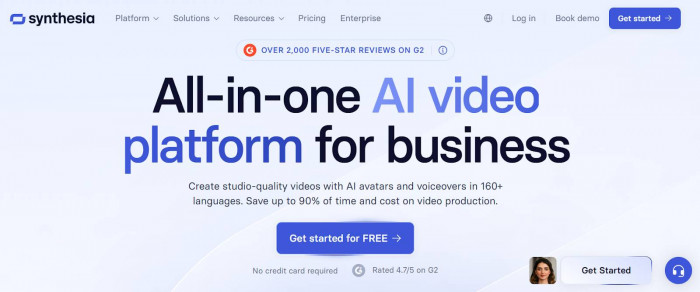
In practice, Synthesia is commonly used by creators producing structured informational content rather than entertainment-focused videos. It works well for educational channels, B2B content, software tutorials, and knowledge-based niches where the audience values clarity and authority over personality-driven presentation.
Pricing is higher than most entry-level AI video tools, and there is typically no fully free permanent tier. Monthly costs can feel steep for individual creators, especially when compared to stock-based generators.
Another limitation is emotional range. While the avatars are impressive, they can still feel slightly robotic in highly expressive or entertainment-heavy formats. For storytelling channels or personality-driven YouTube brands, the format may feel restrictive.
Synthesia is best suited for creators prioritizing professional delivery and scalability over personal on-camera presence.
4. Runway – Best for Advanced AI Video Generation
Runway represents the cutting edge of AI video technology, but it is also the least beginner-friendly tool on this list. Unlike platforms designed primarily for automated YouTube production, Runway functions more like a creative AI lab. Its features include AI video generation, motion tools, background removal, and advanced visual editing capabilities. (https://runwayml.com/)
For YouTubers focused on cinematic storytelling, experimental visuals, or high-production content, Runway can unlock creative possibilities that simpler tools cannot match. It is increasingly popular among AI filmmakers and advanced creators who want more control over visual style.

However, this power comes with complexity. Runway is not a one-click YouTube automation tool. Creators need some creative and technical confidence to fully benefit from its capabilities. The credit-based pricing model can also be confusing at first, especially for new users trying to estimate monthly costs.
The platform does offer a free tier with limited credits, and paid plans scale based on usage. For casual creators, this may be sufficient, but heavy production workflows will require careful cost monitoring.
Runway is best viewed as a creative enhancement tool rather than a complete AI YouTube workflow solution. It excels when paired with other platforms rather than used alone.
5. Opus Clip – Best for YouTube Shorts and Content Repurposing
Opus Clip focuses on one of the fastest-growing areas of YouTube: short-form video. Instead of generating full videos from scratch, it analyzes long-form content and automatically extracts short clips that are likely to perform well on platforms like YouTube Shorts. (https://www.opus.pro/)
For growth-focused creators, this can be extremely valuable. Repurposing long videos into multiple Shorts is one of the most effective ways to increase reach, but manual clipping is time-consuming. Opus Clip automates much of this process by identifying key moments, adding captions, and formatting videos for vertical viewing.
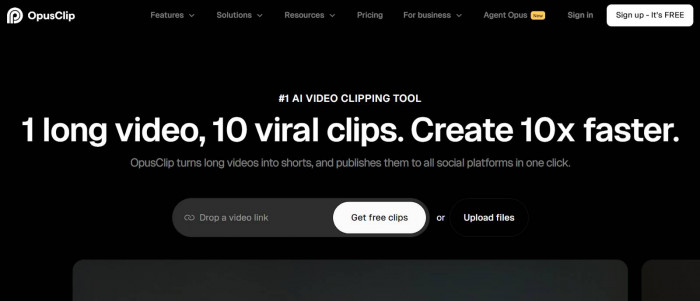
In real workflows, the platform works particularly well for podcast creators, interview channels, educators, and commentary YouTubers who produce longer content regularly. It can significantly increase content output without requiring additional filming.
Pricing typically includes a free tier with limited processing minutes, while paid plans scale based on usage. For many creators, the time savings alone justify the subscription.
The main limitation is scope. Opus Clip is not designed for full video production. It performs best as part of a broader AI YouTube workflow rather than a standalone solution.
Feature Comparison Table
| Tool | Best Use Case | Free Tier | Key Strength | Main Limitation |
| Pictory | Faceless videos | Yes | Fast text-to-video | Limited cinematic control |
| Descript | Talking-head editing | Yes | Transcript editing | Not full generator |
| Synthesia | AI presenter videos | Limited | Realistic avatars | Higher cost |
| Runway | Advanced visuals | Yes | Creative AI tools | Learning curve |
| Opus Clip | Shorts repurposing | Yes | Viral clip detection | Not full video creator |
How to Choose the Right AI Tool for Your Channel
The best AI video creator for YouTube depends heavily on your content model and growth strategy. Creators focused on high-volume faceless content will prioritize different features than those building personality-driven channels.
If your main goal is publishing frequent informational videos, automation tools like Pictory can dramatically reduce production time. Creators who appear on camera or run podcasts will usually benefit more from Descript’s editing workflow. Those targeting professional training or multilingual audiences may find Synthesia uniquely valuable.
Budget also plays a major role. Some tools appear affordable initially but become expensive at scale, especially when credit systems are involved. Before committing, estimate your monthly video volume and compare it against plan limits.
Finally, consider whether you need a single all-in-one solution or a modular stack. Many advanced creators achieve the best results by combining specialized tools rather than relying on one platform to do everything.
Conclusion
AI video tools have fundamentally changed the YouTube production landscape. Creators can now produce, edit, and scale content faster than ever before, but the choice of tool matters more than many beginners realize.
Pictory stands out for faceless automation, Descript excels in editing workflows, Synthesia leads in AI presenter videos, Runway unlocks advanced creative possibilities, and Opus Clip dominates short-form repurposing.
The smartest creators in 2026 will not simply adopt AI tools. They will select the ones that align with their content model, budget, and long-term growth strategy. Choose carefully, build a workflow that supports your publishing goals, and use AI to amplify your creative edge rather than replace it.