


If you have been thinking about switching to a faster, more private messaging app, Telegram is probably already on your radar. With over 900 million active users worldwide, it has grown from a niche privacy-focused tool into one of the most widely used communication platforms on the planet.
The good news is that getting started is straightforward. A telegram Download takes less than two minutes regardless of which device you are using — and the app works seamlessly across all your devices at the same time.
This guide walks you through everything you need to know to get Telegram installed and running on any device in 2026.
Why So Many People Are Downloading Telegram Right Now
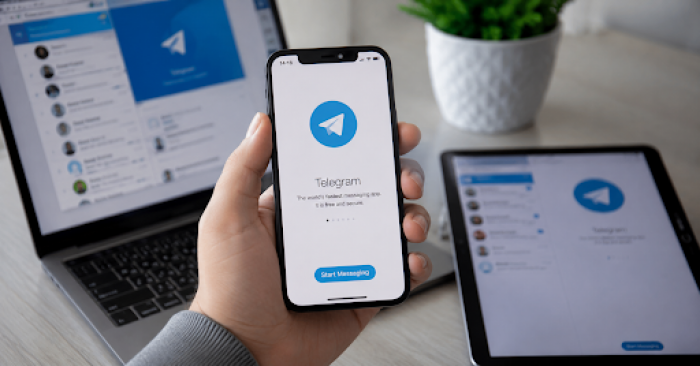
Before jumping into the download process, it is worth understanding what makes Telegram worth the effort in the first place.
Telegram is fast. Messages send and arrive instantly, and the app rarely lags even on older devices or slower connections. It is cloud-based, which means your entire message history, photos and files are available on every device you sign into — no syncing required, no data lost when you switch phones.
It is also significantly more capable than most messaging apps. Telegram supports groups of up to 200,000 members, file transfers up to 2GB in size, channels that work like newsletters or broadcast feeds, and a powerful bot ecosystem that can automate tasks, run quizzes, process payments and much more.
And then there is privacy. Telegram's Secret Chat feature uses end-to-end encryption with self-destructing messages. Regular chats use strong server-side encryption. The app does not sell your data for advertising. And you can set a username so people can message you without ever knowing your phone number.
All of this explains why Telegram's user base has grown so dramatically over the past few years — and why people across every age group and every type of use case are downloading it for the first time every single day.
How to Download Telegram on iPhone and iPad
Downloading Telegram on iOS is identical to downloading any other app from the App Store.
Open the App Store on your iPhone or iPad. Tap the search icon at the bottom of the screen and type "Telegram." The official Telegram app will appear at the top of the results — it has the familiar paper plane logo on a blue background. Tap Get, authenticate with Face ID, Touch ID or your Apple ID password, and the download begins immediately.
Once installed, open the app and enter your phone number. Telegram sends a verification code via SMS — enter it when prompted, choose a display name and optionally add a profile photo. The entire setup process takes under a minute.
One thing worth knowing for iOS users: Telegram also offers a standalone macOS desktop app through the Mac App Store, which provides full keyboard shortcut support and a more comfortable interface for longer sessions on your Mac.
How to Download Telegram on Android
On Android, Telegram is available through the Google Play Store. Open the Play Store, search for Telegram and tap Install. The app downloads and installs automatically — no additional steps required.
Once installed, the setup process is the same as on iOS. Enter your phone number, verify with the SMS code, choose your name and you are ready to start messaging.
Android users have an additional option that iOS users do not: downloading the Telegram APK directly. This is useful in regions where the Play Store is not accessible or where users prefer to install apps outside the standard app store. The APK can be downloaded from Telegram's official website and installed manually by enabling installation from unknown sources in your device settings.
This flexibility is one of the reasons Telegram has such a strong user base in parts of the world where app store access is limited or restricted.
How to Download Telegram on Windows PC
Telegram's desktop app for Windows is a full-featured application that mirrors your mobile chats in real time and adds keyboard shortcuts, drag-and-drop file sharing and a more spacious interface suited to longer conversations and work-related use.
Visit Telegram's official download page and select the Windows version. The installer file downloads automatically. Run it, follow the installation prompts — which take about thirty seconds — and open the app. Sign in with your phone number using the same process as mobile, and your entire message history appears immediately.
Telegram also works through any web browser at web.telegram.org, which is useful if you need to access your messages on a computer where you cannot install software — a work computer, a library PC or a friend's laptop.
How to Download Telegram on Mac
Mac users have two options. The first is the macOS app available through the Mac App Store, which integrates with the operating system and supports features like notifications, Touch Bar and Handoff. Search for Telegram in the Mac App Store and click Get to install it.
The second option is the Telegram Desktop app, which is available directly from Telegram's website and works on both Intel and Apple Silicon Macs. This version tends to receive updates slightly faster than the Mac App Store version and is preferred by users who want the latest features as soon as they are released.
Both versions sync your messages in real time across all your devices, so switching between your phone and your Mac is completely seamless.
Setting Up Telegram After Download — What to Do First
Once you have Telegram installed and your account created, a few quick setup steps make the experience significantly better.
Set a username. Go to Settings and add a username. This allows people to find and message you using your username instead of your phone number, which is a meaningful privacy improvement. You can share your username publicly without revealing any personal contact information.
Explore notification settings. Telegram's default notification settings work well for most people, but if you join large groups or channels, you may want to mute notifications for specific chats or set custom notification tones for important contacts.
Enable two-step verification. Under Settings, Privacy and Security, enable two-step verification by adding a password in addition to the SMS code. This adds a meaningful layer of protection to your account.
Try a Secret Chat. Start a new conversation, tap the person's name and select Start Secret Chat. This opens an end-to-end encrypted conversation where messages can be set to self-destruct after a chosen time — from a few seconds to a week.
Frequently Asked Questions
Q: Is Telegram free to download and use?
Yes. Telegram is completely free on all platforms — iOS, Android, Windows, Mac and web. A premium subscription called Telegram Premium is available for users who want additional features, but the core app is fully functional at no cost.
Q: Does Telegram work on multiple devices at the same time?
Yes. Telegram syncs across all your devices simultaneously. Messages sent or received on your phone appear instantly on your desktop and vice versa, with no manual syncing required.
Q: Is it safe to download Telegram?
Yes. Telegram is a legitimate, established application developed by a well-funded independent company. Always download from the official app stores or Telegram's official website to ensure you are getting the genuine application.
Q: How much storage does Telegram use?
The app itself is lightweight — typically under 100MB on installation. Telegram stores most content in the cloud rather than on your device, which keeps local storage usage low even as your message history grows.
Q: Can I use Telegram without giving my phone number?
Your phone number is required to create a Telegram account and verify your identity. However, you can set a username so that other users can contact you without knowing your number, and you can control who sees your phone number in privacy settings.
Q: Does Telegram work in countries with internet restrictions?
Telegram includes built-in proxy and MTProxy support, which helps users access the app in regions where it may be restricted. These features can be configured in Settings under Data and Storage.
The Bottom Line
Telegram is one of the most capable, privacy-conscious messaging applications available in 2026 — and getting it on your device takes less than two minutes regardless of which platform you use.
Whether you are downloading it for the first time, setting it up on a new device or helping someone else get started, the process is consistent and straightforward across iOS, Android, Windows and Mac. Once it is installed and set up, most people wonder fairly quickly why they did not switch sooner.
Download Telegram today and see what a messaging app looks like when it is built around the user rather than around an advertising model.