

Table of Content
Reality Check: What CapCut Actually Competes With
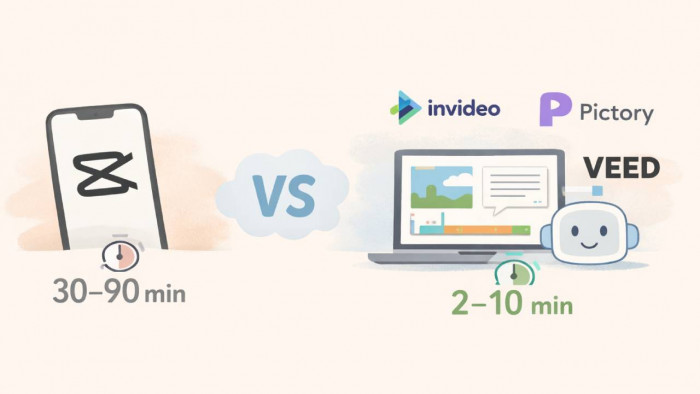
CapCut sits in a unique position because it combines manual editing controls with lightweight AI features like auto-captions and background removal, all at a relatively low cost of ~$7.99/month (Pro) and ~$25.99/month (Commerce Pro). The real constraint is not pricing, but time. A typical short-form video edited manually inside CapCut still takes 30–90 minutes, especially when trimming clips, adding captions, and syncing cuts.
AI-first tools reduce that timeline to 2–10 minutes per video by automating core steps like script-to-video generation, subtitle syncing, and scene selection. The tradeoff is control. CapCut allows frame-level edits, while AI tools prioritize output speed and template-driven assembly. For creators producing 10–50 videos per week, the difference between manual editing and AI generation becomes a cost issue tied to time, not subscription price.
Capability Matrix
| Tool | AI Automation Level | Best Content Type | Avg Video Creation Time | Starting Price | Platform |
| VEED.io | Medium-High | Social clips, subtitles | 5–12 min | Free → $24/month | Web |
| InVideo AI | High | Faceless content, ads | 2–8 min | Free → $25/month | Web |
| Pictory | High | Script-to-video, YouTube | 3–10 min | $19/month | Web |
| Descript | Medium | Podcast + video editing | 8–20 min | Free → $12/month | Desktop/Web |
| Kapwing | Medium | Meme + social videos | 6–15 min | $16/month | Web |
| Lumen5 | High | Marketing + LinkedIn videos | 5–15 min | $27/month | Web |
| Fliki | High | AI voice + faceless content | 2–7 min | $15/month | Web |
Tool-by-Tool Deep Breakdown
VEED.io
VEED automates subtitles, translations, and timeline-based edits, allowing users to generate captions with ~95% accuracy and edit them inline. A typical workflow involves uploading a clip, generating subtitles in under 2–3 minutes, and exporting within 10 minutes. It supports branding overlays and templates, which reduces repetitive editing for social media teams. (VEED.io)

The limitation is that VEED still relies heavily on manual structuring. It does not generate full videos from prompts like InVideo or Fliki. For creators moving from CapCut, this means the time savings are moderate rather than drastic.
Pricing: Free → $24 → $55/month
Ratings: G2 4.6, Trustpilot 4.2
InVideo AI
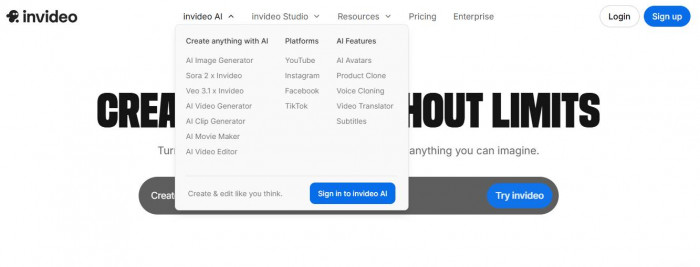
InVideo operates as a full text-to-video system, where users input a script and receive a complete video with stock footage, captions, and transitions in 2–5 minutes. It supports automated scene matching and voiceovers, making it suitable for faceless YouTube channels and ad creatives. (InVideo)
The downside is control. Scene selection is automated, which can result in mismatched visuals unless manually corrected. Compared to CapCut, users trade editing precision for speed.
Pricing: Free → $25 → $60/month
Insight: One of the fastest tools for bulk content generation
Pictory
Pictory focuses on script-to-video conversion and long-form content repurposing, allowing users to convert blog posts or scripts into videos within 5–10 minutes. It automatically extracts key sentences and pairs them with visuals, which is useful for turning articles into social clips.(Pictory)

However, the visual quality depends heavily on stock footage selection, which can feel repetitive across multiple videos. Unlike CapCut, it lacks granular editing control for transitions and effects.
Pricing: Starts at $19/month
Ratings: G2 ~4.8
Descript
Descript takes a different approach by enabling text-based video editing, where users edit video by modifying the transcript. It also includes AI features like filler word removal and overdub voice generation. (Descript)

The workflow is slower compared to pure AI generators, typically requiring 10–20 minutes per video, but it offers more control than tools like InVideo. Compared to CapCut, it reduces editing friction but does not automate full video creation.
Pricing: Free → ~$12/month
Insight: Strong for editing, not generation
Kapwing
Kapwing provides template-based video creation with AI-assisted captions and resizing, allowing users to create social videos in 6–12 minutes. It supports collaborative editing, which is useful for teams managing multiple content pieces. (Kapwing)
Its limitation lies in automation depth. It does not generate full videos from scripts, and users still need to assemble content manually, similar to CapCut but with web-based convenience.
Pricing: ~$16/month
Ratings: G2 ~4.2
Lumen5
Lumen5 is optimized for marketing content and LinkedIn-style videos, converting text into structured video slides with animations and branding elements. It typically produces videos in 5–15 minutes, depending on customization. (Lumen5)

The tool lacks flexibility for dynamic or fast-paced content like TikTok videos. Compared to CapCut, it is less suited for short-form editing but more efficient for corporate content production.
Pricing: $27 → $189/month
Ratings: G2 ~4.5
Fliki
Fliki combines AI voice generation with text-to-video, allowing users to create narrated videos in 2–6 minutes. It supports multiple voices and languages, making it effective for faceless content and explainer videos. (Fliki)

The limitation is visual customization. Users have limited control over scene composition compared to CapCut, and outputs can feel templated across multiple videos.
Pricing: $15 → $95/month
Insight: Strong for voice-driven content
Speed vs Cost Tradeoff
| Tool | Time per Video | Monthly Cost | Cost per Video (Estimated) |
| CapCut (manual) | 30–90 min | $7.99 | High (time cost) |
| VEED | 5–12 min | $24 | Medium |
| InVideo | 2–8 min | $25 | Low |
| Pictory | 3–10 min | $19 | Low |
| Descript | 10–20 min | $12 | Medium |
| Kapwing | 6–15 min | $16 | Medium |
| Lumen5 | 5–15 min | $27+ | Medium |
| Fliki | 2–7 min | $15 | Low |
Where CapCut Still Wins
CapCut still dominates in mobile-first editing workflows, where users can shoot, edit, and publish within a single app. Its timeline-based editing allows precise cuts, transitions, and effects that AI tools cannot replicate. At $7.99/month, it remains one of the lowest-cost tools for full control over video output.
Another advantage is flexibility. AI tools rely on templates and automation, which limits creative variation. CapCut allows users to adjust every frame, making it more suitable for creators who prioritize visual precision over speed.
Where Alternatives Beat CapCut
AI tools outperform CapCut in content volume production. Generating a video in 2–5 minutes instead of 60 minutes allows creators to produce 10–20 videos in the time it takes to edit one manually. This directly impacts output scale and content frequency.
They also reduce decision fatigue. Instead of selecting clips, adding captions, and adjusting timing manually, AI tools automate these steps. For creators managing multiple channels, this reduces workload significantly and improves consistency across videos.
Decision Layer
1. High-volume creators: InVideo or Fliki due to fastest generation speed and automation depth
2. Faceless YouTube channels: Pictory or Fliki for script-to-video workflows
3. Social media managers: VEED or Kapwing for subtitle-heavy and collaborative editing
Final Verdict
1. Most efficient tool: InVideo (fastest end-to-end video generation)
2. Most overpriced tool: Lumen5 (high cost relative to limited short-form flexibility)
3. Best CapCut replacement: Fliki (closest balance between automation, speed, and usable output)