

Table of Content
- What Is Photo Enhancement and Why Use AI Tools?
- Tips to Choose the Right Tool
- 1. Topaz Photo AI
- What it does
- Key features
- Pros
- Drawbacks
- 2. Luminar Neo
- What it does
- Key features
- Pros
- Drawbacks
- 3. Fotor AI Photo Enhancer
- What it does
- Key features
- Best use cases
- Pros
- Drawbacks
- 4. Let’s Enhance
- What it does
- Key features
- Best use cases
- Pros
- Drawbacks
- 5. Remini AI
- What it does
- Key features
- Best use cases
- Pros
- Drawbacks
- Comparison
- Conclusion
What Is Photo Enhancement and Why Use AI Tools?
Photo enhancement means improving the quality of a picture — making it clearer, sharper, brighter, or more visually appealing. Traditionally, this took lots of time in photo editors, but AI (Artificial Intelligence) tools now automate the hard parts for you.
AI tools are useful because they can:
● Fix blurry or low-resolution photos.
● Remove noise (graininess) from dark photos.
● Improve colors and contrast with minimal effort.
● Save time for creators, photographers, and social media users.
● Help eCommerce sellers make product images look professional.
Tips to Choose the Right Tool
● Start with free trials to see how easy the tool feels.
● Pick based on your main need: upscaling, restoration, social posts, or professional work.
● Think about output: if you need prints or large sizes, choose tools with strong upscaling.
● Check speed and batch options if you handle many images at once.
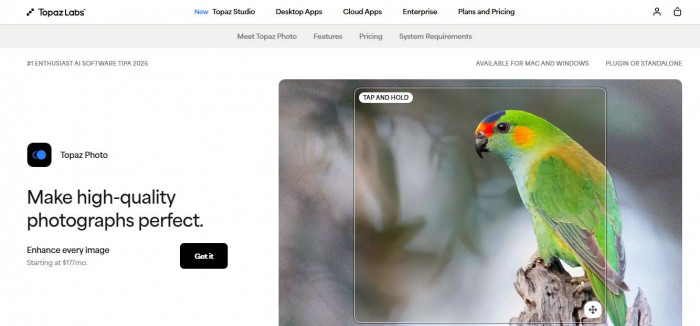
1. Topaz Photo AI
What it does
A powerful desktop app that automatically analyzes and improves image quality.
Key features
● Upscaling (make images bigger and sharper).
● Noise reduction and de-blur.
● AI face enhancement and detail recovery.
● Best use cases
● Professional photography
● Restoring old family photos
● Fixing blurry shots
Pros
● Excellent quality enhancements
● Great at saving detail in tough photos
Drawbacks
● Paid tool
● Can be slower for batch edits
2. Luminar Neo

What it does
A full photo editor with creative AI-powered features.
Key features
● One-click AI enhancements (tone, color, lighting).
● Sky and atmosphere replacement.
● Face and skin enhancement.
● Upscale and denoise add-ons available.
● Best use cases
● Landscapes and portraits
● Creative edits (like changing skies)
● Photographers who want artistic control
Pros
● Powerful but easier than complex editors
● Good balance of creative and corrective tools
Drawbacks
● Requires a paid license
● May be more than casual users need
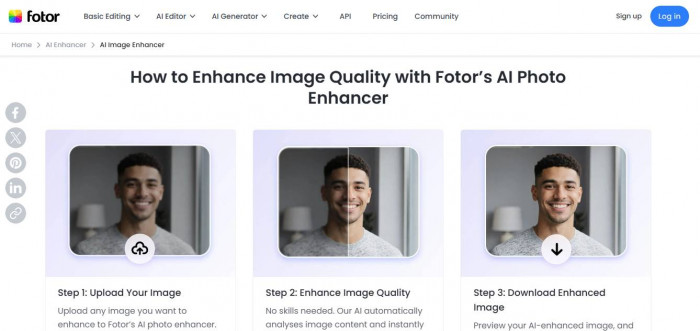
3. Fotor AI Photo Enhancer
What it does
An easy online tool that improves photos with one click.
Key features
● One-click enhance (clarity, contrast).
● Upscaling and noise reduction.
● Background removal and filters.
Best use cases
● Social media posts
● Quick fixes for everyday photos
● Ecommerce product previews
Pros
● Clean and simple interface
● Fast results
Drawbacks
● Free tier limited compared to paid
● Not as powerful as desktop tools
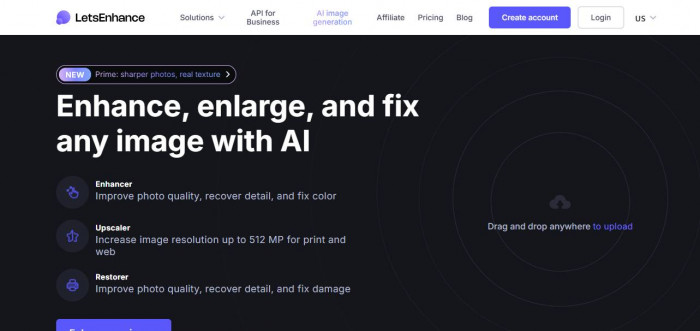
4. Let’s Enhance
What it does
A web-based image enhancer focused on upscaling and improving lighting/color.
Key features
● Smart upscaling without losing detail.
● Color balance and lighting fixes.
● Marketplace presets (e.g., Amazon style).
Best use cases
● E-commerce photos
● Old photos need bigger sizes
● Web graphics
Pros
● Easier than manual editors
● Good for larger prints
Drawbacks
● Limited deep editing features
● Better for resolution than complex fixes
5. Remini AI
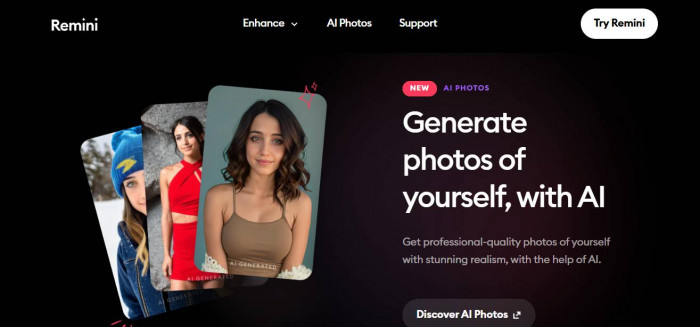
What it does
A mobile-friendly tool that restores and enhances photos automatically.
Key features
● One-click enhancement.
● Face detail improvement.
● Denoise, sharpen, color boost.
Best use cases
● Old or blurry photos on phones
● Quick social media prep
● Portrait touch-ups
Pros
● Very simple and mobile friendly
● Good free features
Drawbacks
● Less control than desktop editors
● Sometimes too “smooth” in results
Comparison
● Beginners: Fotor, Remini — easy, fast, free options.
● Professionals: Topaz Photo AI — highest quality and control.
● Free users: Remini and Fotor’s free tiers can handle many tasks.
● Businesses: Let’s Enhance and Topaz for product or catalog workflows.
Conclusion
AI photo enhancement tools are no longer only for experts — they help make your photos look better with minimal effort. Whether you want to touch up old family pictures, create eye-catching social media posts, or produce professional images for your business, there’s a tool that fits your needs. Just match your goal to the features you need, try a couple, and you’ll find the right fit.