


Table of Content
- 1. Opus Clip
- Overview
- Key AI-Powered Features
- Best Use Cases
- Pros
- Cons
- Pricing
- 2. CapCut (AI Editor)
- Overview
- Key AI-Powered Features
- Best Use Cases
- Pros
- Cons
- Pricing
- 3. Canva (AI Video Generator)
- Overview
- Key AI-Powered Features
- Best Use Cases
- Pros
- Cons
- Pricing
- 4. Descript
- Overview
- Key AI-Powered Features
- Best Use Cases
- Pros
- Cons
- Pricing
- 5. VEED.io
- Overview
- Key AI-Powered Features
- Best Use Cases
- Pros
- Cons
- Pricing
- 6. Runway ML
- Overview
- Key AI-Powered Features
- Best Use Cases
- Pros
- Cons
- Pricing
- Comparison Of Best AI TikTok Tools
- How to Use AI Tools to Grow on TikTok
- Step 1: Find Viral Ideas
- Step 2: Create the Video Fast
- Step 3: Add Hooks and Captions
- Step 4: Optimize for TikTok Format
- Step 5: Post Consistently
- Step 6: Analyze and Double Down
- Final Verdict: Which AI Tool Should You Choose?
TikTok moves fast and creators who rely on manual editing often fall behind. That is where AI steps in. Modern AI tools can automatically generate hooks, edit videos, add captions, create voiceovers, and even predict viral moments.
Instead of spending hours editing apps, creators can now produce high-quality TikTok videos in minutes. AI helps with:
● Faster editing and clipping
● Auto captions and subtitles
● Viral hooks and content ideas
● Faceless video generation
● Smart analytics and optimization
Below are the 6 best AI tools for TikTok content creation that beginners and marketers are using.
1. Opus Clip
Overview
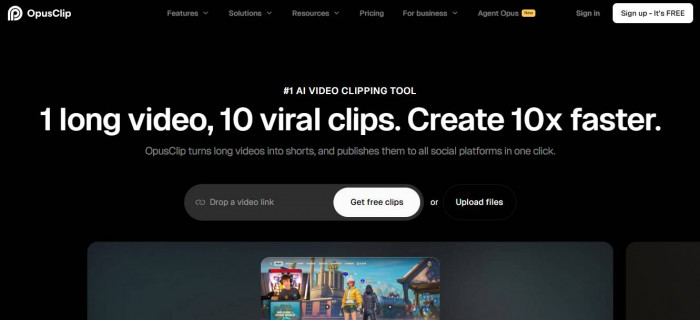
Opus Clip is one of the most powerful AI repurposing tools. It specializes in turning long videos into short, viral TikTok clips automatically.
The platform analyzes your video and extracts the most engaging moments for social media.
Key AI-Powered Features
1. AI long-to-short video clipping
2. Viral moment detection
3. Auto captions with emojis
4. Auto reframing for vertical video
5. AI B-roll and voiceover tools
6. Performance analytics
Opus Clip can automatically identify engaging moments and resize clips for TikTok, helping creators repurpose content quickly. (Opus)
Best Use Cases
1. Podcasters and YouTubers
2. Faceless content creators
3. Agencies repurposing content
4. Personal brands
Pros
1. Huge time saver
2. Very beginner friendly
3. Excellent for content repurposing
4. Good caption styling
Cons
1. Limited manual control
2. Credit-based pricing
3. Not ideal for fully original videos
Pricing
1. Free plan available (limited credits)
2. Paid plans available
2. CapCut (AI Editor)
Overview
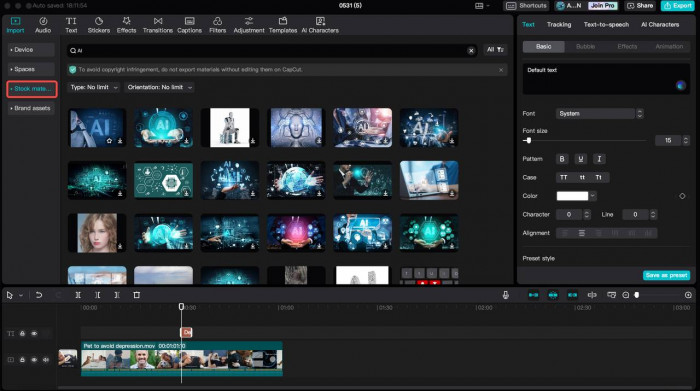
CapCut is TikTok’s most popular companion editor and one of the easiest AI video tools for beginners.
It combines templates, AI editing, and direct TikTok integration.
Key AI-Powered Features
1. AI script-to-video
2. Auto captions
3. AI avatars and voices
4. Trend templates
5. Long video to shorts
6. One-click TikTok export
CapCut’s AI generator can transform a script into a polished video and even convert long videos into multiple short clips automatically. (CapCut)
Best Use Cases
1. Beginners
2. Influencers
3. Trend-based content
4. Quick edits
Pros
1. Free and easy to use
2. Massive template library
3. Direct TikTok workflow
4. Great for trending edits
Cons
1. AI consistency can vary
2. Less advanced automation than specialists
3. Requires some manual work
Pricing
1. Free plan available
2. Paid premium features optional
3. Canva (AI Video Generator)
Overview
Canva has evolved into a powerful AI video creator that is perfect for faceless TikTok content and brand videos.
It focuses on simplicity and drag-and-drop creation.
Key AI-Powered Features
1. Text-to-video generation
2. AI video templates
3. Auto captions
4. Magic Design AI
5. Brand kits
6. Stock media integration
Canva’s AI TikTok generator can create short videos from a simple text prompt in just a few clicks. (Canva)
Best Use Cases
1. Faceless content
2. Small businesses
3. Social media managers
4. Beginners
Pros
1. Extremely easy to use
2. Huge template library
3. Great for branded content
4. Good free plan
Cons
1. Limited advanced editing
2. Not ideal for heavy video work
3. Less “viral optimization”
Pricing
1. Free plan available
2. Pro plan starts around $12.99/month
4. Descript

Overview
Descript is an AI video and audio editor that edits videos like a document. It is especially powerful for talking-head and educational TikTok content. (Descript)
Key AI-Powered Features
1. Edit video by editing text
2. AI voice cloning
3. Auto filler-word removal
4. Auto captions
5. Screen recording
6. Multitrack editing
Best Use Cases
1. Educators
2. Talking-head creators
3. Coaches and consultants
4. Podcast clips
Pros
1. Unique text-based editing
2. Great for voice content
3. Powerful audio cleanup
4. Professional output
Cons
1. Not built specifically for TikTok
2. Learning curve
3. Rendering can be slow
Pricing
1. Free plan available
2. Paid plans start around $12/month
5. VEED.io
Overview
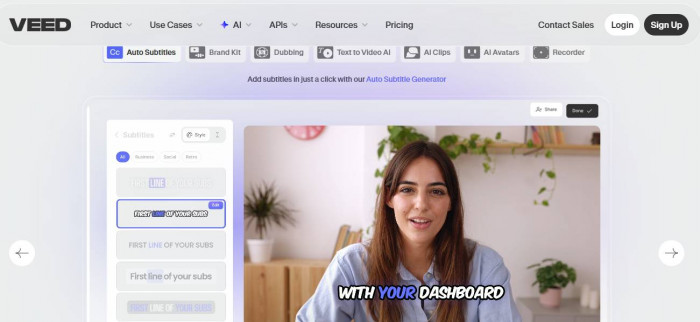
VEED.io is a browser-based AI video editor focused on fast social media production. It is popular among creators who want quick captions and clean edits.(VEED.io)
Key AI-Powered Features
1. Auto subtitles
2. AI voice generator
3. Video resizing for TikTok
4. Templates
5. Background noise removal
6. Analytics tools
Best Use Cases
1. Social media teams
2. Agencies
3. Quick caption videos
4. Marketing content
Pros
1. Works in browser
2. Strong subtitle engine
3. Beginner friendly
4. Good templates
Cons
1. Free plan has watermark
2. Limited advanced automation
3. Can get pricey
Pricing
1. Free plan available
2. Paid plans start around $18/month
6. Runway ML

Overview
Runway ML is one of the most advanced AI video generation platforms. It is best for creators who want cinematic or fully AI-generated TikTok content. (Runway ML)
Key AI-Powered Features
1. Text-to-video generation
2. AI video editing
3. Background removal
4. Motion tracking
5. AI image/video generation
6. Creative effects
Best Use Cases
1. Advanced creators
2. Creative agencies
3. Experimental TikTok content
4. AI filmmakers
Pros
1. Very powerful AI
2. Cutting-edge video generation
3. Unique creative effects
4. High-quality output
Cons
1. Not beginner friendly
2. More expensive
3. Requires experimentation
Pricing
1. Free plan available (limited credits)
2. Paid plans start around $12–$15/month
Comparison Of Best AI TikTok Tools
| Tool | Core Strength | Free Plan | Starting Price | Best For |
| Opus Clip | Long → viral clips | Yes | Credit-based | Repurposing content |
| CapCut | Easy AI editing | Yes | Free / optional | Beginners & trends |
| Canva | Faceless videos | Yes | ~$12.99/mo | Brands & beginners |
| Descript | Text-based editing | Yes | ~$12/mo | Talking-head videos |
| VEED.io | Auto captions | Yes | ~$18/mo | Social teams |
| Runway ML | AI video generation | Yes | ~$12–15/mo | Advanced creators |
How to Use AI Tools to Grow on TikTok
Here is a simple workflow beginners can follow:
Step 1: Find Viral Ideas
Use:
● TikTok Creative Center
● ChatGPT or AI idea tools
● Trend research
Goal: Validate demand before creating.
Step 2: Create the Video Fast
Choose your path:
● Faceless video → Canva
● Talking head → Descript
● Repurpose long video → Opus Clip
● Trend edit → CapCut
Step 3: Add Hooks and Captions
High-performing TikToks almost always include:
● Bold hook in first 2 seconds
● Large captions
● Pattern interrupts
Tools like Opus Clip, VEED, and CapCut automate captions.
Step 4: Optimize for TikTok Format
Make sure your video is:
● Vertical (9:16)
● Under 30–60 seconds
● Fast-paced
● Mobile friendly
Many AI tools auto-reframe for vertical viewing.
Step 5: Post Consistently
AI helps you scale output.
Recommended:
● Beginners: 1 video/day
● Growth phase: 2–3/day
● Agencies: batch weekly
Step 6: Analyze and Double Down
Watch:
● Retention
● Watch time
● Shares
● Saves
Then create more of what works.
Final Verdict: Which AI Tool Should You Choose?
Choosing the right AI TikTok tool depends on your goal.
1. CapCut or Canva for beginners
2. Opus Clip for repurposing long content
3. Descript for talking-head creators
4. VEED.io for social media teams
5. Runway ML for advanced AI video creation