


Table of Content
- The first time edges actually look right
- Then you try convenience instead of perfection
- Product images change the equation completely
- Somewhere in between, you start noticing workflow friction
- Midway reality check
- The part nobody highlights clearly
- So what would you actually use?
- The actual decision
On paper, almost every AI background remover promises the same thing. Upload image, click remove, download clean cutout.
The difference only shows up when you zoom in.
Hair strands get chopped. Transparent objects break. Shadows disappear completely. Edges look fine at thumbnail size but fall apart when you use them in an ad or product page.
And then there’s the hidden cost:
- Free tools cap resolution
- Watermarks appear when you actually need the image
- Batch processing is either locked or painfully slow
So this isn’t about finding a tool that “works.”
Almost all of them work.
This is about finding one that holds up under real use.
The first time edges actually look right
The first tool that consistently handled hair, soft edges, and semi-transparent areas without looking cut out was Remove.bg. (https://www.remove.bg/)
You upload an image, and within seconds, the subject separation looks surprisingly clean. It doesn’t over-smooth edges, and it usually preserves fine details that most free tools destroy.
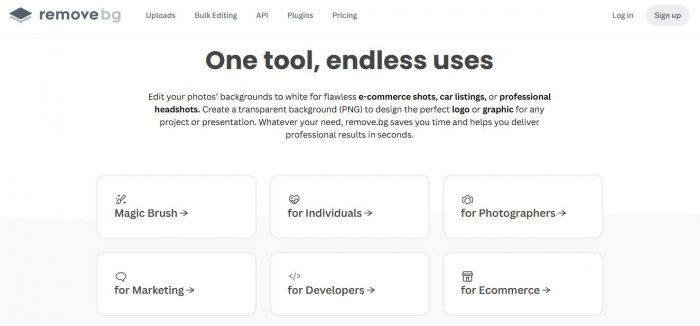
That’s the moment you realize what “good” actually looks like.
But then you hit the pricing model.
Remove.bg runs on credits. Roughly $0.20 per image depending on volume.
That feels cheap until you’re processing:
- 50 product images
- 200 listing photos
- Weekly content batches
At scale, it becomes one of the most expensive options.
So while it solves quality instantly, it introduces cost pressure almost immediately.
Then you try convenience instead of perfection
At some point, you stop caring about perfect edges and start caring about speed.
That’s where Canva comes in. (https://www.canva.com/features/background-remover/)
If you’re already using Canva for posts, thumbnails, or ads, its background remover feels frictionless. One click, and you’re done inside the same editor.
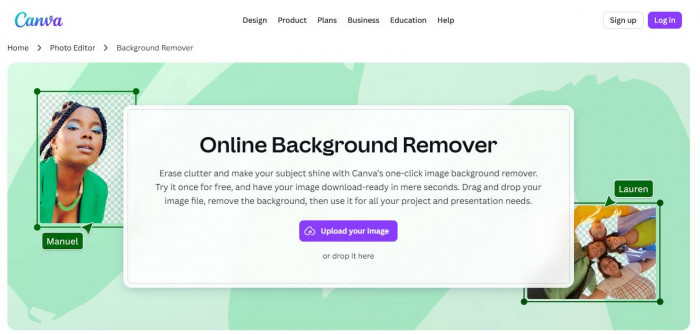
At around $10–$12/month (Canva Pro), it’s predictable pricing.
No credits. No surprises.
But the results are inconsistent.
- Simple backgrounds → works well
- Complex hair or shadows → starts breaking
- Fine edges → slightly artificial
It’s not bad. It’s just not reliable across all use cases.
And when you’re handling multiple images daily, inconsistency becomes a problem.
Some users also report lag or glitches when working on heavier files or switching devices. It’s not a dealbreaker, but it shows up under real workload.
Product images change the equation completely
When you move into e-commerce or product-heavy workflows, you stop thinking about “removing backgrounds” and start thinking about “presentation.”
That’s where Photoroom starts standing out. (https://www.photoroom.com/)
It’s not just removing backgrounds. It’s optimizing product visuals.
- Clean cutouts
- Automatic shadows
- Background replacement that actually looks natural
For product images, it often looks better than Remove.bg because it’s designed for that exact use case.

Pricing sits around $9–$15/month depending on plan.
So it’s cheaper than scaling Remove.bg credits, but more expensive than basic tools.
The trade-off shows up in flexibility.
- Great for products
- Less consistent for people or complex scenes
It’s not a universal tool. It’s a specialized one.
Somewhere in between, you start noticing workflow friction
By now, you’ve likely used multiple tools for different needs.
And this is where the real problem appears:
You’re switching tools constantly.
- Remove.bg for high-quality cutouts
- Canva for quick edits
- Photoroom for product images
Each tool is good at something. None of them handle everything.
And the friction adds up.
Download → upload → edit → export → repeat.
Even if each step takes 30 seconds, across dozens of images, it becomes a real cost.
Midway reality check
At this point, the decision is less about quality and more about trade-offs.
| Tool | Pricing Model | Best Use Case | Limitation |
| Remove.bg | Credit-based (~$0.20/img) | High-quality cutouts | Expensive at scale |
| Canva | ~$10–$12/month | Quick edits + design | Inconsistent edge detection |
| Photoroom | ~$9–$15/month | Product images | Not ideal for complex subjects |
No tool dominates every scenario. Each one solves a specific problem and creates another.
The part nobody highlights clearly
Even the best tools fail in predictable ways:
- Hair against complex backgrounds still breaks
- Transparent objects like glass confuse the AI
- Shadows often need manual adjustment
- Batch processing can degrade consistency
And most importantly:
You still end up doing manual cleanup.
AI removes 80–90% of the work. The last 10% is still on you.
So what would you actually use?
If you’re a casual user
You don’t need precision.
You go with:
- Canva
It’s fast, predictable, and already part of your workflow.
You accept that edges won’t always be perfect.
If you’re doing e-commerce or product listings
Quality matters more than convenience.
You lean toward:
- Photoroom for most work
- Remove.bg for tricky images
This gives you a better presentation without fully committing to credit-based costs.
If you’re handling bulk or scaling operations
Now, cost becomes the biggest factor. You either:
- Use Remove.bg selectively (only for high-value images)
- Combine mid-tier tools to control costs
Because running everything through a credit system doesn’t scale well.
The actual decision
If you had to remove backgrounds regularly, you wouldn’t pick one tool.
You’d build around your most common use case.
- Fast content → Canva
- Product visuals → Photoroom
- Precision work → Remove.bg
And you’d accept something important:
There is no perfect background remover.
Only tools that fail less often for what you need.